SpringBoot集成Swagger
1、新建一个SpringBoot、web项目
2、导入相关依赖
<dependency>
    <groupId>io.springfox</groupId>
    <artifactId>springfox-swagger2</artifactId>
    <version>2.9.2</version>
</dependency>
<dependency>
    <groupId>io.springfox</groupId>
    <artifactId>springfox-swagger-ui</artifactId>
    <version>2.9.2</version>
</dependency>
3、编写控制层
@RestController
public class HelloController {


    @RequestMapping(value = "/hello")
    public String hello(){
        return "hello";
    }
}
配置Swagger信息
/**
 * @Author Alan Ture
 * @Description
 */
@Configuration
@EnableSwagger2
public class SwaggerConfig {

    /**
     * 配置swagger2
     */
    @Bean
    public Docket docket(Environment environment){

        //获取项目环境:如果是dev或者是test返回true ,这个一般用于配置环境和发布环境的切换
        //Profiles profiles = Profiles.of("dev","test");
        //boolean flag = environment.acceptsProfiles(profiles);

        return new Docket(DocumentationType.SWAGGER_2)
                .apiInfo(apiInfo())
                //是否开启swagger
                //.enable(flag)
                .select()
                //RequestHandlerSelectors配置要扫描接口的方式 1、basePackage:基于包扫描 2、withMethodAnnotation 扫描方法上的注解
//                .apis(RequestHandlerSelectors.basePackage("com.alan.swaggerdemo.controller"))
                //.apis(RequestHandlerSelectors.withMethodAnnotation(GetMapping.class))
                //paths(),过滤什么路径,只扫描什么路径下的文件
                //.paths(PathSelectors.ant("/alan/xxx"))
                .build();//build
    }

    /**
     * 配置Swagger信息 apiInfo
     */
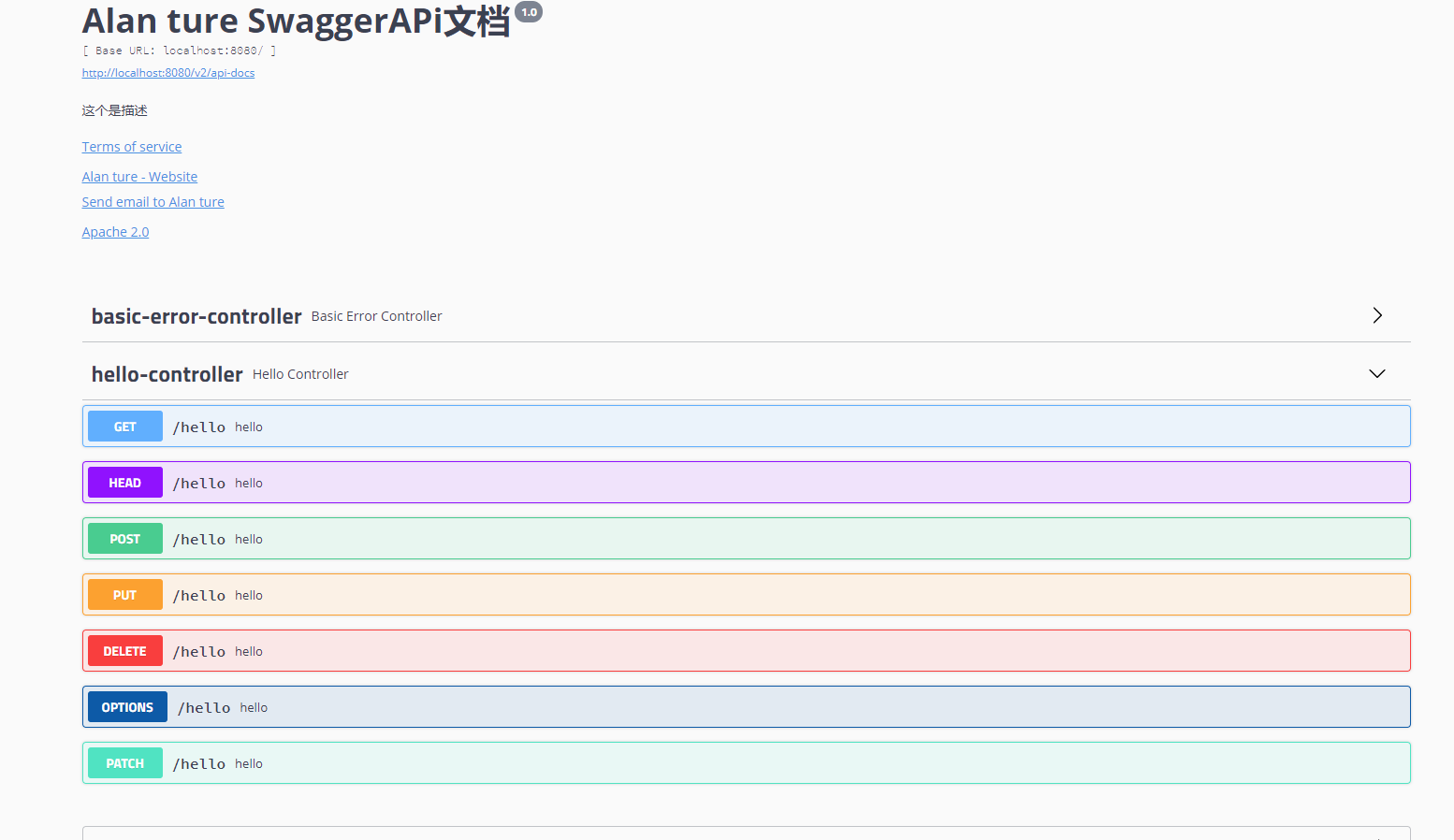
    public ApiInfo apiInfo(){
        //作者信息
        Contact contact = new Contact("Alan ture", "www.baidu.com", "xxxxxx.qq.com");
        return new ApiInfo(
                "Alan ture SwaggerAPi文档",
                "这个是描述",
                "1.0",
                "www.baidu.com",
                contact,
                "Apache 2.0",
                "http://www.apache.org/licenses/LICENSE-2.0",
                new ArrayList<>());
    }

}
Swagger分组
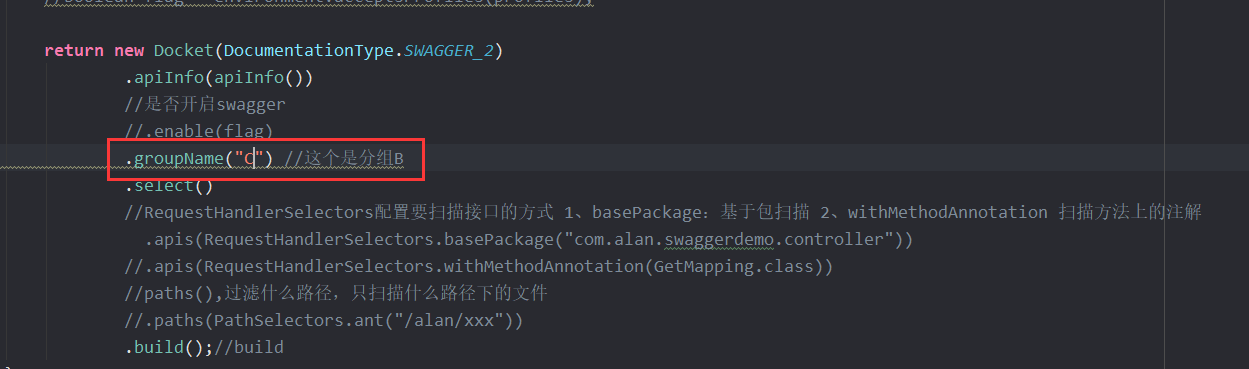
 @Bean
    public Docket docketA(){
        return new Docket(DocumentationType.SWAGGER_2).groupName("A");//分组A的配置
    }
    @Bean
    public Docket docketB(){
        return new Docket(DocumentationType.SWAGGER_2).groupName("B");//分组B的配置
    }
注解
@Api (模块)、@ApiModel(实体类) 、@ApiModelProperty(属性)
@Api("注释,一般用在模块上")
@ApiModel("用户实体类") //文档注释
public class User {

    @ApiModelProperty("用户名")
    public String username;

    @ApiModelProperty("密码")
    public String password;
}
@ApiOperation(controller类中的方法接口)、@ApiParam(参数)
//Operation接口
@ApiOperation("Hello控制类")
@GetMapping(value = "/hello2")
public String hello2(@ApiParam("姓名参数") String name){
    return "hello2"+name;
}
总结:
1、我们可以通过Swagger给一些比较难理解的属性或接口,增加注释信息
2、接口文档实时更新
3、可以在线测试
版权声明:本文为weixin_43556773原创文章,遵循CC 4.0 BY-SA版权协议,转载请附上原文出处链接和本声明。