要求:当我们在文本框中输入内容时,文本框上面自动显示大字号的内容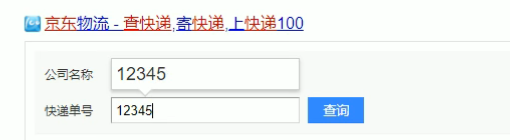
实现效果: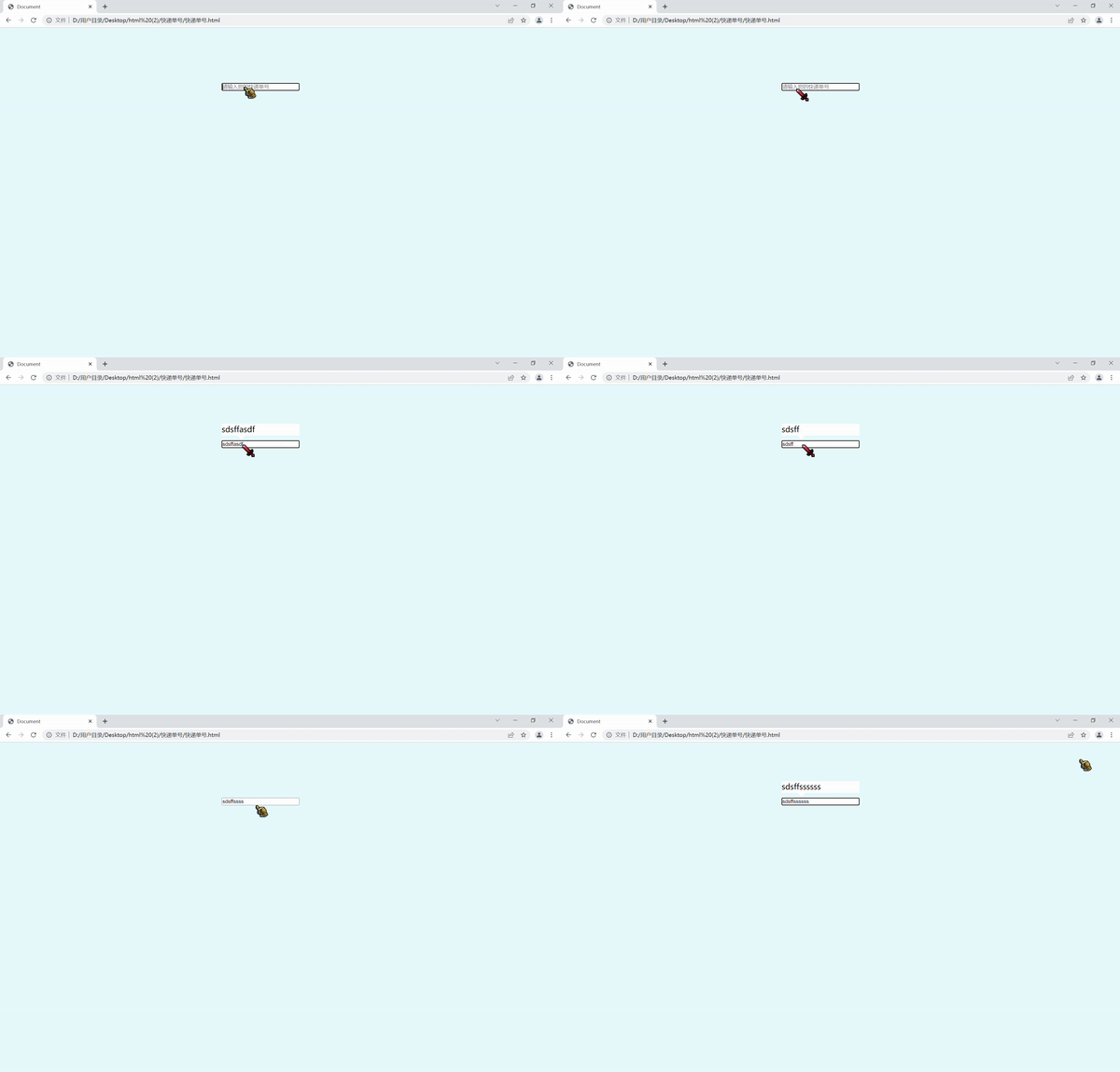
案例分析:
1.快递单号输入内容时,上面的大号字体盒子显示(这里面的字号更大)
2.表单检测用户输入:给表单添加键盘事件
3.同时把快递单号里面的值( value )获取过来赋值给盒子( innerText )做为内容
4.如果快递单号里面内容为空,则隐藏大号字体盒子盒子
注意:注意: keydown和keypress在文本框里面的特点:他们两个事件触发的时候,文字还没有落入文本框中。keyup事件触发的时候,文字已经落入文本框里面了
示例代码:
<!DOCTYPE html>
<html>
   <head>
       <meta charset="UTF-8">
       <meta name="viewport" content="width=device-width,initial-scale=1.0">
       <meta http-equiv="X-UA-Compatible" content="ie=edge">
       <title>Document</title>
       <style>
          * {
              margin: 0;
              padding: 0;
              box-sizing: border-box;
          }
          body {
              background-color: rgb(228, 248, 252);
          }
          .big {
              width: 300px;
              height: 300px;
              margin: 100px auto;
          }
          .box1 {
              position: relative;
              width: 200px;
              height: 30px;
              background-color: #fff;
              margin-bottom: 10px;
              font-size: 20px;
              visibility: hidden;
          }
           .box1::before {
               position: absolute;
               content: "";
               width: 0;
               height: 0;
               border-left: 10px solid transparent;
               border-right: 10px solid transparent;
               border-top: 10px solid #fff;
               bottom: -10px;
               left: 40px;
           }
          .box2 {
              width: 200px;
          }
          input {
              width: 100%;
          }
       </style>
   </head>
   <body>
       <div class="big">
           <div class="box1"></div>
           <div class="box2">
               <input type="text" placeholder="请输入您的快递单号" class="input">
           </div>
       </div>
   </body>
   <script>
       var input = document.querySelector('.input');
       var box1 = document.querySelector('.box1');
       input.addEventListener('keyup',function() {
           if(this.value == '')
           {
               box1.style.visibility = 'hidden';
           }
           else
           {
               box1.style.visibility = 'visible';
               box1.innerText = this.value;
           }
       })
       /*失去焦点就隐藏盒子*/
       input.addEventListener('blur',function() {
           box1.style.visibility = 'hidden';
       })
       /*获得焦点就显示盒子*/
       input.addEventListener('blur',function() {
           if(this.value!='')
           {
               box1.style.visibility = 'visible';
           }
       })
   </script>
</html>
版权声明:本文为qq_49900295原创文章,遵循CC 4.0 BY-SA版权协议,转载请附上原文出处链接和本声明。