el-table 实现自定义列
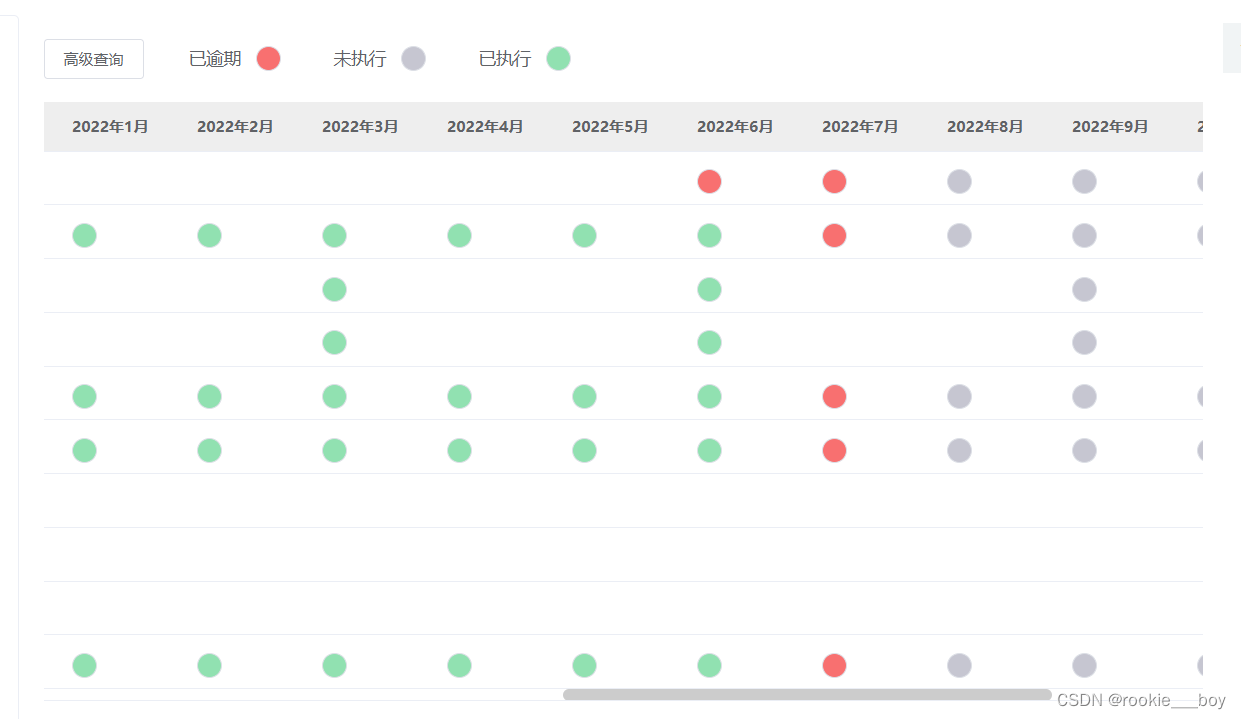
 <el-table-column width="100" v-for="info in rightHeader" :key="info.key" :property="info.key" :label="info.label">
            <template slot-scope="scope">
              <!-- <template v-for="item in scope.row[scope.column.property]" >
              {{item}}
            </template> -->
              <!-- {{scope.row[scope.column.property]['type']}} -->
              <!-- {{scope.row[scope.column.property].get}} -->
              <el-button v-if="scope.row[scope.column.property] == 'info'" style="background: #c6c6d1" plain circle></el-button>
              <el-button v-if="scope.row[scope.column.property] == 'danger'" style="background: #f87070" plain circle></el-button>
              <el-button v-if="scope.row[scope.column.property] == 'success'" style="background: #91e1b1" plain circle @click="test(scope)"></el-button>
            </template>
          </el-table-column>
表格列遍历的数据来源
  rightHeader: [
    {
      label: "自定义1",
      key: "Jan",
    },

    {
      label: "自定义2",
      key: "Feb",
    },
    {
      label: "自定义3",
      key: "Mar",
    },
    {
      label: "自定义4",
      key: "Apr",
    },

    {
      label: "自定义5",
      key: "May",
    },

    {
      label: "自定义6",
      key: "Jun",
    },
    {
      label: "自定义7",
      key: "Jul",
    },
    {
      label: "自定义8",
      key: "Aug",
    },
    {
      label: "自定义9",
      key: "Sep",
    },
    {
      label: "自定义10",
      key: "Oct",
    },
    {
      label: "自定义11",
      key: "Nov",
    },
    {
      label: "自定义12",
      key: "Dec",
    },
  ],
表格自定义字段的数据的格式化
 let date = new Date();
      let y;
      if (this.qryForm.planYear != null && this.qryForm.planYear != "")
        y = this.qryForm.planYear;
      else
        y = date.getFullYear();
      for (let index = 1; index < 13; index++) {
        let time = y + "年" + index + "月";
        this.rightHeader[index - 1].label = time;
      }
版权声明:本文为rookie___boy原创文章,遵循CC 4.0 BY-SA版权协议,转载请附上原文出处链接和本声明。