
这是我们在使用element-ui的Table 表格的默认样式
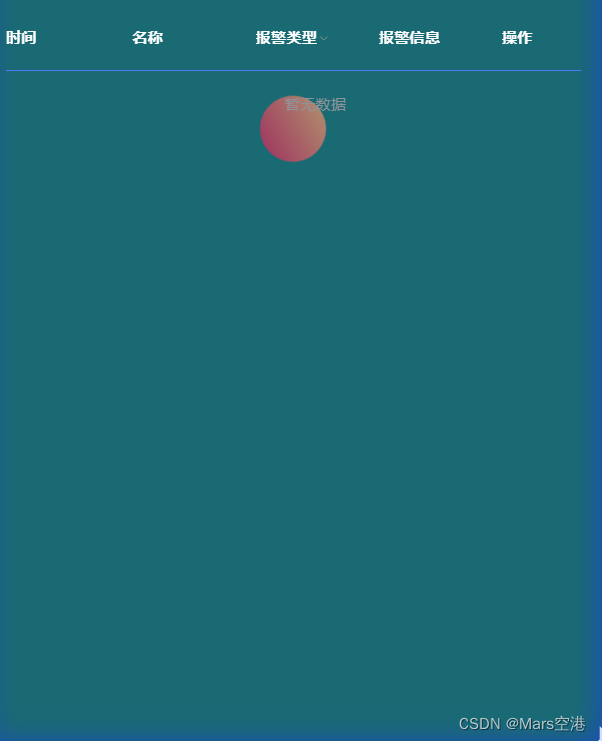
由于我的项目不需要白色,就改为了无色
::v-deep .el-form-item {
  margin: 0 5px !important;
  // padding: 20px;
  // background-color: ;
}
::v-deep .el-table,
.el-table__expanded-cell {
  padding: 20px !important;
  background-color: transparent !important;
}
::v-deep .el-table th {
  background-color: transparent !important;
  border-bottom: 1px solid #5078fc !important;
  color: #fefefe !important;
}
::v-deep .el-table tr {
  background-color: transparent !important;
}
::v-deep .el-table--enable-row-transition .el-table__body td,
::v-deep .el-table .cell {
  background-color: transparent !important;
  color: rgba(255, 255, 255, 0.7) !important;
  border: none !important;
  padding-left: 0 !important;
  padding-right: 0 !important;
}
::v-deep .el-table th > .cell {
  color: rgba(254, 254, 254, 1) !important;
  font-weight: 700 !important;
}
.el-table::before {
  //去除底部白线
  left: 0 !important;
  bottom: 0 !important;
  width: 100%!important;
  height: 0px !important;
}

::v-deep .el-form-item__label {
  color: white !important;
}
由于的我背景色比较重,文字的颜色也改为了白色,可以根据项目修改
版权声明:本文为weixin_45884508原创文章,遵循CC 4.0 BY-SA版权协议,转载请附上原文出处链接和本声明。