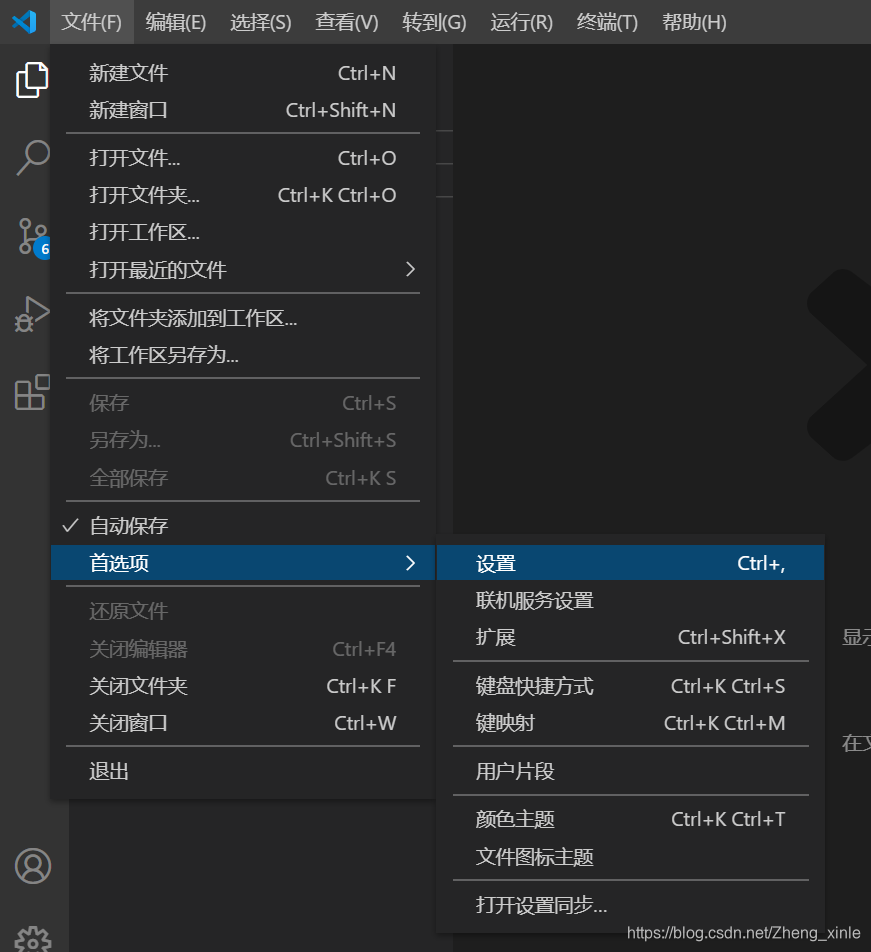
一、选中文件–>首选项–>设置
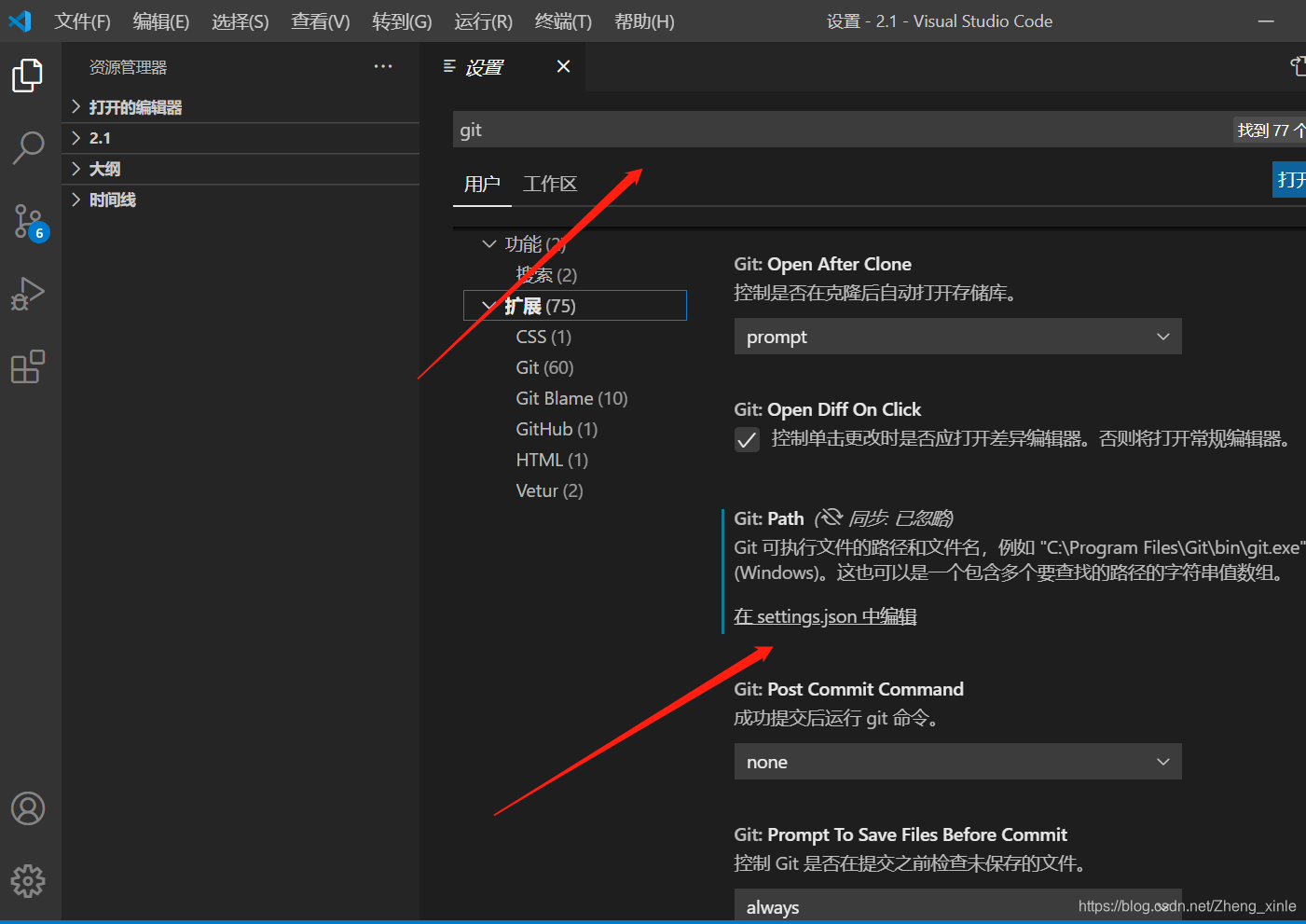
二、搜索git,找到setting.json
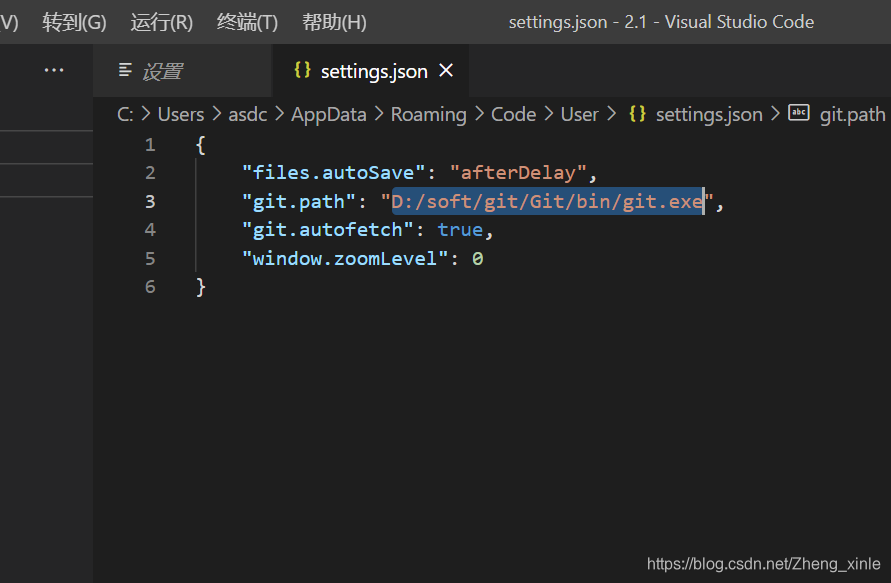
三、在setting.json中添加"git.path":“D:/soft/git/Git/bin/git.exe”
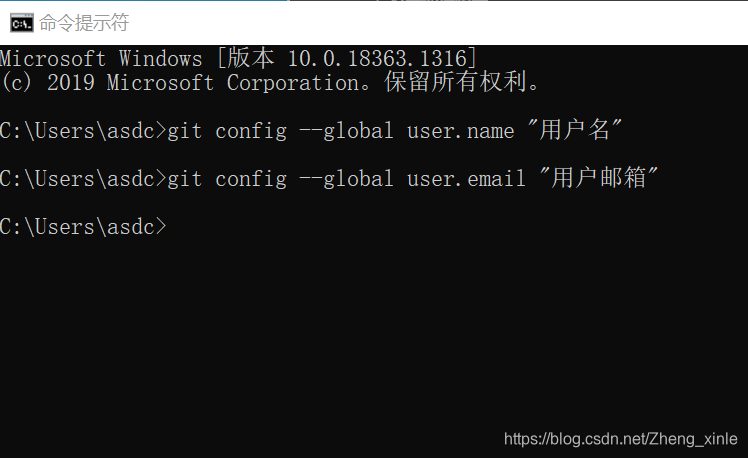
四、git bush中设置Git 全局设置:
git config --global user.name “用户名”
git config --global user.email “用户邮箱”
五、设置让VSCode记住git账号和密码
git config --global credential.helper store
版权声明:本文为Zheng_xinle原创文章,遵循CC 4.0 BY-SA版权协议,转载请附上原文出处链接和本声明。