最终效果:

CSS代码:
  input[type='checkbox'] {
    position: relative;
    cursor: pointer;
    width: 12px;
    height: 12px;
    font-size: 12px;
  }

  input[type='checkbox']:checked::after {
    position: absolute;
    top: 0;
    display: inline-flex;
    justify-content: center;
    align-items: center;
    width: 12px;
    height: 12px;
    content: '✓';
    color: #fff;
    font-size: 12px;
    font-weight: 700;
    background-color: green;
    border-radius: 2px;
  }
还有一个问题!
上述样式在打印时不生效!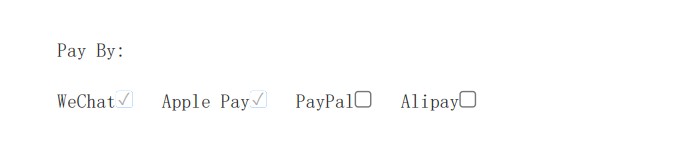
加入以下CSS 代码 :
	//google chrome explore
	-webkit-print-color-adjust: exact;
	//firefox  explore
	-moz-print-color-adjust: exact;
	color-adjust: exact;
效果:
在打印时,还有个小问题没有解决, √ 号的font-weight: 700;没有生效.
版权声明:本文为weixin_54858833原创文章,遵循CC 4.0 BY-SA版权协议,转载请附上原文出处链接和本声明。