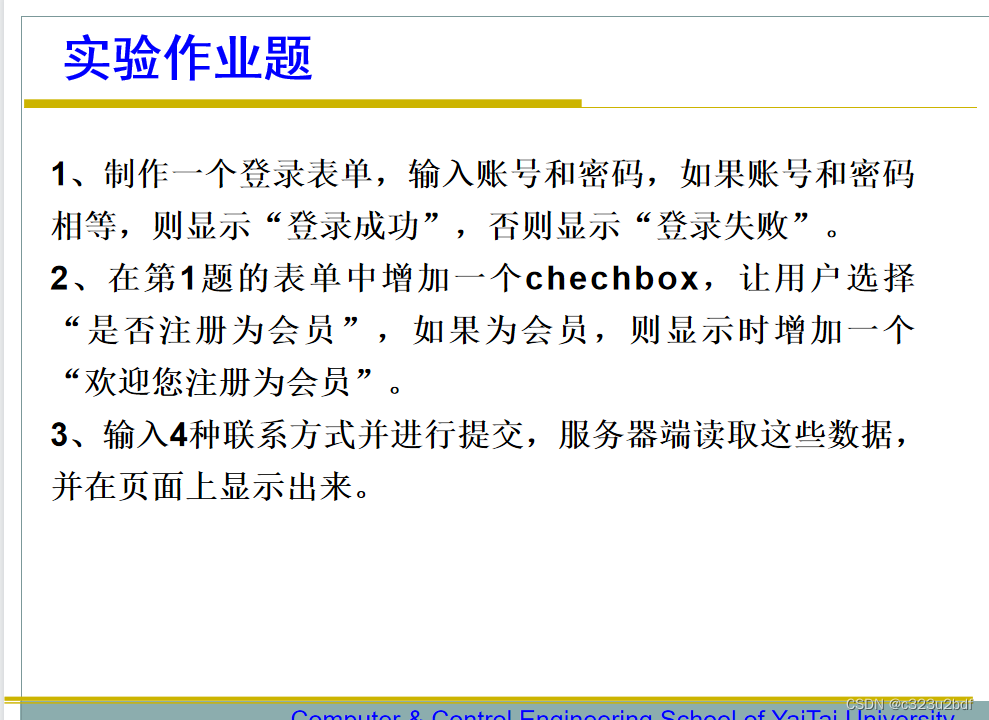
1、制作一个登录表单,输入账号和密码,如果账号和密码相等,则显示“登录成功”,否则显示“登录失败”。
代码:
five_1.jsp
<%@ page language="java" contentType="text/html; charset=UTF-8"
    pageEncoding="UTF-8"%>
<!DOCTYPE html>
<html>
<head>
<meta charset="UTF-8">
<title>登录系统</title>
</head>
<body>
	<h2>欢迎来到登录系统!</h2>
    <form action="five_1_result.jsp">
        	请输入账号<input type="text" name="stuName"><br/>
        	请输入密码<input type="password" name="stuPass"><br/>
            <input type="submit" value="提交">
    </form>
</body>
</html>
five_1_result.jsp
<%@ page language="java" contentType="text/html; charset=UTF-8"
    pageEncoding="UTF-8"%>
<!DOCTYPE html>
<html>
<head>
<meta charset="UTF-8">
<title>登录系统</title>
</head>
<body>
    <% String name=request.getParameter("stuName");
    	String password=request.getParameter("stuPass");
        String re1="登录成功";
        String re2="登录失败";
        if(name.equals(password))
        	out.println("<script>alert('"+re1+"');</script>");
        else
        	out.println("<script>alert('"+re2+"');</script>");
    %>
</body>
</html>
效果:
登录表单
2、在第1题的表单中增加一个chechbox,让用户选择“是否注册为会员”,如果为会员,则显示时增加一个“欢迎您注册为会员”。
代码:
five_2.jsp
<%@ page language="java" contentType="text/html;charest=UTF-8"
pageEncoding="UTF-8"%>
<!DOCTYPE html>
<html>
	<head>
		<title>登录系统</title>
	</head>
	<body>
		<form name="form2" action="five_2_result.jsp" method="post">
			账号:<input name="account" type="text"><br/>
			密码:<input name="password" type="password"><br/>
			是否注册为会员:<input name="VIP" type="radio" value="1">是
							<input name="VIP" type="radio" value="0">否<br/>
			<input type="submit" value="登录" >
		</form>
	</body>
</html>
five_2_result.jsp
<%@ page language="java" contentType="text/html; charset=UTF-8" pageEncoding="GB2312"%>
<!DOCTYPE html>
<html>
<head>
<meta charset="UTF-8">
<title>登录系统</title>
</head>
<body>
    <%  String name=request.getParameter("account");
    	String password=request.getParameter("password");
    	String isVIP=request.getParameter("VIP");
        String re1="登录成功";
        String re2="登录失败";
        String re3="欢迎您注册为会员";
        if(name.equals(password))
        {
        	out.println("<script>alert('"+re1+"');</script>");
        	if(isVIP.equals("1")){
        		out.println("<script>alert('"+re3+"');</script>");
        	}

        }
        else
        	out.println("<script>alert('"+re2+"');</script>");
    %>
</body>
</html>
效果:
登录表单2
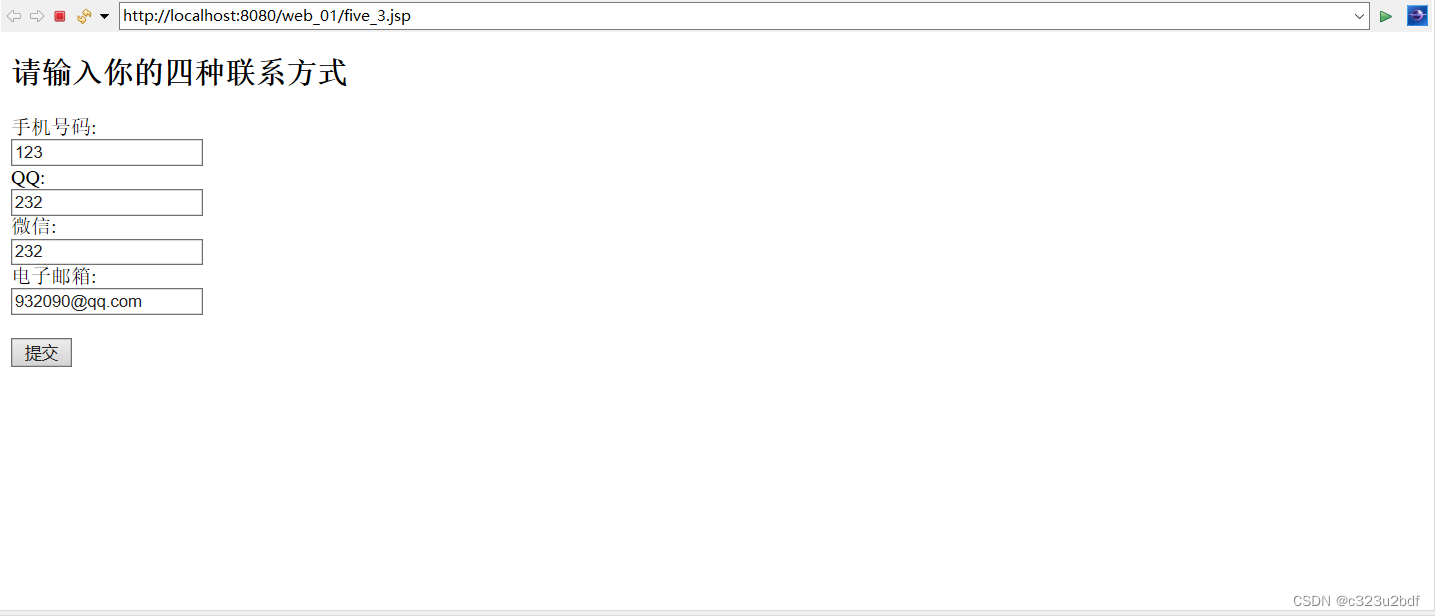
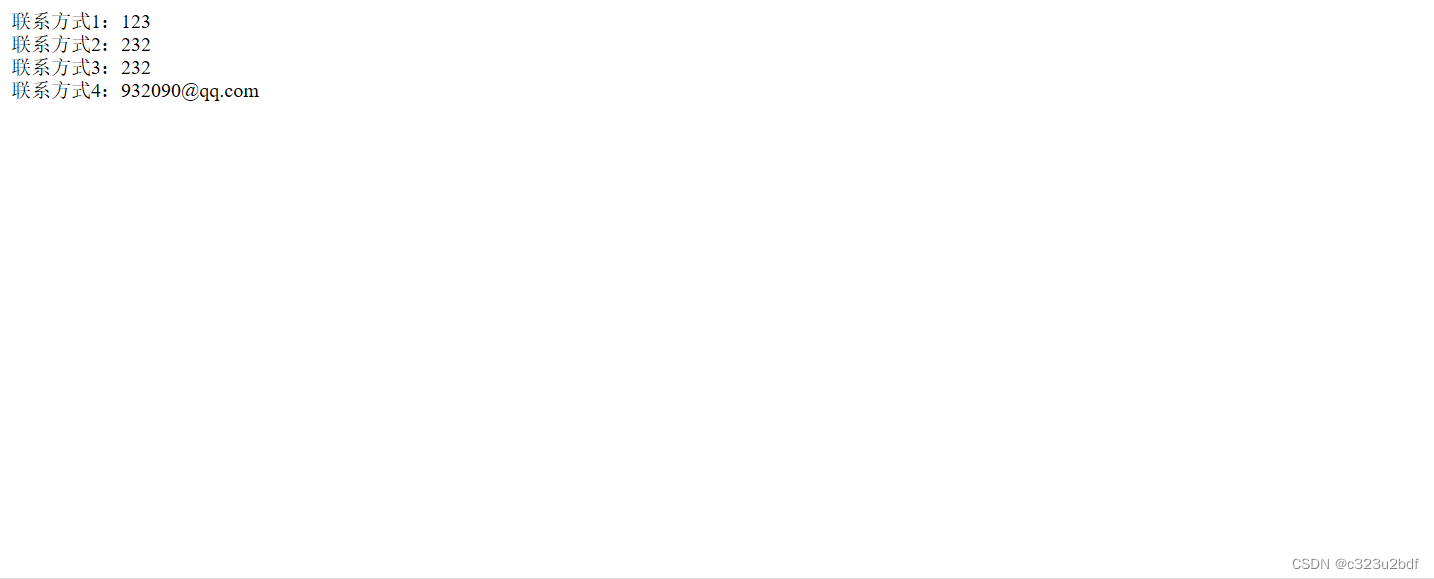
3、输入4种联系方式并进行提交,服务器端读取这些数据,并在页面上显示出来。
代码:
five_3.jsp
<%@ page language="java" contentType="text/html;charest=UTF-8" pageEncoding="UTF-8"%>

<!DOCTYPE html>
<html>
	<head>
		<title>四种联系方式</title>
	</head>
	<body>
		<h2>请输入你的四种联系方式</h2>
		<form action="five_3_result.jsp" method="post">
			手机号码:<br/><input type="text" name="lx1" ><br/>
			QQ:<br/><input type="text" name="lx2" ><br/>
			微信:<br/><input type="text" name="lx3" ><br/>
			电子邮箱:<br/><input type="text" name="lx4" ><br/><br/>
			<input type="submit" value="提交" name="ok"><br/>
		</form>
	</body>
</html>
five_3_result.jsp
<%@ page language="java" contentType="text/html; charset=UTF-8" pageEncoding="UTF-8" %>
<html>
	<body>
		<%
			String get1=request.getParameter("lx1");
			String get2=request.getParameter("lx2");
			String get3=request.getParameter("lx3");
			String get4=request.getParameter("lx4");
			out.println("联系方式1:"+get1+"<br/>");
			out.println("联系方式2:"+get2+"<br/>");
			out.println("联系方式3:"+get3+"<br/>");
			out.println("联系方式4:"+get4+"<br/>");
		%>
	</body>
</html>
效果:
版权声明:本文为qq_60212533原创文章,遵循CC 4.0 BY-SA版权协议,转载请附上原文出处链接和本声明。