WindTerm修改发送Alt键到SSH (N)VIM
其他的SSH工具
因为WindTerm已经好久好久没更新了,现在换了Tabby,基本开箱即用,相比WindTerm也是方便许多。
https://github.com/Eugeny/tabby
前言
作者原来用Xshell进行远程SSH,这次换了新环境,又碰巧看到了WindTerm,想换一换界面。
因为主要是C/C++开发,使用Nvim,而绑定快捷键时使用了Alt+d显示文件目录。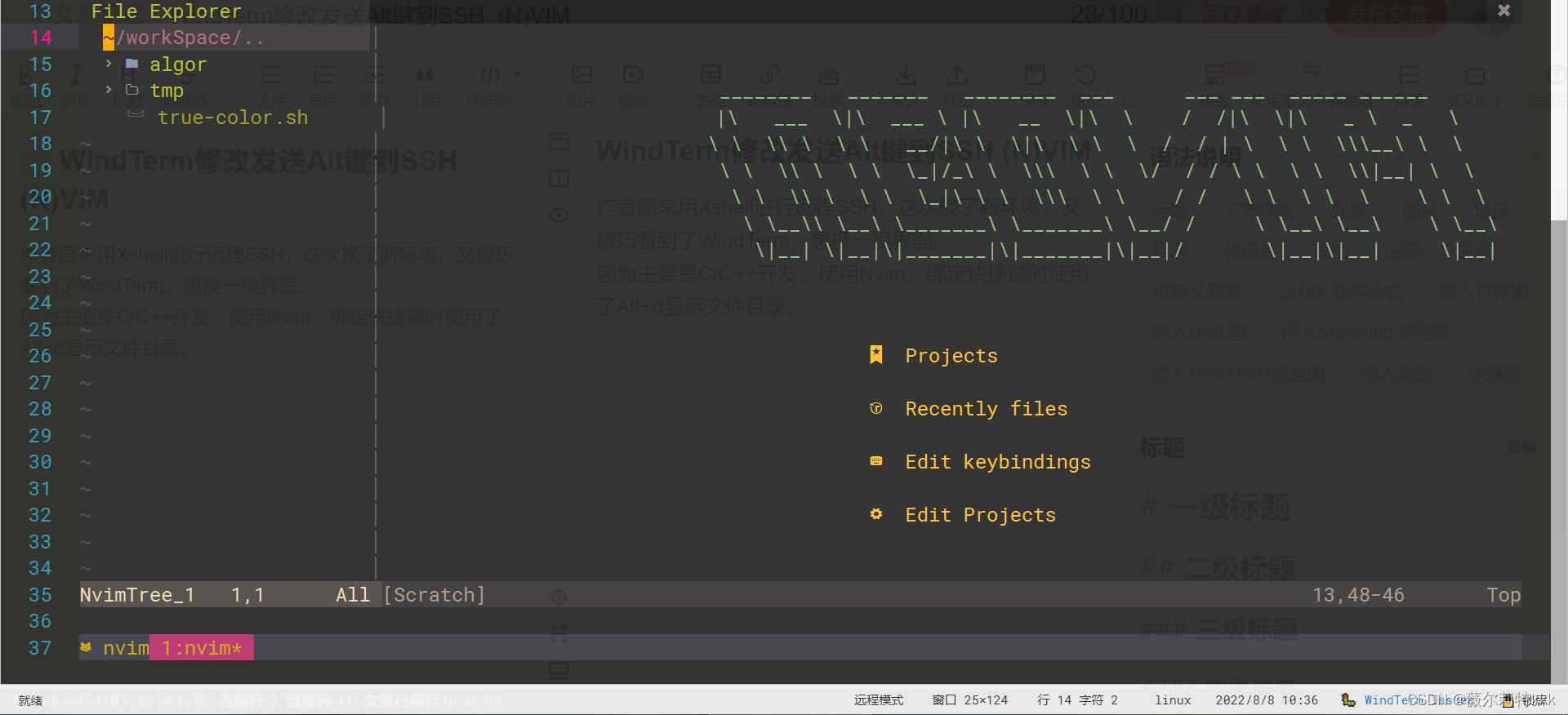
原理
1.但是默认配置下无法发送Alt键,琢磨一下,发现Xshell以及一些工具因为历史原因在默认情况下都无法发送Alt。
经过设置,这些软件通过发送ESC来转换成ALT(参考)。
按键延迟(可由Vim/Nvim中ttimeoutlen决定) | Key |
|---|---|
| <=100ms | Alt+d |
| >100ms | ESC d |
2.Alt与Meta的关系
Alt因为历史原因在多数终端环境下不能使用,而用Meta表示。这里把它们当作一个意思即可。
The text M-k is read as ‘Meta-K’ and describes the character produced when the Meta key (if you have one) isdepressed, and the k key is pressed. The Meta key is labeled ALT on many keyboards. On keyboards with two keyslabeled ALT (usually to either side of the space bar), the ALT on the left side is generally set to work as a Metakey. The ALT key on the right may also be configured to work as a Meta key or may be configured as some othermodifier, such as a Compose key for typing accented characters.
If you do not have a Meta or ALT key, or another key working as a Meta key, the identical keystroke can be generatedby typing ESC first, and then typing k. Either process is known as metafying the k key.
The text M-C-k is read as ‘Meta-Control-k’ and describes the character produced by metafying C-k.
3.所以Xshell开启该设置就能发送Alt键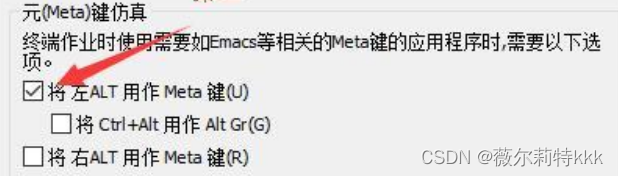
WindTerm上的设置
1.WindTerm设置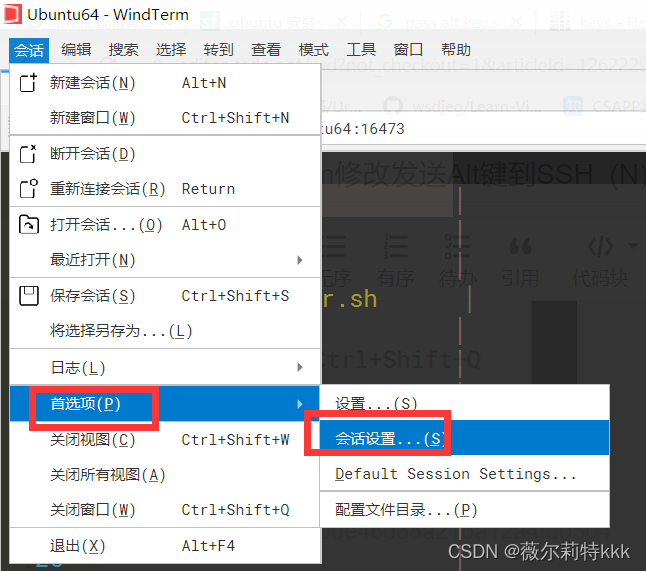
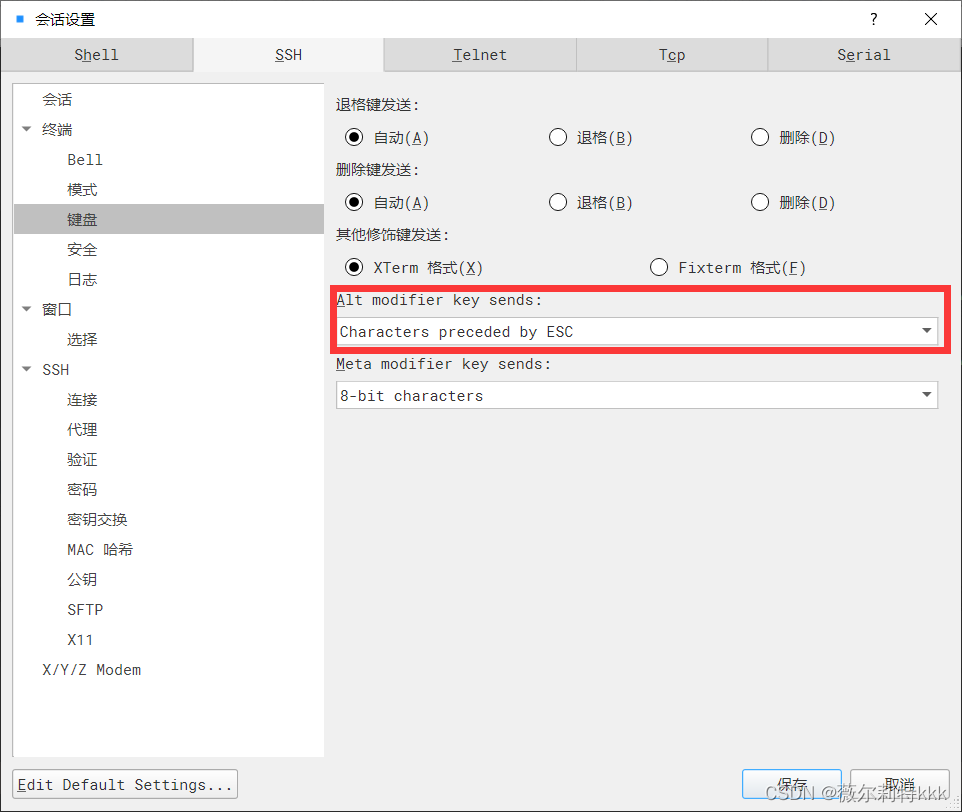
2.修改配置文件
复制一份保存,并编辑文件WindTerm安装目录\global\wind.keymaps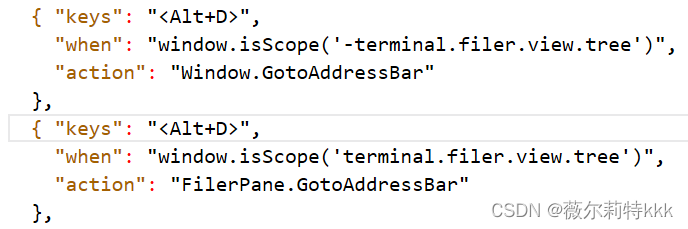
删除这两行即可。
3.重启WindTerm就完成啦。