爬取京东搜索的数据到本地ElasticSearch
1、前言
尽量跟着官方文档和别人的博客学习,然后再配合视频学习。
环境:Linux(CentOS7)、JDK1.8、ELasticSearch6.8、Kibana6.8、ik分词器6.8。(版本最好一致)
代码路径
https://github.com/spreoW/ElasticSearch-Spider
2、创建Java工程,导入用到的依赖
注:完整依赖上传到git上面了,大家有兴趣可以看看。
<!--jsoup网络用到的包-->
<dependency>
	<groupId>org.jsoup</groupId>
	<artifactId>jsoup</artifactId>
	<version>1.10.2</version>
</dependency>

<!--elasticsearch客户端-->
<dependency>
	<groupId>org.elasticsearch.client</groupId>
	<artifactId>elasticsearch-rest-high-level-client</artifactId>
	<version>6.8.10</version>
</dependency>

<!--JSON转换的工具类-->
<dependency>
	<groupId>com.alibaba</groupId>
	<artifactId>fastjson</artifactId>
	<version>1.2.3</version>
</dependency>
3、编写网页解析工具类
注意事项
- @Component加入Spring注解
- 为空跳出本次循环(代码优化)
@Component
public class HtmlParseUtil {

    public List<Goods> prase(String keyword) throws Exception {
        String url = "https://search.jd.com/Search?keyword="+keyword+"&enc=utf-8";
        Document document = Jsoup.parse(new URL(url), 3000);
        Element goodsList = document.getElementById("J_goodsList");
        Elements elements = goodsList.getElementsByTag("li");
        List<Goods> list = new ArrayList<>();
        for (Element element:elements){
            String image = element.getElementsByTag("img").eq(0).attr("src");
            // 为空跳出本次循环
            if (image==null||image.length()==0){
                continue;
            }
            Goods goods = new Goods();
            String prive = element.getElementsByClass("p-price").eq(0).text();
            String title = element.getElementsByClass("p-name").text();
            goods.setImage(image);
            goods.setPrice(prive);
            goods.setTitle(title);
            list.add(goods);
        }
        return list;
    }
}
4、Service业务编写
注意事项
bulkRequest.add(new IndexRequest("jd_goods").type("goods")
											.source(JSON.toJSONString(goodsList.get(i)),XContentType.JSON));
1、在6.X版本的要加type,7.X的不用加
2、一定要传String或者Map,要是是对象的话,无法做精准search和模糊search,所以要用到JSON.toJSONString(),而不是JSON.toJSON();
第二点是个坑,一定要用JSON.toJSONString()。
Object json = JSON.toJSON(user);
String jsonString = JSON.toJSONString(user);
System.out.println(json);
System.out.println(jsonString);

// 返回类型不一样,但是打印出的的是一样的。
{"age":33,"username":"zhangsan"}
{"age":33,"username":"zhangsan"}
@Service
public class ContentsService {

    @Autowired
    private HtmlParseUtil htmlParseUtil;
    @Autowired
    private RestHighLevelClient restHighLevelClient;

    /**
     * 爬取数据插入到ElasticSearch
     * @param keyword 搜索关键字
     * @return
     * @throws Exception
     */
    public Boolean parse(String keyword) throws Exception {
        // 爬取数据
        List<Goods> goodsList = htmlParseUtil.prase(keyword);
        BulkRequest bulkRequest = new BulkRequest();
        bulkRequest.timeout("2m");
        for (int i=0;i<goodsList.size();i++){
            bulkRequest.add(new IndexRequest("jd_goods").type("goods").source(JSON.toJSONString(goodsList.get(i)),XContentType.JSON));
        }
        BulkResponse bulk = restHighLevelClient.bulk(bulkRequest, RequestOptions.DEFAULT);
        return !bulk.hasFailures();
    }

    /**
     * 根据输入的关键字在ElasticSearch里面搜索,将分页查询的数据通过List<Map<>>返回
     * @param keyword  搜索关键字
     * @param pageNo   当前数
     * @param pageSize 查几个
     * @return
     */
    public List<Map<String,Object>> searchPage(String keyword,int pageNo,int pageSize) throws IOException {

        SearchRequest searchRequest = new SearchRequest("jd_goods");
        SearchSourceBuilder searchSourceBuilder = new SearchSourceBuilder();

        searchSourceBuilder.from(pageNo);
        searchSourceBuilder.size(pageSize);

        //构建精准查询
        TermQueryBuilder termQueryBuilder = QueryBuilders.termQuery("title", keyword);
        searchSourceBuilder.query(termQueryBuilder);
        searchSourceBuilder.timeout(new TimeValue(60, TimeUnit.SECONDS));

        //执行搜索
        searchRequest.source(searchSourceBuilder);
        SearchResponse searchResponse = restHighLevelClient.search(searchRequest, RequestOptions.DEFAULT);

        SearchHit[] hits = searchResponse.getHits().getHits();
        List<Map<String,Object>> searchList = new ArrayList<>();
        for (SearchHit sh : hits){
            searchList.add(sh.getSourceAsMap());
        }
        return searchList;
    }
}
5、Controller编写
注:讲究的是简洁。
@RestController
public class ContentsController {

    @Autowired
    private ContentsService contentsService;

    @GetMapping("/parse/{keyword}")
    public Boolean parse(@PathVariable("keyword") String keyword) throws Exception {
        return contentsService.parse(keyword);
    }

    @GetMapping("/search/{keyword}/{pageNo}/{pageSize}")
    public List<Map<String,Object>> searchPage(@PathVariable("keyword") String keyword,
                                               @PathVariable("pageNo")int pageNo,
                                               @PathVariable("pageSize")int pageSize) throws IOException {
        return contentsService.searchPage(keyword,pageNo,pageSize);
    }
}
6、测试
- 启动SpringBoot
- 请求http://localhost:8080/parse/java,插入到ElasticSearch
- 分页搜索,http://localhost:8080/search/java/1/30
7、页面展示
1、parse http://localhost:8080/parse/java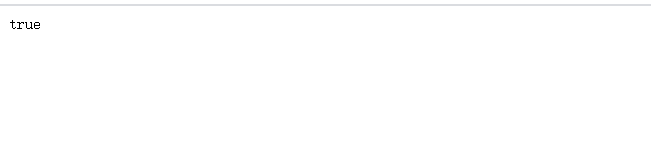
2、search http://localhost:8080/search/java/1/30
版权声明:本文为qq_40205337原创文章,遵循CC 4.0 BY-SA版权协议,转载请附上原文出处链接和本声明。