010editor解析TVL格式数据
首先从外部粘贴十六进制的通信数据时需要注意,比如这段数据
6801010036CA071001010001210723100108FF5AD0133406577425D9DE6719DED45B4B0424F96B550A9F4918434E4D12ED24D601EF16,直接使用ctrl+v会显示不正确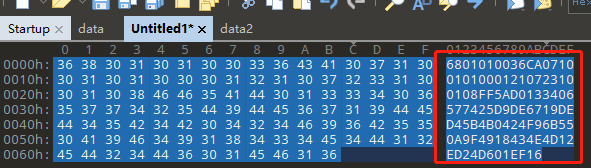
需要使用十六进制的粘贴方法:Ctrl+shift+v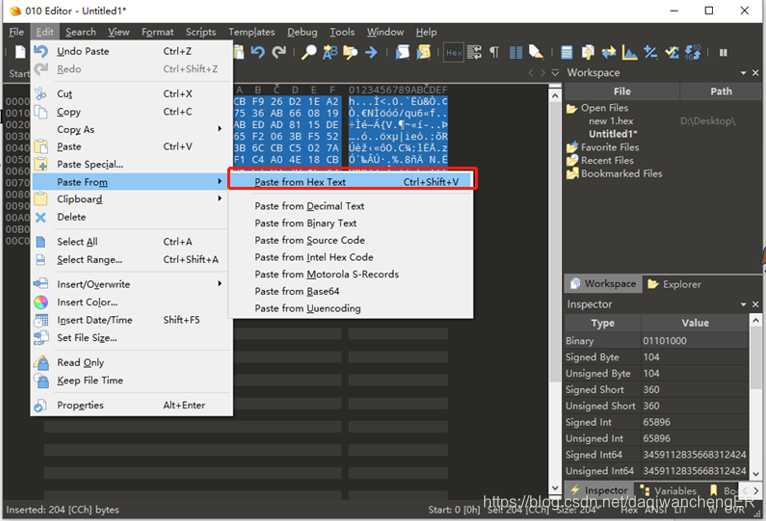
效果如下
现在需要根据这段数据的协议格式,编写对应的脚本来进行解析,常用的两种脚本的类型以及用途
.bt脚本用于识别文件类型
.1sc脚本用于操作数据
这里是解析数据,新建一个.bt格式的脚本,拖曳到010editor的编辑器中
typedef struct _GAS_START
{
    BYTE Head;
    BYTE ProType;
    BYTE ProFrameType;
    INT16 Length;
    BYTE SerisNumber;
    BYTE Contrl;
}GAS_START;

typedef struct _GAS_MEMBER(INT16 size) {
    WORD ObjID;
    BYTE Data[size];
    WORD CheckCode;
    BYTE Tail;
}GAS_MEMBER;

BigEndian();

GAS_START Start;

GAS_MEMBER member(Start.Length-12);
单击执行后,结果就解析出来了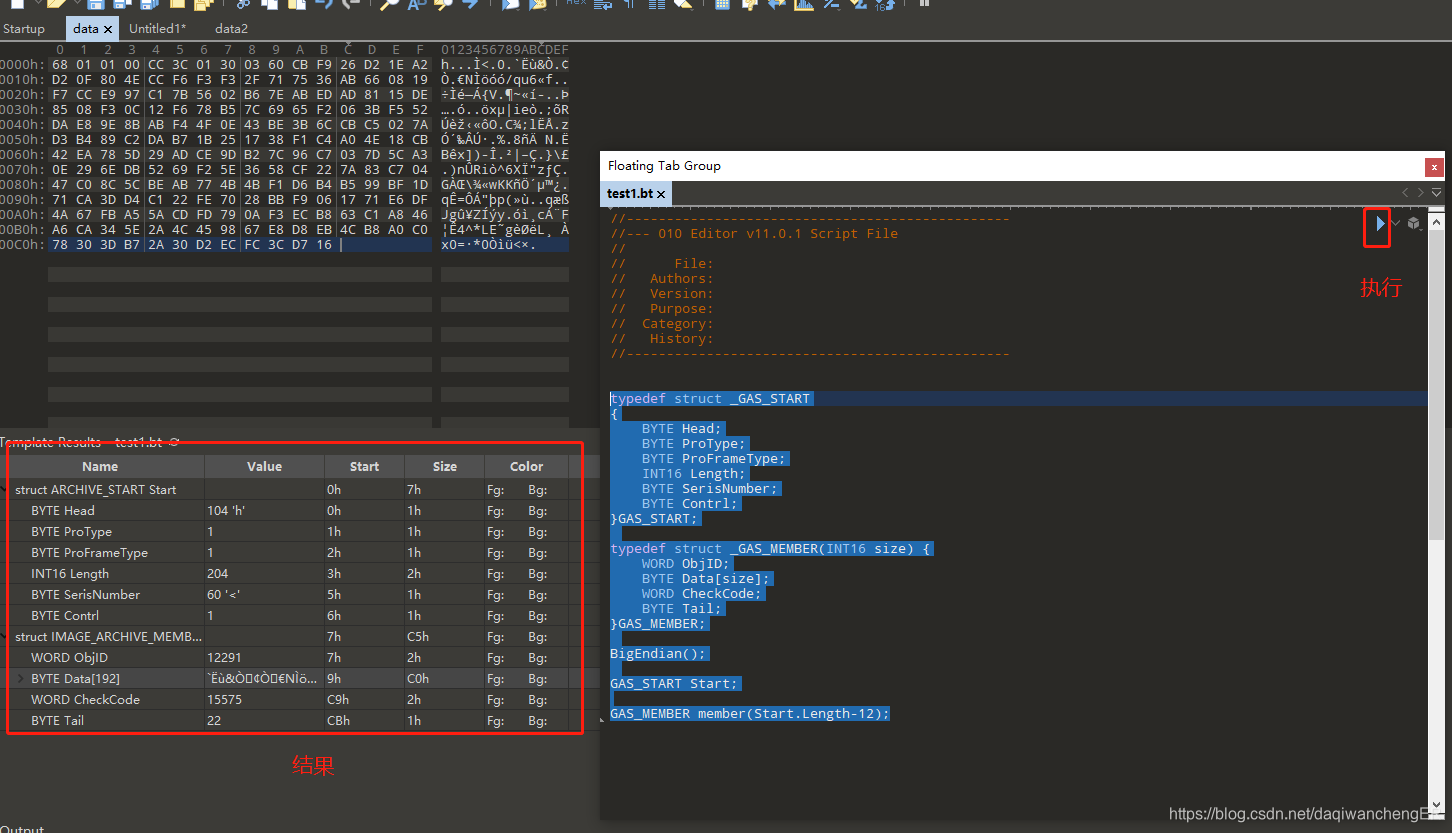
常用的数据类型
8位 char byte CHAR BYTE uchar ubyte UCHAR UBYTE
16位 short int16 SHORT INT16 ushort uint16 USHORT UINT16 WORD
32位 int int32 long INT INT32 LONG uint uint32 ulong UINT UINT32 ULONG DWORD
64位 int64 quad QUAD INT64 __int64 uint64 uquad UQUAD UINT64 __uint64 QWORD
浮点 float FLOAT double DOUBLE hfloat HFLOAT
其他 DOSDATE DOSTIME FILETIME OLETIME time_t
使用typedef定义数据结构类型
常用的API
void BigEndian()
void LittleEndian()
char ReadByte(int64 pos=FTell())
uchar ReadUByte(int64 pos=FTell())
short ReadShort(int64 pos=FTell())
ushort ReadUShort(int64 pos=FTell())
int ReadInt(int64 pos=FTell())
uint ReadUInt(int64 pos=FTell())
int64 ReadInt64(int64 pos=FTell())
uint64 ReadUInt64(int64 pos=FTell())
void ReadBytes(uchar buffer[], int64 pos, int n)
char[] ReadString(int64 pos, int maxLen=-1)
int ReadStringLength(int64 pos, int maxLen=-1)
wstring ReadWString(int64 pos, int maxLen=-1)
int ReadWStringLength(int64 pos, int maxLen=-1)
void WriteByte(int64 pos, char value)
int FSeek(int64 pos)
int FSkip(int64 offset)
int64 FTell()
int FEof()
void Strcpy(char dest[], const char src[])
void Strcat(char dest[], const char src[])
int Strchr(const char s[], char c)
int Strcmp(const char s1[], const char s2[])
int Printf(const char format[] [, argument, … ])
int SScanf(char str[], char format[], …)
int SPrintf(char buffer[], const char format[] [, argument, … ])