1、HTML部分
<Button type="primary" ghost @click="addRow()" style="margin: 10px 0px;">增加</Button>
<Table border :columns="rulesTableColumns" :data="rulesTableData" >
   <template slot-scope="{ row }" slot="ranking" ref="row">
       <div class="service table_slot">
           <Input v-model="row.ranking" @input="onInputText($event)" @on-focus="focusInput(row,'ranking')" placeholder="请输入" :maxlength="10" :show-word-limit="true" clearable  />
       </div>
    </template>
    <template slot-scope="{ row }" slot="standard" ref="row">
       <div class="service table_slot">
            <Input v-model="row.standard"  @input="onInputText($event)" @on-focus="focusInput(row,'standard')" placeholder="请输入" :maxlength="10" :show-word-limit="true" clearable  />
        </div>
     </template>
</Table>
2、js部分
addRow(){
    // 给table添加一行空数据
   this.rulesTableData.push({
      ranking:"",
      standard:""
   })
},
onInputText(e,index){
    // 监听指定行、指定列里input的值
   let zhList = this.rulesTableData;
   let indexs = ''
   zhList.map((item,index)=>{
       if(item.id == this.focusItem.id){
         indexs = index;
       }
   })
   this.rulesTableData[indexs][this.focusParam]=e;
},
focusInput(e,param){
   this.focusItem = e;
   this.focusParam = param;
},
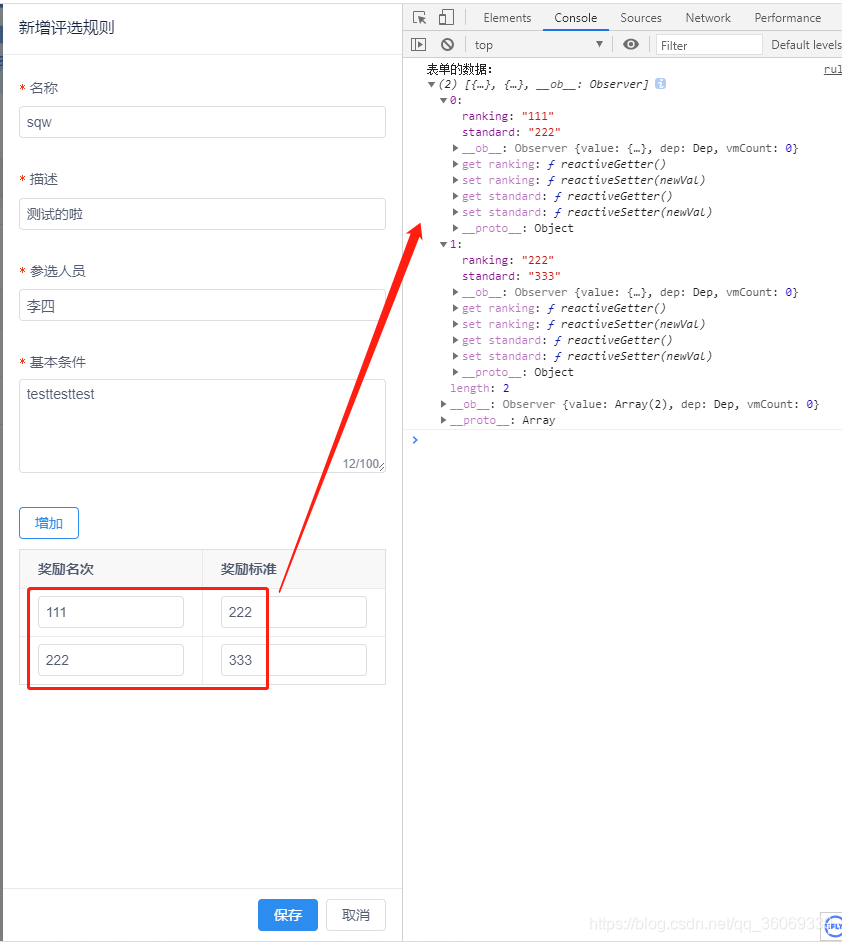
效果图:
版权声明:本文为qq_36069339原创文章,遵循CC 4.0 BY-SA版权协议,转载请附上原文出处链接和本声明。