基本情况
系统环境
- Win11系统
- VScode版本1.72.2
- Remote Explorer插件版本v0.1.2022120816
报错情况
此时,远程连接相关信息无法正常显示和使用
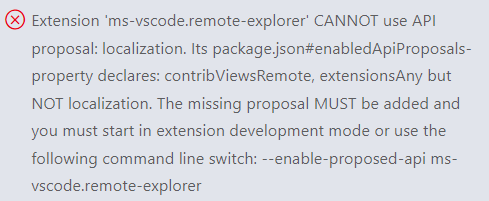
Extension ‘ms-vscode.remote-explorer’ CANNOT use API proposal: localization.
Its package.json#enabledApiProposals-property declares: contribViewsRemote, extensionsAny but NOT localization.
The missing proposal MUST be added and you must start in extension development mode or use the following command line switch: --enable-proposed-api ms-vscode.remote-explorer
错误处理
找到product.json文件,在文件中的ms-vscode.remote-explorer项中将报错信息中提示缺少的localization添加上去即可(缺什么加什么,具体看报错信息,上述加粗部分)
product.json一般在VScode的安装路径下的resources\app路径下
"ms-vscode.remote-explorer": ["contribViewsRemote", "extensionsAny", "localization"],
版权声明:本文为qq_43918665原创文章,遵循CC 4.0 BY-SA版权协议,转载请附上原文出处链接和本声明。