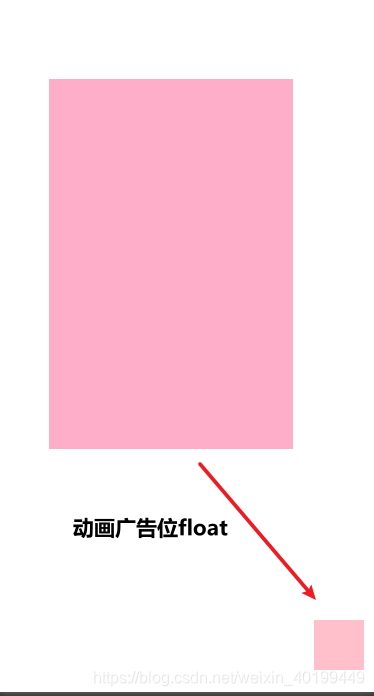
wxml
<view class="shadow" wx:if="{{showShadow}}" catchtap="close" catchtouchmove="return"></view>
<view class="image {{activite}}" wx:if="{{showImage}}"></view>
<view class="floatImage" wx:if="{{showImageSmall}}"></view>
css
.shadow{
  position: fixed;
  top: 0;
  bottom: 0;
  left: 0;
  right: 0;
  background-color: rgba(0, 0, 0, 0.4);
}
.image{
  position: absolute;
  top: 50%;
  margin-left: 20PX;
  width: 300px;
  height: 300px;
  background-color: pink;
  transform: translateY(-50%);
}
.floatImage{
  position: fixed;
  top: 90%;
  right: 10px;
  width: 50px;
  height: 50px;
  background-color: pink;
}
.activite{
  position: absolute;
  width: 80px;
  height: 80px;
  animation:myfirst 0.2s;
}
@keyframes myfirst
{
0%   {background:pink; right:40%; top:50%;opacity: 0.6;}
100% {background:pink; right:0; top:90%;opacity: 0;}
}
js
// pages/component/activityFloat/activityFloat.js
Component({
  /**
   * 组件的属性列表
   */
  properties: {

  },

  /**
   * 组件的初始数据
   */
  data: {
    showShadow: true,
    showImageSmall: false,
    activite: '',
    showImage: true
  },

  /**
   * 组件的方法列表
   */
  methods: {
    close() {
      this.setData({
        showShadow: false,
        activite: "activite"
      })
      setTimeout(() => {
        this.setData({
          showImage: false,
          showImageSmall: true
        })
      }, 200)
    }
  }
})
版权声明:本文为weixin_40199449原创文章,遵循CC 4.0 BY-SA版权协议,转载请附上原文出处链接和本声明。