QML 仿手机Toast
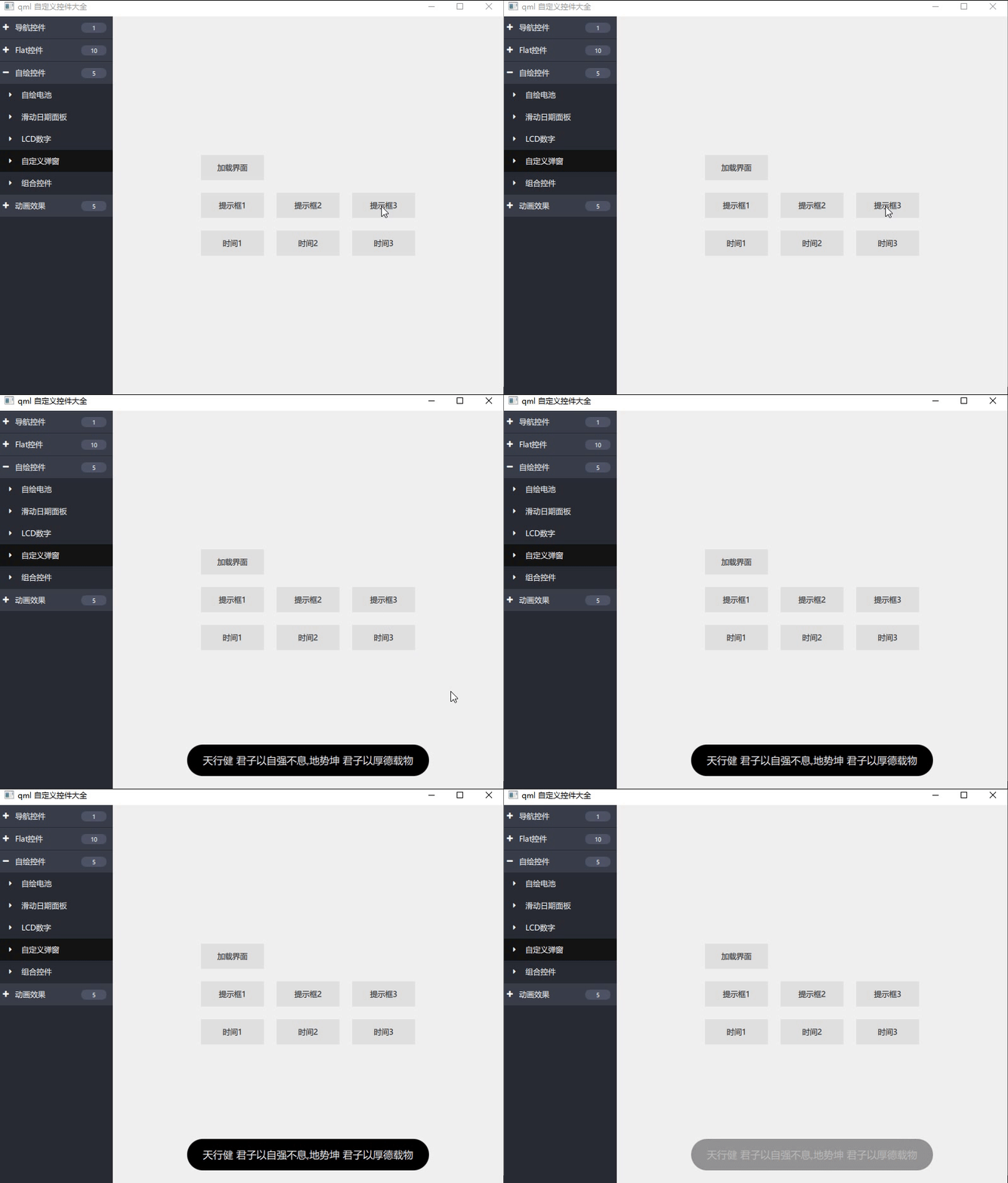
效果图:弹出提示后,提示框在一定时间内消失。
main.qml
    Button{
        text: "提示框3"
        onClicked: {
            toast.show("天行健 君子以自强不息,地势坤 君子以厚德载物", 4000);
        }
    }

    Toast{
        id: toast
    }
Toast.qml
import QtQuick 2.12

Rectangle {
    id: root
    opacity: 0
    color: "black"
    anchors{
        horizontalCenter: parent.horizontalCenter
        bottom: parent.bottom
        bottomMargin: 20
    }
    height: 50
    radius: 25
    antialiasing: true

    Text {
        id: lab
        color: "white"
        wrapMode: Text.Wrap
        horizontalAlignment: Text.AlignHCenter
        font.pixelSize: 16
        anchors.centerIn: parent
    }

    SequentialAnimation on opacity {
        id: animation
        running: false
        property int msleep: 2500
        property int showTime: 800
        property int hideTime: 500

        NumberAnimation {
            to: 1
            duration: animation.showTime
        }

        PauseAnimation {
            duration: (animation.msleep - animation.showTime - animation.hideTime)
        }

        NumberAnimation {
            to: 0
            duration: animation.hideTime
        }
    }

    function show(text, msleep) {
        if(!animation.running){
            lab.text = text;
            root.width = lab.contentWidth + 50
            animation.msleep = msleep;
            animation.start();
        }
    }
}
版权声明:本文为u013163634原创文章,遵循CC 4.0 BY-SA版权协议,转载请附上原文出处链接和本声明。