需要在文本框中添加数据,但是添加多了以后会导致文本框大小发生改变,而且文本也无法全部显示查看。
记录一下怎么设置文本框中的滚动条。
1. 单独设置TextView
在对应TextView的XML配置中,添加两个属性:
android:scrollbars="vertical"
android:fadeScrollbars="true"
scrollbars:代表滚动条的方向,vertical代表上下滚动,horizontal代表左右滚动,也可以设置为none
fadeScrollbars:滑块不滚动时,是否隐藏,true代表隐藏
然后在java文件中,获取对应TextView的索引,调用方法:
setMovementMethod(ScrollingMovementMethod.getInstance())2. 将TextView放置在ScrollView中
<ScrollView
    android:layout_width="fill_parent"
    android:layout_height="wrap_content" >

    <TextView
        android:layout_width="fill_parent"
        android:layout_height="wrap_content"
        android:textSize="50dp"
        android:text="testtest" />
</ScrollView>
另外还出现一个问题就是,将TextView layout_height设置为wrap_content后,其高度会随着内容的增加而增加,就算是设置了滚动条也一样。
解决办法是:将layout_height设置为match_parent,并设置layout_weight属性
具体代码如下,weight的值根据自己需要设置就好了。
android:layout_height="match_parent"
android:layout_weight="0.4"
最终效果大致如下: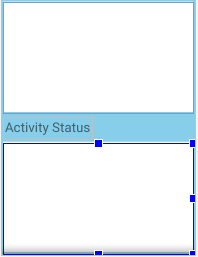
layout_weight属性可以查看这篇博客:https://blog.csdn.net/qq_33642117/article/details/51833326
版权声明:本文为qq_41044309原创文章,遵循CC 4.0 BY-SA版权协议,转载请附上原文出处链接和本声明。