报错信息大概如下:
Error running 'xxx':
Command line is too long. Shorten command line for xxx or also for Application default configuration.
解决方案 (1):
找到项目下的.idea/workspace.xml,在标签<component name="PropertiesComponent">里添加一行属性:<property name="dynamic.classpath" value="true" />
1 2 3 4 | <component name="PropertiesComponent"> 其它属性不改 <property name="dynamic.classpath" value="true" /> </component> |
解决方案 (2):
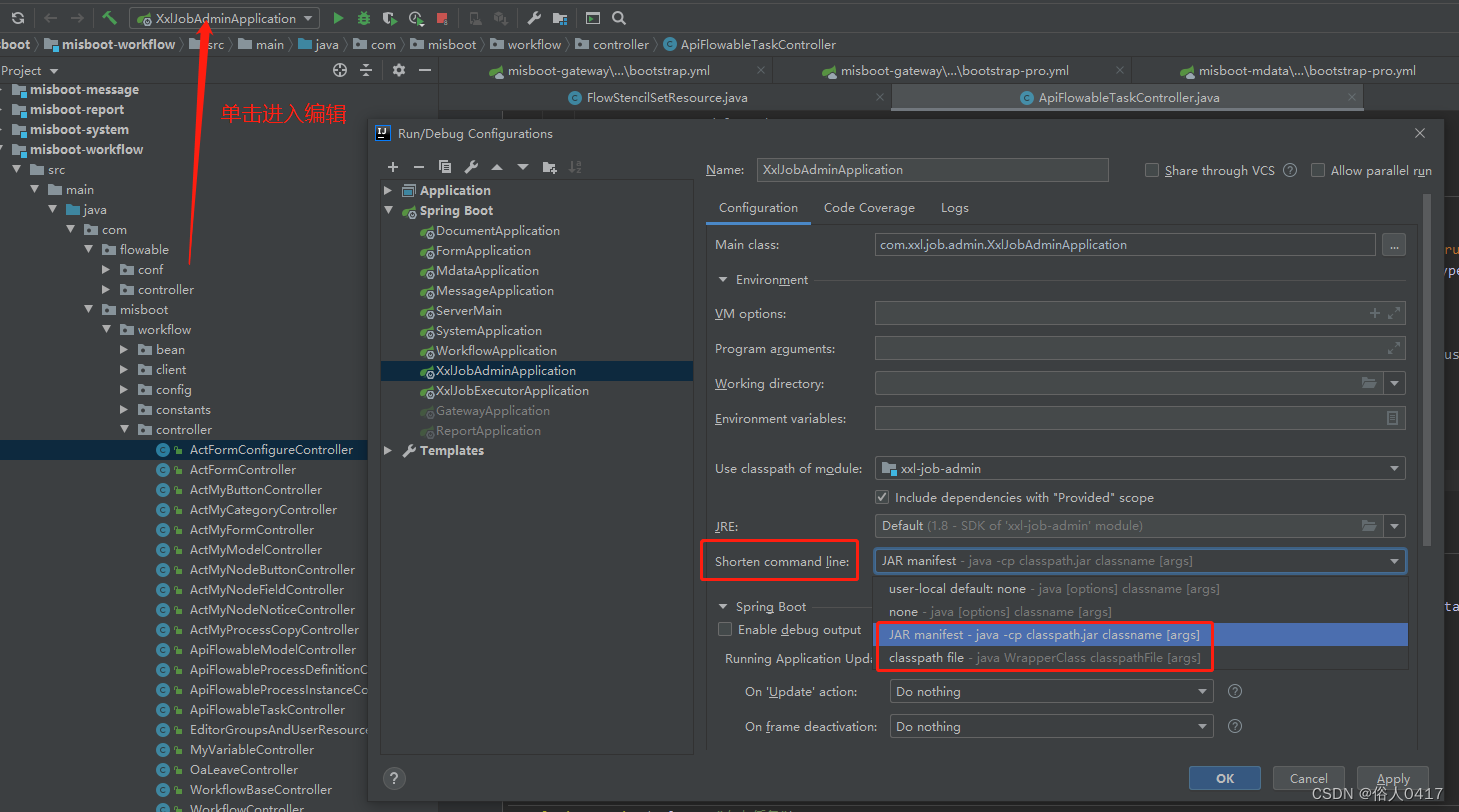
打开程序的运行配置,把 Shorten command line 改为 JAR manifest 或 classpath file,如图所示:
版权声明:本文为weixin_54514751原创文章,遵循CC 4.0 BY-SA版权协议,转载请附上原文出处链接和本声明。