问题描述:
idea构建maven项目时,testng.xml可以执行成功,执行mvn test一直报错,并且pom.xml中已经加入了 <testFailureIgnore>true</testFailureIgnore>,而<suiteXmlFiles><suiteXmlFile>testng.xml</suiteXmlFile></suiteXmlFiles>却没有被执行,执行mvn clean test则一直报错,错误信息为Perhaps you are running on a JRE rather than a JDK,可以判断基本上是jdk的问题
原因分析:
idea自动集成了jdk11版本,因此需要先修改idea使用的jdk版本,搜索后,很多方法不适用,不得不一个一个试,改过很多配置后终于成功了
解决方案:
1.配置环境变量
注意的是JAVA_HOME的环境变量,不能使用加bin的值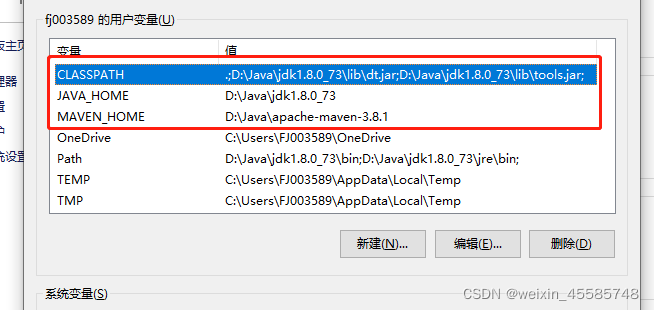
2.配置setting.xml文件位置:D:\Java\apache-maven-3.8.1\conf
加入
这个步骤是为了改变idea中自动配置的jdk版本,不配置会报错‘不支持发行版本5’
<profile> <id>development</id> <activation> <jdk>1.8</jdk> <activeByDefault>true</activeByDefault> </activation> <properties> <maven.compiler.source>1.8</maven.compiler.source> <maven.compiler.target>1.8</maven.compiler.target> <maven.compiler.compilerVersion>1.8</maven.compiler.compilerVersion> </properties> </profile> </profiles>
3.改变idea中的配置
加入本地的jdk版本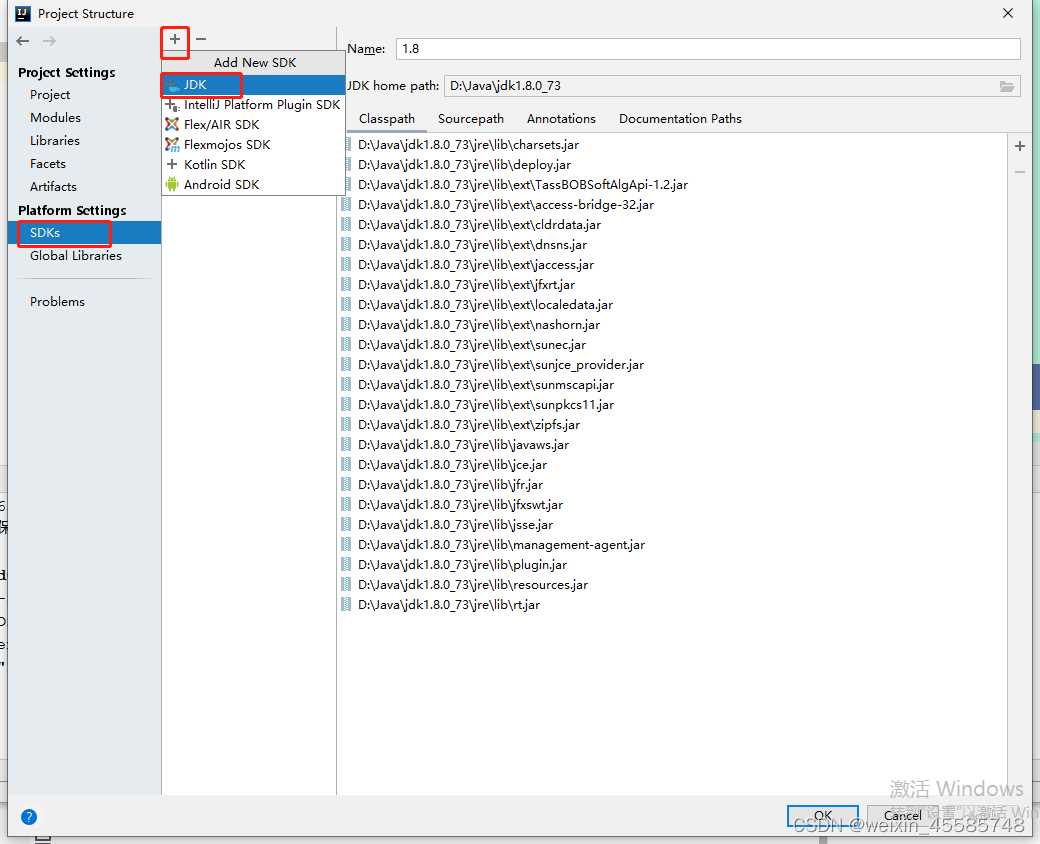
这三个地方都配置后pom.xml执行mvn test不再报错
mvn clean test也不再报错
ps:改完配置后最好重启idea