1. 下载二进制包:https://github.com/sjitech/nodejs-android-prebuilt-binaries/blob/master/nodejs-7.7.2-android-x86-full/all.7z
2. 将其解压,转换成zip文件上传到模拟器
adb push ~/Downloads/all.zip /mnt/shared/NoxShare/
3. 在模拟器中解压:unzip all.zip
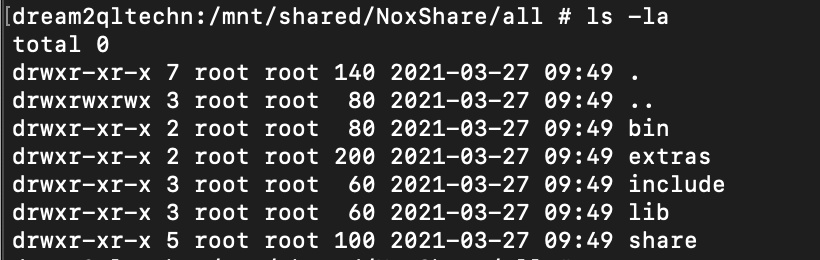
4. 拷贝node相关东东到相应目录
cp /mnt/shared/NoxShare/all/lib/node_modules/ /system/lib/
cp /mnt/shared/NoxShare/all/bin/node /system/xbin/
5. 创建软连接
cd /system/xbin/
ln -s ../lib/node_modules/npm/bin/npm-cli.js npm
6. 尝试执行npm
如果报错:/system/xbin/npm: No such file or directory, 那么修改../lib/node_modules/npm/bin/npm-cli.js 的第一行:
vi npm
将第一行 修改为 #!/system/xbin/node
保存退出
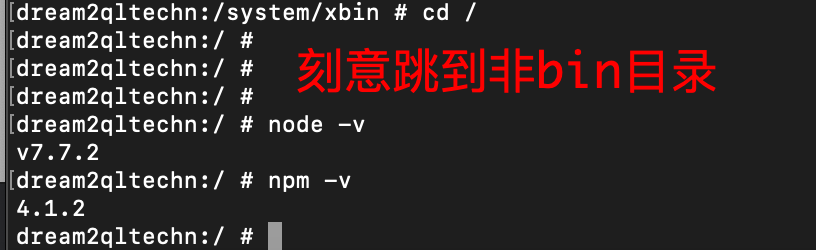
7. 查看node,npm状态:
8. 基础安装完毕, 安装npm i -g express
npm ERR! Linux 4.0.9+
npm ERR! argv "/system/xbin/node" "/system/xbin/npm" "i" "-g" "express"
npm ERR! node v7.7.2
npm ERR! npm v4.1.2
npm ERR! path /.npm
npm ERR! code EROFS
npm ERR! errno -30
npm ERR! syscall mkdir
npm ERR! rofs EROFS: read-only file system, mkdir ‘/.npm‘
npm ERR! rofs This is most likely not a problem with npm itself
npm ERR! rofs and is related to the file system being read-only.
npm ERR! rofs
npm ERR! rofs Often virtualized file systems, or other file systems
npm ERR! rofs that don‘t support symlinks, give this error.
npm ERR! Linux 4.0.9+
npm ERR! argv "/system/xbin/node" "/system/xbin/npm" "i" "-g" "express"
npm ERR! node v7.7.2
npm ERR! npm v4.1.2
npm ERR! path npm-debug.log.2776577660
npm ERR! code EROFS
npm ERR! errno -30
npm ERR! syscall open
npm ERR! rofs EROFS: read-only file system, open ‘npm-debug.log.2776577660‘
npm ERR! rofs This is most likely not a problem with npm itself
npm ERR! rofs and is related to the file system being read-only.
npm ERR! rofs
npm ERR! rofs Often virtualized file systems, or other file systems
npm ERR! rofs that don‘t support symlinks, give this error.
npm ERR! Please include the following file with any support request:
npm ERR! /npm-debug.log
错误很明显,没有根目录的操作权限。
解决思路: /.npm 是只读导致的。 思路就是换到 /mnt/shared/NoxShare/.npm
在npm库中找到核心代码:
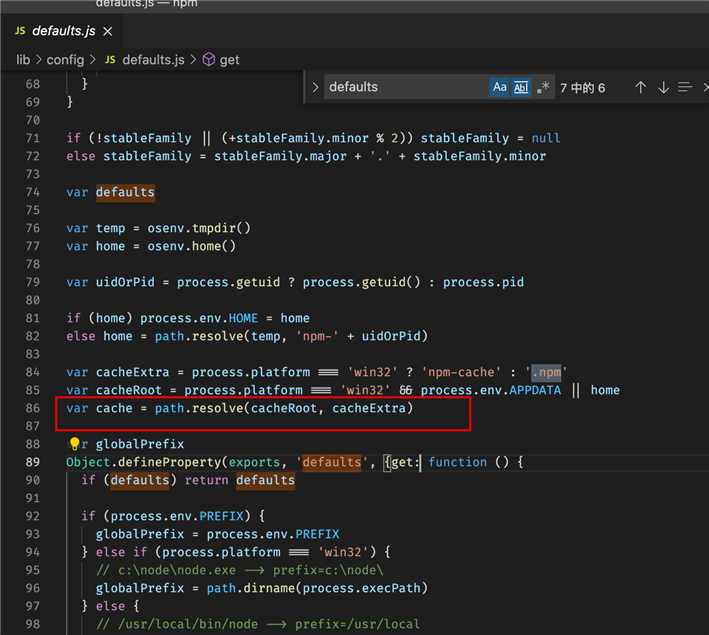
几个默认的值:
userconfig: path.resolve(home, ‘.npmrc‘)
cache: path.resolve(home, ‘.npm‘)
globalconfig: path.resolve(globalPrefix, ‘etc‘, ‘npmrc‘)
本人尝试了下设置:
npm config set cache xxxxx 会报:/.npmrc 无权限
npm config set userconfig xxx 会报/.npmrc 无权限
也就是npm config set一定会操作.npmrc。 太扯了。
npm --userconfig=/mnt/shared/NoxShare/.npmrc 命令设置成功,但是安装express还是失败
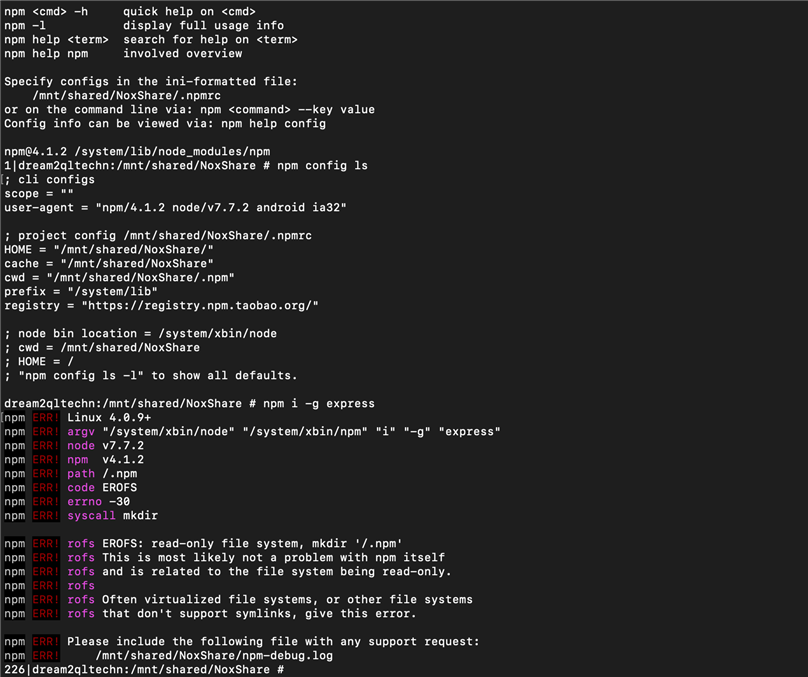
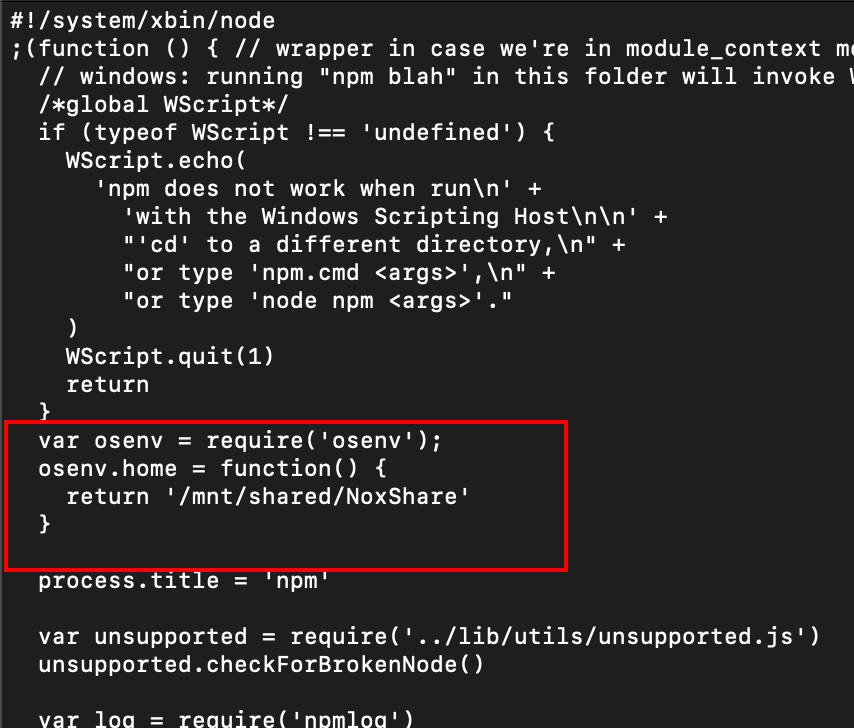
得出结论,无论如何都修改不了npm的配置。不能改HOME的环境变量,因为担心会引发其他问题。那就改代码吧。
vi /system/xbin/npm
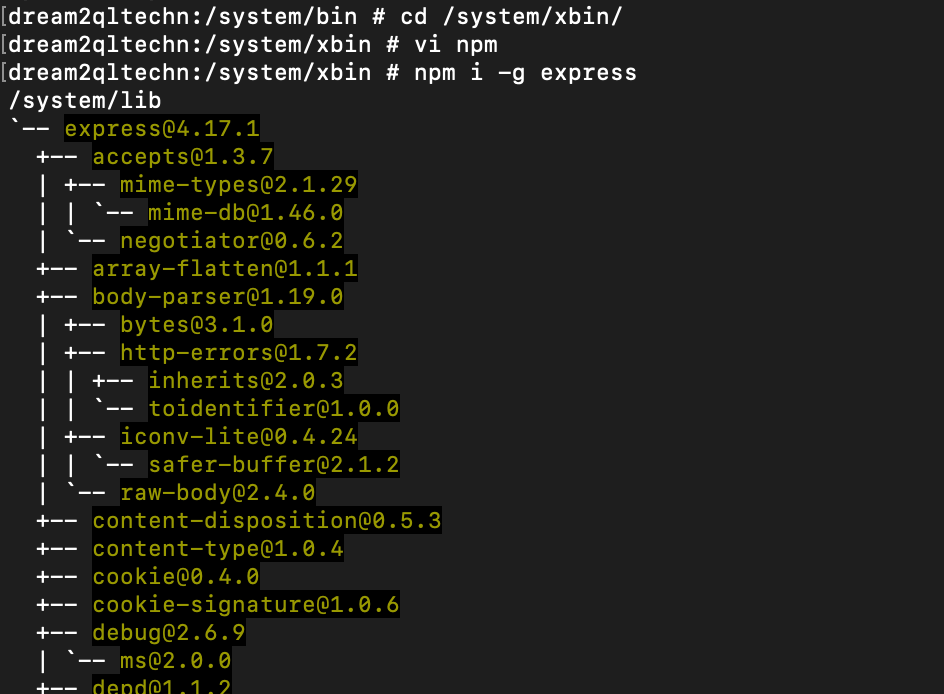
改完后装成功了:
原文:https://www.cnblogs.com/dzqdzq/p/14585446.html