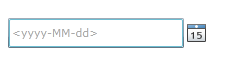
首先得引入命名空间,System.Windows.Controls
xmlns:control="clr-namespace:System.Windows.Controls;assembly=System.Windows.Controls"


<StackPanel x:Name="LayoutRoot" Background="White" Orientation="Horizontal">

        <control:DatePicker x:Name="myDatepicker" Height="30" Width="200" Margin="10"

               SelectedDateFormat="Short" ></control:DatePicker>

</StackPanel>
DatePicker 控件有个默认的时间格式,它根据服务器上的时间格式来显示,若需要改变,可以通过以下方法进行修改:App.xaml.cs 中添加
- public App()
- {
- this.Startup += this.Application_Startup;
- this.Exit += this.Application_Exit;
- this.UnhandledException += this.Application_UnhandledException;
- InitializeComponent();
- //添加以下代码
- Thread.CurrentThread.CurrentCulture = (CultureInfo)Thread.CurrentThread.CurrentCulture.Clone();
- Thread.CurrentThread.CurrentCulture.DateTimeFormat.ShortDatePattern = "yyyy-MM-dd";
- }