library source does not match the bytecode for class
在IDEA中阅读代码时,时常会跟踪到jar包源码层面,会点击Download Sources,源码包就会被下载到idea中

但是当pom.xml引入了新的版本,此时,再次阅读源码时,就会提示”library source does not match the bytecode for class“ 库源与类的字节码不匹配
原因是:源码文件(xxx-sources.jar)和字节码文件(xxxx.jar)不匹配
网上的解决方案无非以下几种
1、使用了lombok,禁用lombok
2、invalidate caches /restart清空idea缓存重新启动
3、删除maven仓库中的jar包
经过以上尝试,都无法解决,最终在stack overflow中找到了解决方案
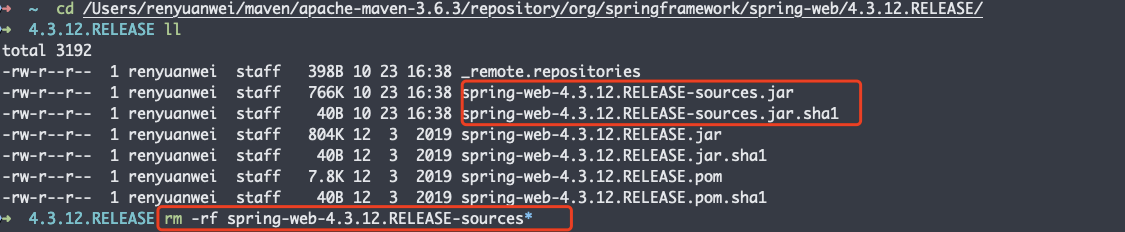
解决方案:删除maven仓库中xxxx.jar 对应的 xxx-sources.jar文件,重新Download Sources
① 定位该class类在jar包中的位置
如下所示:CommonsMultipartFile.class 文件在 org.springframework.web:4.3.12.RELEASEjar包中
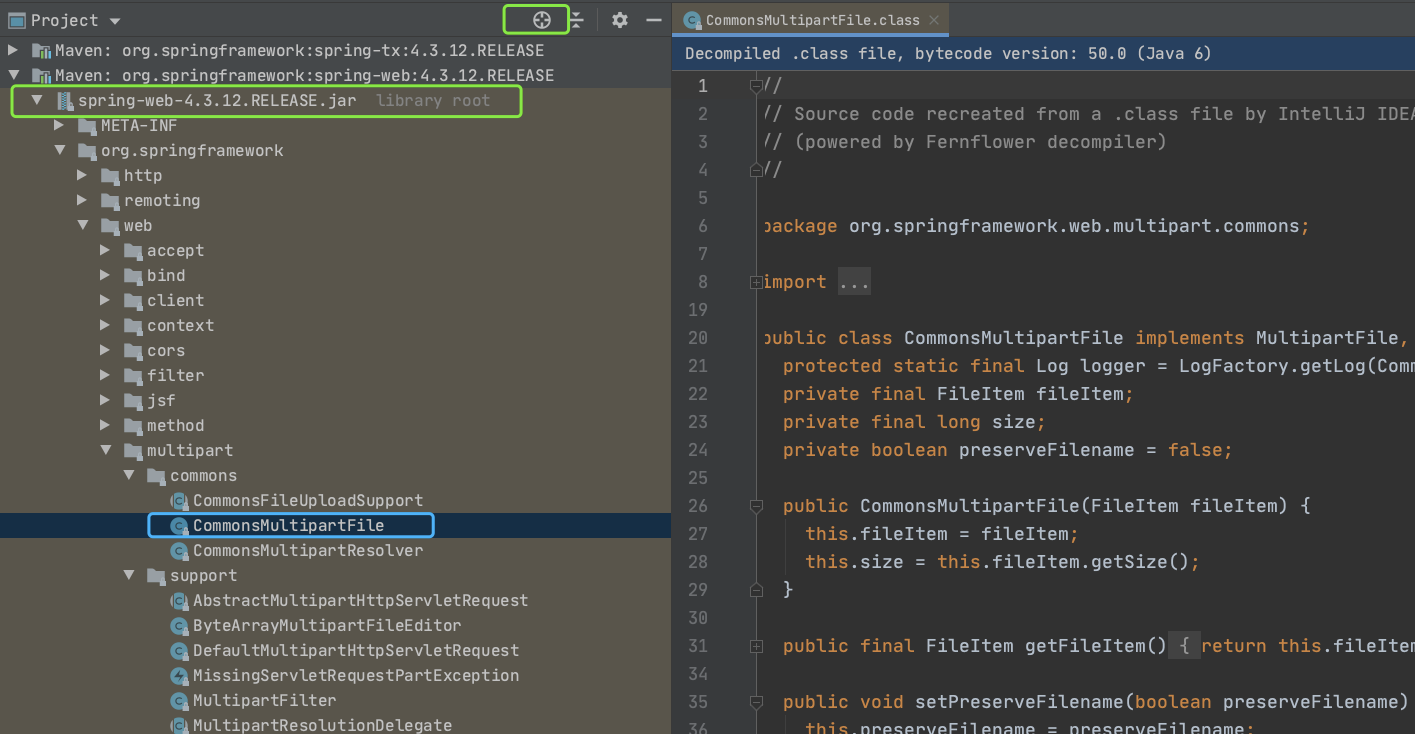
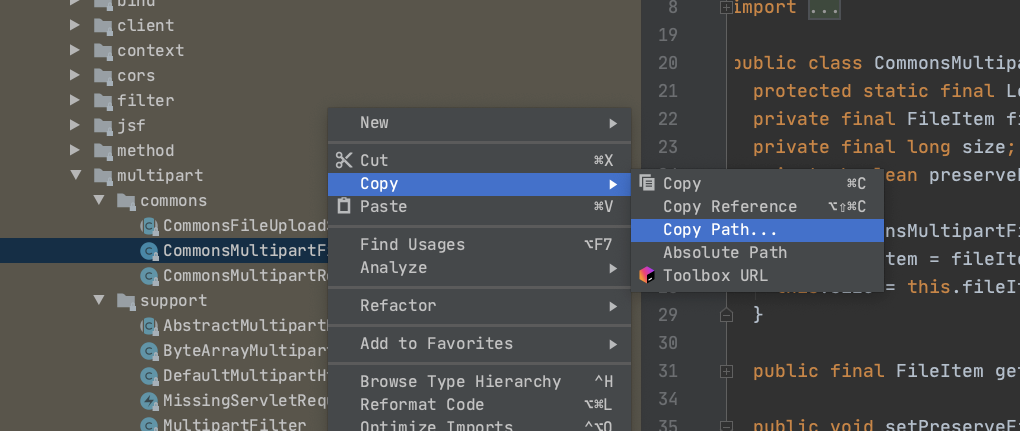
② 右键此类,选择Copy--->Copy Path,找到该类的存储位置
③ 进入该目录,删除所有后缀带-sources.jar的文件
rm -rf spring-web-4.3.12.RELEASE-sources*
打开idea(无须重启),就没有错误提示了
参考链接:https://stackoverflow.com/questions/36753524/library-source-does-not-match-the-bytecode-for-class
版权声明:本文为m761383058原创文章,遵循CC 4.0 BY-SA版权协议,转载请附上原文出处链接和本声明。