一、静态路由
- 静态路由
由管理员手动配置,并且是单向的;
缺乏灵活性。 - 默认路由(缺省路由)
一种特殊的静态路由;
当路由器在路由表中找不到目标网络的路由条目时,路由器把请求转发到默认路由接口;
默认路由一般应用于末节网络。
1. 静态路由配置
在路由器上添加路由条目语法:
Router(config)# ip route network mask {address | interface}
# network:目标网段
# mask:目标网段的子网掩码
# address:下一跳地址(下一个路由器的接口的IP地址)
# interface:发往下一跳路由器的本地接口
示例:
Router(config)# ip route 192.168.2.0 255.255.255.0 192.168.7.2
Router(config)# ip route 192.168.2.0 255.255.255.0 f0/1
2. 默认路由配置
在路由器上添加路由条目语法:
Router(config)# ip route 0.0.0.0 0.0.0.0 {address | interface}
# 0.0.0.0 0.0.0.0 代表任意网络
示例:
Router(config)# ip route 0.0.0.0 0.0.0.0 192.168.7.2
Router(config)# ip route 0.0.0.0 0.0.0.0 f0/1
3. 查看路由条目
Route# show ip route
Codes: C - connected, S - static, R - RIP, M - mobile, B - BGP
       D - EIGRP, EX - EIGRP external, O - OSPF, IA - OSPF inter area
       N1 - OSPF NSSA external type 1, N2 - OSPF NSSA external type 2
       E1 - OSPF external type 1, E2 - OSPF external type 2
       i - IS-IS, su - IS-IS summary, L1 - IS-IS level-1, L2 - IS-IS level-2
       ia - -IS inter area, * - candidate default, U - per-user static route
       o - ODR, P - periodic downloaded static route
Gateway of last resort is not set
           10.0.0.0/24 is subnetted, 1 subnets
C          10.0.0.0 is directly connected, FastEthernet0/0
           20.0.0.0/24 is subnetted, 1 subnets
C          20.0.0.0 is directly connected, FastEthernet0/1
           30.0.0.0/24 is subnetted, 1 subnets
S          30.0.0.0 [1/0] via 20.0.0.1
#(C代表直连路由,S代表静态路由)
4. 路由器上配置DHCP
Router(config)#ip dhcp pool test                              # 定义地址池
Router(dhcp-config)#network 192.168.1.0 255.255.255.0         # 定义客户端网段
Router(dhcp-config)#default-router 192.168.1.254              # 定义客户端网关
Router(dhcp-config)#dns-server 114.114.114.114                # 定义客户端获取的DNS
Router(dhcp-config)#exit
Router(config)#ip dhcp excluded-address 192.168.1.1 192.168.1.10    # 定义排除地址
二、实验案例
1. 静态路由配置案例
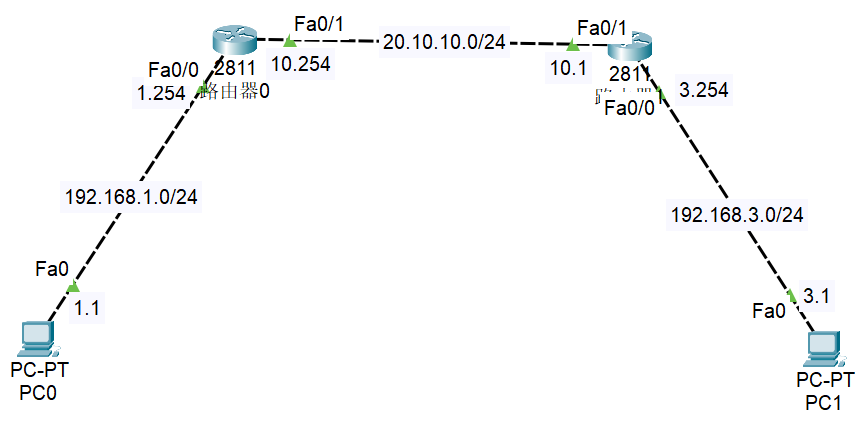
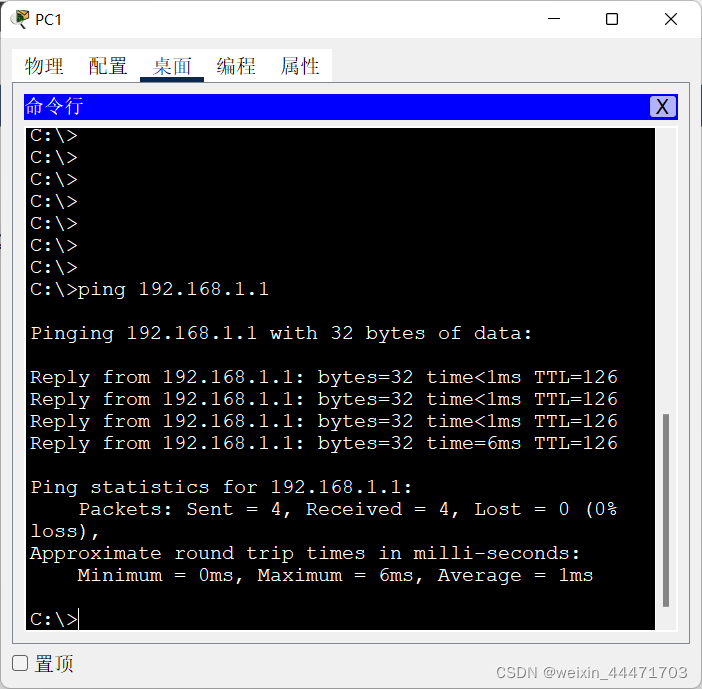
实验要求:
- 配置 PC0 与 PC1 进行通信
实验步骤
- 根据图上标示,配置 PC 的 IP 地址及网关,配置路由器接口地址
- 在路由器0上添加静态路由条目
- 在路由器1上添加静态路由条目
路由器0:
Router> en
Router# conf t
Router(config)# ip route 192.168.3.0 255.255.255.0 20.10.10.1
Router(config)# int f0/0
Router(config-if)# ip add 192.168.1.254 255.255.255.0
Router(config-if)# no shut
Router(config)# int f0/1
Router(config-if)# ip add 20.10.10.254 255.255.255.0
Router(config-if)# no shut
路由器1:
Router> en
Router# conf t
Router(config)# ip route 192.168.1.0 255.255.255.0 20.10.10.254
Router(config)# int f0/0
Router(config-if)# ip add 192.168.3.254 255.255.255.0
Router(config-if)# no shut
Router(config)# int f0/1
Router(config-if)# ip add 20.10.10.1 255.255.255.0
Router(config-if)# no shut
2. 默认路由配置案例
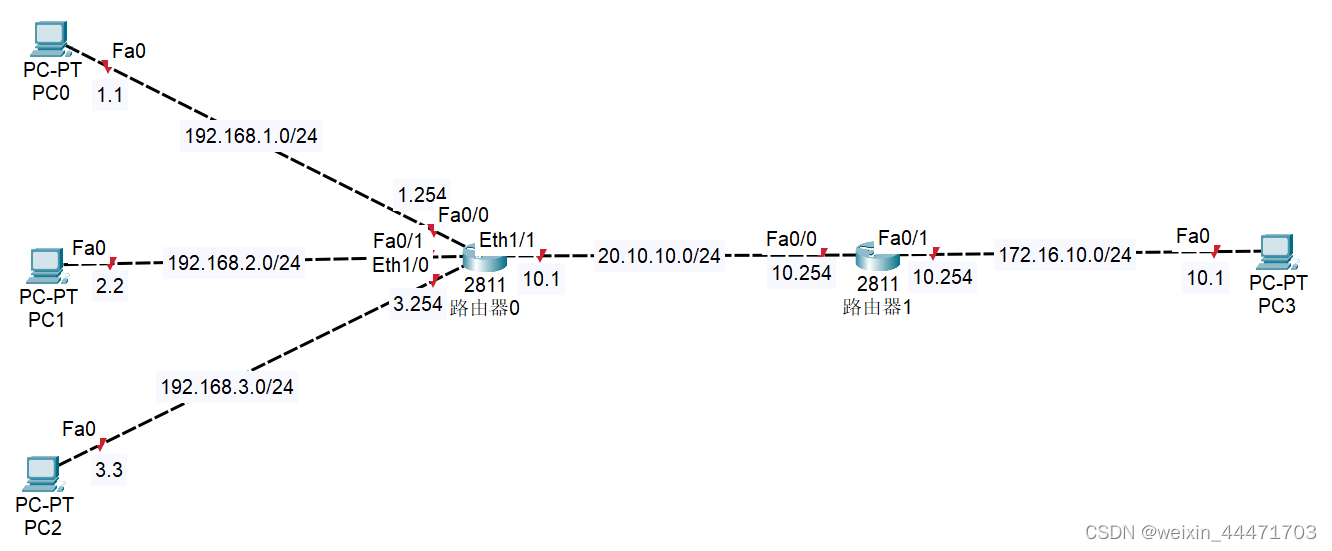
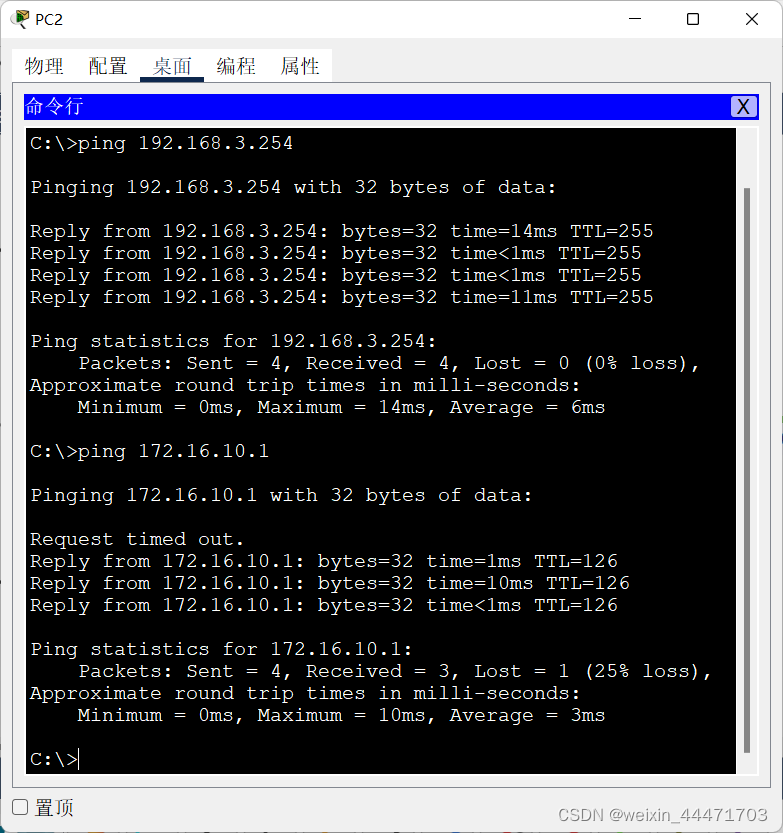
实验要求:
- 根据图上标示,配置 PC 和交换机的 IP 地址及网关,配置路由器接口地址
- 在路由器0上添加静态路由
- 在路由器1上添加默认路由
路由器 0:
Router>en
Router#conf t
Router(config)#ip route 172.16.10.0 255.255.255.0 20.10.10.254
Router(config)#int f0/0
Router(config-if)#ip address 192.168.1.254 255.255.255.0
Router(config-if)#no shut
Router(config-if)#int f0/1
Router(config-if)#ip add 192.168.2.254 255.255.255.0
Router(config-if)#no shut
Router(config-if)#int e1/0
Router(config-if)#ip add
Router(config-if)#ip address 192.168.3.254 255.255.255.0
Router(config-if)#no shut
Router(config)#int e1/1
Router(config-if)#ip add 20.10.10.1 255.255.255.0
Router(config-if)#no shut
路由器 1:
Router>en
Router#conf t
Router(config)#ip route 0.0.0.0 0.0.0.0 20.10.10.1
Router(config)#int f0/0
Router(config-if)#ip add 20.10.10.254 255.255.255.0
Router(config-if)#no shut
Router(config-if)#int f0/1
Router(config-if)#ip ad
Router(config-if)#ip add 172.16.10.254 255.255.255.0
Router(config-if)#no shut
3. 路由交换综合配置案例
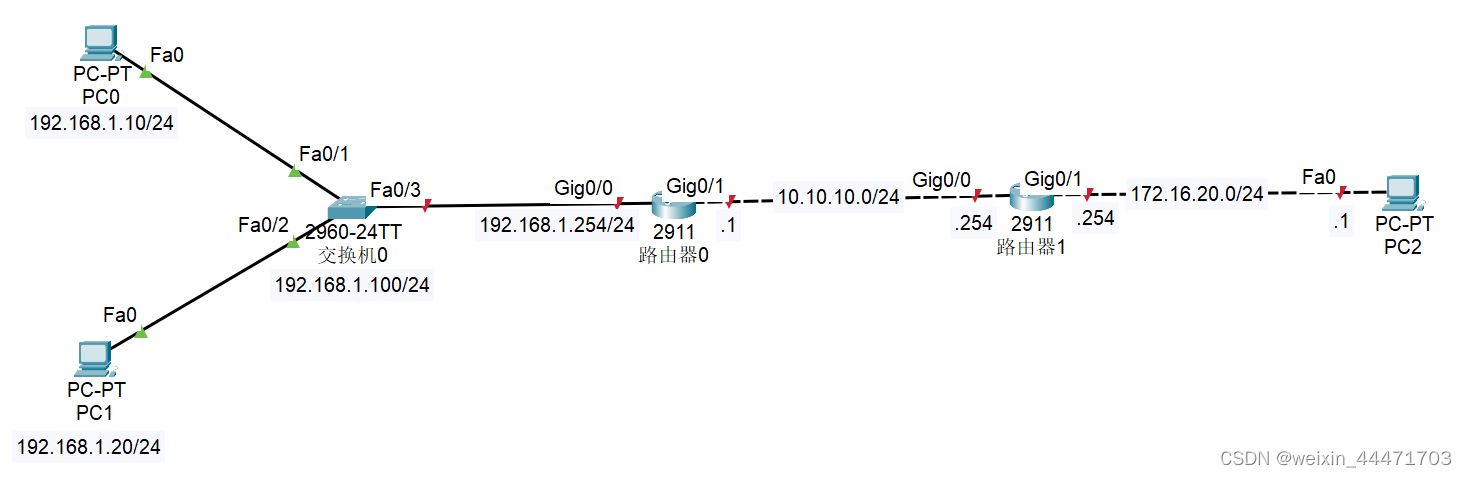
实验要求:
- 根据图上标示,配置 PC 和交换机的 IP 地址及网关,配置路由器接口地址
- 在路由器0上添加静态路由
- 在路由器1上添加默认路由
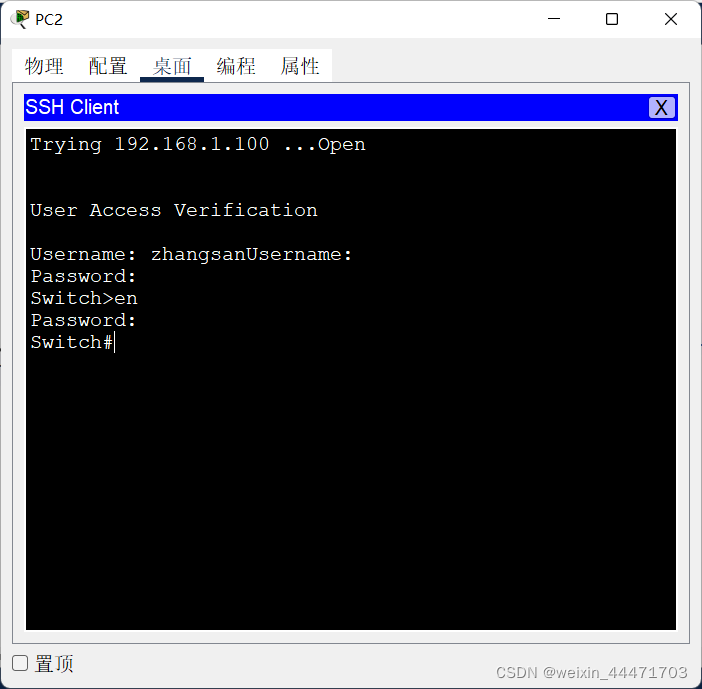
- 在交换机0上配置telnet,使 PC2 可以 telnet 管理交换机 0
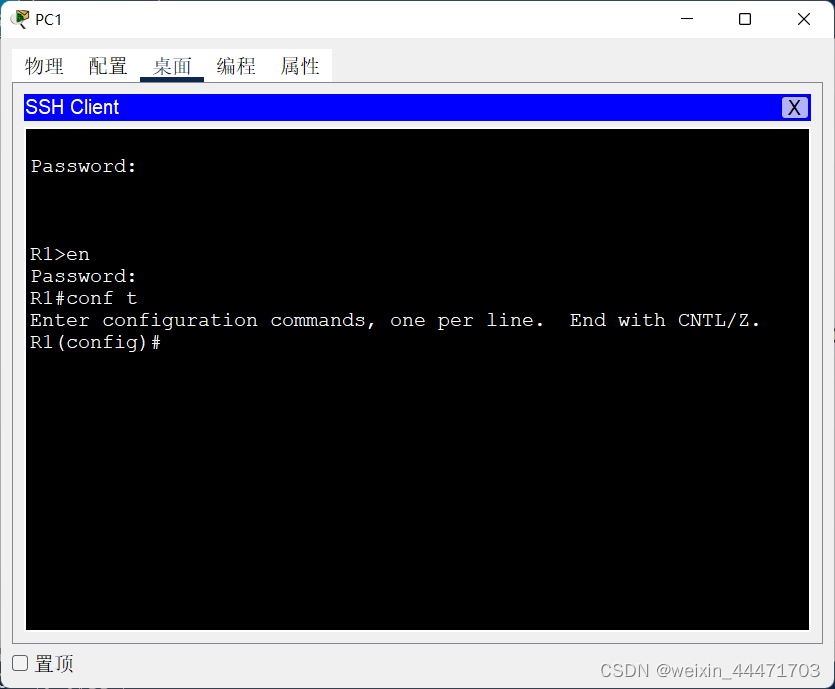
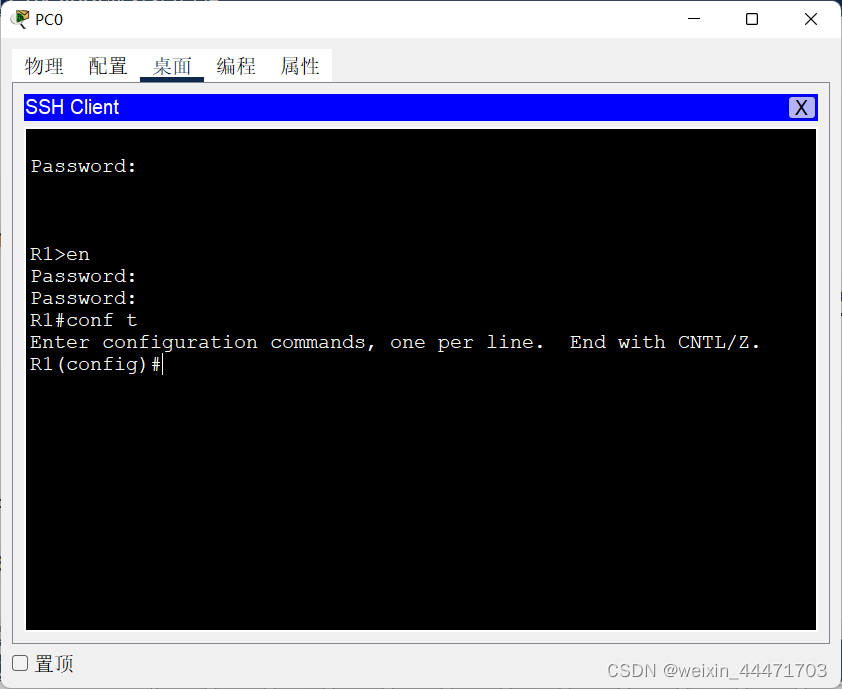
- 在路由器1上配置 SSH,使 PC0 和 PC1 可以管理路由器 1
交换机:
Switch>en
Switch#conf t
Switch(config)#int vlan 1
Switch(config-if)#ip address 192.168.1.100 255.255.255.0
Switch(config-if)#no shut
Switch(config-if)#int f0/3
Switch(config-if)#sw mo trunk
路由器 0:
Router>en
Router#conf t
Router(config)#ip route 172.16.20.0 255.255.255.0 10.10.10.254
Router(config)#int g0/0
Router(config-if)#ip add 192.168.1.254 255.255.255.0
Router(config-if)#no shut
Router(config)#int g0/1
Router(config-if)#ip add 10.10.10.1 255.255.255.0
Router(config-if)#no shut
路由器 1:
Router>en
Router#conf t
Router(config)#ip route 0.0.0.0 0.0.0.0 10.10.10.1
Router(config)#int g0/0
Router(config-if)#ip add 10.10.10.254 255.255.255.0
Router(config-if)#no shut
Router(config-if)#int g0/1
Router(config-if)#ip add 172.16.20.254 255.255.255.0
Router(config-if)#no shut
接下来完成 4:
交换机:
Switch>en
Switch#conf t
Switch(config)#ip default-gateway 192.168.1.254
Switch(config)#enable secret 000
Switch(config)#username zhangsan sec
Switch(config)#username zhangsan secret 111
Switch(config)#line vty 0 4
Switch(config-line)#login local
完成 5:
Router>en
Router#conf t
Router(config)#hostname R1
R1(config-if)#ip add 192.168.1.222 255.255.255.0
R1(config-if)#end
R1(config)#show ip ssh
SSH Disabled - version 1.99
%Please create RSA keys (of atleast 768 bits size) to enable SSH v2.
Authentication timeout: 120 secs; Authentication retries: 3
R1#conf t
R1(config)#enable secert 333
R1(config)#ip domain-name test.org
R1(config)#crypto key generate rsa
How many bits in the modulus [512]: 521
R1(config)#username zhangsan secret 666
R1(config)#line vty 0 4
R1(config-line)#login local
版权声明:本文为weixin_44471703原创文章,遵循CC 4.0 BY-SA版权协议,转载请附上原文出处链接和本声明。