springboot项目对html有很好的支持,但是jsp支持需要做如下配置:
1.pom,在原有springboot项目中加入一下jar
	<!-- servlet-->
        <dependency>
            <groupId>javax.servlet</groupId>
            <artifactId>javax.servlet-api</artifactId>
            <scope>provided</scope>
        </dependency>
        <dependency>
            <groupId>javax.servlet</groupId>
            <artifactId>jstl</artifactId>
        </dependency>

        <!-- tomcat-->
        <dependency>
            <groupId>org.apache.tomcat.embed</groupId>
            <artifactId>tomcat-embed-jasper</artifactId>
            <scope>provided</scope>
        </dependency>
2.yml写法
server:
  port: 8081
  servlet:
    context-path: /hello
spring:
  mvc:
    view:
      prefix: /WEB-INF/views/
      suffix: .jsp
3.在main同级下创建webapp/WEB-INF/views文件夹
4.在views文件夹下创建hello.jsp
如果找不到创建jsp页面,找到modules-web,添加此页面路径。此时新建中就有jsp了。 5.java
package com.yl.ceshi.ceshi;

import org.springframework.stereotype.Controller;
import org.springframework.ui.Model;
import org.springframework.web.bind.annotation.RequestMapping;

/**
 * @author youzo
 */
@Controller
public class Ceshi {

    @RequestMapping("/hello1")
    public String hello1(Model m){
        m.addAttribute("why", "你是小学生吗?");
        return "hello";
    }
}
6.jsp
<%--
  Created by IntelliJ IDEA.
  User: youzo
  Date: 2018/12/3
  Time: 18:02
  To change this template use File | Settings | File Templates.
--%>
<%@ page contentType="text/html;charset=UTF-8" language="java" %>
<html>
<head>
    <title>Title</title>
</head>
<body>
    <h1>${why}</h1>
</body>
</html>
7.页面请求展示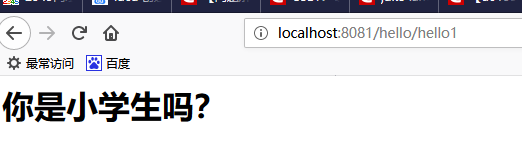
版权声明:本文为weixin_41793807原创文章,遵循CC 4.0 BY-SA版权协议,转载请附上原文出处链接和本声明。