一、Salt介绍
1、简介
一个配置管理系统,能够维护预定义状态的远程节点(比如,确保指定的报被安装,指定的服务在运行)
一个分布式远程执行系统,用来在远程节点(可以是单个节点,也可以是任意规则挑选出来的节点)上执行命令和查询数据
我们可以通过官网查看它的具体信息
2、并行执行
使命令发送到远程系统是并行的而不是串行的
使用安全加密的协议
使用最小最快的网络载荷
提供简单的编程接口
二、实验环境
1、安装说明
下载地址:https://repo.saltstack.com/yum/redhat/6.5/x86_64/2016.11/
百度网盘链接: https://pan.baidu.com/s/1G_BUi4bJQ6TbhV0MYGm1GA 密码: 8vrx
| 主机名 | IP | 操作系统 | 安装软件 |
|---|---|---|---|
| server1(Master) | 10.10.10.1 | rhel6.5 | salt-master |
| server2(minion) | 10.10.10.2 | rhel6.5 | salt-minion |
| server3(minion) | 10.10.10.3 | rhel6.5 | salt-minion |
2、Host解析(3台)
[root@server1 ~]# cat /etc/hosts
127.0.0.1   localhost localhost.localdomain localhost4 localhost4.localdomain4
::1         localhost localhost.localdomain localhost6 localhost6.localdomain6
10.10.10.1 server1
10.10.10.2 server2
10.10.10.3 server3
三、yum源搭建
SaltStack本地安装需要配置yum源!!!
1、依赖安装
[root@server1 ~]# yum install -y httpd createrepo
[root@server1 ~]# ls                   ###从网盘中把目录下载下来
salt
[root@server1 ~]# mv salt/ /var/www/html/
[root@server1 ~]# createrepo /var/www/html/salt/
[root@server1 ~]# /etc/init.d/httpd restart
[root@server1 ~]# chkconfig httpd on
2、配置salt.repo
[root@server1 ~]# vim /etc/yum.repos.d/salt.repo
[salt]
name=salt
baseurl=http://10.10.10.1/salt
gpgcheck=0

[root@server1 ~]# yum clean all
[root@server1 ~]# yum repolist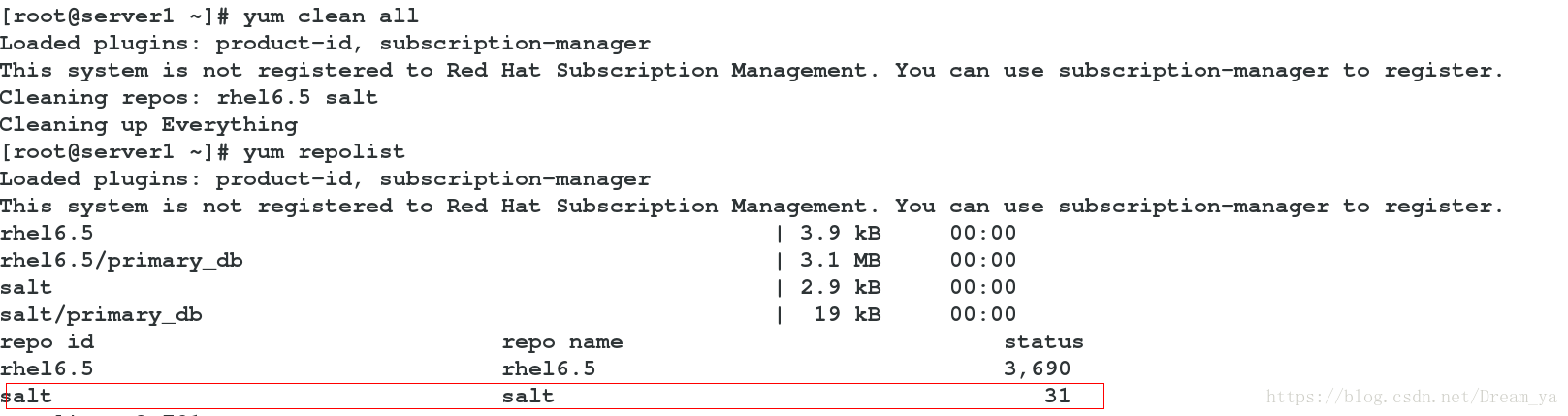
3、发送到server2和server3
[root@server1 ~]# scp /etc/yum.repos.d/salt.repo root@10.10.10.2:/etc/yum.repos.d/
[root@server1 ~]# scp /etc/yum.repos.d/salt.repo root@10.10.10.3:/etc/yum.repos.d/
四、安装Salt
1、安装salt-master
[root@server1 ~]# yum install -y salt-master
root@server1 ~]# /etc/init.d/salt-master restart
2、安装salt-salt-minion(server2、3)
[root@server2 ~]# yum install -y salt-minion
[root@server2 ~]# /etc/init.d/salt-minion restart
3、配置minion(server2、server3)
[root@server2 ~]# vim /etc/salt/minion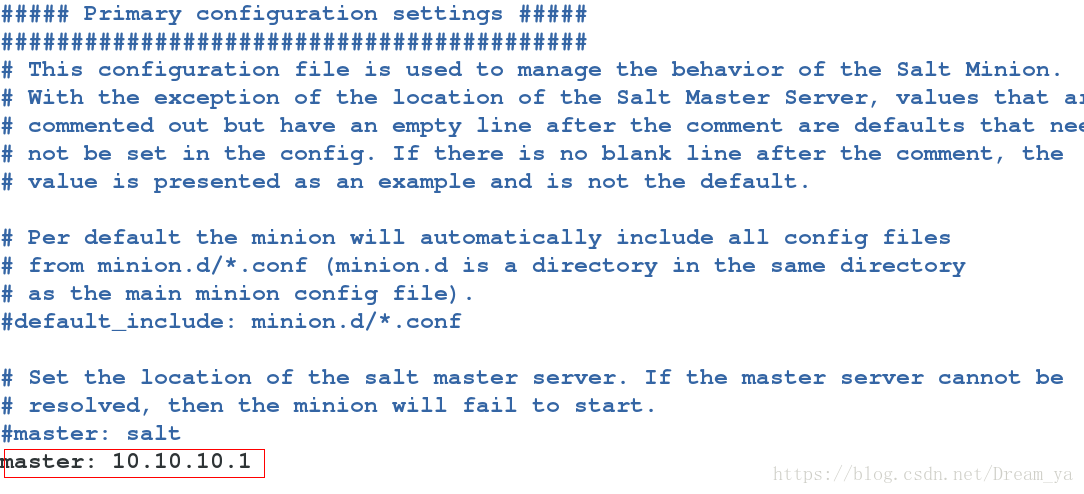
4、注册节点
(1)未配置minion
[root@server1 ~]# salt-key --list-all
[root@server1 ~]# salt-key -L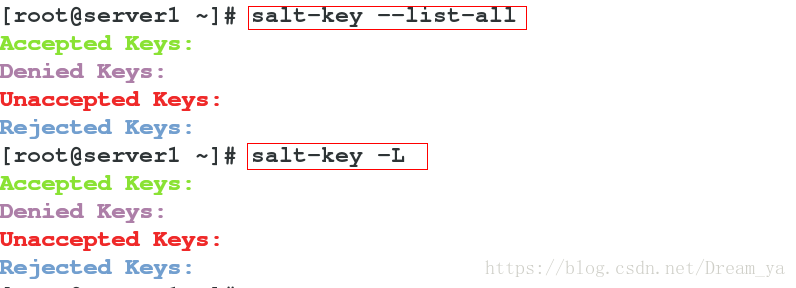
(2)配置minion后
[root@server1 salt]# salt-key -L
[root@server1 salt]# salt-key -A           ###允许所有节点注册
[root@server1 salt]# salt '*' test.ping
server2:
    True
server3:
    True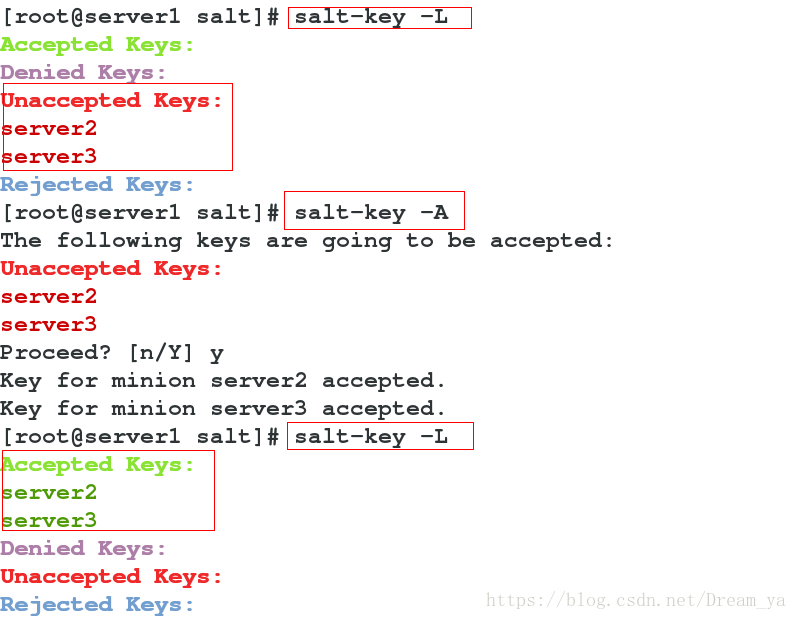
5、查看Master生成公钥
(1)查看Master公钥
[root@server1 ~]# cd /etc/salt/pki/master
[root@server1 master]# md5sum master.pub
6f2a1f578ca3b25abf45c9febe670371  master.pub
(2)查看Master发送到minion的公钥
[root@server2 ~]# cd /etc/salt/pki/minion
[root@server2 minion]# md5sum minion_master.pub
6f2a1f578ca3b25abf45c9febe670371  minion_master.pub
6、查看minion生成公钥
(1)查看minion发送给Master的公钥
[root@server1 ~]# cd /etc/salt/pki/master/minions
[root@server1 minions]# md5sum server2
d4c1714d304a8a44e9a362effa239106  server2
[root@server1 minions]# md5sum server3
3a682c835a9b87a12b572a4d732b645e  server3
(2)查看minion公钥
[root@server2 ~]# cd /etc/salt/pki/minion
[root@server2 minion]# md5sum minion.pub
d4c1714d304a8a44e9a362effa239106  minion.pub

[root@server3 ~]# cd /etc/salt/pki/minion
[root@server3 minion]# md5sum minion.pub
3a682c835a9b87a12b572a4d732b645e  minion.pub
从中我们看出,验证是双向验证!!!
7、查看端口(Master)
4505端口功能:发送数据到minion
4506端口功能:接受minion发送的数据
[root@server1 ~]# netstat -lntup
五、部署httpd服务
注意:install.sls配置文件中上下级,下级多敲2个空格,冒号后面也需要空格!!!
1、配置Master目录
[root@server1 ~]# vim /etc/salt/master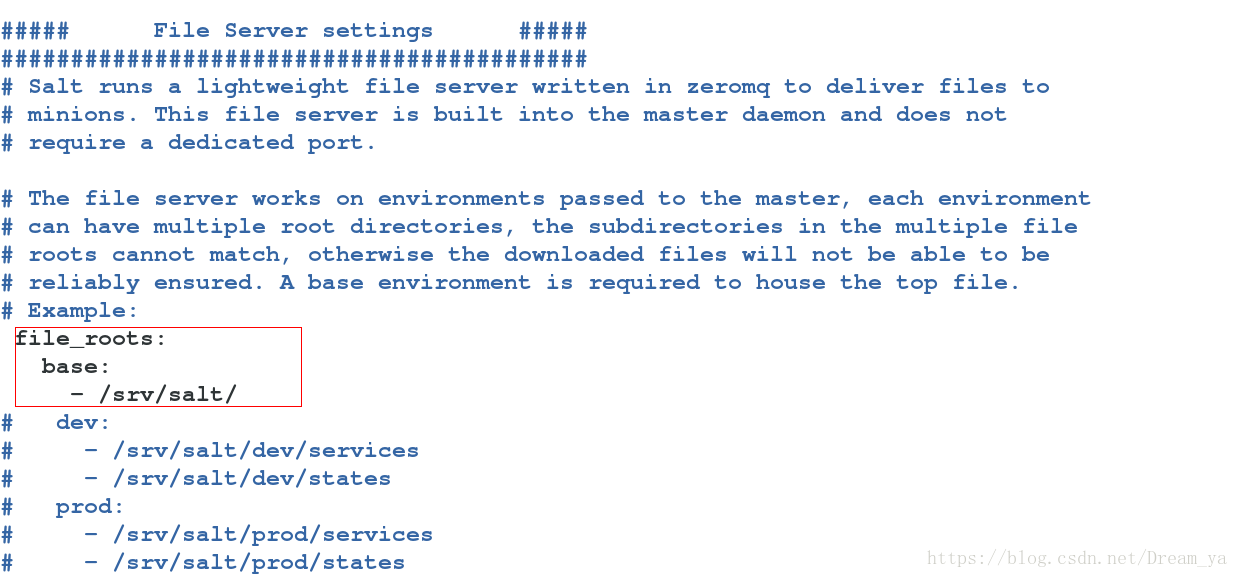
[root@server1 ~]# /etc/init.d/salt-master restart
[root@server1 ~]# mkdir /srv/salt
2、配置install.sls
[root@server1 ~]# mkdir /srv/salt/apache
[root@server1 ~]# cd /srv/salt/apache/
[root@server1 apache]# vim install.sls         ###apache-install这个名字可以自定义
apache-install:
  pkg.installed:
    - pkgs:
      - httpd
3、查看能否推送成功
apache代表/srv/salt下面的名字,install即为install.sls!!!
[root@server1 apache]# salt server2 state.sls apache.install test=true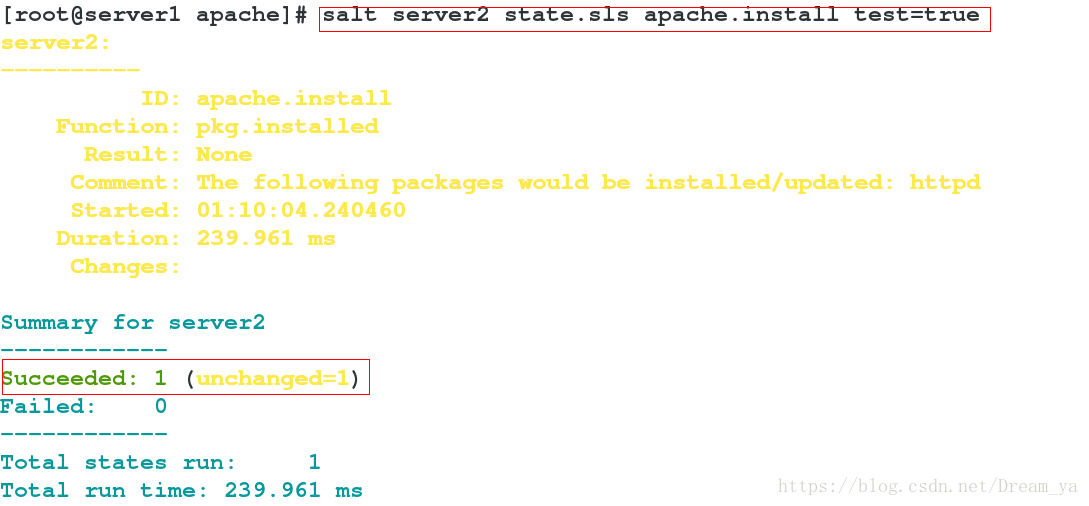
4、推送
安装到server2中!!!
[root@server1 apache]# salt server2 state.sls apache.install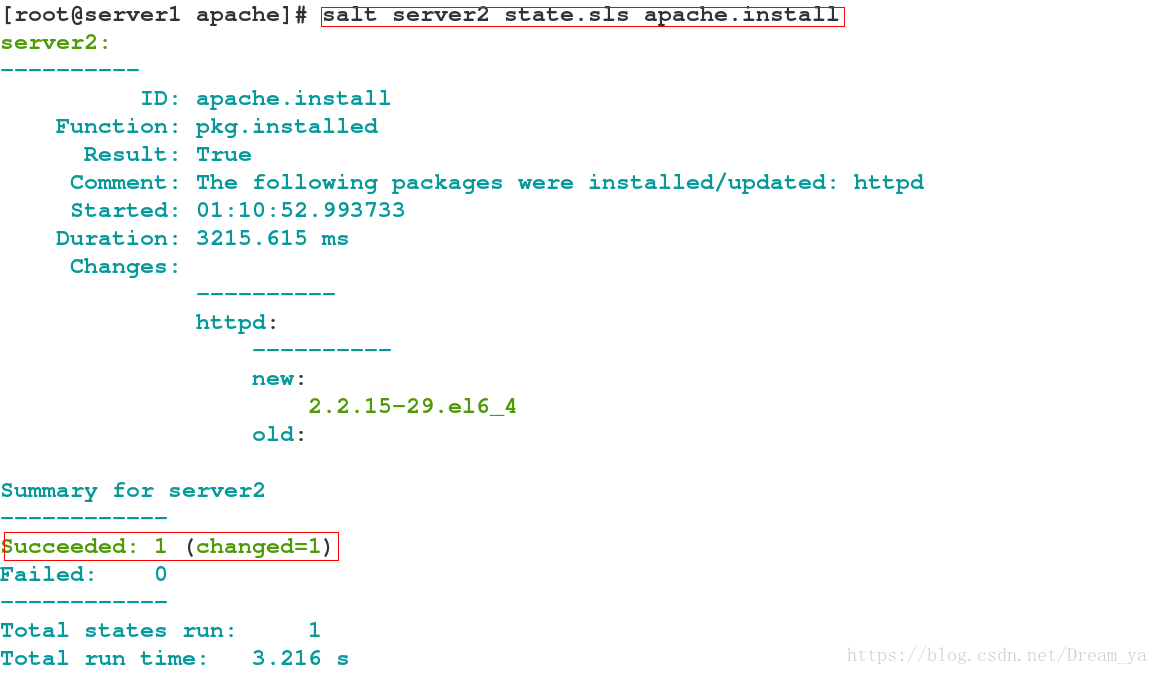
5、查看结果
[root@server2 ~]# rpm -qa httpd
httpd-2.2.15-29.el6_4.x86_64
6、配置自动运行
[root@server1 apache]# vim /srv/salt/apache/install.sls
apache-install:
  pkg.installed:
    - pkgs:
      - httpd

  service.running:
    - name: httpd
    - enable: true
7、推送
[root@server1 apache]# salt server2 state.sls apache.install
[root@server2 ~]# /etc/init.d/httpd status            ###可以发现推送过去httpd就运行了
httpd (pid  2626) is running...
8、推送httpd配置文件
(1)拉取server2配置文件
[root@server1 ~]# cd /srv/salt/apache
[root@server1 apache]# mkdir files
[root@server1 apache]# scp root@10.10.10.2:/etc/httpd/conf/httpd.conf /srv/salt/apache/files
[root@server1 apache]# sed -i 's#Listen 80#Listen 8080#g' /srv/salt/apache/files/httpd.conf
(2)配置install.sls
name:推送到minion的目录,source本地所在目录!!!
第一种方法:
[root@server1 apache]# vim /srv/salt/apache/install.sls
apache-install:
  pkg.installed:
    - pkgs:
      - httpd

  service.running:
    - name: httpd
    - enable: true
    - reload: true
    - watch:
      - file: apache-install

  file.managed:
    - name: /etc/httpd/conf/httpd.conf
    - source: salt://apache/files/httpd.conf
    - user: root
    - group: root
    - mode: 644
第二种方法:
[root@server1 apache]# vim /srv/salt/apache/install.sls
httpd:
  pkg.installed

/etc/httpd/conf/httpd.conf:
  file.managed:
    - source: salt://apache/files/httpd.conf
    - user: root
    - group: root
    - mode: 644

httpd-running:
  service.running:
    - name: httpd
    - enable: true
    - reload: true
    - watch:
      - file: /etc/httpd/conf/httpd.conf
(3)推送查看结果
[root@server1 apache]# salt server2 state.sls apache.install
[root@server2 ~]# netstat -lntup|grep httpd            ###可以发现配置自动更新加载
tcp        0      0 :::8080                     :::*                        LISTEN      1798/httpd

[root@server2 ~]# grep 8080 /etc/httpd/conf/httpd.conf
Listen 8080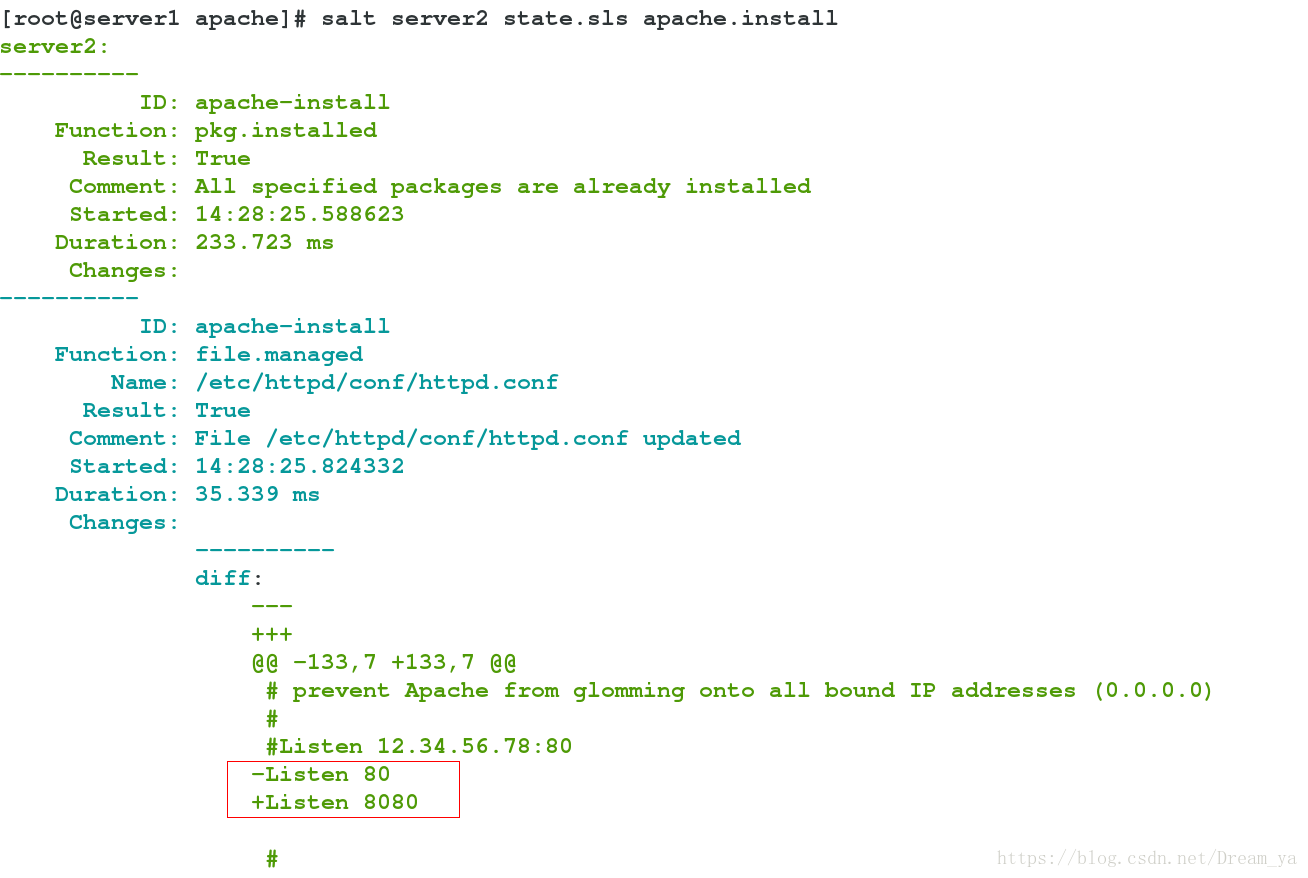
六、源码编译安装Nginx
1、创建安装文件
[root@server1 ~]# wget http://nginx.org/download/nginx-1.14.0.tar.gz
[root@server1 ~]# mkdir -p /srv/salt/nginx/files
[root@server1 ~]# mv nginx-1.14.0.tar.gz /srv/salt/nginx/files
2、配置文件
unless:选项指向的命令返回false时才执行name指向的命
[root@server1 ~]# cd /srv/salt/nginx
[root@server1 nginx]# vim install.sls
include:
  - nginx.make

nginx-install:
  file.managed:
    - name: /root/nginx-1.14.0.tar.gz
    - unless: test -e /root/nginx-1.14.0.tar.gz
    - source: salt://nginx/files/nginx-1.14.0.tar.gz

  cmd.run:
    - cwd: /root
    - name: tar xf nginx-1.14.0.tar.gz && cd nginx-1.14.0 && sed -i 's#"nginx/" NGINX_VERSION#"nginx"#g' src/core/nginx.h && sed -i 's/CFLAGS="$CFLAGS -g"/#CFLAGS="$CFLAGS -g"/g' auto/cc/gcc && ./configure --prefix=/usr/local/nginx --with-http_ssl_module --with-http_stub_status_module &> /dev/null && make &>/dev/null && make install &>/dev/null && ln -s /usr/local/nginx/sbin/nginx /usr/local/sbin/
    - creates: /usr/local/nginx

[root@server1 nginx]# vim make.sls        ###编译安装nginx的依赖包
nginx-make:
  pkg.installed:
    - pkgs:
      - gcc
      - openssl-devel
      - pcre-devel
3、推送查看结果
[root@server1 nginx]# salt server3 state.sls nginx.install
[root@server3 ~]# ls
nginx-1.14.0  nginx-1.14.0.tar.gz

[root@server3 ~]# ls /usr/local/nginx/
conf  html  logs  sbin
4、优化部署
上面的部署只是实现了nginx的安装,不够方便,没有实现服务的启动和配置文件的推送等功能,下面进行优化!!!
(1)环境准备
[root@server1 nginx]# pwd
/srv/salt/nginx
[root@server1 nginx]# mkdir conf
[root@server1 nginx]# scp root@10.10.10.3:/usr/local/nginx/conf/nginx.conf conf/
[root@server1 nginx]# vim user.sls      ###建立用户,nginx为创建的用户名
nginx:
  user.present:
    - uid: 800
    - shell: /sbin/nologin
(2)修改Nginx配置文件
[root@server1 nginx]# vim /srv/salt/nginx/conf/nginx.conf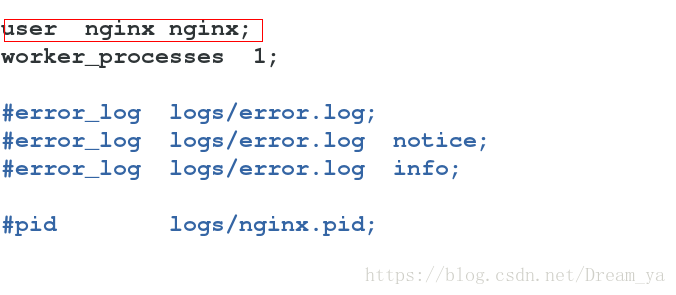
(3)配置Nginx启动文件
[root@server1 nginx]# vim /srv/salt/nginx/files/nginx
#!/bin/sh
#
# nginx - this script starts and stops the nginx daemon
#
# chkconfig:   - 85 15
# description:  Nginx is an HTTP(S) server, HTTP(S) reverse \
#               proxy and IMAP/POP3 proxy server
# processname: nginx
# config:      /usr/local/nginx/conf/nginx.conf
# pidfile:     /usr/local/nginx/logs/nginx.pid

# Source function library.
. /etc/rc.d/init.d/functions

# Source networking configuration.
. /etc/sysconfig/network

# Check that networking is up.
[ "$NETWORKING" = "no" ] && exit 0

nginx="/usr/local/nginx/sbin/nginx"
prog=$(basename $nginx)

lockfile="/var/lock/subsys/nginx"
pidfile="/usr/local/nginx/logs/${prog}.pid"

NGINX_CONF_FILE="/usr/local/nginx/conf/nginx.conf"


start() {
    [ -x $nginx ] || exit 5
    [ -f $NGINX_CONF_FILE ] || exit 6
    echo -n $"Starting $prog: "
    daemon $nginx -c $NGINX_CONF_FILE
    retval=$?
    echo
    [ $retval -eq 0 ] && touch $lockfile
    return $retval
}

stop() {
    echo -n $"Stopping $prog: "
    killproc -p $pidfile $prog
    retval=$?
    echo
    [ $retval -eq 0 ] && rm -f $lockfile
    return $retval
}

restart() {
    configtest_q || return 6
    stop
    start
}

reload() {
    configtest_q || return 6
    echo -n $"Reloading $prog: "
    killproc -p $pidfile $prog -HUP
    echo
}

configtest() {
    $nginx -t -c $NGINX_CONF_FILE
}

configtest_q() {
    $nginx -t -q -c $NGINX_CONF_FILE
}

rh_status() {
    status $prog
}

rh_status_q() {
    rh_status >/dev/null 2>&1
}

# Upgrade the binary with no downtime.
upgrade() {
    local oldbin_pidfile="${pidfile}.oldbin"

    configtest_q || return 6
    echo -n $"Upgrading $prog: "
    killproc -p $pidfile $prog -USR2
    retval=$?
    sleep 1
    if [[ -f ${oldbin_pidfile} && -f ${pidfile} ]];  then
        killproc -p $oldbin_pidfile $prog -QUIT
        success $"$prog online upgrade"
        echo
        return 0
    else
        failure $"$prog online upgrade"
        echo
        return 1
    fi
}

# Tell nginx to reopen logs
reopen_logs() {
    configtest_q || return 6
    echo -n $"Reopening $prog logs: "
    killproc -p $pidfile $prog -USR1
    retval=$?
    echo
    return $retval
}

case "$1" in
    start)
        rh_status_q && exit 0
        $1
        ;;
    stop)
        rh_status_q || exit 0
        $1
        ;;
    restart|configtest|reopen_logs)
        $1
        ;;
    force-reload|upgrade)
        rh_status_q || exit 7
        upgrade
        ;;
    reload)
        rh_status_q || exit 7
        $1
        ;;
    status|status_q)
        rh_$1
        ;;
    condrestart|try-restart)
        rh_status_q || exit 7
        restart
        ;;
    *)
        echo $"Usage: $0 {start|stop|reload|configtest|status|force-reload|upgrade|restart|reopen_logs}"
        exit 2
esac
(4)配置service.sls
include:
  - nginx.install
  - nginx.user

/usr/local/nginx/conf/nginx.conf:
  file.managed:
    - source: salt://nginx/files/nginx.conf

nginx-service:
  file.managed:
    - name: /etc/init.d/nginx
    - source: salt://nginx/files/nginx
    - mode: 755

  service.running:
    - name: nginx
    - enable: true
    - reload: true
    - watch:
      - file: /usr/local/nginx/conf/nginx.conf
    - require:
      - user: nginx
(5)推送查看结果
[root@server1 nginx]# salt server3 state.sls nginx.service
[root@server3 ~]# /etc/init.d/nginx status
[root@server3 ~]# ps -ef|grep nginx
[root@server3 ~]# netstat -lntup|grep nginx
(6)查看文件结构
[root@server1 ~]# yum install -y tree
[root@server1 ~]# tree /srv/salt/nginx/
/srv/salt/nginx/
|-- conf
|   `-- nginx.conf
|-- files
|   |-- nginx
|   `-- nginx-1.14.0.tar.gz
|-- install.sls
|-- make.sls
|-- service.sls
`-- user.sls
5、同时部署Apache、Nginx
通过top.sls可以实现同时部署,并且分配给不同的机器!!!
参考官网链接:https://docs.saltstack.cn/topics/tutorials/states_pt1.html#preparing-the-top-file
[root@server1 ~]# vim /srv/salt/top.sls      ###注意名字只能为top.sls
base:
  'server2':
    - apache.install
  'server3':
    - nginx.service

[root@server1 ~]# salt '*' state.highstate top.sls版权声明:本文为Dream_ya原创文章,遵循CC 4.0 BY-SA版权协议,转载请附上原文出处链接和本声明。