文章目录
前言
因为最近项目需要实现电子合同签约,目前此功能已实现,特在此记录一下思路以及实现过程。
整体过程是:利用word模板另存为word.xml格式,直接把此xml文件的.xml后缀改为.ftl,并且编辑.ftl文件中的内容,利用占位符把相关的变量给填充进去,当对变量的值进行赋值以后,就可以利用freemarker把这些值给填充到对应的位置上,实现对xml文件的动态编辑;然后把此xml文件转换为流,然后利用aspose把此流转换为pdf文件即可。
提示:以下是本篇文章正文内容,下面案例可供参考
一、利用freemarker修改.ftl文件并保存为word文档
1.word文档编辑了.ftl文档,此处为案例模板
文档test.docx文档内容如下: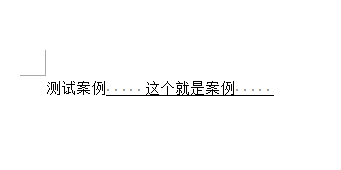
另存为xml文档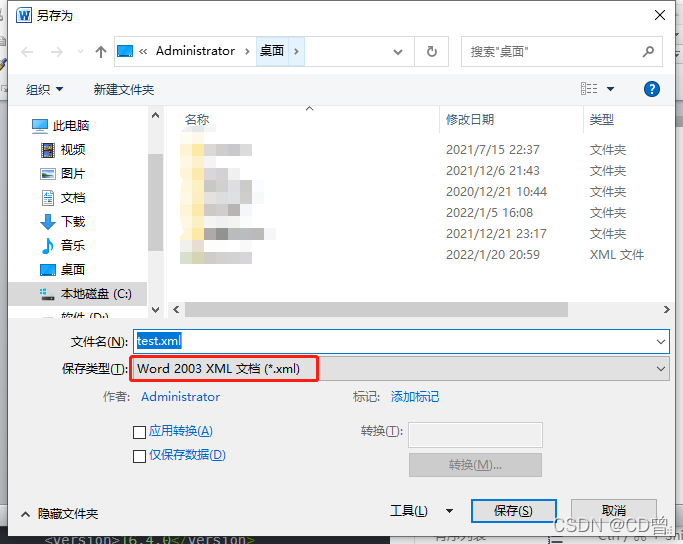
用notepad把xml文档打开如下: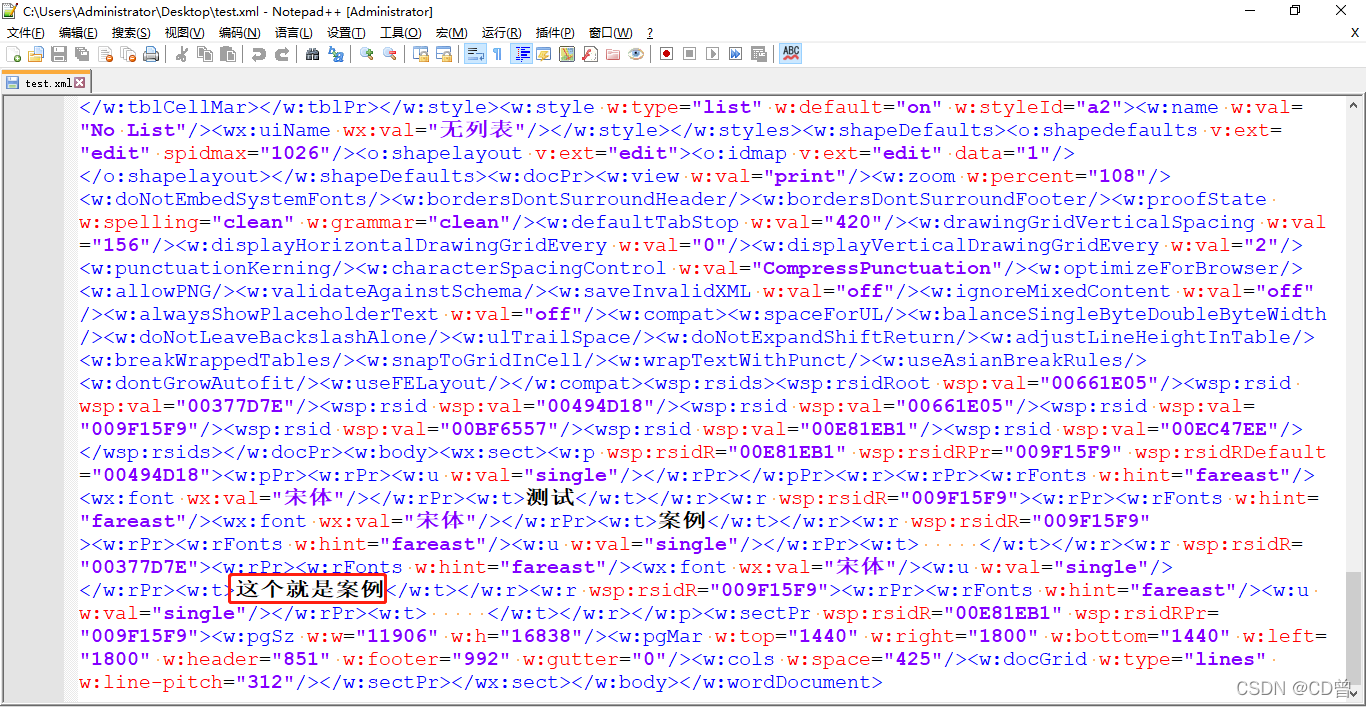
把要修改的地方改成变量,并保存此文档,格式如下: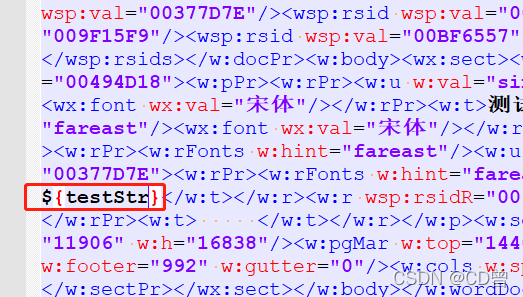
修改xml文档后缀,变为ftl文档:

至此.ftl文档编辑成功。
2. 加入freemarker依赖并配置
依赖如下:
<dependency>
            <groupId>org.springframework.boot</groupId>
            <artifactId>spring-boot-starter-freemarker</artifactId>
</dependency>
配置如下,更多配置可以参考官方文档:
spring:
  freemarker:
    ##模版存放路径(默认为 classpath:/templates/)
    template-loader-path: /templates/
    ##是否生成缓存,生成环境建议开启(默认为true)
    cache: false
    ##编码
    charset: UTF-8
    check-template-location: true
    ##content-type类型(默认为test/html)
    content-type: text/html
    ## 设定所有request的属性在merge到模板的时候,是否要都添加到model中(默认为false)
    expose-request-attributes: false
    ##设定所有HttpSession的属性在merge到模板的时候,是否要都添加到model中.(默认为false)
    expose-session-attributes: false
    ##RequestContext属性的名称(默认为-)
    request-context-attribute: request
    ##模板后缀(默认为.ftl)
#    suffix: .html
#    date-format: yyyy-MM-dd HH:mm:ss
#    time-zone: GMT+8
3. .ftl文档动态加载内容并生成word文档
public class FreeMarkerTest {
    public static void main(String[] args) {
        try{
            Configuration configuration = new Configuration();
            //configuration设置utf-8格式
            configuration.setDefaultEncoding("utf-8");
			//此处为路径类加载路径,也有其他方式/template表示reasources下的template文件夹
            configuration.setClassForTemplateLoading(FreeMarkerTest.class,"/template");
            //template文件夹下的test.ftl文件
            Template template = configuration.getTemplate("test.ftl");
            //要生成的文档路径
            String outFilePath = "C:\\Users\\Administrator\\Desktop\\abc.doc";
            File file = new File(outFilePath);
            if (!file.getParentFile().exists()) {
                //父文件夹不存在就进行创建
                file.getParentFile().mkdirs();
            }
            Writer writer = new BufferedWriter(new OutputStreamWriter(new FileOutputStream(file), "utf-8"));
            //赋值内容
            Map<String, Object> dataMap = new HashMap<String, Object>();
            dataMap.put("testStr", "这个就是赋的值");
            //把值给写进ftl文件中并生成为abc.doc文档
            template.process(dataMap,writer);
            //关闭流
            writer.close();
        } catch (Exception e) {
            e.printStackTrace();
        }
    }
}
相关文件: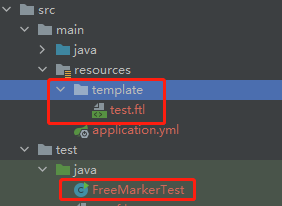
生成的文档如下: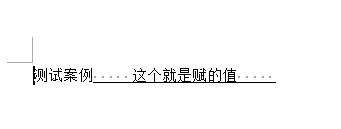
二、利用aspose把流转换为pdf文档
1. 引入aspose相关jar包
<dependency>
            <groupId>com.aspose</groupId>
            <artifactId>aspose-words</artifactId>
            <version>16.4.0</version>
            <scope>system</scope>
            <systemPath>${pom.basedir}/lib/aspose-words-16.4.0-jdk16.jar</systemPath>
</dependency>
这里的路径是项目下的lib文件夹下的aspose-words-16.4.0-jdk16.jar文件。jar包的下载可以自行搜索下载。
2.对以上代码做部分调整即可实现
public class FreeMarkerTest {
    public static void main(String[] args) {
        try{
            Configuration configuration = new Configuration();
            configuration.setDefaultEncoding("utf-8");
            configuration.setClassForTemplateLoading(FreeMarkerTest.class,"/template");
            Template template = configuration.getTemplate("test.ftl");
            StringWriter swriter = new StringWriter();
            Map<String, Object> dataMap = new HashMap<String, Object>();
            dataMap.put("testStr", "这个就是赋的值");
            template.process(dataMap,swriter);
            //此处的两种方法都可以进行尝试
            //当时打成jar包运行后会报FileCorruptedException: The document appears to be corrupted and cannot be loaded错误,改成UTF-8格式就解决了,特此记录
            //ByteArrayInputStream is = new ByteArrayInputStream(swriter.toString().getBytes(StandardCharsets.UTF_8));
            ByteArrayInputStream is = new ByteArrayInputStream(swriter.toString().getBytes());
            Document doc = new Document(is);
            //PDF的路径
            doc.save(pdfFilePath);
        } catch (Exception e) {
            e.printStackTrace();
        }
    }
}
至此结束。
总结
这里实现了模板的动态赋值,以及模板生成的流转化为PDF格式,这里都可以进行灵活运用。
版权声明:本文为weixin_44117635原创文章,遵循CC 4.0 BY-SA版权协议,转载请附上原文出处链接和本声明。