SpringBoot整合myBaits
1.介绍
此文章主要介绍Spring2.x版本整合mybaits框架,并使用myBaits-generator插件自动生成domain 类,mapper类,mapping映射文件
2.创建springBoot项目
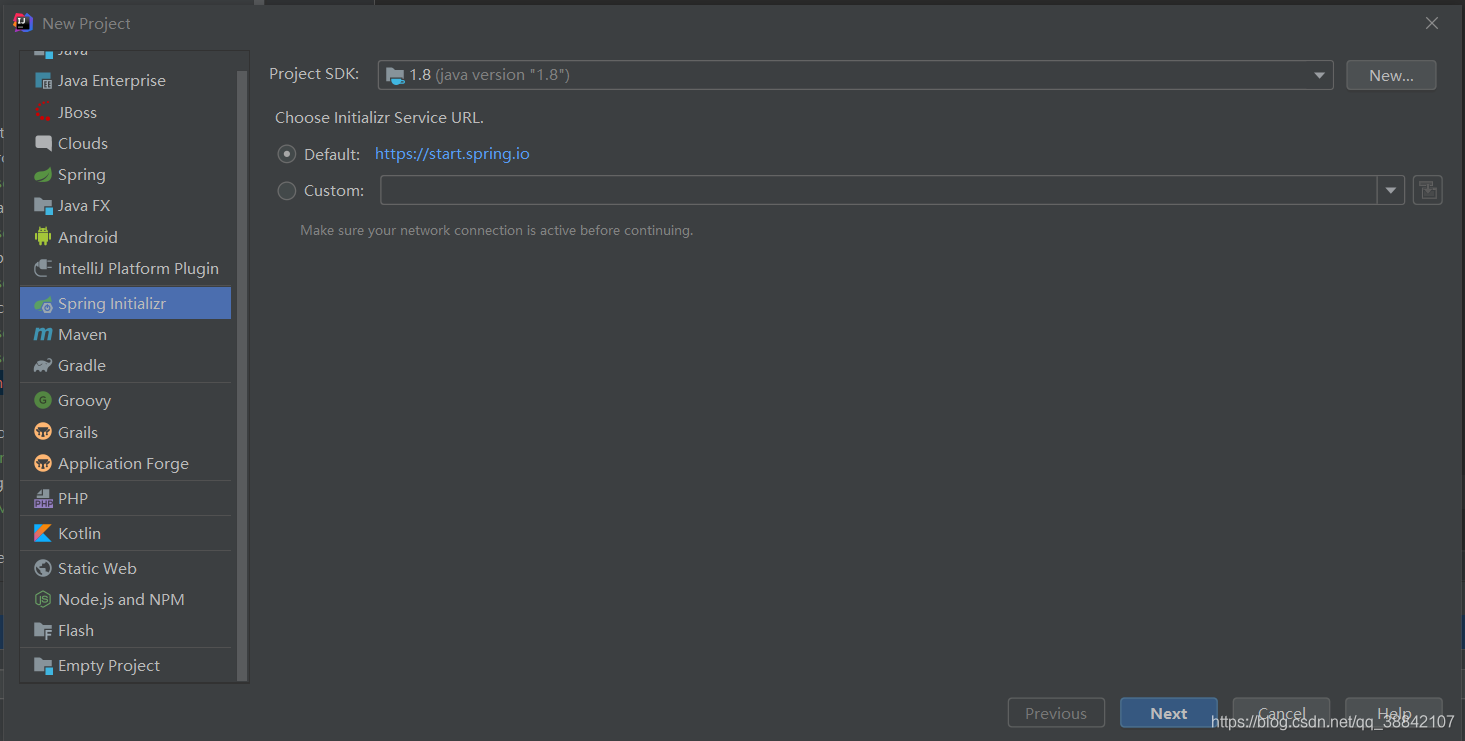
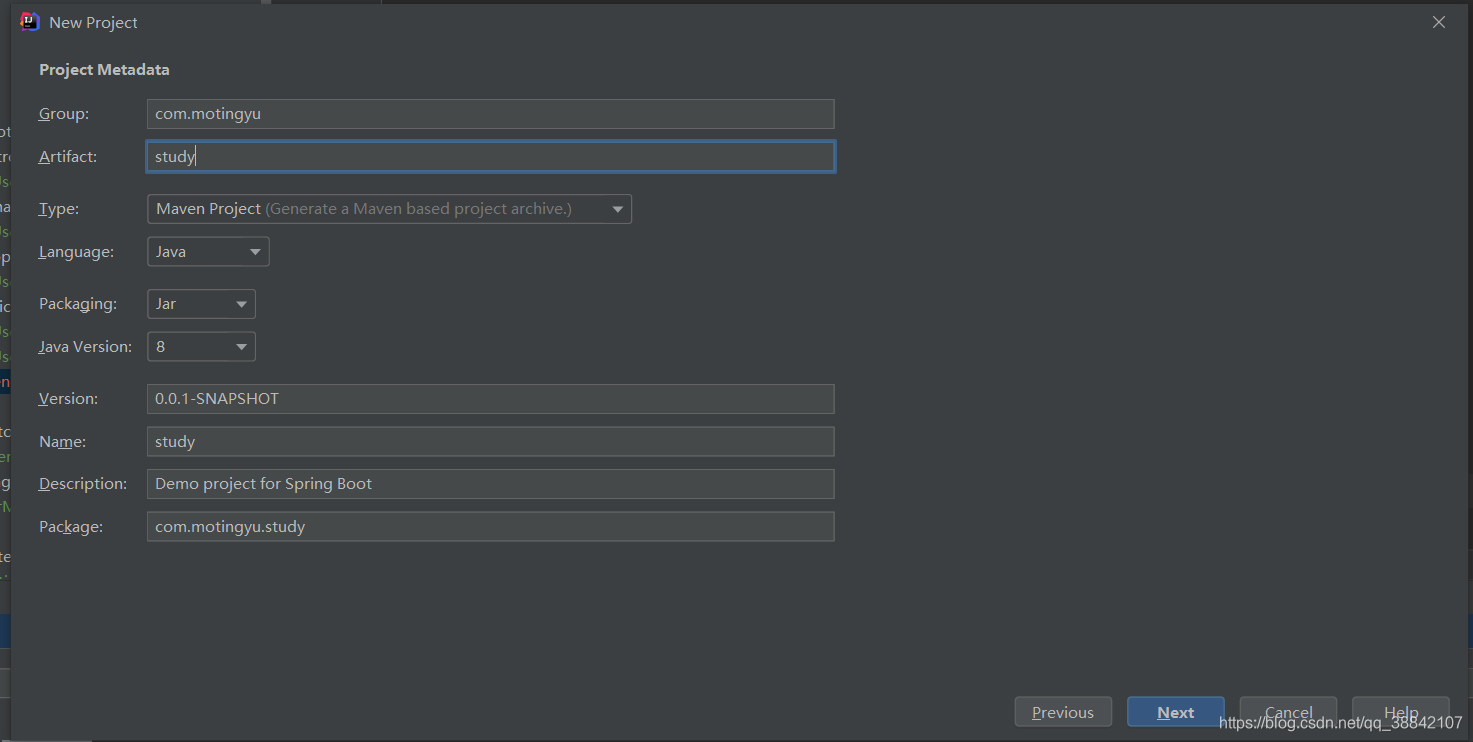
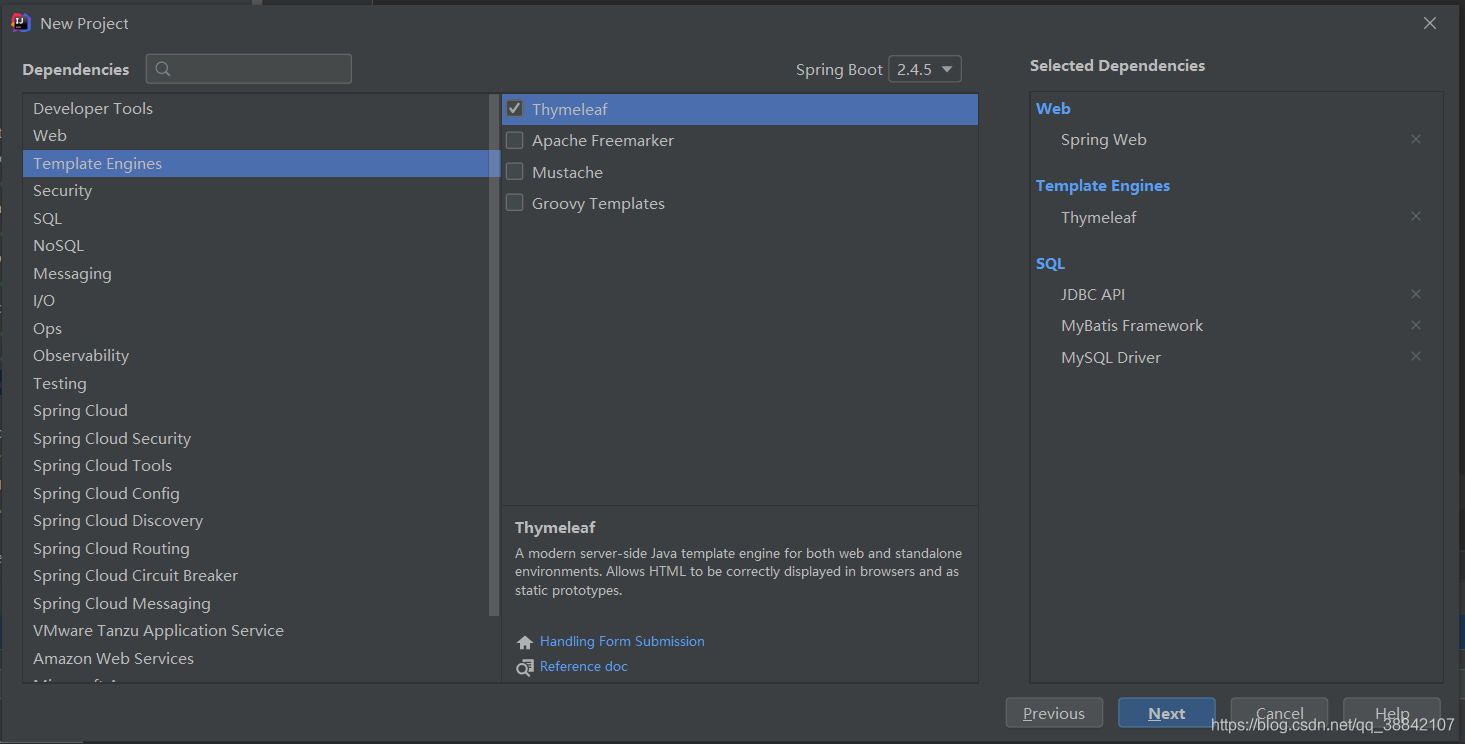
3.项目结构
![[外链图片转存失败,源站可能有防盗链机制,建议将图片保存下来直接上传(img-as6V8dCc-1620303238101)(C:\Users\20146\AppData\Roaming\Typora\typora-user-images\image-20210506154759657.png)]](https://img-blog.csdnimg.cn/20210506202046603.png?x-oss-process=image/watermark,type_ZmFuZ3poZW5naGVpdGk,shadow_10,text_aHR0cHM6Ly9ibG9nLmNzZG4ubmV0L3FxXzM4ODQyMTA3,size_16,color_FFFFFF,t_70)
3.1添加依赖
需要自己在pom.xml中添加mybaits.generator依赖和插件
<?xml version="1.0" encoding="UTF-8"?>
<project xmlns="http://maven.apache.org/POM/4.0.0" xmlns:xsi="http://www.w3.org/2001/XMLSchema-instance"
         xsi:schemaLocation="http://maven.apache.org/POM/4.0.0 https://maven.apache.org/xsd/maven-4.0.0.xsd">
    <modelVersion>4.0.0</modelVersion>
    <parent>
        <groupId>org.springframework.boot</groupId>
        <artifactId>spring-boot-starter-parent</artifactId>
        <version>2.4.5</version>
        <relativePath/> <!-- lookup parent from repository -->
    </parent>
    <groupId>com.motingyu</groupId>
    <artifactId>study</artifactId>
    <version>0.0.1-SNAPSHOT</version>
    <name>study</name>
    <description>Demo project for Spring Boot</description>
    <properties>
        <java.version>1.8</java.version>
    </properties>
    <dependencies>
        <dependency>
            <groupId>org.springframework.boot</groupId>
            <artifactId>spring-boot-starter-jdbc</artifactId>
        </dependency>
        <dependency>
            <groupId>org.springframework.boot</groupId>
            <artifactId>spring-boot-starter-thymeleaf</artifactId>
        </dependency>
        <dependency>
            <groupId>org.springframework.boot</groupId>
            <artifactId>spring-boot-starter-web</artifactId>
        </dependency>
        <dependency>
            <groupId>org.mybatis.spring.boot</groupId>
            <artifactId>mybatis-spring-boot-starter</artifactId>
            <version>2.1.4</version>
        </dependency>

        <dependency>
            <groupId>mysql</groupId>
            <artifactId>mysql-connector-java</artifactId>
            <scope>runtime</scope>
        </dependency>
        <dependency>
            <groupId>org.springframework.boot</groupId>
            <artifactId>spring-boot-starter-test</artifactId>
            <scope>test</scope>
        </dependency>
        <!--添加mybaits.generator依赖-->
        <dependency>
            <groupId>org.mybatis.generator</groupId>
            <artifactId>mybatis-generator-core</artifactId>
            <version>1.3.5</version>
        </dependency>
    </dependencies>

    <build>
        <plugins>
            <plugin>
                <groupId>org.springframework.boot</groupId>
                <artifactId>spring-boot-maven-plugin</artifactId>
            </plugin>

            <!--添加mybaits-generator插件-->
            <plugin>
                <groupId>org.mybatis.generator</groupId>
                <artifactId>mybatis-generator-maven-plugin</artifactId>
                <version>1.3.5</version>
                <configuration>
                    <configurationFile>${basedir}/src/main/resources/generator/generatorConfig.xml</configurationFile>
                    <overwrite>true</overwrite>
                    <verbose>true</verbose>
                    <skip>false</skip>
                </configuration>
            </plugin>
        </plugins>
    </build>

</project>
3.2创建generatorConfig.xml
在resources文件下创建generator/generatorConfig.xml
<?xml version="1.0" encoding="UTF-8"?>
<!DOCTYPE generatorConfiguration
        PUBLIC "-//mybatis.org//DTD MyBatis Generator Configuration 1.0//EN"
        "http://mybatis.org/dtd/mybatis-generator-config_1_0.dtd">
<generatorConfiguration>
    <!-- 数据库驱动:选择你的本地硬盘上面的数据库驱动包-->
    <classPathEntry  location="E:\1spring-jar包\mybatis-generator-core-1.3.2\lib\mysql-connector-java-5.1.25-bin.jar"/>
    <context id="DB2Tables"  targetRuntime="MyBatis3">
        <commentGenerator>
            <property name="suppressDate" value="true"/>
            <!-- 是否去除自动生成的注释 true:是 : false:否 -->
            <property name="suppressAllComments" value="true"/>
        </commentGenerator>
        <!--数据库链接URL,用户名、密码 -->
        <jdbcConnection driverClass="com.mysql.jdbc.Driver" connectionURL="jdbc:mysql://127.0.0.1/test" userId="root" password="123456">
        </jdbcConnection>
        <javaTypeResolver>
            <property name="forceBigDecimals" value="false"/>
        </javaTypeResolver>
        <!-- 生成模型的包名和位置-->
        <javaModelGenerator targetPackage="com.motingyu.study.domain" targetProject="src/main/java">
            <property name="enableSubPackages" value="true"/>
            <property name="trimStrings" value="true"/>
        </javaModelGenerator>
        <!-- 生成映射文件的包名和位置-->
        <sqlMapGenerator targetPackage="mapping" targetProject="src/main/resources">
            <property name="enableSubPackages" value="true"/>
        </sqlMapGenerator>
        <!-- 生成DAO的包名和位置-->
        <javaClientGenerator type="XMLMAPPER" targetPackage="com.motingyu.study.mapper" targetProject="src/main/java">
            <property name="enableSubPackages" value="true"/>
        </javaClientGenerator>
        <!-- 要生成的表 tableName是数据库中的表名或视图名 domainObjectName是实体类名-->
        <table tableName="user" domainObjectName="User" enableCountByExample="false" enableUpdateByExample="false" enableDeleteByExample="false" enableSelectByExample="false" selectByExampleQueryId="false"></table>
    </context>
</generatorConfiguration>
3.3配置application.yml
相比于application.properties而言,我更喜欢application.yml.所以替换之.
mapper-locations一定不要忘记了.
##配置数据源
spring:
  datasource:
    url: jdbc:mysql://127.0.0.1:3306/test?useUnicode=true&characterEncoding=utf8
    username: root
    password: 123456
    driver-class-name: com.mysql.cj.jdbc.Driver

##修改端口
server:
  port: 8000

##绑定映射文件
mybatis:
  mapper-locations: classpath:mapping/*.xml
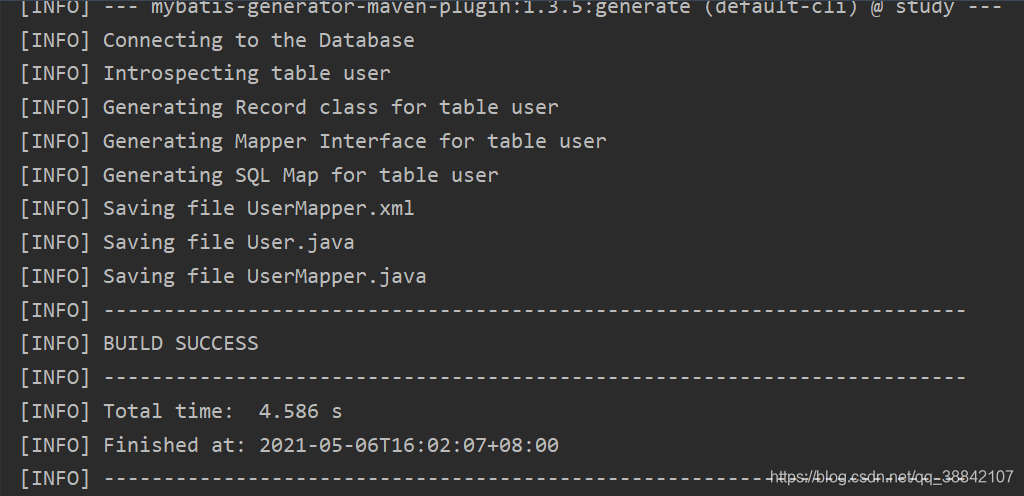
3.4运行mybaits-generator插件
不要重复进行.运行完及时修改环境.重复运行的话,xxMapper.xml会出现重复内容,导致项目运行出错.
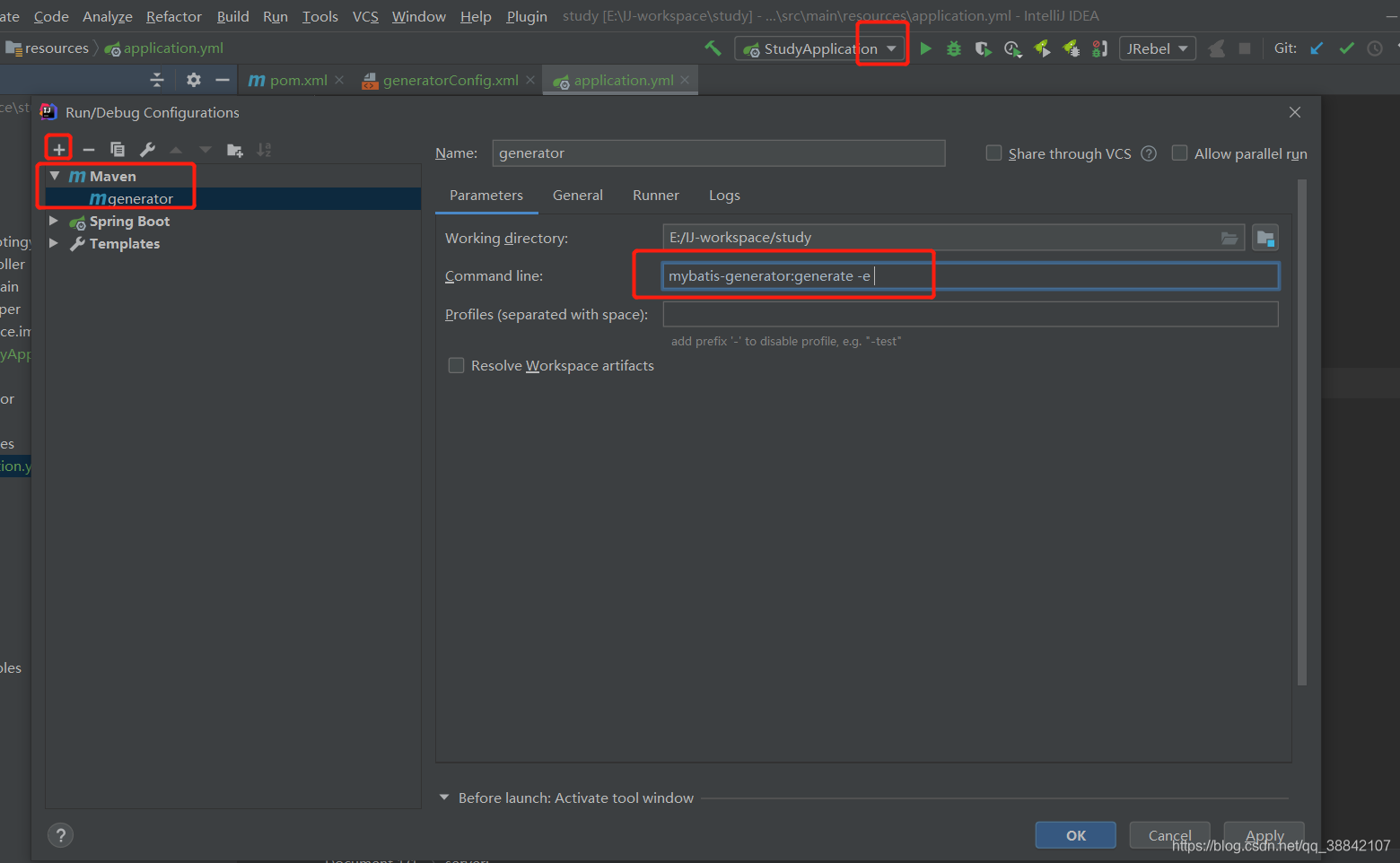
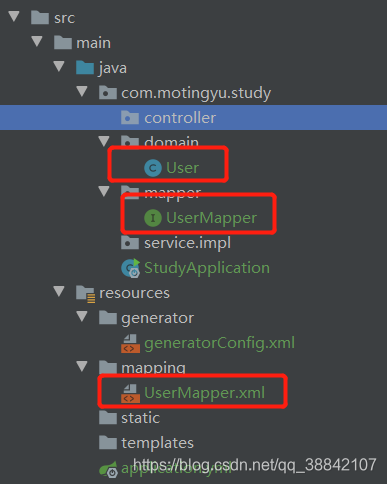
成功结果:
4.完善项目
已经根据数据库表生成了基本的domain,mapper,mapping映射文件.我们需要完善mapper,mapping以及编写controller,和service.
4.1UserMapper
package com.motingyu.study.mapper;

import com.motingyu.study.domain.User;

import java.util.List;

public interface UserMapper {
    int deleteByPrimaryKey(Integer userId);

    int insert(User record);

    int insertSelective(User record);

    User selectByPrimaryKey(Integer userId);

    int updateByPrimaryKeySelective(User record);

    int updateByPrimaryKey(User record);

    /**
     * 自己编写,查询所有记录
     * @return
     */
    List<User> findAllUser();
}
4.2UserService接口
package com.motingyu.study.service.impl;

import com.motingyu.study.domain.User;

import java.util.List;

public interface UserService {

    List<User> findAllUser();
}
4.3UserServiceImpl
package com.motingyu.study.service.impl;

import com.motingyu.study.domain.User;
import com.motingyu.study.mapper.UserMapper;
import org.springframework.beans.factory.annotation.Autowired;
import org.springframework.stereotype.Service;

import java.util.List;

@Service
public class UserServiceImpl implements UserService {

    /**
     *  会有错误提示,但是不影响
     */
    @Autowired
    private UserMapper userMapper;
    @Override
    public List<User> findAllUser() {
        return userMapper.findAllUser();
    }
}
4.4UserMapper.xml
<?xml version="1.0" encoding="UTF-8"?>
<!DOCTYPE mapper PUBLIC "-//mybatis.org//DTD Mapper 3.0//EN" "http://mybatis.org/dtd/mybatis-3-mapper.dtd">
<mapper namespace="com.motingyu.study.mapper.UserMapper">
  <resultMap id="BaseResultMap" type="com.motingyu.study.domain.User">
    <id column="user_id" jdbcType="INTEGER" property="userId" />
    <result column="user_name" jdbcType="VARCHAR" property="userName" />
    <result column="user_age" jdbcType="INTEGER" property="userAge" />
  </resultMap>
  <sql id="Base_Column_List">
    user_id, user_name, user_age
  </sql>
  <select id="findAllUser" resultMap="BaseResultMap">
    select
    <include refid="Base_Column_List"/>
    from user
  </select>
  <select id="selectByPrimaryKey" parameterType="java.lang.Integer" resultMap="BaseResultMap">
    select
    <include refid="Base_Column_List" />
    from user
    where user_id = #{userId,jdbcType=INTEGER}
  </select>
  <delete id="deleteByPrimaryKey" parameterType="java.lang.Integer">
    delete from user
    where user_id = #{userId,jdbcType=INTEGER}
  </delete>
  <insert id="insert" parameterType="com.motingyu.study.domain.User">
    insert into user (user_id, user_name, user_age
      )
    values (#{userId,jdbcType=INTEGER}, #{userName,jdbcType=VARCHAR}, #{userAge,jdbcType=INTEGER}
      )
  </insert>
  <insert id="insertSelective" parameterType="com.motingyu.study.domain.User">
    insert into user
    <trim prefix="(" suffix=")" suffixOverrides=",">
      <if test="userId != null">
        user_id,
      </if>
      <if test="userName != null">
        user_name,
      </if>
      <if test="userAge != null">
        user_age,
      </if>
    </trim>
    <trim prefix="values (" suffix=")" suffixOverrides=",">
      <if test="userId != null">
        #{userId,jdbcType=INTEGER},
      </if>
      <if test="userName != null">
        #{userName,jdbcType=VARCHAR},
      </if>
      <if test="userAge != null">
        #{userAge,jdbcType=INTEGER},
      </if>
    </trim>
  </insert>
  <update id="updateByPrimaryKeySelective" parameterType="com.motingyu.study.domain.User">
    update user
    <set>
      <if test="userName != null">
        user_name = #{userName,jdbcType=VARCHAR},
      </if>
      <if test="userAge != null">
        user_age = #{userAge,jdbcType=INTEGER},
      </if>
    </set>
    where user_id = #{userId,jdbcType=INTEGER}
  </update>

</mapper>
4.5UserController.java
package com.motingyu.study.controller;


import com.motingyu.study.service.impl.UserService;
import org.springframework.beans.factory.annotation.Autowired;
import org.springframework.stereotype.Controller;
import org.springframework.web.bind.annotation.RequestMapping;
import org.springframework.web.bind.annotation.ResponseBody;

@Controller
@RequestMapping("/user")
public class UserController {

    @Autowired
    private UserService userService;

    @ResponseBody
    @RequestMapping("/list")
    public Object list(){
        return userService.findAllUser();
    }
}
4.6StudyApplication.java
在此类上添加注解@MapperScan,扫描包.
package com.motingyu.study;

import org.mybatis.spring.annotation.MapperScan;
import org.springframework.boot.SpringApplication;
import org.springframework.boot.autoconfigure.SpringBootApplication;

@SpringBootApplication
@MapperScan("com.motingyu.study.mapper")
public class StudyApplication {

    public static void main(String[] args) {
        SpringApplication.run(StudyApplication.class, args);
    }

}
5.测试
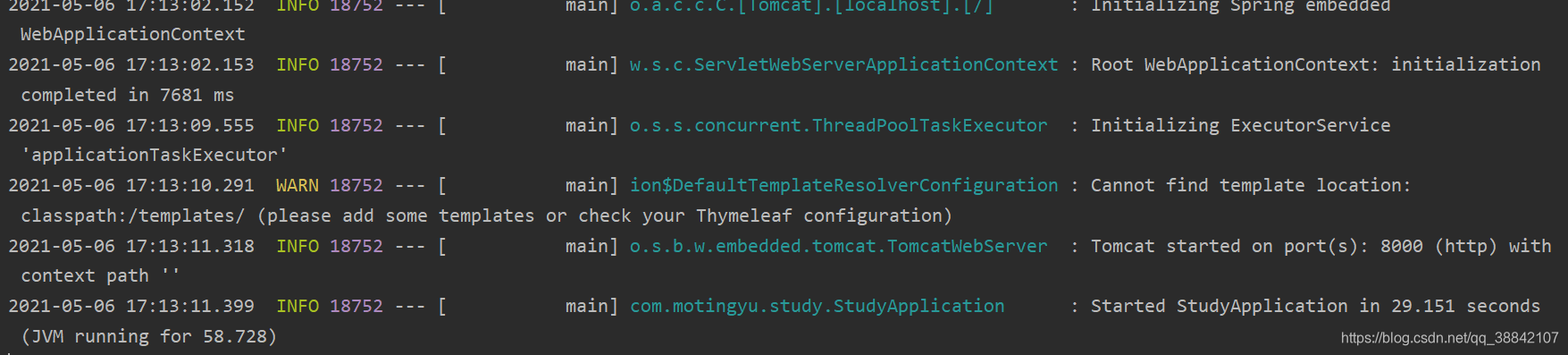
5.1运行结果
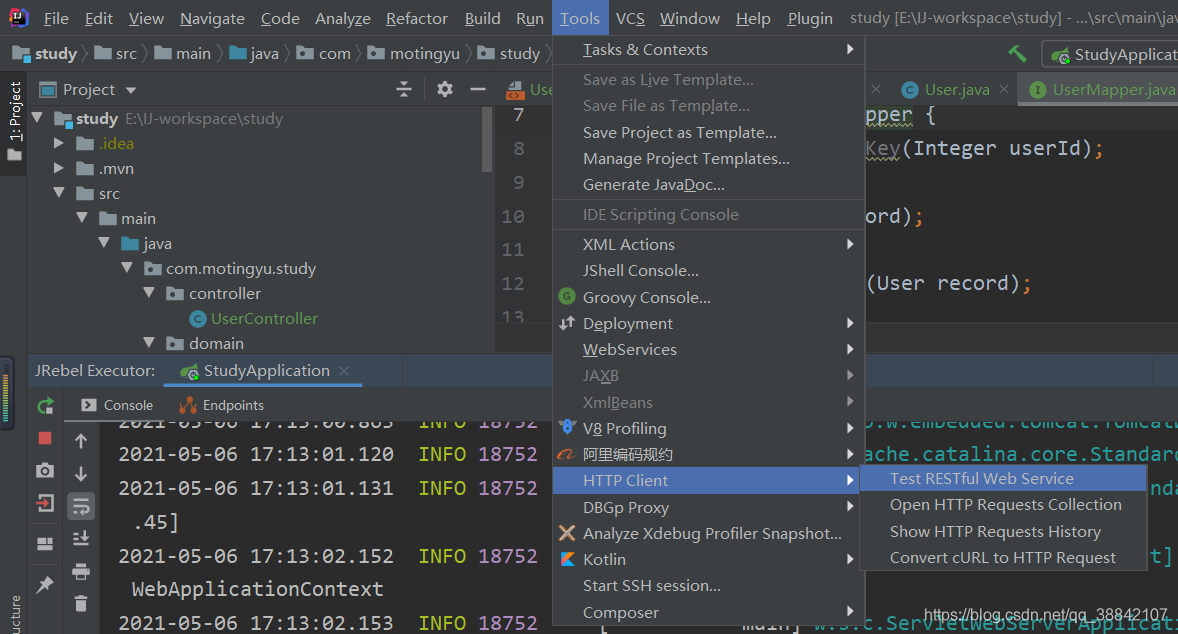
5.2测试
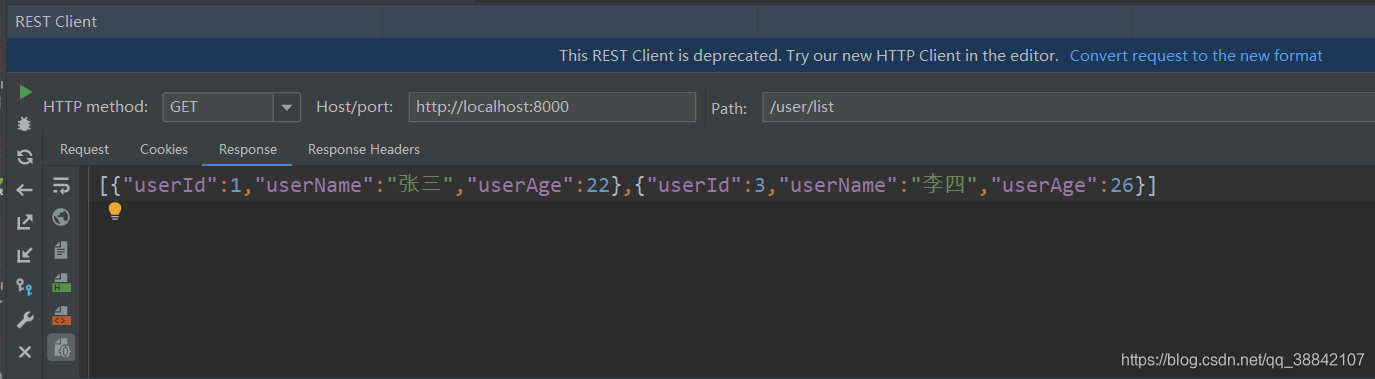
6.总结
需要注意:
1.修改generatorConfig.xml,需要仔细修改模板内容对应自己的项目.
2.运行完mybaits-generator插件,即使修改运行环境,不然很容易点错,再次运行引起项目出现问题.
版权声明:本文为qq_38842107原创文章,遵循CC 4.0 BY-SA版权协议,转载请附上原文出处链接和本声明。