首先附上Mathtype 6.9简体中文版下载地址:http://www.mathtype.cn/xiazai.html
本文基于安装好MathType以及office2019后进行操作,以64位为例。
Word
- 准备好两个MathType文件:
C:\Program Files (x86)\MathType\MathPage\64\MathPage.wll
C:\Program Files (x86)\MathType\Office Support\64\MathType Commands 6 For Word 2016.dotm - 将 MathPage.wll 拷贝到 C:\Program Files\Microsoft Office\root\Office16
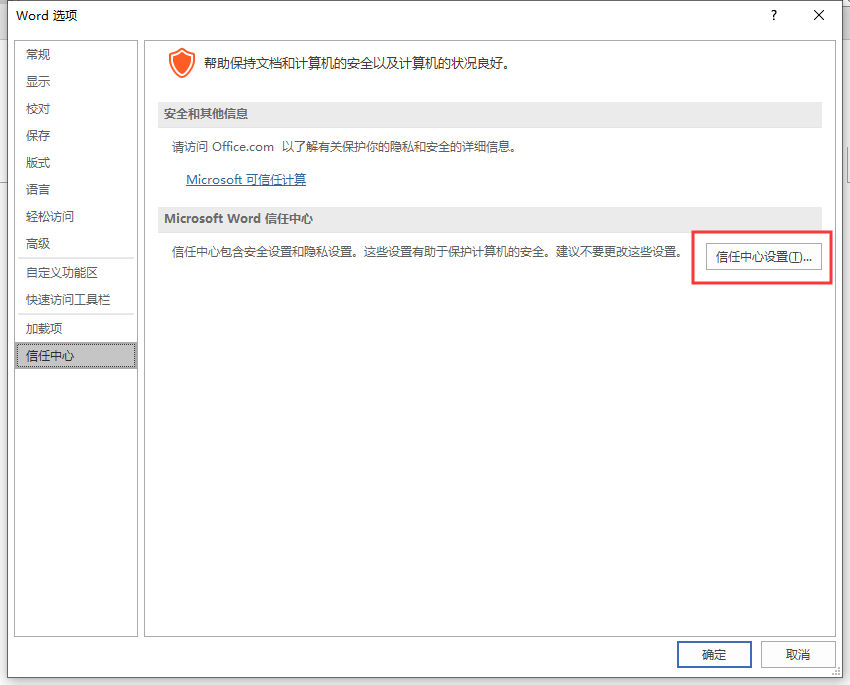
- 打开word,进入 “文件——选项——信任中心——信任中心设置”。
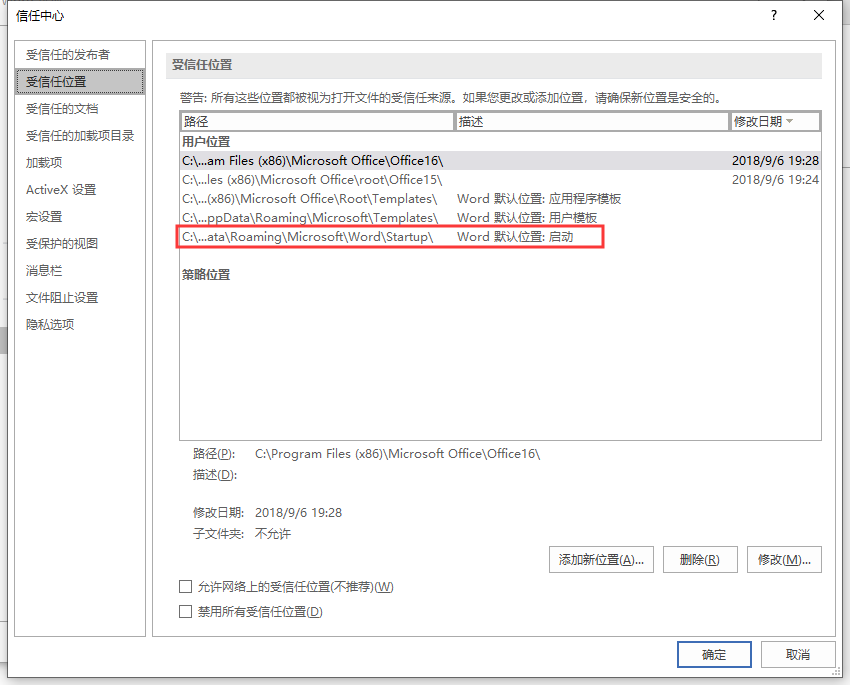
- 选择受信任的位置,双击 “Word默认位置:启动”。
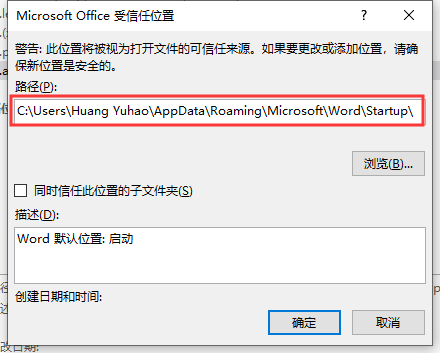
- 复制对话框中的路径,在资源管理器中打开。
- 将 MathType Commands 6 For Word 2016.dotm 拷贝进来。

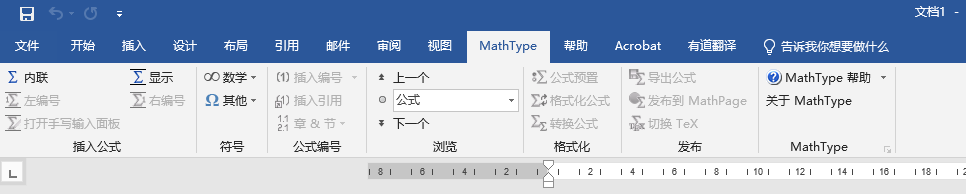
- 这时候,重新打开Word2019,就可以看到MathType的标签了。
PowerPoint
PowerPoint的配置有些许不同。
- 在配置好Word的基础上,准备好C:\Program Files (x86)\MathType\Office Support\64\MathType AddIn (PowerPoint 2016).ppam
- 打开PowerPoint2019,进入 “文件——选项——加载项”,选择管理下拉菜单中的PowerPoint加载项。
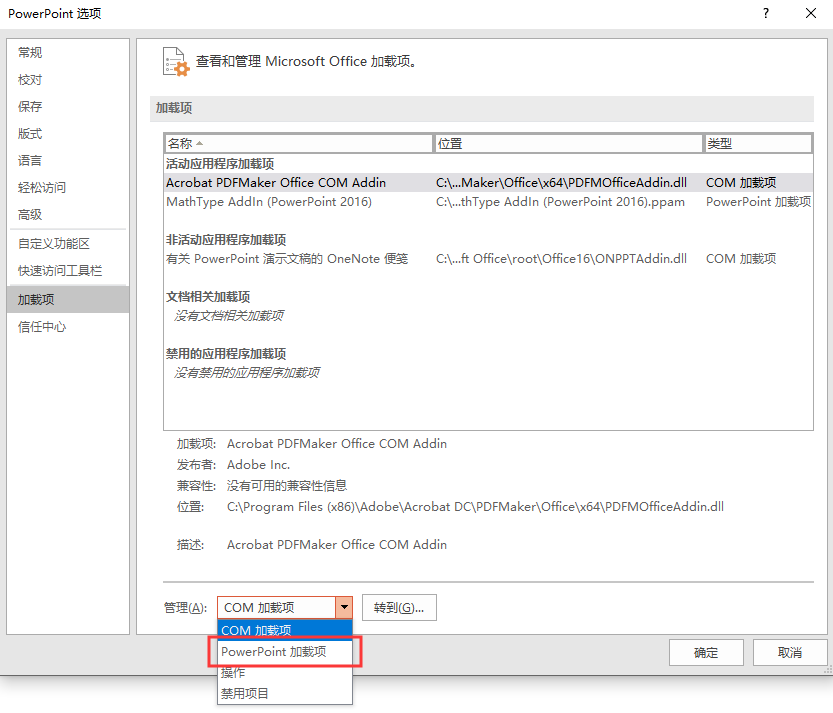
- 点击 “转到”,在新的对话框中选择 “添加”。
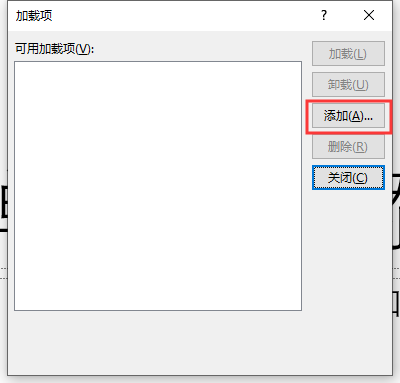
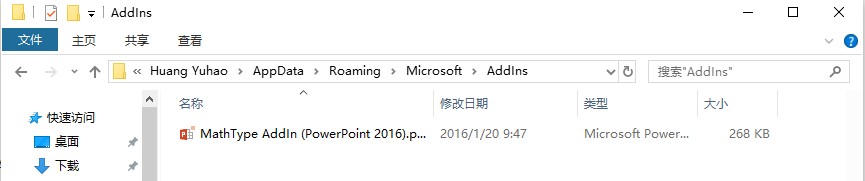
- 复制对话框中地址栏中的地址,并粘贴在资源管理器中打开。

- 将准备好的 MathType AddIn (PowerPoint 2016).ppam 复制进来。
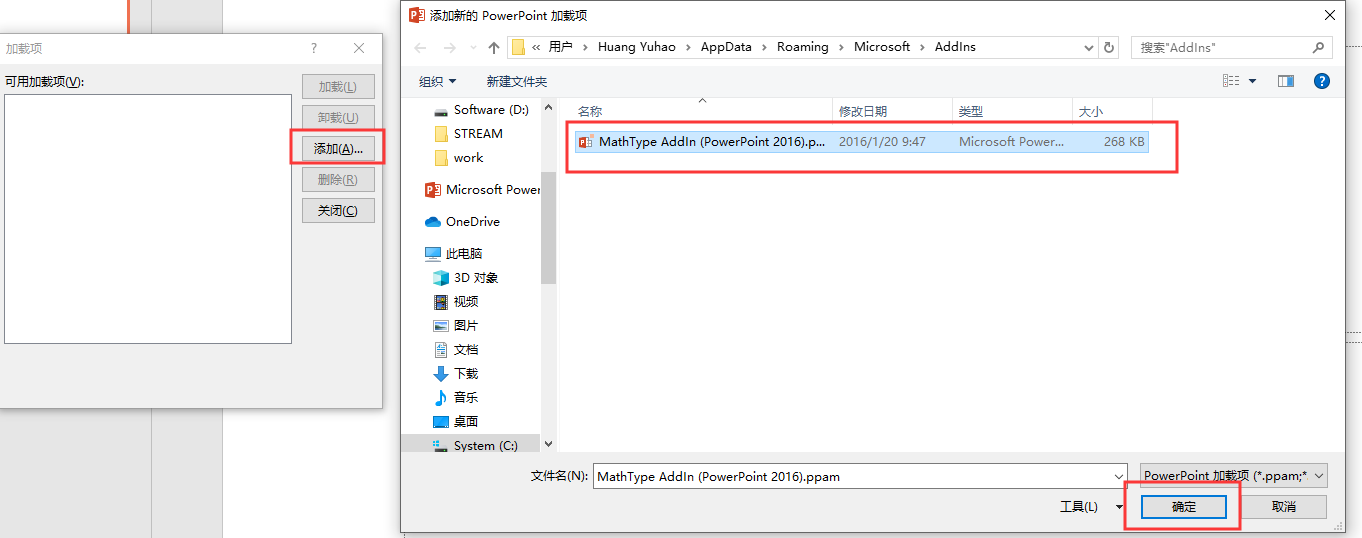
- 此时,在“添加新的PowerPoint加载项”对话框中就可以看到MathType AddIn (PowerPoint 2016).ppam了,选中,点击确定。
- 这时候,PowerPoint2019中就出现MathType的标签了。

版权声明:本文为yhhuang17原创文章,遵循CC 4.0 BY-SA版权协议,转载请附上原文出处链接和本声明。