It has been 541 days since the last update, the content of the article may be outdated.
宝塔系统依托于 Centos 开发,所以我们服务器系统选择 Centos7+
安装宝塔
yum install -y wget && wget -O install.sh http://download.bt.cn/install/install_6.0.sh && sh install.shNginx 即可。之后,我们在 home 文件夹下新建 git,hexo 这两个文件夹
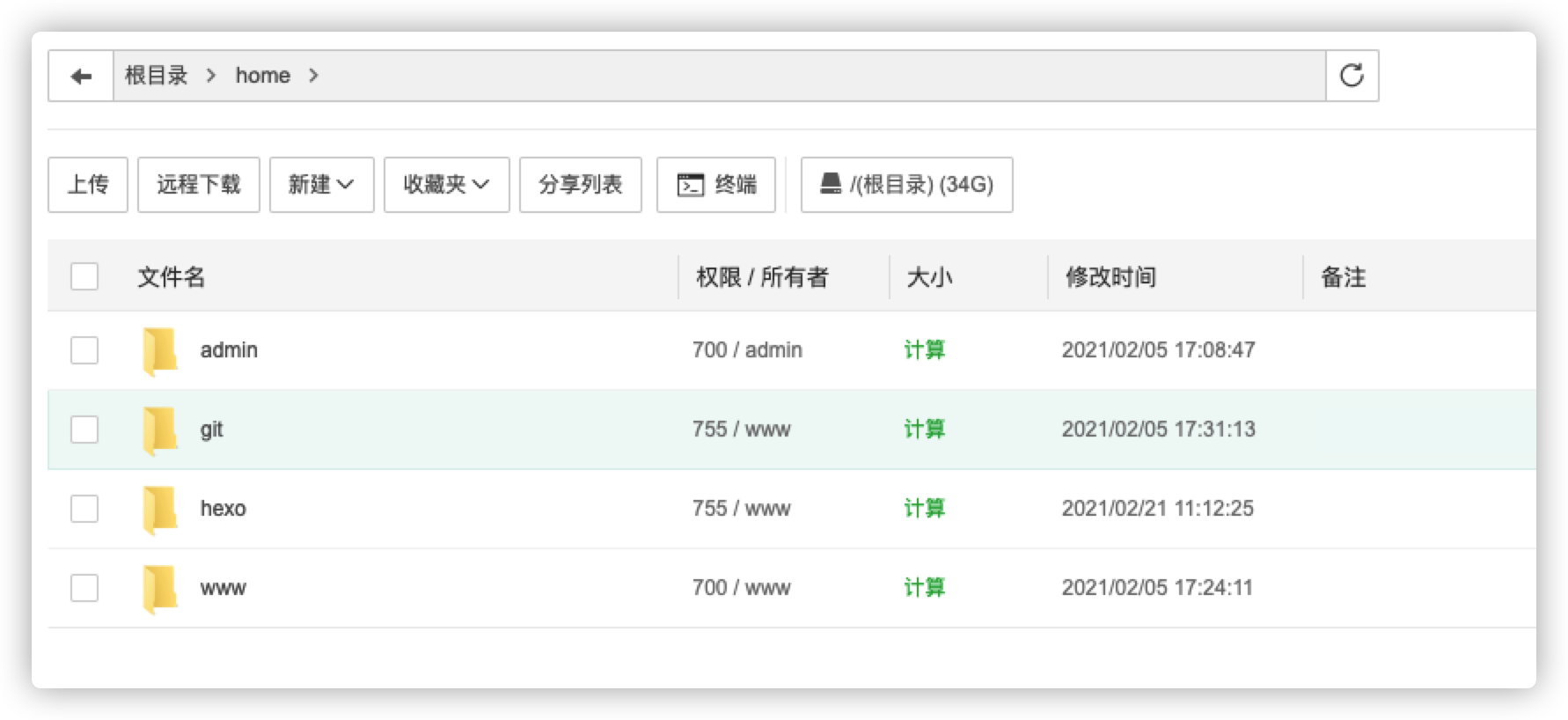
随后,我们登录我们的服务器,一次执行
cd ..
cd home
cd git
git init --bare blog.git
接着,在目录 /home/git/blog.git/hooks 下新建文件 post-receive,写入一下代码
git --work-tree=/home/hexo --git-dir=/home/git/blog.git checkout -f给 post-receive 权限
chmod +x /home/git/blog.git/hooks/post-receive配置 Nginx
宝塔面板默认的nginx 配置文件在根目录 ->www->serve->nginx->conf 下,找到 nginx.conf,编辑它重启 nginx 服务
service nginx restart本地 Hexo 配置
修改_config.yml 中的配置deploy:
type: git
repo: user@ip:/home/git/bloghexo generate --deplay 部署后就可以访问博客了接下来在宝塔面板里添加网站
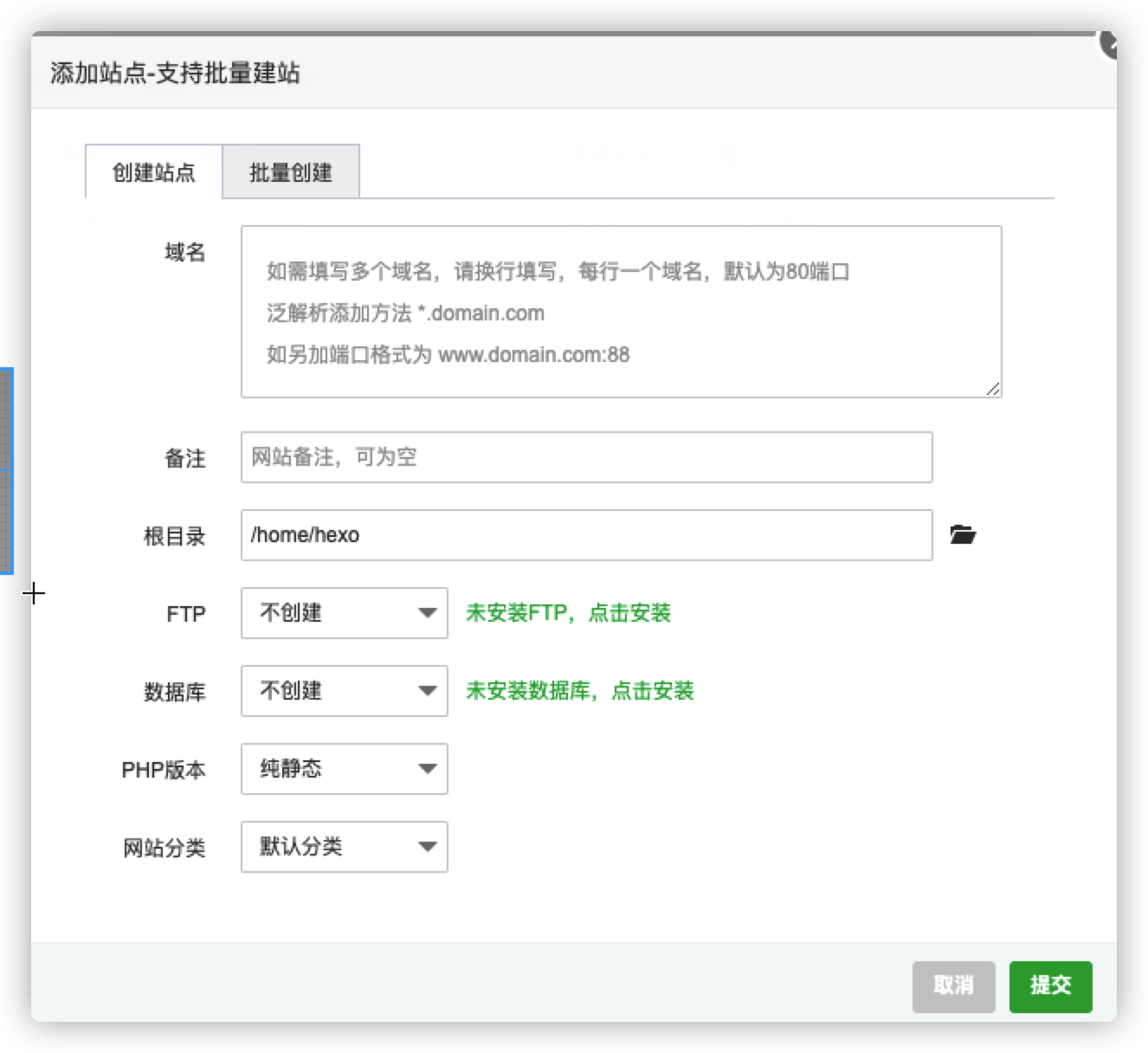
之后在阿里云将域名解析到服务器 ip 即可
SSL 证书
在阿里云中申请个证书,将内容填入其中即可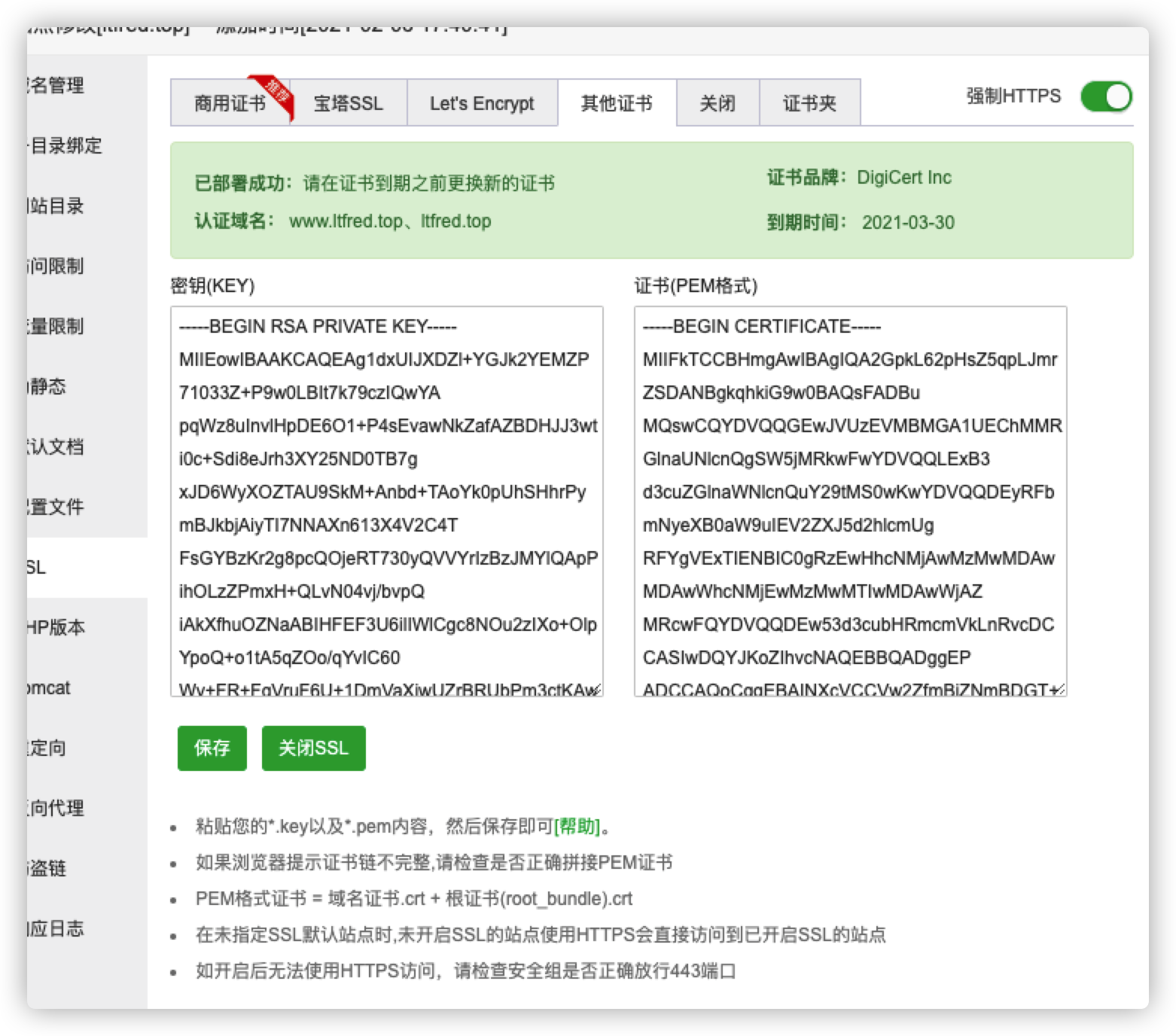
版权声明:本文为qq_30141543原创文章,遵循CC 4.0 BY-SA版权协议,转载请附上原文出处链接和本声明。