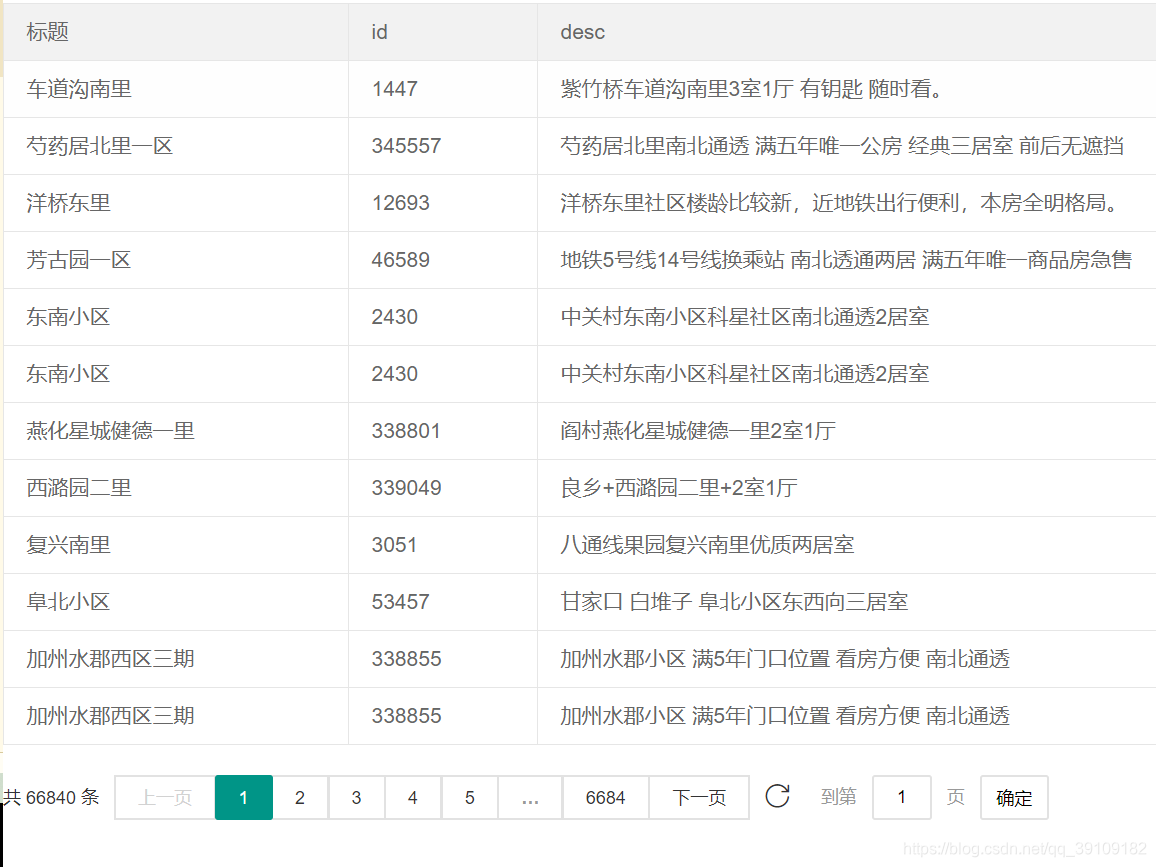
第一种
<script type="text/javascript" src="js/common/jquery-1.10.2.min.js"></script>
<script src="https://www.layuicdn.com/layui-v2.5.5/layui.js" charset="utf-8"></script>
<table class="layui-table" id="ceshi">
<thead>
<th>标题</th>
<th>id</th>
<th>desc</th>
</thead>
<tbody id="rcktb">
<tr>
<td> </td>
<td> </td>
<td> </td>
</tr>
</tbody>
</table>
<div style="height:100px;background:#ccc;" class="page" id="pagefenye"></div>let postPar={cityid:1,page:1,pcount:10}//接口需要的参数,page当前页码 pcount每页显示条数
function getTaskList(postPar) {//请求数据的方法
$.ajax({
type: 'post',
url: "请求数据接口",
dataType: 'json',
data:postPar,
success: function (res) {
console.log('列表res--', res)
count = res.data.count;
let html = "";
let listdata = res.data.list
for (var i = 0; i < listdata.length; i++) {
html += `<tr>
<td>${listdata[i].communityname}</td>
<td>${listdata[i].communityid}</td>
<td>${listdata[i].housetitle}</td>
</tr>`
}
$("#rcktb").html(html);
//layui的分页 count总条数、当前页码、每页显示数量(这3个是必须的) 城市(看自己需要)
getPageList(count, postPar.page, postPar.pcount,postPar.cityid);
}
});
}function getPageList(count, curr, limit, cityid) {//总数、当前页,每页数量,城市
//分页方法
layui.use(['laypage', 'layer'], function () {
let laypage = layui.laypage,
layer = layui.layer;
laypage.render({
elem: 'pagefenye',
count: count || 0,
theme: '#009587',
limit: limit || 15,
limits: [5, 10, 20, 30, 40],
curr: curr || 1,
layout: ['count', 'prev', 'page', 'next', 'refresh', 'skip'],
jump: function (obj, first) {
//debugger;
console.log(obj)
if (!first) {//如果不是第一页
console.log(obj.curr,obj.limit);
postPar.page=obj.curr
postPar.pcount=obj.limit
postPar.cityid=cityid
getTaskList(postPar); //请求数据的方法
}
}
});
});
}
getTaskList(postPar)//页面初始数据运行效果
第二种方法
<table class="layui-table" lay-filter="tests" id="test3"></table>
let postpara={cityid:1}//请求接口所需参数
layui.use('table',function(){
	let table = layui.table;
	table.render({
		elem: '#test3',//表格id
		url:'请求数据接口' ,
		method: 'POST', //方式默认是get
		where:postpara,//post请求必须加where ,post请求需要的参数
		// toolbar: true,//工具栏:筛选栏、导出、打印
		title: '用户数据表',
		cols: [[
			  // {field:'name', title:'姓名', width:100, fixed: 'left',  sort: true, totalRowText: '合计行'}
            //field:要显示的字段
			{field:'communityname', title:'名称', width:"20%"},
			{field:'communityid', title:'id', width:"10%",},
			{field:'housetitle', title:'标题', width:"45%"},
			{field:'buildage', title:'时间', width:"15%",edit: 'text'},//edit:text 是可编辑的
			{field: 'right',title:'操作', width:"10%", align:'center', toolbar: '#barDemo'}, //field固定不动,fixed定位
		]],
		loading: true, //数据加载中。。。
		page: true,
		response: {
			statusCode: 200 //重新规定成功的状态码为 200,table 组件默认为 0
		},
		parseData: function(res){ //将原始数据解析成 table 组件所规定的数据
			// console.log('res',res)
			return {
				"code": res.status, //解析接口状态
				"msg": res.msg, //解析提示文本
				"count": res.data.count, //解析数据长度
				"data": res.data.list //解析数据列表
			};
		}
	});

	//监听工具条
	 table.on('tool(tests)', function(obj){
	   var data = obj.data;
		console.log('obj',obj)
	   if(obj.event === 'edit'){
		   console.log('--',$(this).text())
		   let thistext=$(this)
	     // layer.msg('ID:'+ data.communityname + ' 的编辑');
			layer.confirm('请确认是否',{
				 "btn":['确认','取消']
			},function(index){
				 //发异步删除数据
				console.log('2',index)
				layer.close(layer.index);
				thistext.text('修改')
			});
	   }
	 });
});
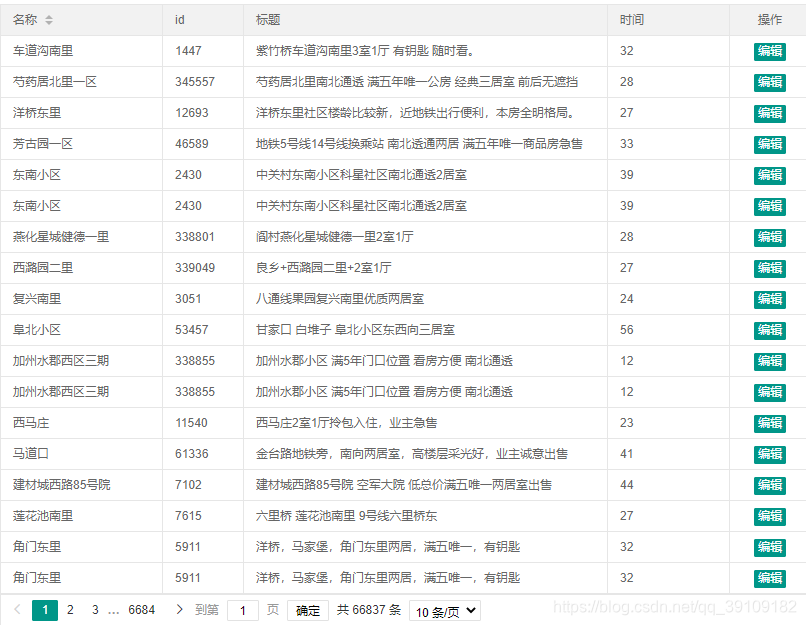
运行结果
toolbar: true,

toolbar: false
版权声明:本文为qq_39109182原创文章,遵循CC 4.0 BY-SA版权协议,转载请附上原文出处链接和本声明。