THCudaCheck FAIL file=/pytorch/aten/src/THC/THCGeneral.cpp line=405 error=11 : invalid argument
解决:由于时RTX2080Ti的卡,cuda需要10.0以上,在安装pytoch时不能直接通过pip install torch来安装,需要通过wheel下载对应cuda版本的pytorch才行,可在https://pytorch.org/get-started/previous-versions/eg找到对应cuda版本的pytorch来下载. 或者通过pip install https://download.pytorch.org/whl/cu100/torch-1.0.0-cp36-cp36m-linux_x86_64.whl来下载cuda out of memory
解决:有bug 当0号卡被占用时
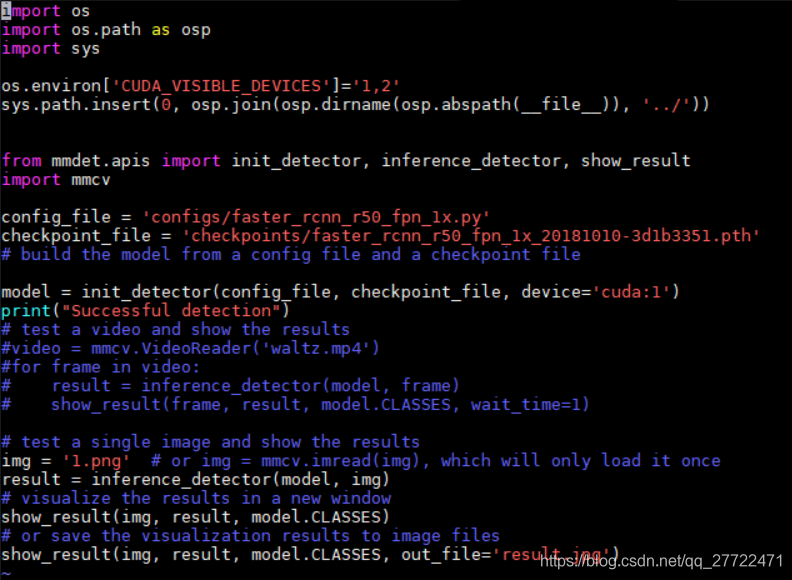
init_detector(...,device='cuda:1')并还是会去找0卡 通过os.environ[‘CUDA_VISIBLE_DEVICES’]='1’屏蔽掉0号卡,
但此时又会说找不到1号卡,这就需要os.environ[‘CUDA_VISIBLE_DEVICES’]=‘1,2’。此处应当时mmdetector的buginit_detector成功了,但inference_detector()又报错
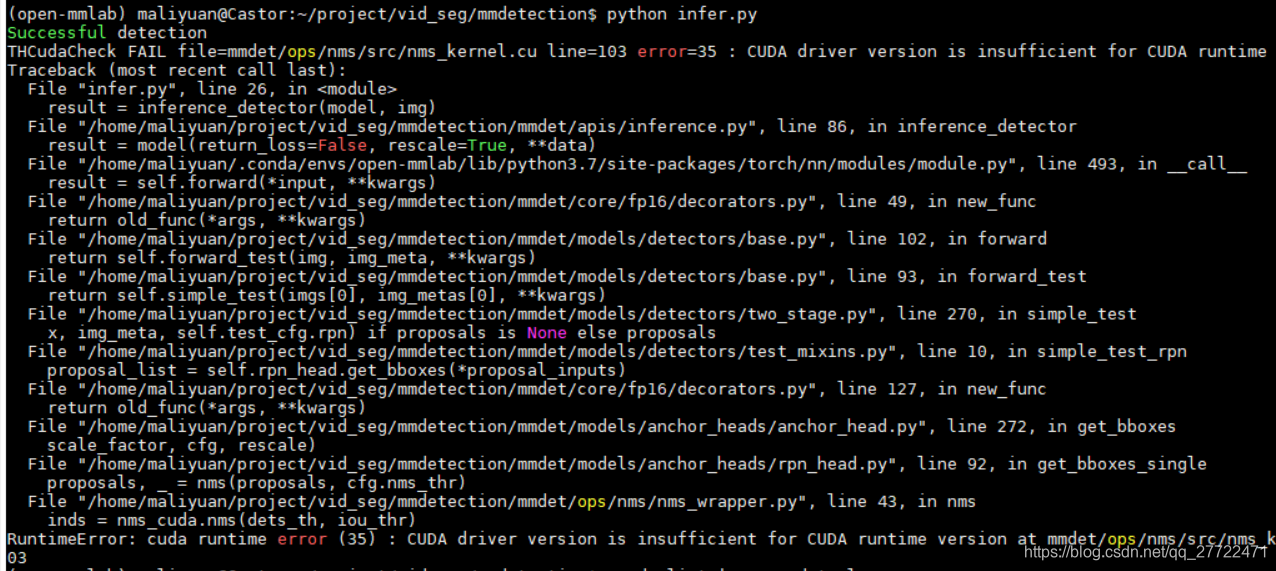
THCudaCheck FAIL file=mmdet/ops/nms/src/nms_kernel.cu line=103 error=35 : CUDA driver version is insufficient for CUDA runtime version
RuntimeError: cuda runtime error (35) : CUDA driver version is insufficient for CUDA runtime version at mmdet/ops/nms/src/nms_kernel.cu:103
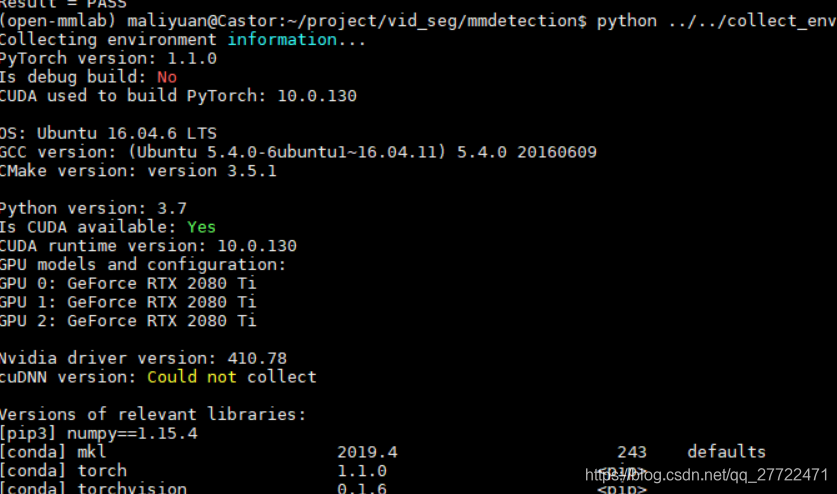
此处通过collect_env.py和/usr/local/cuda/samples/bin/x86_64/linux/release/deviceQuery查看了编译pytorch的cuda版本和运行时版本,都为10.0.130 显卡驱动也正常
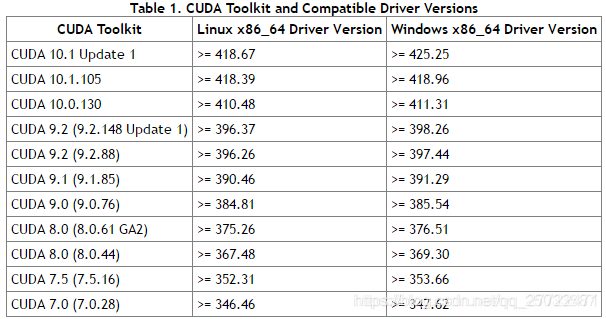
但后续又通过 conda list查看cudatoolkit的版本为10.1.168,可能是这个cuda和驱动的版本不对应,因为错误提示显示就是cuda的版本太高导致驱动不够新,当前驱动为410.78而cuda10.1.168要求驱动>=418.67
卸载了cudatoolkit后mmdet运行找不到cuda,说明运行时调用的cuda就是这个cudatoolkit10.1.168
解决:重新安装cudatookit10.0让它跟驱动匹配,观察是否可行。
结果是可以的,更换cudatoolkit版本使它跟驱动匹配后错误消失
- RuntimeError: cuda runtime error (77) : an illegal memory access was encountered at mmdet/ops/nms/src/nms_kernel.cu terminate called after throwing an instance of 'c10::Error’
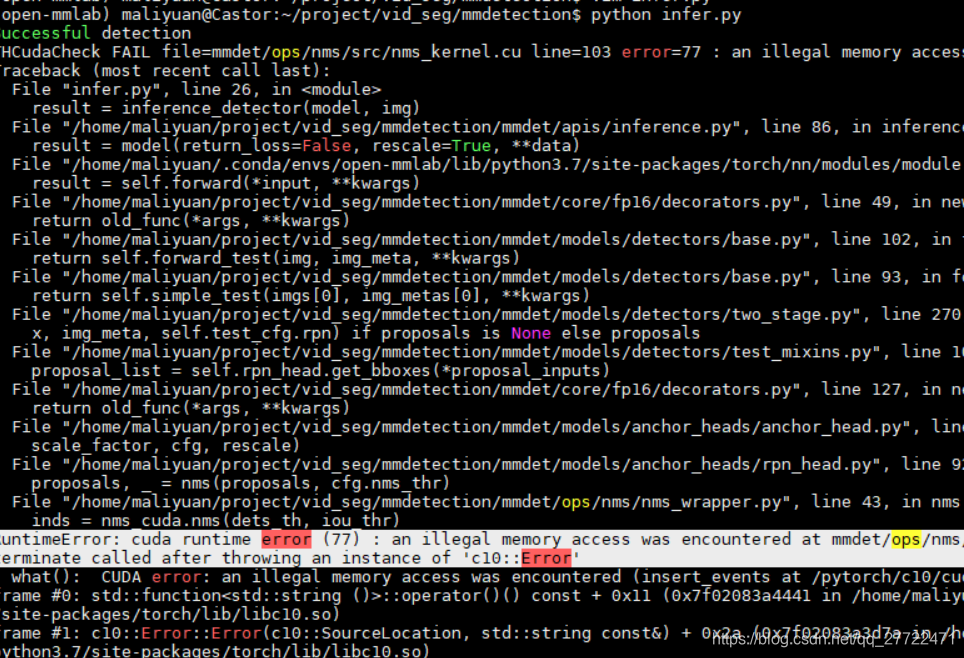
从这里获得灵感https://github.com/facebookresearch/maskrcnn-benchmark/issues/74
程序在分配内存是默认在0卡上
解决:
1.保持0卡不被占用
2.torch.cuda.set_device(1) 再选择1卡即可
- cv2.error: OpenCV(4.1.1) /io/opencv/modules/highgui/src/window.cpp:627: error: (-2:Unspecified error) The function is not implemented.
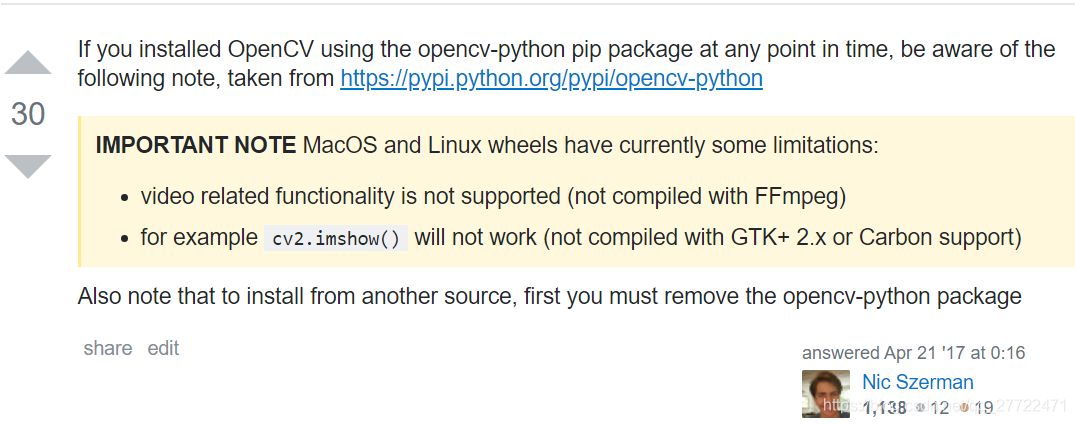
解决:不用cv2.imshow()改用import matplotlib.pyplot as plt ;plt.imshow(img);plt.show()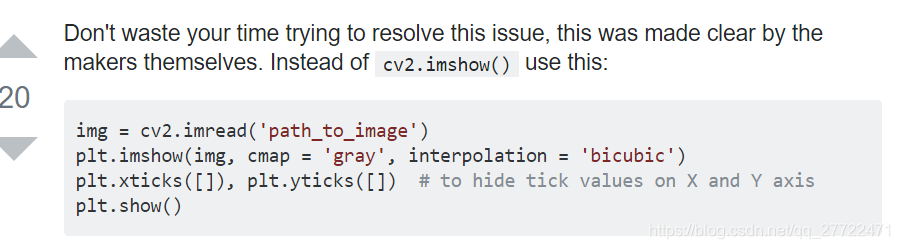
5.ImportError: /home/maliyuan/project/vid_seg/mmdetection/mmdet/ops/dcn/deform_conv_cuda.cpython-37m-x86_64-linux-gnu.so: undefined symbol: _ZN2at7getTypeERKNS_6TensorE
解决方法:pytorch版本在1.2.0时,最后安装要用python setup.py develop。记得之前要删掉build目录