Android 绘制产生重影(重叠)
今天遇到一个比较奇葩的问题,控件设置的文字、背景、图片等一直重叠在一起,不刷新的问题。如TextView控件,调用setText()方法时,新的文字会覆盖在旧的文字上面,旧的文字没有消失,就这样一直覆盖,最后变成一坨。设置背景也是一样,不断调用setBackgroundResource()方法,背景会一层一层覆盖。后面才发现是页面背景导致的,当你的页面背景设置为null时,没有背景就会出现这个问题。
我的页面代码是这样的:
<?xml version="1.0" encoding="utf-8"?>
<android.support.constraint.ConstraintLayout xmlns:android="http://schemas.android.com/apk/res/android"
    xmlns:app="http://schemas.android.com/apk/res-auto"
    xmlns:tools="http://schemas.android.com/tools"
    android:layout_width="match_parent"
    android:layout_height="match_parent"
    android:background="@null"
    tools:showIn="@layout/activity_application_system_show">

    <RelativeLayout
        android:id="@+id/rl_vas"
        android:layout_width="195dp"
        android:layout_height="88dp"
        android:layout_below="@+id/ll_spat"
        android:layout_centerHorizontal="true"
        android:layout_gravity="center_horizontal"
        android:layout_marginTop="16pt"
        android:orientation="horizontal"
        android:visibility="gone"
        app:layout_constraintLeft_toLeftOf="parent">

        <TextView
            android:layout_width="match_parent"
            android:layout_height="match_parent"
            android:textColor="@color/spat_yellow"
            android:layout_marginLeft="120pt"
            android:layout_marginTop="10pt"
            android:textSize="40pt"
            android:gravity="center"/>

        <ImageView
            android:layout_width="match_parent"
            android:layout_height="match_parent"
            app:layout_constraintTop_toTopOf="parent" />
    </RelativeLayout>
</android.support.constraint.ConstraintLayout>
因为设置了android:background="@null"属性,所以导致了以上问题。
解决方法:
1、不要设置“@null” 参数,设置其它的,例如:android:background=“@color/white”。
2、有地图的加载也没问题,如下: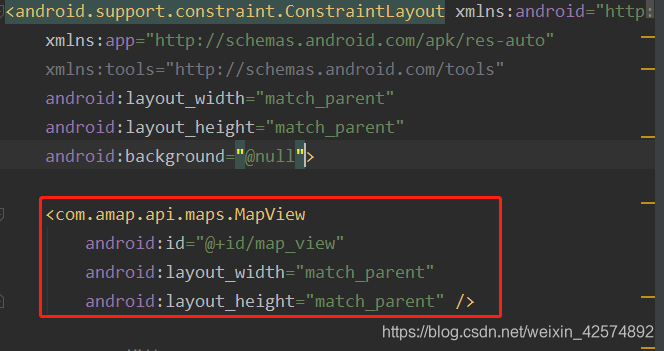
总的 来说就是提供一个背景。
版权声明:本文为weixin_42574892原创文章,遵循CC 4.0 BY-SA版权协议,转载请附上原文出处链接和本声明。