1.下载BeautifulReport
git地址:https://github.com/TesterlifeRaymond/BeautifulReport,并将下载的BeautifulReport整个文件包放到本地python的/Lib/site-packages/目录下,如下所示:

编辑BeautifulReport.py文件的第378和第380行,如下:

2.创建执行用例的文件excute_cases
import unittest
import os, datetime
from BeautifulReport import BeautifulReport

root_dir = os.path.dirname(os.path.abspath(__file__)).replace('\\', '/')
test_dir = root_dir + '/testcases'
report_dir = root_dir + '/test_report'

discover = unittest.defaultTestLoader.discover(test_dir, 'test*.py', None)
now = datetime.datetime.now().strftime('%Y-%m-%d %H_%M_%S')
filename = '测试报告' + str(now)
BeautifulReport(discover).report(description='测试', filename=filename, log_path=report_dir)
3.再看下测试用例文件
import unittest, time,os
from selenium import webdriver
from BeautifulReport import BeautifulReport

class test_remote(unittest.TestCase):
    def save_img(self, test_method)://失败截图方法(必须要定义在class中)
        root_dir = os.path.dirname(os.path.dirname(os.path.abspath(__file__))).replace('\\','/')
        img_path = root_dir + '/img'
        self.driver.get_screenshot_as_file\
            ('{}/{}.png'.format(img_path, test_method))

    def setUp(self):
        self.driver = webdriver.Chrome()

    @BeautifulReport.stop //不执行该用例
    def test_zhaolei(self):
        self.driver.get('https://www.baidu.com')
        self.driver.find_element_by_id('kw').send_keys('赵雷')
        self.driver.find_element_by_id('su').click()
        time.sleep(5)

    @BeautifulReport.add_test_img('test_zhoujielun')//失败后会有报错截图
    def test_zhoujielun(self):
        self.driver.get('https://www.baidu.com')
        self.driver.find_element_by_id('kwk').send_keys('周杰伦')//这里的id我故意写错来查看效果
        self.driver.find_element_by_id('su').click()
        time.sleep(5)

    def test_ig(self):
        self.driver.get('https://www.baidu.com')
        self.driver.find_element_by_id('kw').send_keys('IG')
        self.driver.find_element_by_id('su').click()
        time.sleep(5)

    def tearDown(self):
        self.driver.close()
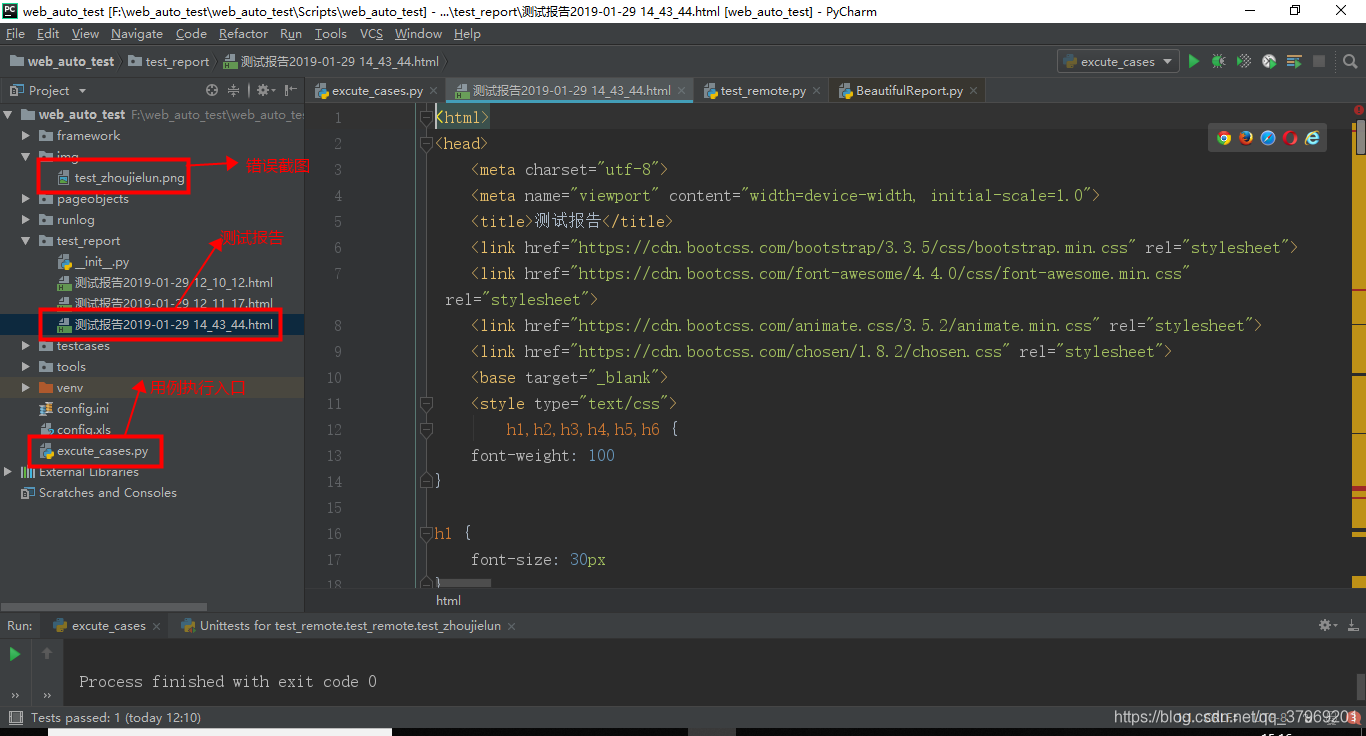
3.代码结构
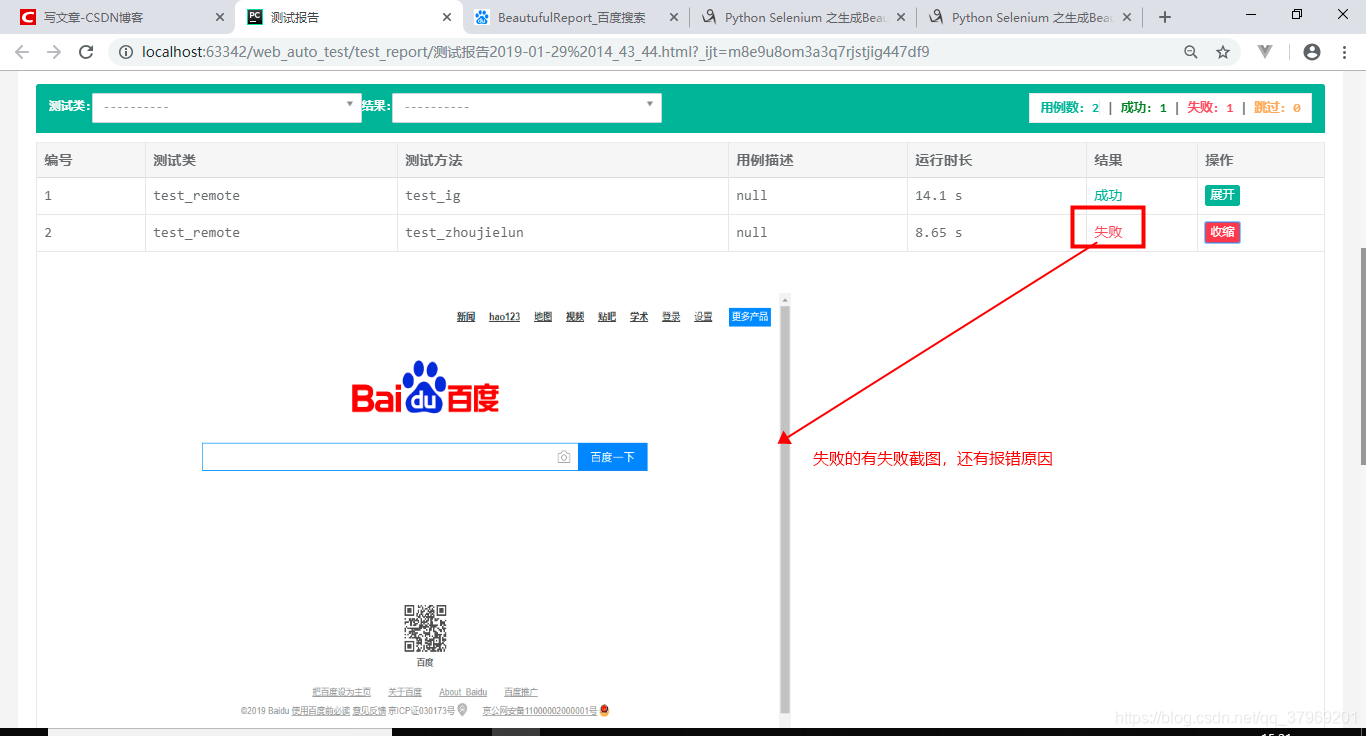
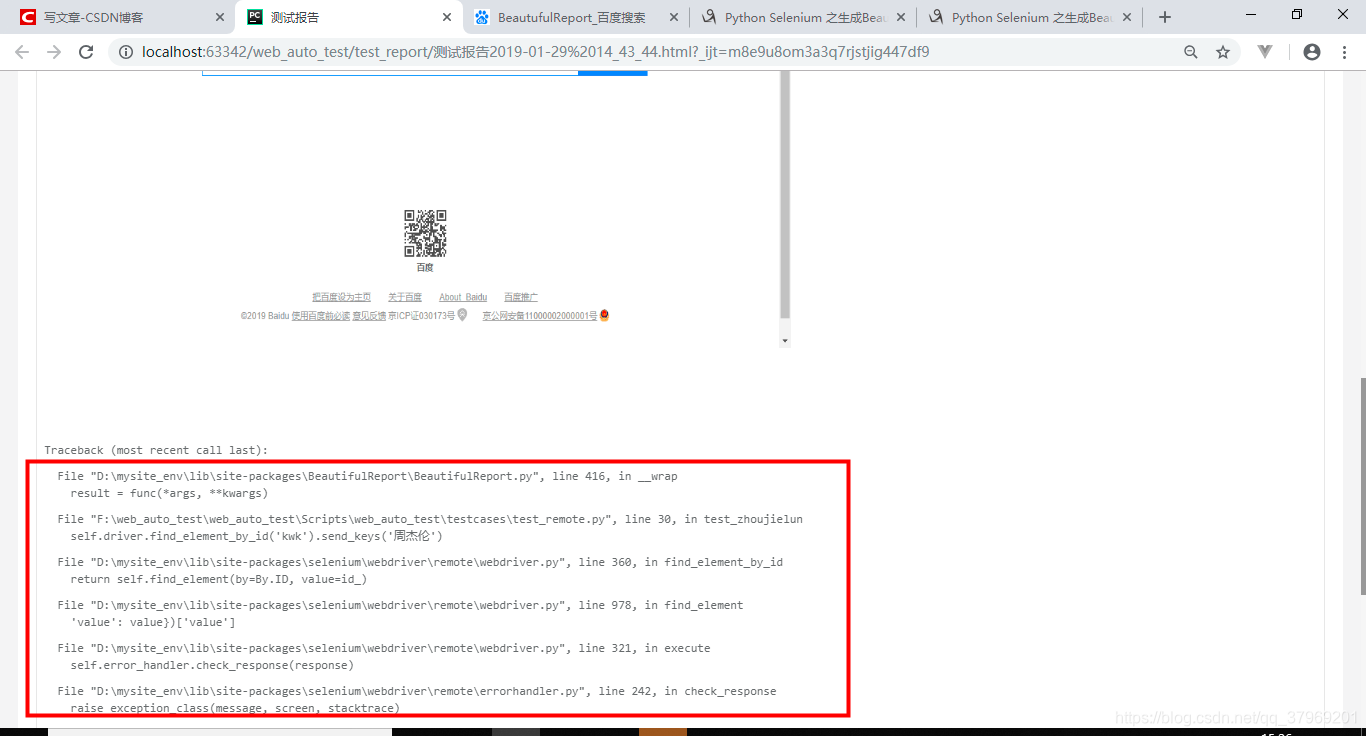
4.查看执行效果

版权声明:本文为qq_37969201原创文章,遵循CC 4.0 BY-SA版权协议,转载请附上原文出处链接和本声明。