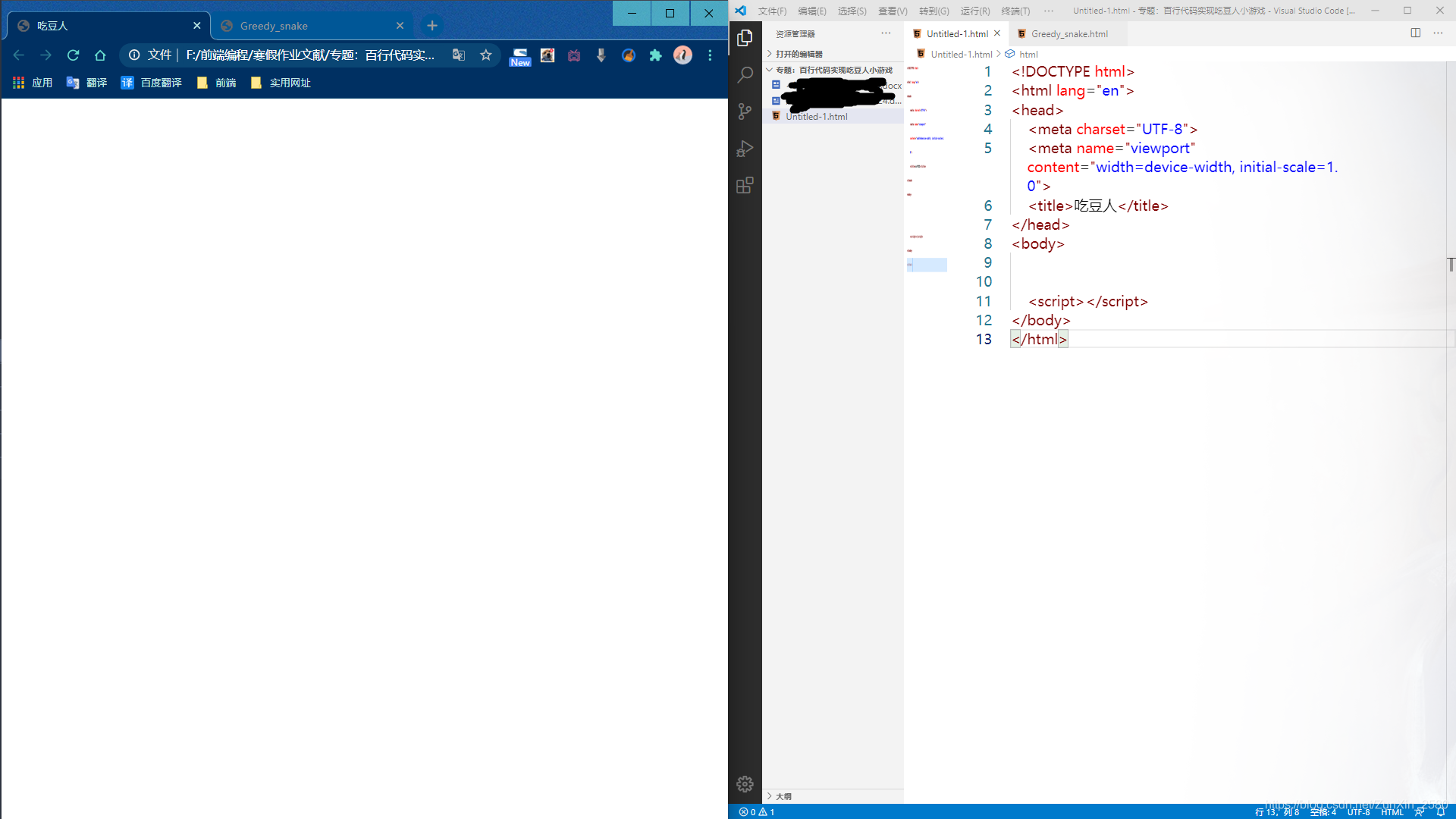
1、首先先将html文件里的初始代码设置完毕
2、规定范围
规定人物的活动范围,豆子的起始位置,人物的大小,并且逐次进行样式的编写
技术范围:css、html。
难点:需要在脑海中构思下一步的操作。
注意事项:外层盒子需要是相对定位,这样才能让豆子和人物有一个位置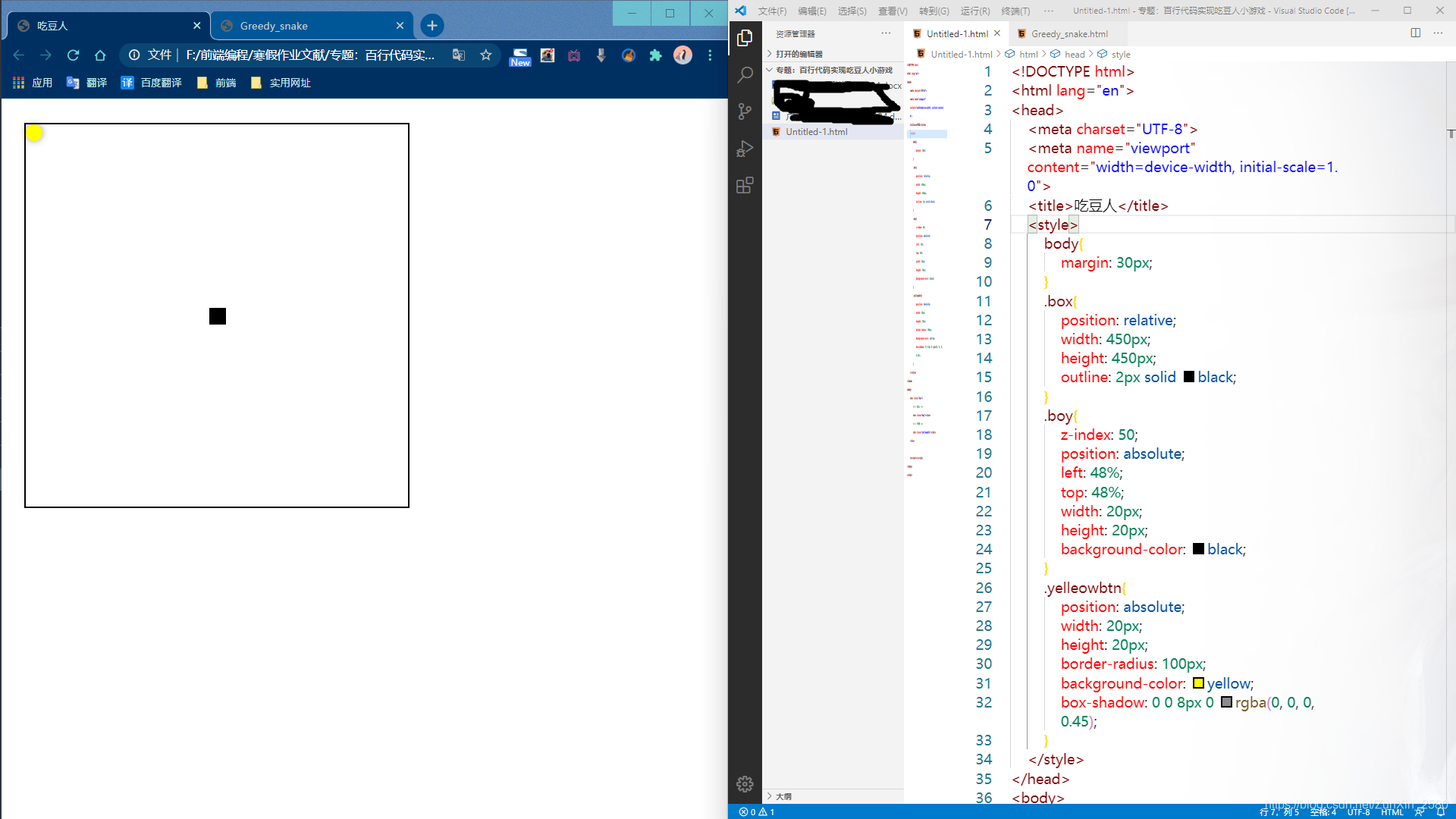
3、绑定事件以及设定豆子的随机出现点
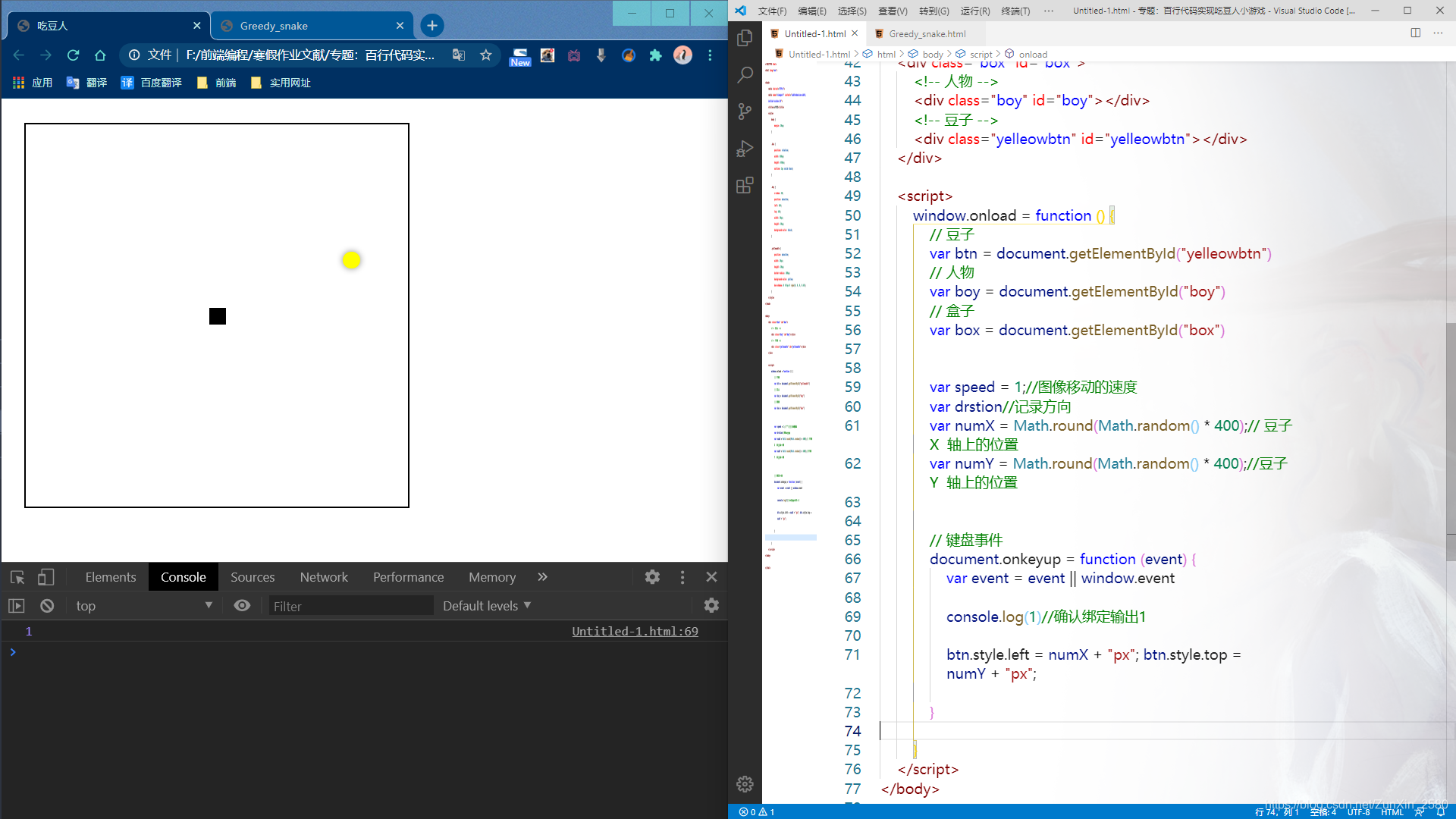
绑定事件以及设定豆子的随机出现点,要求是在人物移动时将豆子随机放在盒子中的某个地方。还有需要创建代表移动速度的全局变量,以及记录方向,豆子的在x、y轴上的方向也要记录
难点: 理解随机数以及对事件的绑定。
注意事项:正则表达式的多种运用方法。
4、跑起来~!!
接下来就让人物跑起来,这里需要用到无限计时器,通过无限次的增加,让人物跑起来
难点: 对swtich表达式的一个处理,以及对无限计时器的运用。
注意事项:速度最好不要超过5,不然之后的操作会判定不到吃到豆子~!
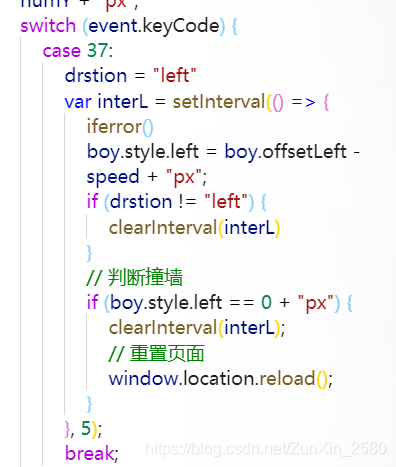
逻辑:当网页中松开键盘中的某个键时会被switch循环检测到,如果松开的键是37(左键)时就会触发里面的内容。
内容中:首先将记录方向的变量改为left 记录当前操作为左转。然后创建一个无限计时器,计时器内判定是否左转,因为要避免在按下其他键时的冲突问题。跑起来就是通过人物的相对位置-(+)速度变量赋值于人物的绝对定位上。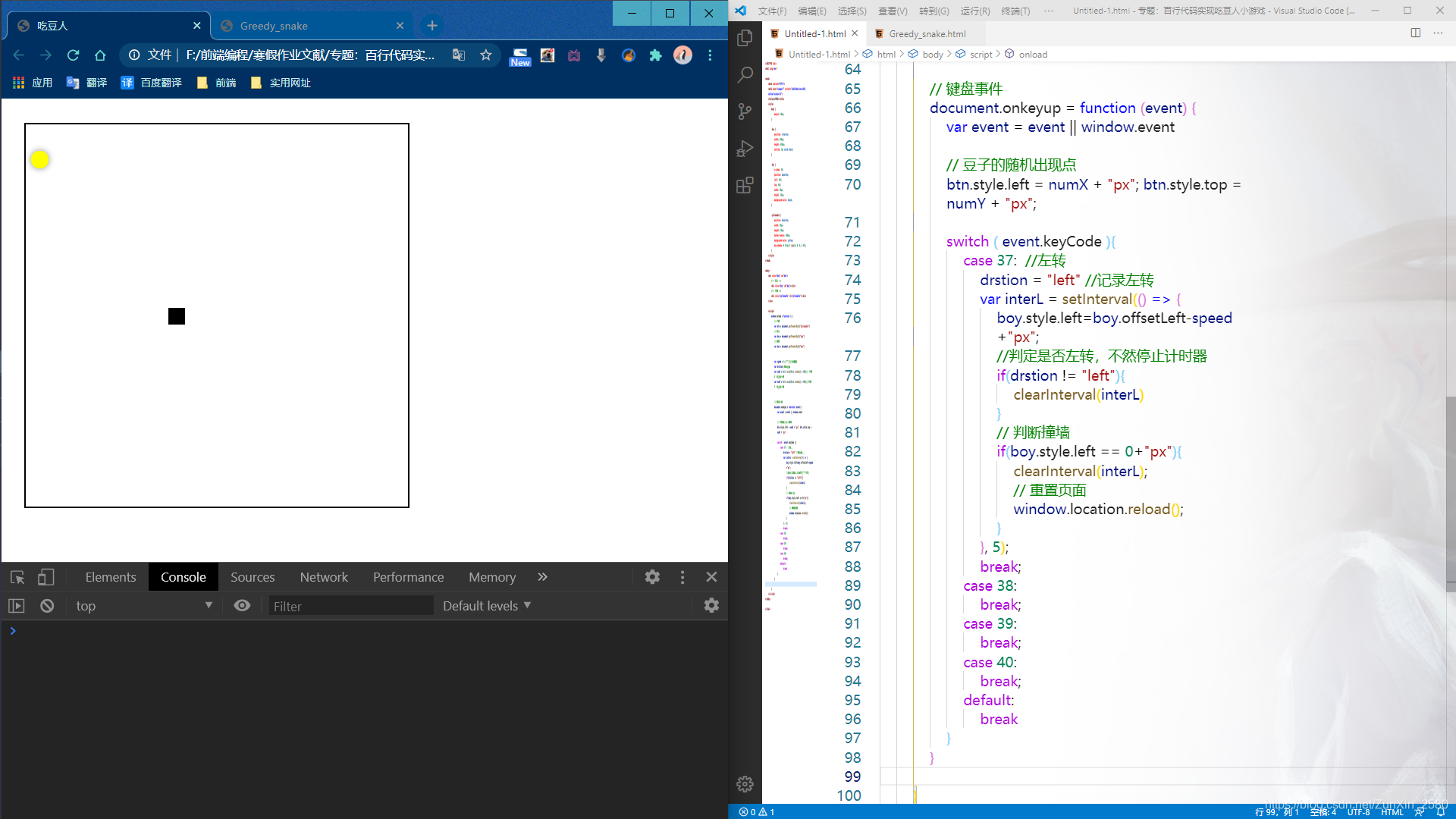
5、人物吃到豆子的判定
接下来就让人物跑起来,这里需要用到无限计时器,通过无限次的增加,让人物跑起来
难点:对于豆子所在定位的数值进行差值运算
注意事项:吃到豆子比较的是人物的定位left值、top值和豆子的定位left值、top值。
(请在body标签部分中的人物div上写上内联样式,不然这里的left以及top值的方法调用不了~!)
逻辑:要知道无限次的判定,所以需要定义函数,在每次人物行进中进行调用。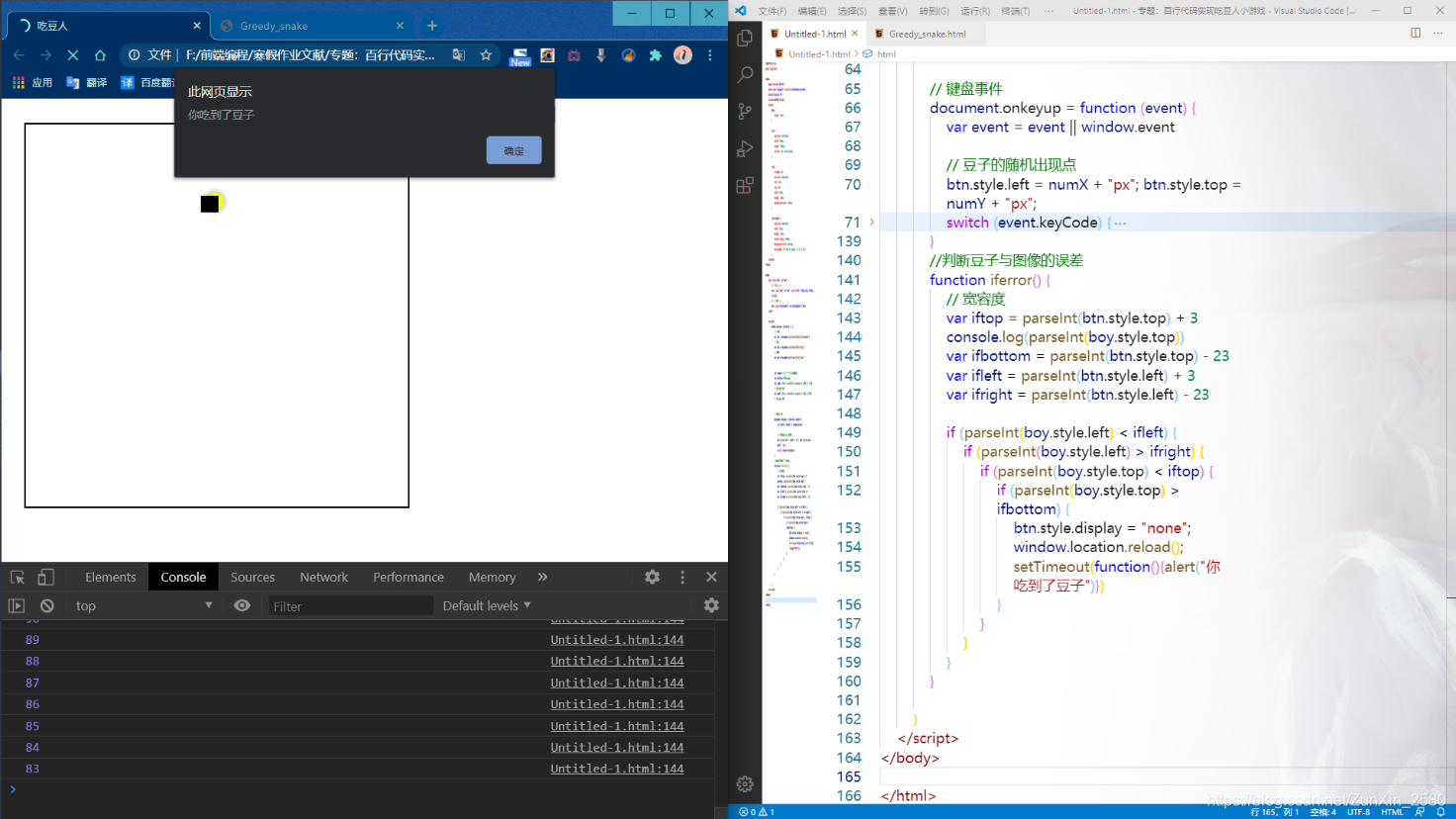
调用判定函数部分:
技术点总结完毕;
源代码:
<!DOCTYPE html>
<html lang="en">

<head>
    <meta charset="UTF-8">
    <meta name="viewport" content="width=device-width, initial-scale=1.0">
    <title>吃豆人</title>
    <style>
        body {
            margin: 30px;
        }

        .box {
            position: relative;
            width: 450px;
            height: 450px;
            outline: 2px solid black;
        }

        .boy {
            z-index: 50;
            position: absolute;
            left: 48%;
            top: 48%;
            width: 20px;
            height: 20px;
            background-color: black;
        }

        .yelleowbtn {
            position: absolute;
            width: 20px;
            height: 20px;
            border-radius: 100px;
            background-color: yellow;
            box-shadow: 0 0 8px 0 rgba(0, 0, 0, 0.45);
        }
    </style>
</head>

<body>
    <div class="box" id="box">
        <!-- 人物 -->
        <div class="boy" id="boy" style="left: 312px;top: 312px;"></div>
        <!-- 豆子 -->
        <div class="yelleowbtn" id="yelleowbtn"></div>
    </div>

    <script>
        window.onload = function () {
            // 豆子
            var btn = document.getElementById("yelleowbtn")
            // 人物
            var boy = document.getElementById("boy")
            // 盒子
            var box = document.getElementById("box")


            var speed = 1;//图像移动的速度
            var drstion//记录方向
            var numX = Math.round(Math.random() * 400);// 豆子  X  轴上的位置
            var numY = Math.round(Math.random() * 400);//豆子  Y  轴上的位置


            // 键盘事件
            document.onkeyup = function (event) {
                var event = event || window.event

                // 豆子的随机出现点
                btn.style.left = numX + "px"; btn.style.top = numY + "px";
                switch (event.keyCode) {
                    case 37:
                        drstion = "left"
                        var interL = setInterval(() => {
                            iferror()
                            boy.style.left = boy.offsetLeft - speed + "px";
                            if (drstion != "left") {
                                clearInterval(interL)
                            }
                            // 判断撞墙
                            if (boy.style.left == 0 + "px") {
                                clearInterval(interL);
                                // 重置页面
                                window.location.reload();
                            }
                        }, 5);
                        break;
                    case 38:
                        drstion = "top"
                        var interT = setInterval(() => {
                            iferror()
                            boy.style.top = boy.offsetTop - speed + "px";
                            if (drstion != "top") {
                                clearInterval(interT)
                            }
                            // 判断撞墙
                            if (boy.style.top == 0 + "px") {
                                clearInterval(interT);
                                // 重置页面
                                window.location.reload();
                            }
                        }, 5);
                        break;
                    case 39:
                        drstion = "right"
                        var interR = setInterval(() => {
                            iferror()
                            boy.style.left = boy.offsetLeft + speed + "px";
                            if (drstion != "right") {
                                clearInterval(interR)
                            }
                            // 判断撞墙
                            if (boy.style.left == 430 + "px") {
                                clearInterval(interR);
                                // 重置页面
                                window.location.reload();
                            }
                        }, 5);
                        break;
                    case 40:
                        drstion = "bottom"
                        var interB = setInterval(() => {
                            iferror()
                            boy.style.top = boy.offsetTop + speed + "px";
                            if (drstion != "bottom") {
                                clearInterval(interB)
                            }
                            // 判断撞墙
                            if (boy.style.top == 430 + "px") {
                                clearInterval(interB);
                                // 重置页面
                                window.location.reload();
                            }
                        }, 5);
                        break;
                    default:
                        break
                }
            }
            //判断豆子与图像的误差
            function iferror() {
                // 宽容度
                var iftop = parseInt(btn.style.top) + 3
                console.log(parseInt(boy.style.top))
                var ifbottom = parseInt(btn.style.top) - 23
                var ifleft = parseInt(btn.style.left) + 3
                var ifright = parseInt(btn.style.left) - 23

                if (parseInt(boy.style.left) < ifleft) {
                    if (parseInt(boy.style.left) > ifright) {
                        if (parseInt(boy.style.top) < iftop) {
                            if (parseInt(boy.style.top) > ifbottom) {
                                btn.style.display = "none";
                                window.location.reload();
                                setTimeout(function(){alert("你吃到了豆子")})
                            }
                        }
                    }
                }
            }

        }
    </script>
</body>

</html>
版权声明:本文为ZunXin_2580原创文章,遵循CC 4.0 BY-SA版权协议,转载请附上原文出处链接和本声明。