ElementUi文档地址:ElementUi文档地址
搭建一个简单的ElementUi的布局
步骤:一、(1)引入相关的库
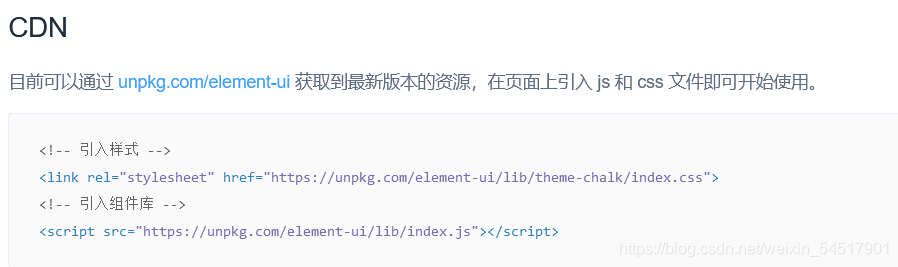
我这里是下载到本地后 引入的:
 <!--引入elementui的css样式-->
    <link rel="stylesheet" href="../css/index.css">
    <!--引入elementui组件库样式-->
    <link rel="stylesheet" href="../theme-chalk-master/lib/index.css">
    <!--引入vue.js-->
    <script src="../js/vue.js"></script>
    <!--引入elementui的js文件-->
    <script src="../js/index.js"></script>
css样式
<style>
        /*下拉框样式*/
        .el-dropdown-link {
            cursor: pointer;
            color: #409EFF;
        }
        .el-icon-arrow-down {
            font-size: 12px;
        }
        /*后期header样式*/
        .el-header{
            /*流式布局*/
            display: flex;
            justify-content: space-between;
        }
        .el-avatar{
            margin-top: 10px;
            padding-right: 30px;
        }
        /*整体框架样式*/
        body{
            padding: 0;
            margin: 0;
            height: 100%;
        }
        html,#max, #max > section{
            height: 100%;
        }
        .el-header, .el-footer {
            background-color: #B3C0D1;
            color: #333;
            text-align: center;
            line-height: 60px;
        }

        .el-aside {
            background-color: #D3DCE6;
            color: #333;
            text-align: center;
            line-height: 200px;
        }

        .el-main {
            background-color: #E9EEF3;
            color: #333;
            text-align: center;
            line-height: 160px;
        }

        body > .el-container {
            margin-bottom: 40px;
        }

        .el-container:nth-child(5) .el-aside,
        .el-container:nth-child(6) .el-aside {
            line-height: 260px;
        }

        .el-container:nth-child(7) .el-aside {
            line-height: 320px;
        }
    </style>
主体body代码
<body>
<!--创建一个div双标签 并把vue对象挂载到该标签上-->
    <div id="max">
        <el-container>
            <!--顶部-->
            <el-header>
                <!--logo-->
                <img src="../img/3.svg" width="180" height="60">
                <div>
                    <!--下拉菜单的指令事件 @command-->
                    <el-dropdown @command="handleCommand">
                        <span class="el-dropdown-link">
                            <!--头像-->
                             <el-avatar src="../img/1.jpg"></el-avatar>
                        </span>
                        <el-dropdown-menu slot="dropdown">
                            <!--下拉菜单内容-->
                            <el-dropdown-item command="personal">个人中心</el-dropdown-item>
                            <el-dropdown-item command="exit">退出</el-dropdown-item>
                        </el-dropdown-menu>
                    </el-dropdown>
                </div>
            </el-header>
            <!--左侧导航栏-->
            <el-container>
                <el-aside width="200px">
                    <el-menu
                            default-active="2"
                            class="el-menu-vertical-demo"
                            :unique-opened="true"><!--是否在点击菜单项后隐藏菜单 默认值为true-->
                        <el-submenu index="1">
                            <template slot="title">
                                <i class="el-icon-location"></i>
                                <span>导航一</span>
                            </template>
                            <el-menu-item-group>
                                <el-menu-item index="1-1">选项1</el-menu-item>
                                <el-menu-item index="1-2">选项2</el-menu-item>
                                <el-menu-item index="1-3">选项3</el-menu-item>
                                <el-menu-item index="1-4">选项4</el-menu-item>
                            </el-menu-item-group>
                        </el-submenu>
                        <el-submenu index="2">
                            <template slot="title">
                                <i class="el-icon-location"></i>
                                <span>导航二</span>
                            </template>
                            <el-menu-item-group>
                                <el-menu-item index="2-1">选项1</el-menu-item>
                                <el-menu-item index="2-2">选项2</el-menu-item>
                                <el-menu-item index="2-3">选项3</el-menu-item>
                                <el-menu-item index="2-4">选项4</el-menu-item>
                            </el-menu-item-group>
                        </el-submenu>
                    </el-menu>
                </el-aside>
                <!--主提-->
                <el-main>Main</el-main>
            </el-container>
            <!--脚部-->
            <el-footer>footer</el-footer>
        </el-container>
    </div>
</body>
脚本js代码块
<script>
    /*vue对象*/
    var app = new Vue({
        /*挂载*/
        el:"#max"
        ,data:{
        }
        , methods: {
            //下拉列表指令触发事件
            handleCommand(command) {
                // this.$message('click on item ' + command);
                if (command==="personal"){
                    alert(command)
                }else {
                    alert(command)
                }
            }
        }
    })
</script>
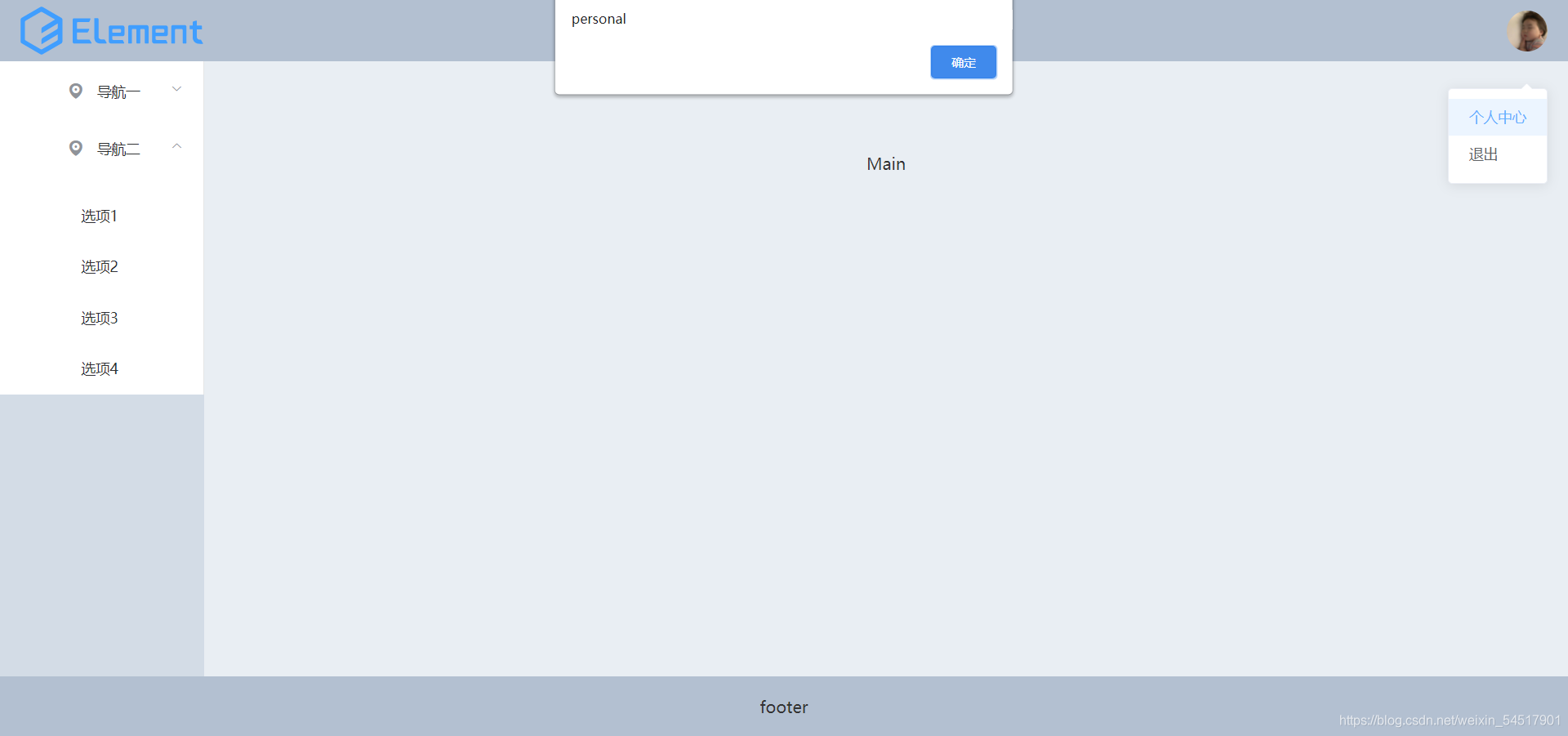
简单的效果图:
版权声明:本文为weixin_54517901原创文章,遵循CC 4.0 BY-SA版权协议,转载请附上原文出处链接和本声明。