代码下载
github地址 vuejs/vue
绝大多数情况下,你用git clone命令是拉不下来的,源码的git内容太多了,一会会就断了,网上搜了一下,有的说是用git fetch能达到断点续传的目的,回头我做一下测试,先用下载zip包的方式来获取代码。
默认是dev分支,大约是1.7M,下载vue-dev.zip后,解压后大约有6M多。
开撸后第一个工作和npm install。
npm install我没有碰到问题,只是在之后执行脚本安装phantomjs的时候下载不下来,不过也没关系,我看官网上宣称phantomjs的开发是suspend状态,phantomjs是一个Headless的浏览器,用来做集成测试的,估计Headless Chrome对它冲击很大。
package.json
第二步是观察package.json,一个好的框架或库绝对是精心填充package.json的。
{
  "name": "vue",
  "version": "2.6.10",
  "description": "Reactive, component-oriented view layer for modern web interfaces.",
  "main": "dist/vue.runtime.common.js",
  "module": "dist/vue.runtime.esm.js",
  "unpkg": "dist/vue.js",
  "jsdelivr": "dist/vue.js",
  "typings": "types/index.d.ts",
  "files": [
    "src",
    "dist/*.js",
    "types/*.d.ts"
  ],
  "sideEffects": false,
  "scripts": {
    "dev": "rollup -w -c scripts/config.js --environment TARGET:web-full-dev",
    "dev:cjs": "rollup -w -c scripts/config.js --environment TARGET:web-runtime-cjs-dev",
    "dev:esm": "rollup -w -c scripts/config.js --environment TARGET:web-runtime-esm",
    "dev:test": "karma start test/unit/karma.dev.config.js",
    "dev:ssr": "rollup -w -c scripts/config.js --environment TARGET:web-server-renderer",
    "dev:compiler": "rollup -w -c scripts/config.js --environment TARGET:web-compiler ",
    "dev:weex": "rollup -w -c scripts/config.js --environment TARGET:weex-framework",
    "dev:weex:factory": "rollup -w -c scripts/config.js --environment TARGET:weex-factory",
    "dev:weex:compiler": "rollup -w -c scripts/config.js --environment TARGET:weex-compiler ",
    "build": "node scripts/build.js",
    "build:ssr": "npm run build -- web-runtime-cjs,web-server-renderer",
    "build:weex": "npm run build -- weex",
    "test": "npm run lint && flow check && npm run test:types && npm run test:cover && npm run test:e2e -- --env phantomjs && npm run test:ssr && npm run test:weex",
    "test:unit": "karma start test/unit/karma.unit.config.js",
    "test:cover": "karma start test/unit/karma.cover.config.js",
    "test:e2e": "npm run build -- web-full-prod,web-server-basic-renderer && node test/e2e/runner.js",
    "test:weex": "npm run build:weex && jasmine JASMINE_CONFIG_PATH=test/weex/jasmine.js",
    "test:ssr": "npm run build:ssr && jasmine JASMINE_CONFIG_PATH=test/ssr/jasmine.js",
    "test:sauce": "npm run sauce -- 0 && npm run sauce -- 1 && npm run sauce -- 2",
    "test:types": "tsc -p ./types/test/tsconfig.json",
    "lint": "eslint src scripts test",
    "flow": "flow check",
    "sauce": "karma start test/unit/karma.sauce.config.js",
    "bench:ssr": "npm run build:ssr && node benchmarks/ssr/renderToString.js && node benchmarks/ssr/renderToStream.js",
    "release": "bash scripts/release.sh",
    "release:weex": "bash scripts/release-weex.sh",
    "release:note": "node scripts/gen-release-note.js",
    "commit": "git-cz"
  },
  "gitHooks": {
    "pre-commit": "lint-staged",
    "commit-msg": "node scripts/verify-commit-msg.js"
  },
  "lint-staged": {
    "*.js": [
      "eslint --fix",
      "git add"
    ]
  },
  "repository": {
    "type": "git",
    "url": "git+https://github.com/vuejs/vue.git"
  },
  "keywords": [
    "vue"
  ],
  "author": "Evan You",
  "license": "MIT",
  "bugs": {
    "url": "https://github.com/vuejs/vue/issues"
  },
  "homepage": "https://github.com/vuejs/vue#readme",
  "devDependencies": {
    ...
  },
  "config": {
    "commitizen": {
      "path": "./node_modules/cz-conventional-changelog"
    }
  }
}
对于阅读源码有帮助的信息有
- 版本
- 入口
- 出口
- 可执行的脚本命令
- 依赖包
Vue特点
看package.json的说明
Reactive, component-oriented view layer for modern web interfaces.
对比React的话,那突出的特点就是reactive的实现方式了。打个比方,Vue相当于是自动挡的车,React相当于手动挡,一个相当于自动推,一个相当于主动拉。当状态发生变化的时候,Vue能做到自动响应变化,几乎不需要人工的干预,而React按照它的Reconciliation算法,它还是会从上至下全部进行比较更新的,不过我们可以借助于componentShouldUpdate或者lazy来人工干预优化。
这个特点决定了Vue特别容易上手,另外对于路由、状态管理、cli等,官方都推出了自己的工具,对于像我有选择困难症的我是一种福音(但缺点是插件不如React活跃了)。至于其他诸如Vue的模板比JSX更简单之类的我倒觉得都不是问题。
语法
Vue用的语法是Flow,对标TypeScript就行,突出的特点(对比ECMAScript2015)也是变量类型检查,官网上Banner明确说了
FLOW IS A STATIC TYPECHECKER FOR JAVASCRIPT
打包工具
Vue没有用常见的Webpack来打包,而是选择了Rollup,估计主要考虑到在这种框架型的项目是不需要处理各种CSS、图片资源的,那么轻量级的Rollup更方便合适。
代码结构
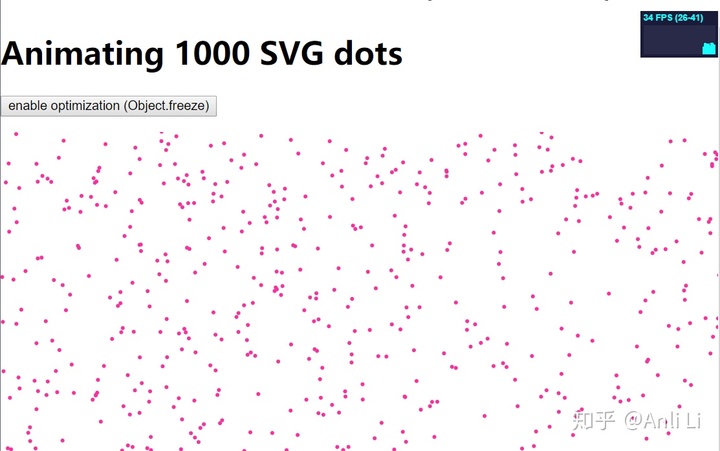
benchmarks里存放的是一些性能测试文件,可以直接打开html来观察,比如
dist里放了构建后的文件,值得注意的是文件名里带的构建版本,可以再次阅读一下官网的说明安装 — Vue.js。值得注意的是umd形式的,umd版本的文件是用以下代码包裹
(function (global, factory) {
  typeof exports === 'object' && typeof module !== 'undefined' ? module.exports = factory() :
  typeof define === 'function' && define.amd ? define(factory) :
  (global = global || self, global.Vue = factory());
}(this, function () { 'use strict';
    //...
})
其实它就把目前模块化的几种常见方式都支持了,包括CommonJS、AMD和IIFE。而ES6的模块化通过esm构建版本来支持,在代码的最后是
export default Vue;
examples里是一些例子
flow文件夹里定义了一些Flow类型
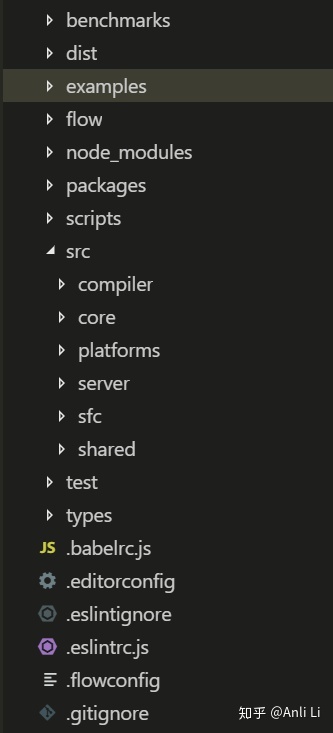
packages里是作为单独npm发布的内容,包括vue-server-renderer、vue-template-compiler、weex-template-compiler、weex-vue-framework。
scripts里是一些执行脚本
重点是看src里的内容
compiler是跟模板编译有关的代码
platform里是跟平台有关的代码,Vue其实是跟React一样的,我们知道React不光能渲染到Web上,还能渲染到移动设备上,比如ReactNative,Vue也是有对应的Weex,另外Vue也可以渲染到小程序上,比如mpvue。
server里是跟服务端渲染有关的代码。
sfc全称是single file component,这个缩写还困扰了我好久,用来处理.vue单文件组件的。
shared里是共享的工具代码。
core里是核心代码,包括了
components 里面就是keep-alive组件的实现
global-api 全局API
instance Vue的定义
observer Vue自动响应有关的代码
util 工具代码
vdom 跟虚拟DOM有关的代码
构建和运行UT
我在之前的文章里也说过,拿到手的代码第一件事情就是跑一下UT,Vue里的测试使用的是karma,不幸的是失败了。
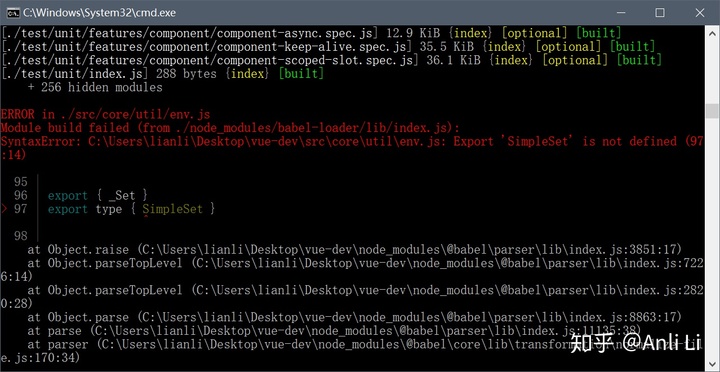
在issue里找到了尤大的回答

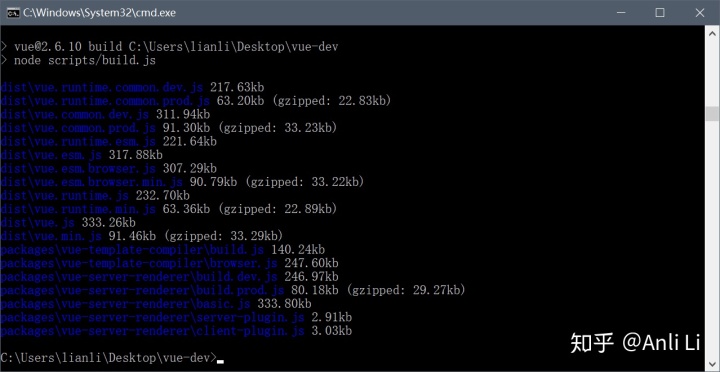
构建运行没有问题