1.使用TIBCO Jaspersoft Studio-6.16.0对模板进行编辑
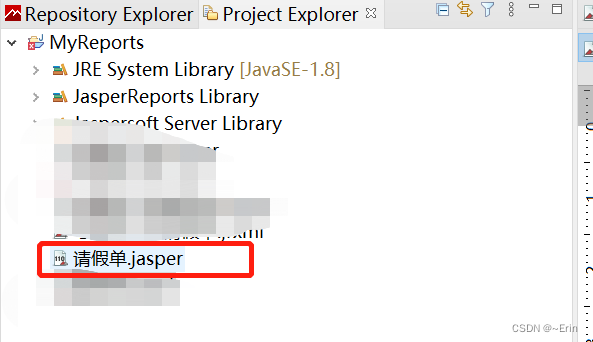
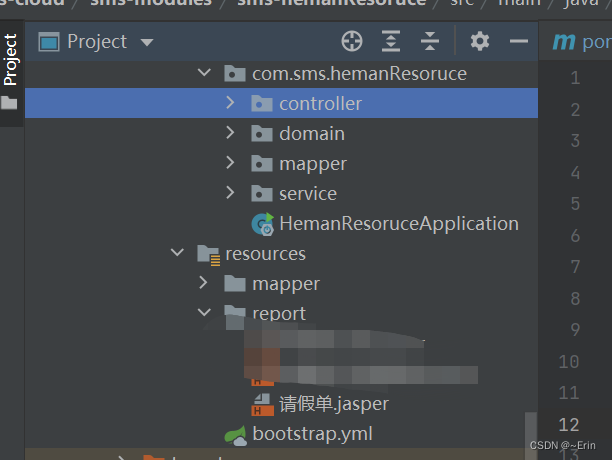
2.生成jsaper文件,放入到项目的resources文件夹下
3.jar包引入
 <dependency>
     <groupId>net.sf.jasperreports</groupId>
     <artifactId>jasperreports</artifactId>
     <version>6.17.0</version>
</dependency>
<dependency>
     <groupId>net.sf.jasperreports</groupId>
     <artifactId>jasperreports-fonts</artifactId>
     <version>6.19.1</version>
</dependency>
<dependency>
     <groupId>net.sourceforge.jexcelapi</groupId>
     <artifactId>jxl</artifactId>
     <version>2.6.12</version>
</dependency>
4.代码实现:注意返回的map中的key值要跟模板中定义的变量的key值保持一致
  @PostMapping("/printPdf")
    public void printPdf(Long id,HttpServletResponse response) throws IOException {
        List<Map> list = dwdHrLeavemessageService.selectprintInfo(id);
        ReportUtil.previewReport(list, "report/请假单",response);
    }
public static void previewReport(List result, String reportId,HttpServletResponse response) {
JRMapArrayDataSource jrds = new JRMapArrayDataSource(result.toArray());
ClassPathResource resource = new ClassPathResource(reportId + ".jasper");
InputStream in = null;
OutputStream outputStream = null;
try {
in = resource.getInputStream();
outputStream = response.getOutputStream();
} catch (IOException e) {
e.printStackTrace();
}
JasperReport jasperReport;
JasperPrint jasperPrint;
try {
jasperReport = (JasperReport) JRLoader.loadObject(in);
jasperPrint = JasperFillManager.fillReport(jasperReport, null, jrds);
response.setContentType("application/pdf");
response.setHeader("Content-Disposition", "inline;");
JasperExportManager.exportReportToPdfStream(jasperPrint, outputStream);
} catch (JRException e) {
e.printStackTrace();
}
try {
in.close();
outputStream.close();
} catch (IOException e) {
e.printStackTrace();
}
}版权声明:本文为lzlnd原创文章,遵循CC 4.0 BY-SA版权协议,转载请附上原文出处链接和本声明。