1.项目整体结构
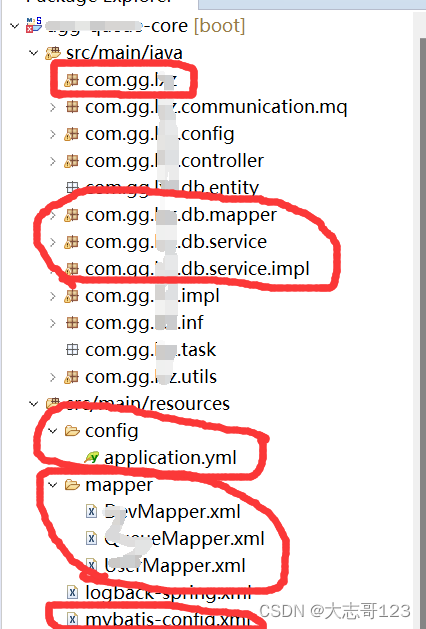
2.相关配置注意
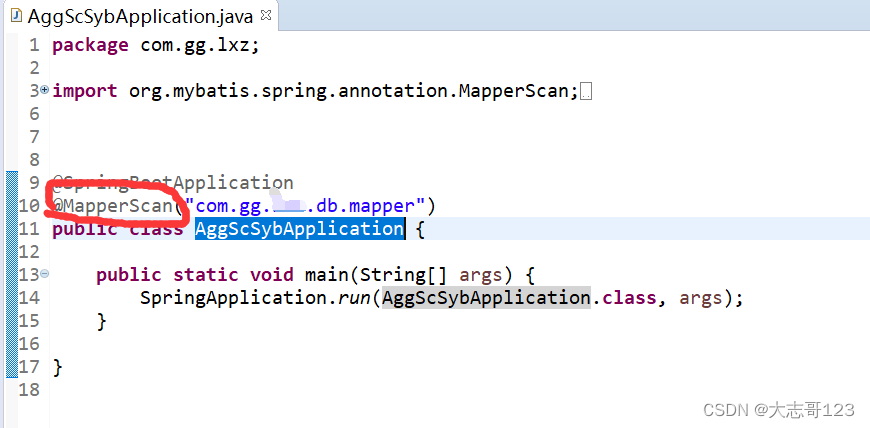
2.1.工程启动主类配置
设置扫码mapper目录下的类
2.2.被扫描目录
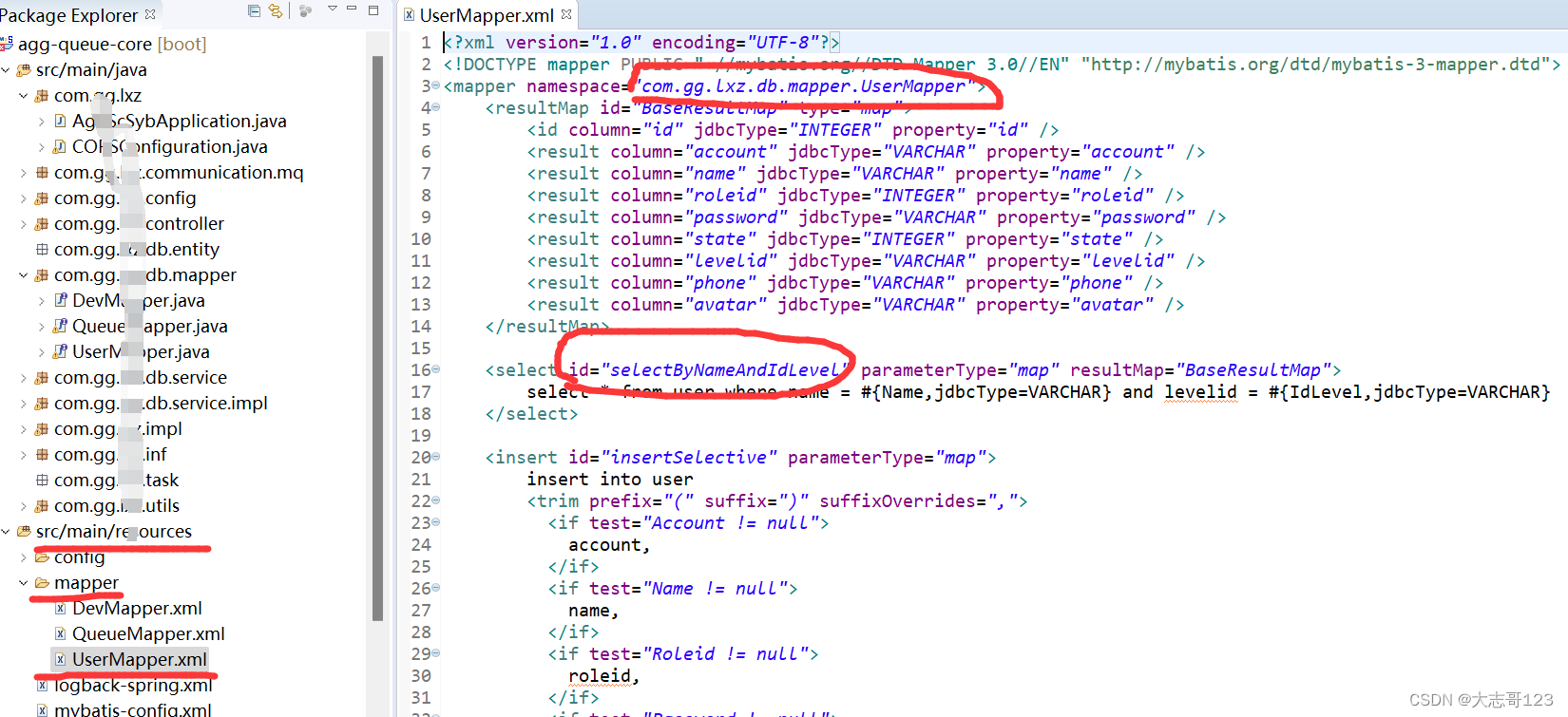
mapper目录下的类中定义的接口与resources目录下xml配置关联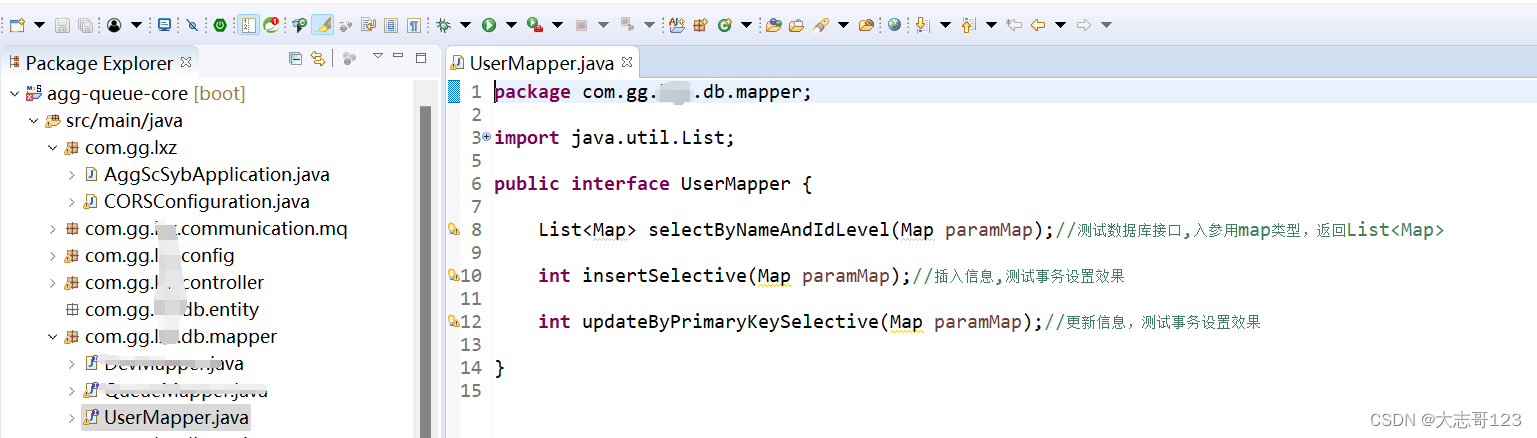
2.3.resources目录
注意xml中的namespace和id对应刚才Java接口中的目录和接口名字
2.4.application.yml配置
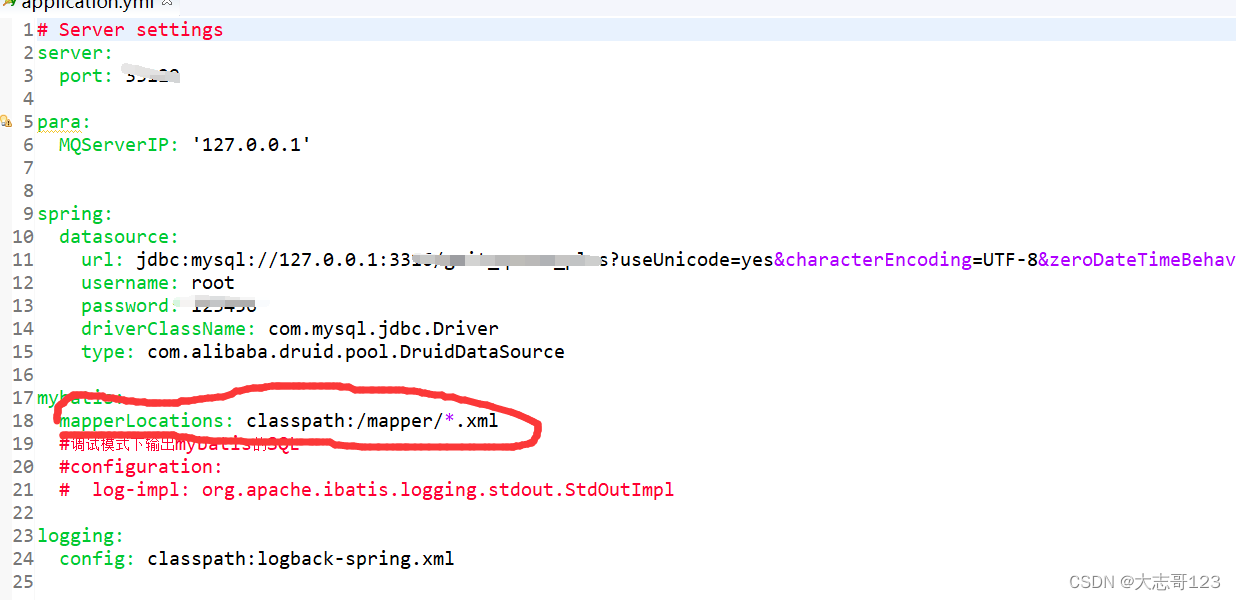
mapperLocations配置资源目录下的xml目录
log-impl启用后,可以在Debug模式下打印mybaties的SQL信息
2.5.pom.xml配置
<dependency>
<groupId>org.mybatis.spring.boot</groupId>
<artifactId>mybatis-spring-boot-starter</artifactId>
<version>1.3.0</version>
</dependency>
<dependency>
<groupId>mysql</groupId>
<artifactId>mysql-connector-java</artifactId>
<version>5.1.26</version>
</dependency>
3.测试相关
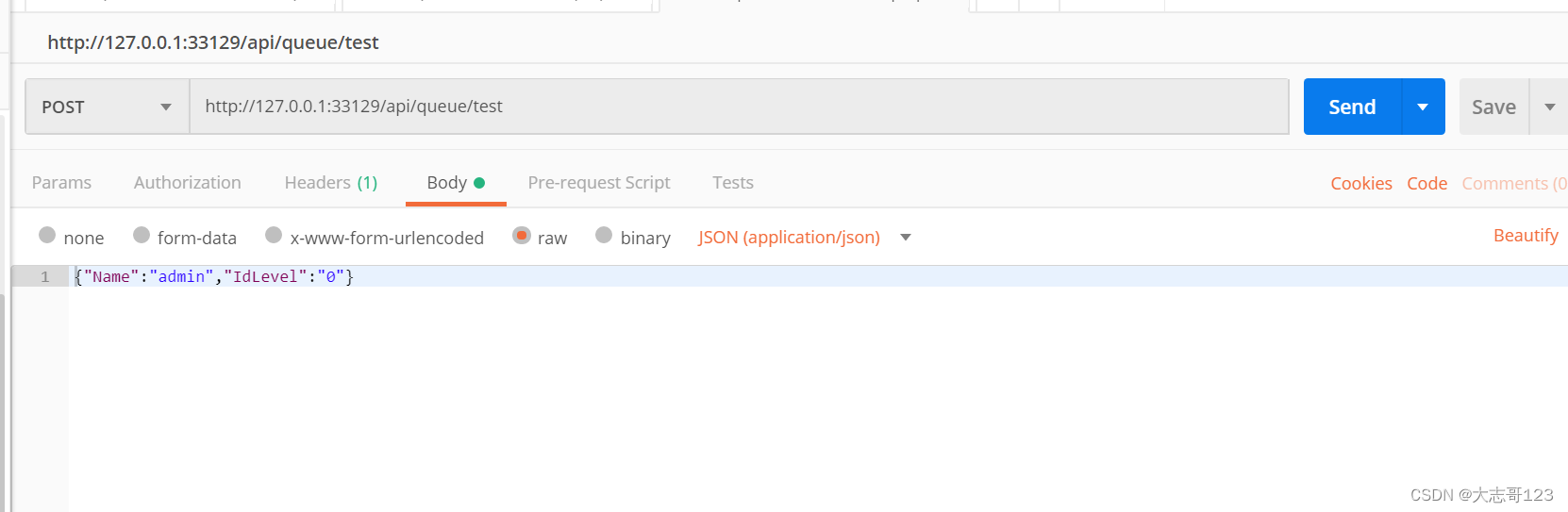
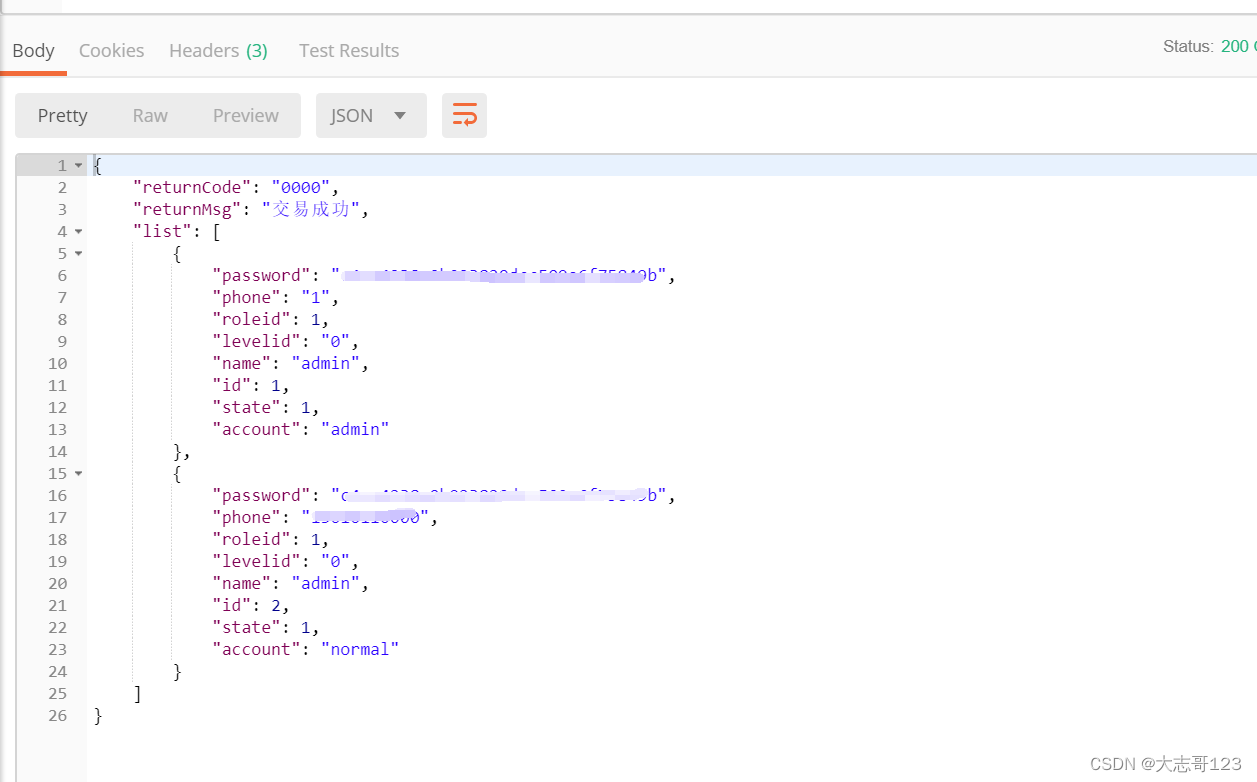
3.1.接口1(测试效果,数据库入参MAP类型,返回LIST<MAP>类型)

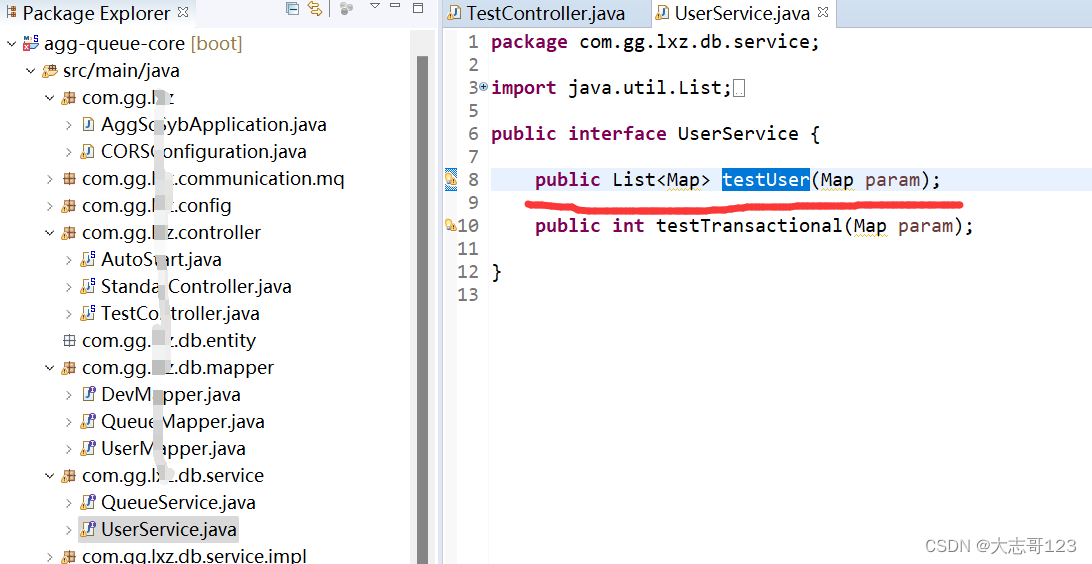
UserService接口
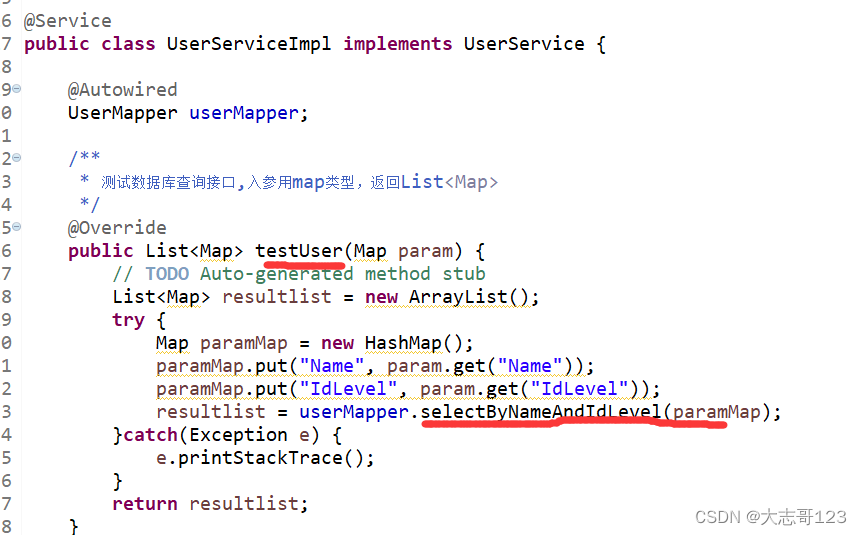
UserService接口实现类,selectByNameAndIdLevel是mapper接口和mapper.xml中id的名字
PostMAN测试:
3.2.接口2(测试效果,测试数据库事务效果)

UserService接口

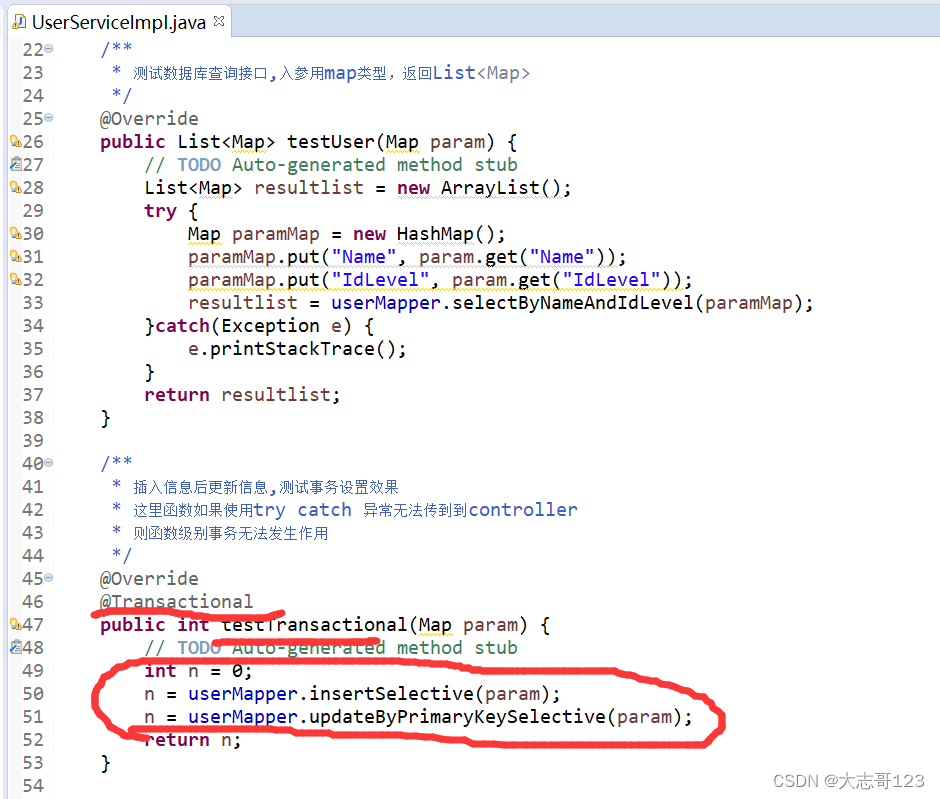
UserService接口实现类
在实现方法添加注解,同时在方法中加入两步数据库操作。
这里注意不能把异常在这一层屏蔽,也就是testTransactional内部不使用try catch,否则异常不能传到controller,就无法把事务回滚。
mapper.xml中内容
<insert id="insertSelective" parameterType="map">
insert into user
<trim prefix="(" suffix=")" suffixOverrides=",">
<if test="Account != null">
account,
</if>
<if test="Name != null">
name,
</if>
<if test="Roleid != null">
roleid,
</if>
<if test="Password != null">
password,
</if>
<if test="State != null">
state,
</if>
<if test="Levelid != null">
levelid,
</if>
<if test="Phone != null">
phone,
</if>
</trim>
<trim prefix="values (" suffix=")" suffixOverrides=",">
<if test="Account != null">
#{Account,jdbcType=VARCHAR},
</if>
<if test="Name != null">
#{Name,jdbcType=VARCHAR},
</if>
<if test="Roleid != null">
#{Roleid,jdbcType=INTEGER},
</if>
<if test="Password != null">
#{Password,jdbcType=VARCHAR},
</if>
<if test="State != null">
#{State,jdbcType=INTEGER},
</if>
<if test="Levelid != null">
#{Levelid,jdbcType=VARCHAR},
</if>
<if test="Phone != null">
#{Phone,jdbcType=VARCHAR},
</if>
</trim>
</insert>
<update id="updateByPrimaryKeySelective" parameterType="map">
update user
<set>
<if test="Another != null">
account = #{Another,jdbcType=VARCHAR},
</if>
<if test="IdLevel != null">
levelid = #{IdLevel,jdbcType=VARCHAR},
</if>
</set>
where account = #{Account,jdbcType=VARCHAR} and levelid = #{IdLevel,jdbcType=VARCHAR}
</update>
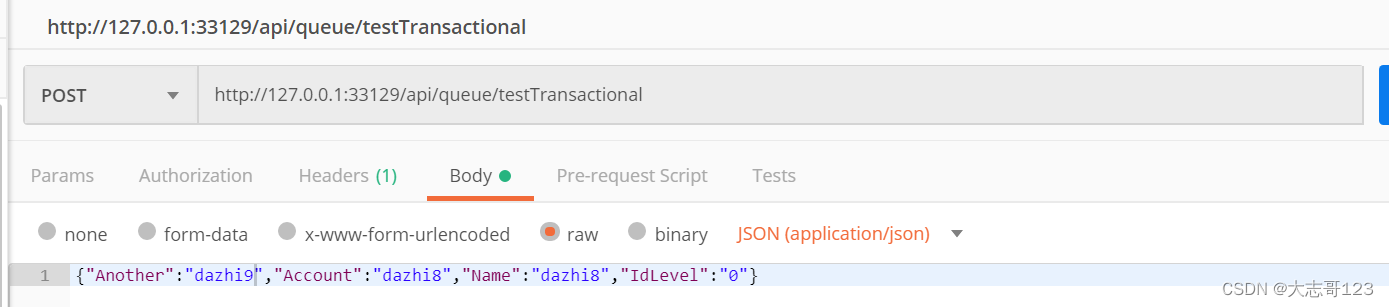
PostMAN测试:
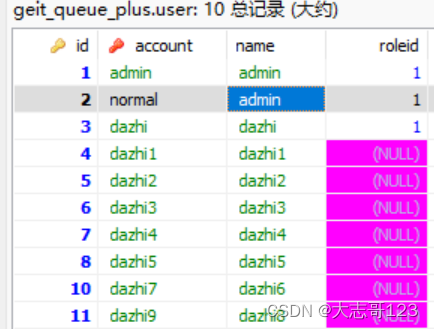
现有数据库情况,account是主键:

插入一条dazhi8的记录,变更account为dazhi9
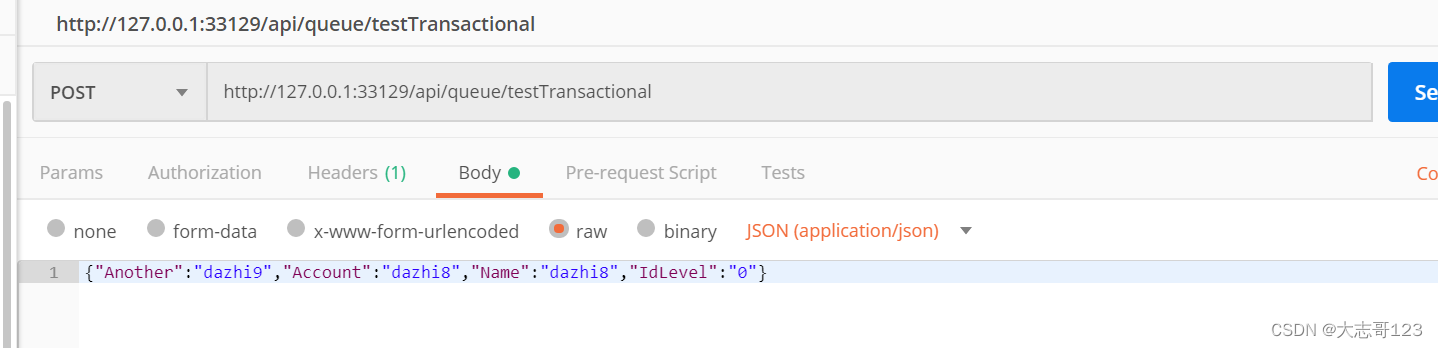
成功:

插入一条dazhi10的记录,变更account为dazhi9
提示异常
 数据库没有变更