目录
es概述:Es搜索引擎概述和语句案例_派大猩9527的博客-CSDN博客
查询语句
精确查找(全词匹配)
term查询不会对查询语句进行分词,而是精确的去匹配结构化数据中的字段值。
GET /索引名/_search
{
"query": {
"term": {
"id": 67
}
}
}
精确查找多个值(全词匹配)
GET /索引名/_search
{
"query": {
"terms": {
"id": [
67,
68
]
}
}
}
范围查询 range
GET /索引名/_search
{
"query": {
"range": {
"last_loading_time": {
"gte": "2022-02-15",
"lte": "2022-02-17"
}
}
}
}
geo_distance半径查询
GET /索引名/_search
{
"query": {
"geo_distance": {
"distance": "30km",
"索引字段名": {
"lon" : 120.126629,
"lat" : 31.799108
}
}
},#排序
"sort": [
{
"_geo_distance": {
"索引字段名": {
"lon" : 120.126629,
"lat" : 31.799108
},
"order": "asc",
"unit": "km"
}
}
]
}
match查询
match查询知道分词器的存在,会对field进行分词操作,然后再查询。
查询索引全部数据
GET /索引名/_search
{
"query": {
"match_all": {}
}
}
match查询
举个例子,你可以使用 match 查询语句 来查询 tweet 字段中包含 elasticsearch 的 tweet
GET /索引名/_search
{
"query": {
"match": {
"tweet": "elasticsearch"
}
}
}
match_phrase查询
match_phrase查询首先解析查询字符串来产生一个词条列表。然后会搜索所有的词条,但只保留包含了所有搜索词条的文档,并且词条的位置要邻接。
GET /索引名/_search
{
"query": {
"match_phrase": {
"name": {
"query": "lonely wolf"
}
}
}
}
multi_match查询
默认情况下,查询的类型是 best_fields ,这表示它会为每个字段生成一个 match 查询,然后将它们组合到 dis_max 查询的内部。
GET /索引名/_search
{
"query": {
"multi_match": {
"query": "查询字段值",
"fields": ["字段1","字段2"]
}
}
}
创建索引
创建索引的几种方式
PUT /索引名
创建索引设置索引及分片
PUT /索引名
{
"settings": {
"number_of_shards": 3,
"number_of_replicas": 0
}
}
修改索引setting副本数(number_of_shards 分片数量不可修改)
PUT /索引名/_settings {
"number_of_replicas": 2
}
创建带有静态映射类型的索引
PUT 索引名
{
"settings": {
"number_of_shards": 5,
"number_of_replicas": 2
},
"mappings": {
"crawl_article": {
"_all": {
"enabled": false
},
"properties": {
"summary": {
"search_analyzer": "ik_smart",
"similarity": "BM25",
"analyzer": "ik_max_word",
"type": "text"
},
"title": {
"search_analyzer": "ik_smart",
"similarity": "BM25",
"analyzer": "ik_max_word",
"type": "text"
},
"content": {
"search_analyzer": "ik_smart",
"similarity": "BM25",
"analyzer": "ik_max_word",
"type": "text"
}
}
}
}
}
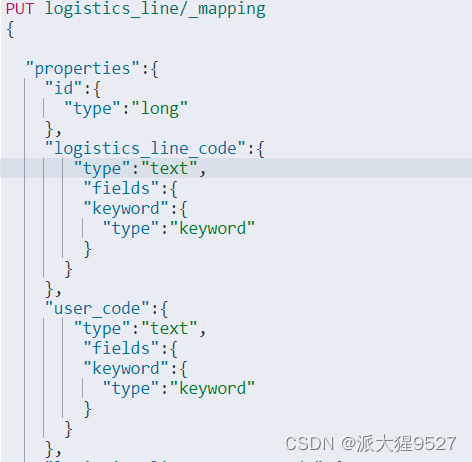
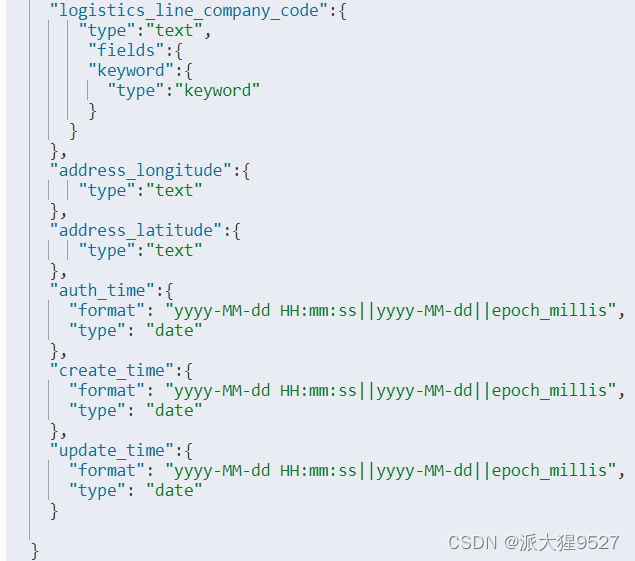
修改已创建的索引的mapping(如果mapping已有该字段则不能改变)
PUT 索引名/_mapping
{
"properties": {
"字段1": {
"type": "text", //字段类型
"fields":{
"keyword":{
"type":"keyword",
"ignore_above": 256
}
}
},字段2:{
"type": "text"
},
字段3:{
"type": "text","index":false //索引方式、是否分析
}
}
}示例:
返回结果
boost
查询时提高字段的相关性算分,得分越高在查询结果集中排名越靠前,
boost可以指定其分数(权重),默认 1.0。analyzer
字段分词器,默认为
standard,可以指定第三方的分词器。dynamic
创建索引时,索引中字段是固定的,该属性可以决定是否允许新增字段,有三种状态A:
1)true:允许新增,es会为新的字段自动添加mapping类型。
2)false:允许新增,不会自动添加映射关系,但是不能作为主查询查询(查询不到具体的新增字段)。
3)strict:严格模式,不可以新增字段,新增就报错,需要重新设计索引。
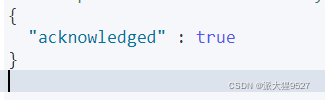
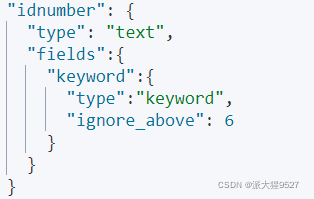
ignore_above
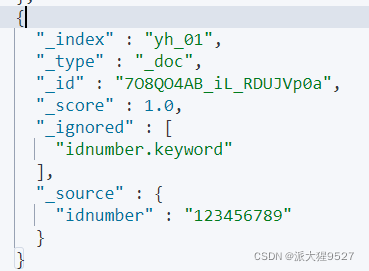
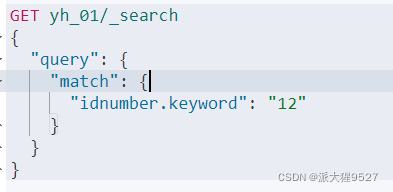
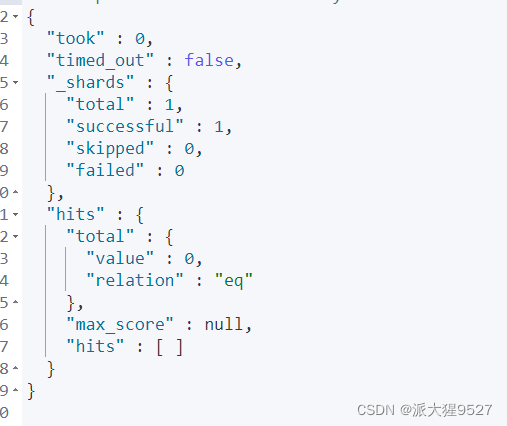
超过ignore_above设置的字符串将不会被索引或存储,对于字符串数组,ignore_above将分别应用于每个数组元素,并且字符串元素,ignore_above将不会被索引或存储。
查询超过设置的数据
插入一条
查询
返回
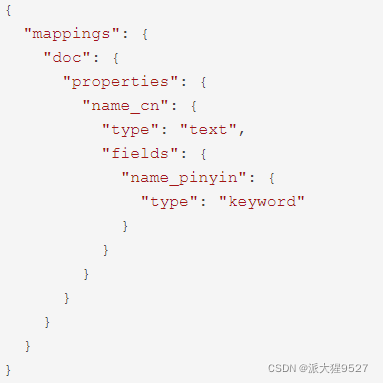
fields
允许为字段设置子字段,可以有多个。
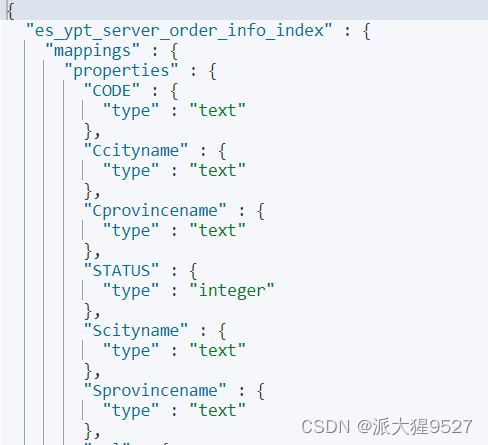
查看某个索引的映射结构
Get /索引名/_mapping
返回
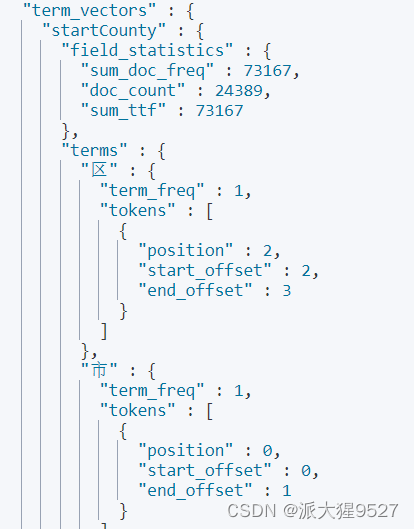
查看某个字段的分词结果
GET /{index}/{type}/{id}/_termvectors?fields={fieldName}
返回(部分结果)


ES添加修改
添加操作
#不指定ID (ES会自动生成id)
POST /索引名/_doc/
{
"字段1":"yh",
"字段2":24.........
}#指定id
POST /索引名/_doc/1(id)
{
"字段1":"yh2",
"字段2":24
}
修改操作
1)会覆盖当前id的数据
PUT /索引名/_doc/1(指定id)
{
"字段1":"修改值"
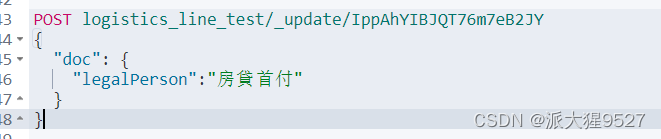
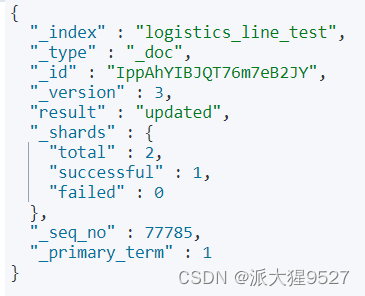
}2)修改部分字段
POST /index/_update/id
{
"doc":{
"age":22
}
}
ES删除操作
删除索引
删除指定索引
DELETE /索引名
删除document
单条document根据id删除
DELETE /索引名/_doc/ID
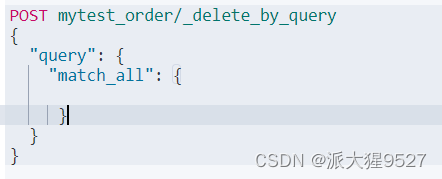
根据条件删除
POST 索引名/_delete_by_query
{
"query": {
"match_all": {
}
}
}