windows10编译与调试webrtc
一、webrtc下载
webrtc的下载与编译需要准备python、git、depot_tools,同时还需要具备上外网的条件,如果上不了外网可以参考下边链接的方法,本人就是按照链接中的方法下载webrtc源码的(本人下载的是2022年6月3日更新的版本,因此后续的编译过程与连接中的方法存在些差异)
webrtc windows for vs 2019 编译工程下载
二、vs工程文件生成与编译
1、生成Visual Studio工程
在cmd中 cd进src目录分别执行以下目录
//--vs2019安装目录
set vs2019_install=D:\Program Files (x86)\Microsoft Visual Studio\2019\Community
set GYP_MSVS_OVERRIDE_PATH=D:\Program Files (x86)\Microsoft Visual Studio\2019\Community
set GYP_GENERATORS=msvs-ninja,ninja
set DEPOT_TOOLS_WIN_TOOLCHAIN=0
//--Win10SDK目录
set WINDOWSSDKDIR=D:\Windows Kits\10

//--生成vs2019工程,在out/Default目录下
gn gen --ide=vs2019 out/Default
2、生成vs工程中遇到的问题
Traceback (most recent call last):
  File "src/tools/clang/scripts/update.py", line 383, in <module>
    sys.exit(main())
  File "src/tools/clang/scripts/update.py", line 379, in main
    return UpdatePackage(args.package)
  File "src/tools/clang/scripts/update.py", line 313, in UpdatePackage
    CopyDiaDllTo(os.path.join(LLVM_BUILD_DIR, 'bin'))
  File "src/tools/clang/scripts/update.py", line 247, in CopyDiaDllTo
    GetWinSDKDir()
  File "src/tools/clang/scripts/update.py", line 222, in GetWinSDKDir
    msvs_version = vs_toolchain.GetVisualStudioVersion()
  File "D:\webrtc-checkout\src\build\vs_toolchain.py", line 165, in GetVisualStudioVersion
    ' Supported versions are: %s.' % supported_versions_str)
Exception: No supported Visual Studio can be found. Supported versions are: 16.0 (2019), 15.0 (2017).
解决办法是修改vs_toolchain.py脚本,将vs路径写死
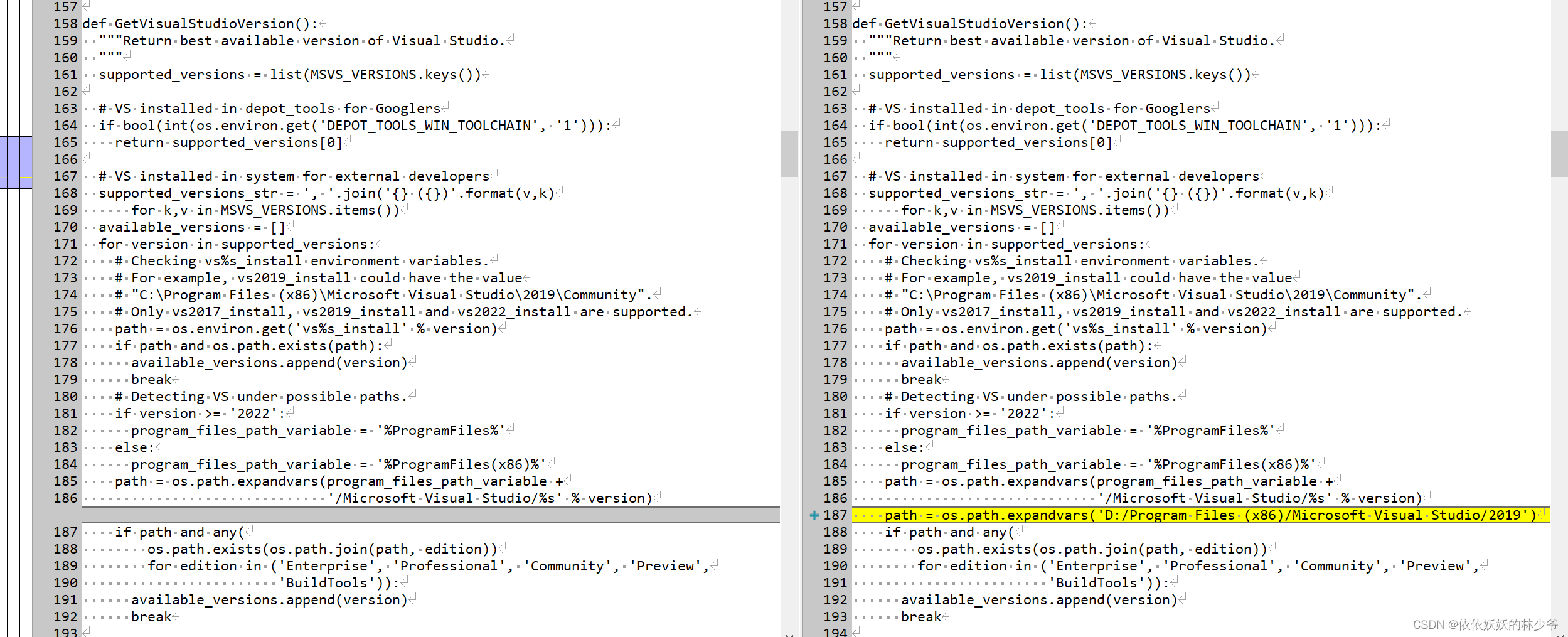
然后,可以通过执行python build/vs_toolchain.py get_toolchain_dir验证一下是否修改成功
E:\webrtc\webrtc\src>python build/vs_toolchain.py get_toolchain_dir
vs_path = "D:\\Program Files (x86)\\Microsoft Visual Studio\\2019\\Community"
sdk_path = "D:\\Windows Kits\\10"
vs_version = "2019"
wdk_dir = ""
runtime_dirs = "C:\\Windows\\System32;C:\\Windows\\SysWOW64;Arm64Unused"
接下来又出现了另一个错误
E:\webrtc\webrtc\src>gn gen --ide=vs2019 out/Default
Traceback (most recent call last):
  File "E:/webrtc/webrtc/src/build/toolchain/win/setup_toolchain.py", line 315, in <module>
    main()
  File "E:/webrtc/webrtc/src/build/toolchain/win/setup_toolchain.py", line 273, in main
    env = _LoadToolchainEnv(cpu, toolchain_root, win_sdk_path, target_store)
  File "E:/webrtc/webrtc/src/build/toolchain/win/setup_toolchain.py", line 189, in _LoadToolchainEnv
    return _ExtractImportantEnvironment(variables)
  File "E:/webrtc/webrtc/src/build/toolchain/win/setup_toolchain.py", line 67, in _ExtractImportantEnvironment
    raise Exception(
Exception: Path "D:\Windows Kits\10\include\10.0.20348.0\shared" from environment variable "include" does not exist. Make sure the necessary SDK is installed.
ERROR at //build/toolchain/win/toolchain.gni:493:24: Script returned non-zero exit code.
  win_toolchain_data = exec_script("//build/toolchain/win/setup_toolchain.py",
                       ^----------
Current dir: E:/webrtc/webrtc/src/out/Default/
Command: E:/webrtc/depot_tools/bootstrap-2@3_8_10_chromium_23_bin/python3/bin/python3.exe E:/webrtc/webrtc/src/build/toolchain/win/setup_toolchain.py "D:\Program Files (x86)\Microsoft Visual Studio\2019\Community" "D:\Windows Kits\10" "C:\Windows\System32;C:\Windows\SysWOW64;Arm64Unused" win x86 environment.x86
Returned 1.
See //build/toolchain/win/BUILD.gn:34:3: whence it was called.
  win_toolchains("x86") {
  ^-----------------------
See //BUILD.gn:39:3: which caused the file to be included.
  group("default") {
  ^------------------
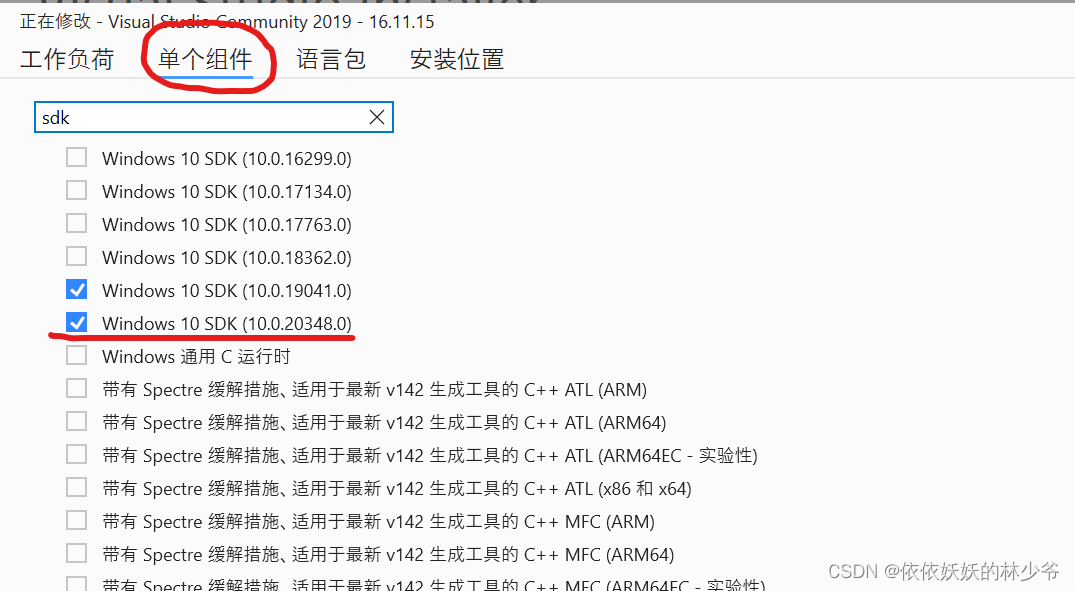
上面的意思大致是说需要10.0.20348.0版本的SDK,而我当时的版本是10.0.19041.0,解决方法就是在Visual Studio Installer中安装10.0.20348.0版本的SDK
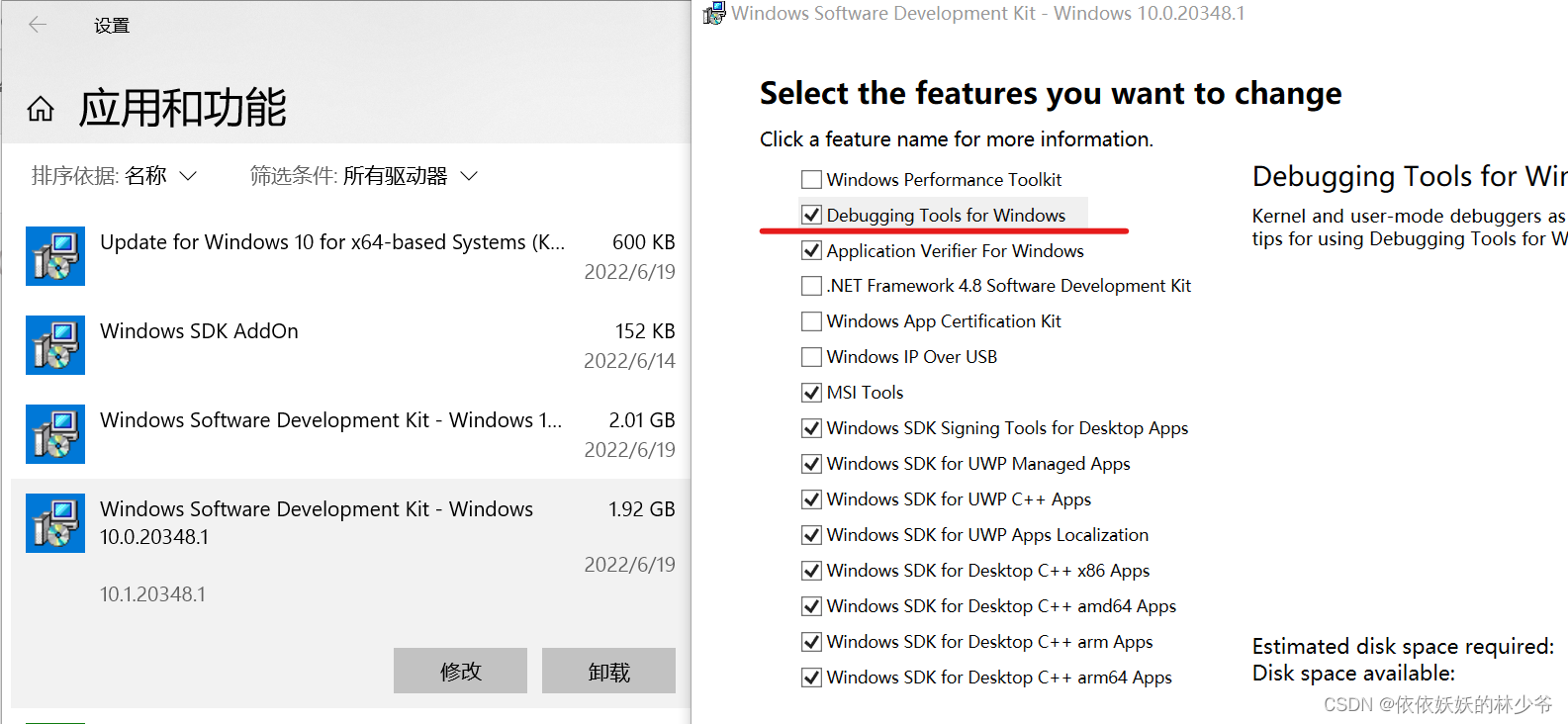
注意: 10.0.20348.0版本的SDK安装成功后别忘了安装SDK调试工具
工程生成成功
E:\webrtc\webrtc\src>gn gen --ide=vs2019 out/Default
Generating Visual Studio projects took 1226ms
Done. Made 1520 targets from 282 files in 9194ms
打开out/Default目录就能看见vs工程文件了!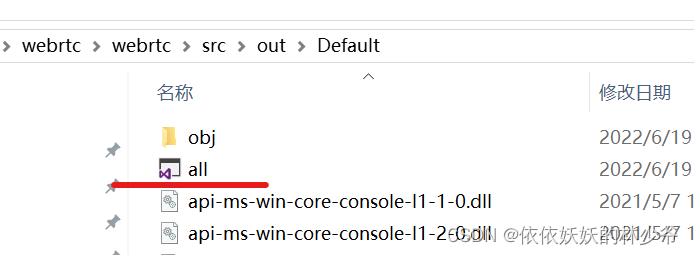
3、webrtc编译
E:\webrtc\webrtc\src>ninja -C out/Default
ninja: Entering directory `out/Default'
[5959/5959] STAMP obj/default.stamp
在此之后,就可在Visual Studio中对webrtc进行调试了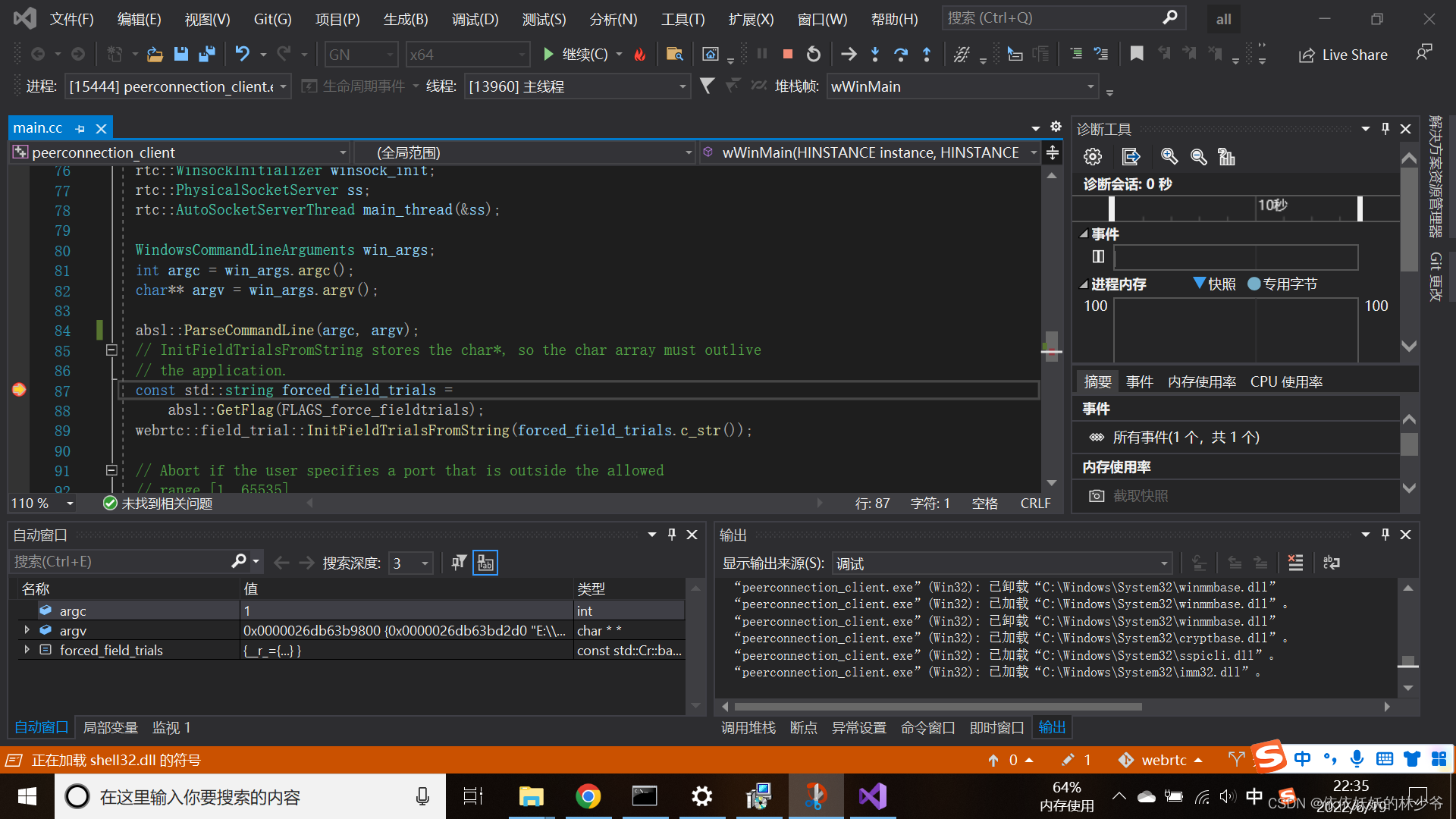
三、参考链接
webrtc windows for vs 2019 编译工程下载
WEBRTC–windows下载及编译
Windows平台WebRTC编译-VS2017
版权声明:本文为Lin3119333原创文章,遵循CC 4.0 BY-SA版权协议,转载请附上原文出处链接和本声明。