整合springboot更方便的使用功能。先下载该项目。canal服务可以看我上篇文章
https://github.com/stormbirds/spring-boot-starter-canal
将该项目生成jar包
1.下载完成进入项目根目录starter-canal 中 命令行如下: mvn install
2.等待打包完成 target目录下生成 starter-canal-0.0.1-SNAPSHOT.jar
3.在当前目录下输入命令: mvn install:install-file "-DgroupId=com.xpand" "-DartifactId=starter-canal" "-Dversion=0.0.1-SNAPSHOT" "-Dpackaging=jar" "-Dfile=starter-canal-0.0.1-SNAPSHOT.jar"
根据提示找到生成的jar包,如图
项目使用该jar包,放入到这,然后build path,依赖如下引入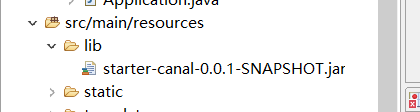
<dependency>
	        <groupId>com.xpand</groupId>
			<artifactId>starter-canal</artifactId>
			<version>0.0.1-SNAPSHOT</version>
			<scope>system</scope>
			<systemPath>${project.basedir}/src/main/resources/lib/starter-canal-0.0.1-SNAPSHOT.jar</systemPath>
        </dependency>
		<dependency>
		    <groupId>com.alibaba.otter</groupId>
		    <artifactId>canal.client</artifactId>
		    <version>1.1.4</version>
		</dependency>
按照官方的demo直接使用
配置文件加上该配置信息
canal.client.instances.example.host=127.0.0.1
canal.client.instances.example.port=11111
启动类上加上使用注解@EnableCanalClient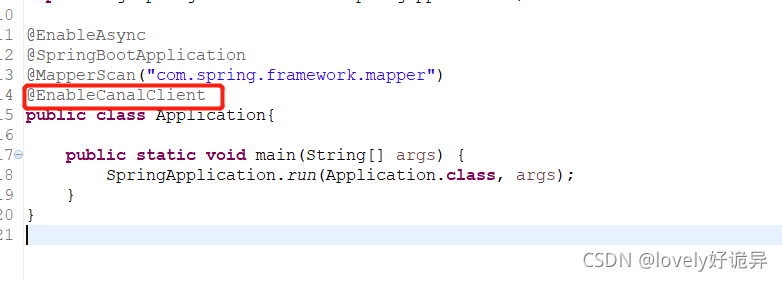
import com.alibaba.otter.canal.protocol.CanalEntry;
import com.xpand.starter.canal.annotation.CanalEventListener;
import com.xpand.starter.canal.annotation.DeleteListenPoint;
import com.xpand.starter.canal.annotation.InsertListenPoint;
import com.xpand.starter.canal.annotation.ListenPoint;
import com.xpand.starter.canal.annotation.UpdateListenPoint;

@CanalEventListener
public class MyEventListener {

//检测所有插入
    @InsertListenPoint
    public void onEvent(CanalEntry.EventType eventType, CanalEntry.RowData rowData) {
        //do something...
    }

//检测所有修改
    @UpdateListenPoint
    public void onEvent1(CanalEntry.RowData rowData) {
        //do something...
    	System.err.println(rowData.getAfterColumnsList());
    }

//检测所有删除
    @DeleteListenPoint
    public void onEvent3(CanalEntry.EventType eventType) {
        //do something...
    }

//通过参数进行监控
    @ListenPoint(destination = "example", schema = "canal-test", table = {"t_user", "test_table"}, eventType = CanalEntry.EventType.UPDATE)
    public void onEvent4(CanalEntry.EventType eventType, CanalEntry.RowData rowData) {
        //do something...
    }
}
测试,随便修改一下数据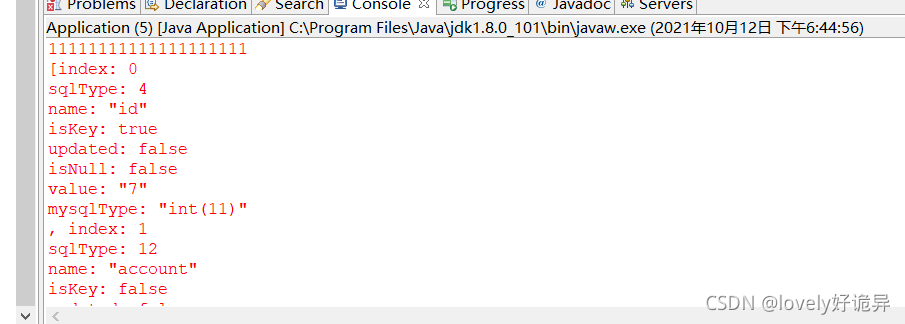
版权声明:本文为lovely960823原创文章,遵循CC 4.0 BY-SA版权协议,转载请附上原文出处链接和本声明。