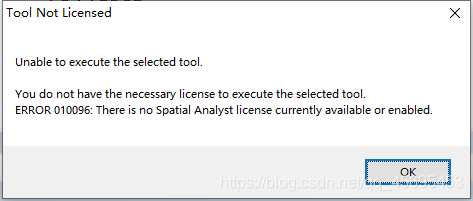
解决ArcGIS使用ArcToolbox出现错误:Unable to execute the selected tool.You do not have the necessary license to execute the selected tool.ERROR 010096: There is no Spatial Analyst license currently available or enabled.
- 如下图所示:
- 解决方法:
点击工具条的Customize,选中并点击Extensions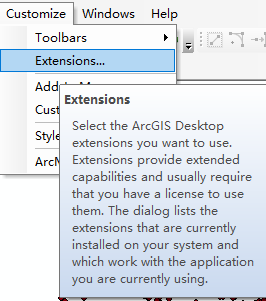
之后出现如下界面: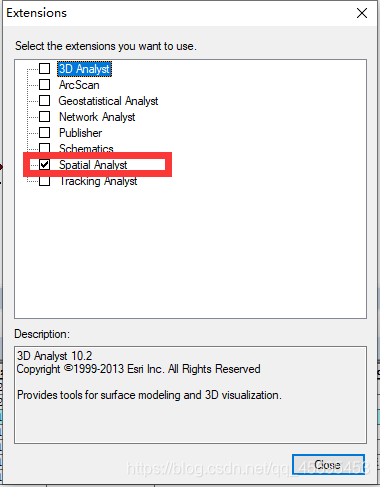
选中并点击关闭,就可以正常使用之前的工具了
版权声明:本文为qq_45695453原创文章,遵循CC 4.0 BY-SA版权协议,转载请附上原文出处链接和本声明。