今天碰到了一个需求,要求把导航条和tababr边框都隐藏调,头一次碰到这种需求,把它记下来
navigationbar下面有关于阴影的属性
/* Default is nil. When non-nil, a custom shadow image to show instead of the default shadow image. For a custom shadow to be shown, a custom background image must also be set with -setBackgroundImage:forBarMetrics: (if the default background image is used, the default shadow image will be used).
*/
@property(nonatomic,retain) UIImage *shadowImage NS_AVAILABLE_IOS(6_0) UI_APPEARANCE_SELECTOR;
译:默认下是nil,不为空的时候用自定义的图片替代默认的图片,为了让自定义的阴影显示,必须要设置background图片(如果使用默认图片,那么也会使用默认的阴影)
意思就是 必须要先设置background图片,这个属性设置才管用,那么就可以先设置一下背景图片,再设置阴影,
  [self.navigationController.navigationBar setShadowImage:[UIImage imageNamed:@"white.png"]];

    [self.navigationController.navigationBar setBackgroundImage:[self imageWithColor:[UIColor blackColor]] forBarMetrics:UIBarMetricsDefault];

    self.view.backgroundColor = [UIColor redColor];

    self.navigationController.navigationBar.translucent = NO;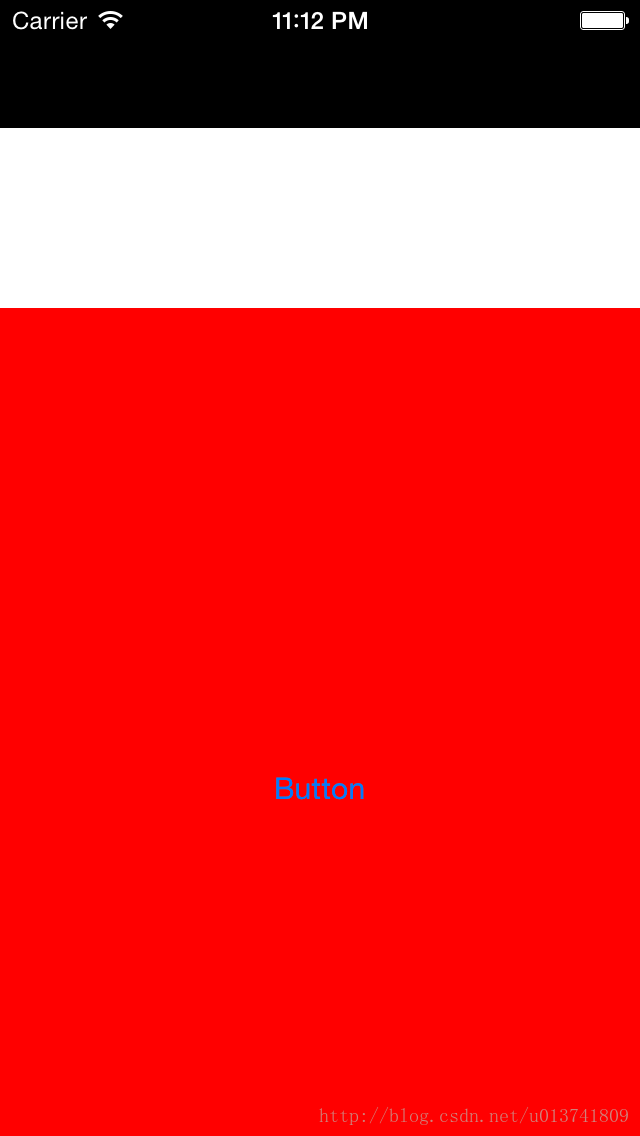
可以清楚的看到,上边黑色的部分是背景图,白色的是阴影图(够大的),红色是整个背景的颜色,
要消除导航条边框的话只要把背景图和阴影图设为同一颜色,就可以消除边框,
或者是把阴影图设为clealColor颜色
tabbar的设置方法同导航条
注意:有时候背景图和阴影图设为同一颜色但是颜色却不一样,要注意设置导航条的透明属性
版权声明:本文为u013741809原创文章,遵循CC 4.0 BY-SA版权协议,转载请附上原文出处链接和本声明。