首先看一个 View 的一个方法:
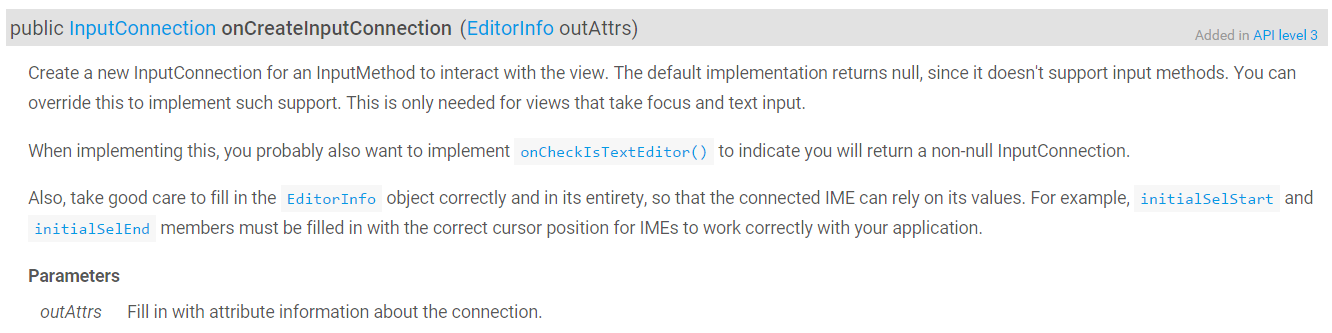
View 没有实现,直接返回 null,
再看 TextView 的实现,
    @Override
    public InputConnection onCreateInputConnection(EditorInfo outAttrs) {
        if (onCheckIsTextEditor() && isEnabled()) {
			...
            if (mText instanceof Editable) {
                InputConnection ic = new EditableInputConnection(this);
                outAttrs.initialSelStart = getSelectionStart();
                outAttrs.initialSelEnd = getSelectionEnd();
                outAttrs.initialCapsMode = ic.getCursorCapsMode(getInputType());
                return ic;
            }
			...
使用了 EditableInputConnection
现在要知道,这个方法何时被调用?
首先我们是点击了 EditText 系统随机呼出输入法,那么好,我们看 TextView 的 onTouchEvent 方法
    @Override
    public boolean onTouchEvent(MotionEvent event) {
...
           if (touchIsFinished && (isTextEditable() || textIsSelectable)) {
                // Show the IME, except when selecting in read-only text.
                final InputMethodManager imm = InputMethodManager.peekInstance();
                viewClicked(imm);
                if (!textIsSelectable && mEditor.mShowSoftInputOnFocus) {
                    handled |= imm != null && imm.showSoftInput(this, 0);
                }<span style="font-family: Arial, Helvetica, sans-serif;">   </span>
这里调用了 imm.showSoftInput 弹出输入法,
但是我们还得找到 TextView 与输入法建立链接的地方,我们查找 InputMethodManager 找到了一处调用,view.onCreateInputConnection 方法:
    public void restartInput(View view) {

	...

    boolean startInputInner(IBinder windowGainingFocus, int controlFlags, int softInputMode,
            int windowFlags) {
			...
        // Okay we are now ready to call into the served view and have it
        // do its stuff.
        // Life is good: let's hook everything up!
        EditorInfo tba = new EditorInfo();
        tba.packageName = view.getContext().getPackageName();
        tba.fieldId = view.getId();
        InputConnection ic = view.onCreateInputConnection(tba);
        if (DEBUG) Log.v(TAG, "Starting input: tba=" + tba + " ic=" + ic);

... protected void onFocusChanged(boolean gainFocus, int direction, Rect previouslyFocusedRect) {
...
InputMethodManager imm = InputMethodManager.peekInstance();
if (!gainFocus) {
if (isPressed()) {
setPressed(false);
}
if (imm != null && mAttachInfo != null
&& mAttachInfo.mHasWindowFocus) {
imm.focusOut(this);
}
onFocusLost();
} else if (imm != null && mAttachInfo != null
&& mAttachInfo.mHasWindowFocus) {
imm.focusIn(this);
}
...
然后,输入法与接收客户端进行交互是通过 InputConnection 进行的
public interface InputConnection {
  public boolean deleteSurroundingText(int beforeLength, int afterLength);  //删除输入的字符
  public boolean commitText(CharSequence text, int newCursorPosition);  //输入字符
  public boolean sendKeyEvent(KeyEvent event);  //注入按键
}具体如何调用不解释,本篇的重点在理清联系,
除了 EditText ,WebView 也能弹出输入法,WebView 我是比较好奇的,因为他只是一个 ViewGroup
欲知详情请移步至此:点击打开链接
版权声明:本文为z1074971432原创文章,遵循CC 4.0 BY-SA版权协议,转载请附上原文出处链接和本声明。