在MySQL 5.7中,默认的身份验证插件是 mysql_native_password
从mysql8.0开始将caching_sha2_password作为默认的身份验证插件。因此,如果客户端还是5.x版本连接,那么需要:ALTER USER 'username'@'%' IDENTIFIED WITH mysql_native_password BY 'password';
msyql5.x 版本中有个 password() 函数用于生成密码,该函数在 MySQL8 中已经被移除了
接下来我们在数据库中进行操作验证,
#创建一个数据库
create database db_name;
#先创建一个用户
create user 'username'@'%' identified by 'password';
#再进行授权
grant all privileges on db_name.* to 'username'@'%';
针对root用户,指定只能从本地登陆
alter user root@localhost identified by 'aspire@123-';
看一下结果
select user,host from mysql.user;
mysql> create user 'cuixs'@'%' identified by 'cuixs@168178';
Query OK, 0 rows affected (0.01 sec)
mysql> select user,host from mysql.user;
+------------------+-----------+
| user | host |
+------------------+-----------+
| cuixs | % |
| hzy | % |
| username | % |
| mysql.infoschema | localhost |
| mysql.session | localhost |
| mysql.sys | localhost |
| root | localhost |
+------------------+-----------+
此为密码认证的问题
ALTER USER 'cuixs'@'%' IDENTIFIED WITH mysql_native_password BY 'cuixs@168178';

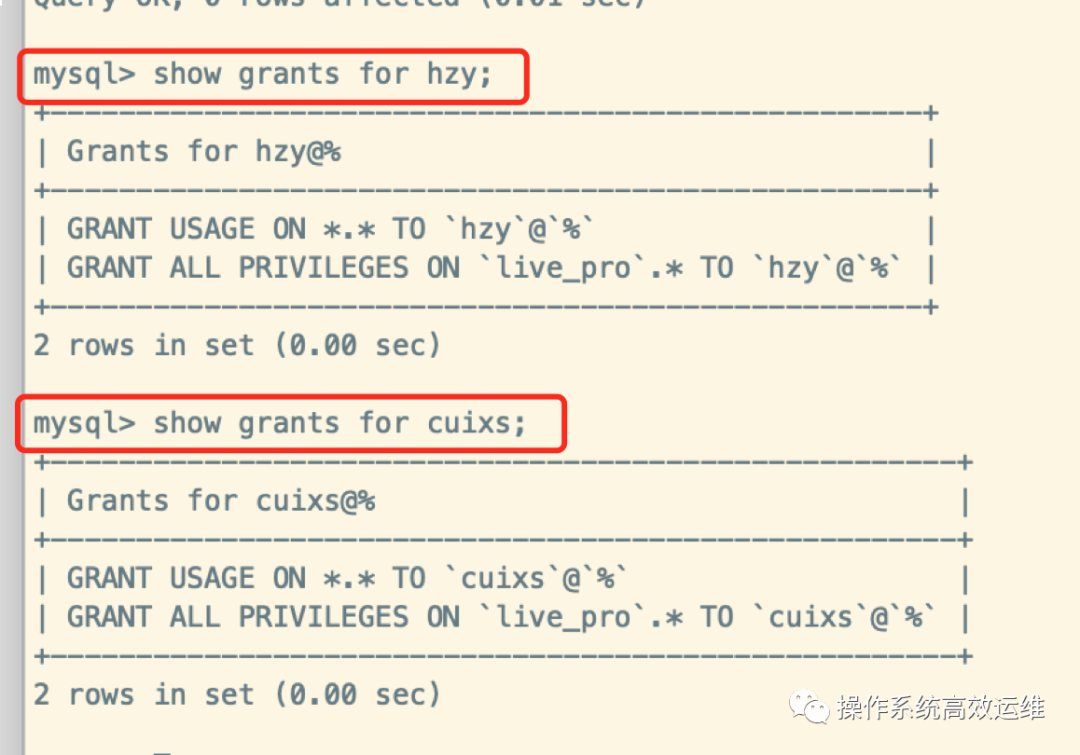
show grants for hzy;
show grants for cuixs;
另外,研发本地的database.php中
需要将标红位置删除 “NO_AUTO_CREATE_USER”

验证完毕,遇到mysql8.0身份验证问题的小伙伴,可参考文章进行操作
祝工作顺利