最近公司有个项目首页用到了echarts,没有接触过的小白一开始研究有点头大,以下是echart 版本5.0以上的使用方法
1.安装echarts依赖
npm install echarts -s2.引入echarts
重要提醒,我的版本是5以上的
"echarts": "^5.3.2",在main.js 全局引入
import * as echarts from 'echarts'
Vue.prototype.$echarts = echarts
3.在页面引用饼图
<template>
  <div>
     <div id="pie" :style="{width: '300px', height: '300px',margin:'0 auto'}"></div>
  </div>
</template>
<script>
   export default(){
       data(){
          return{
             pieName:[], //图例名称
             pieData: [] //数据
          }
       },
       method:{
          drawPie() {
             var myChart1 = this.$echarts.init(document.getElementById('pie'));
             var option1 = {

             //hover显示提示语
             tooltip: {
             trigger: 'item',
             formatter: '{a} <br/>{b} : {c} ({d}%)'
             },
             //图例
             legend: {
                y: 'bottom',
                x: 'center',  //底部居中
                data: this.pieName, //图例名称,用的是动态的。可以写个静态试试效果
                axisName: { //图例文字的样式
                color: 'rgba(0, 0, 0, 1)',
                fontSize: 14
                }
             },
            series: [{
                type: 'pie',//饼图
                radius: ['40%', '70%'], //设置成环,第一个是内部半径,第二个是外圈半径
                center: ['50%', '50%'], //中心点
                color: ['rgba(59, 161, 255, 0.85)','rgba(253, 107, 108, 0.85)', 'rgba(243, 199, 4, 0.85)'],  //饼图颜色
            label: { //饼图图形上的文本标签
                show: true,
                position: 'inner', //文本内容显示在饼图上,设置为outer显示在外面
                axisName: {
                   fontWeight: 700,
                   fontSize: 12, //文字的字体大小
                   color: '#000000'
                },
                formatter: '{c}'  //显示值
             },
             data: this.pieData  //动态数据
           }]
          };
      myChart1.setOption(option1);  //生成饼图
    }
       }
   }
</script>
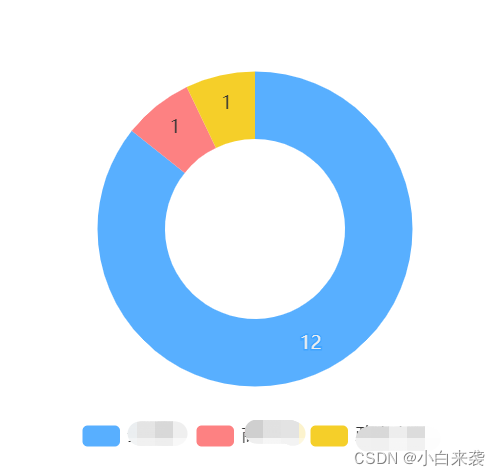
显示结果截图
版权声明:本文为weixin_47218793原创文章,遵循CC 4.0 BY-SA版权协议,转载请附上原文出处链接和本声明。