Vue2中的过滤器在Vue3中已经被移除,我们可以通过全局属性的方式来实现过滤器的相关功能
- 安装时间过滤插件mount,或者自己写一个过滤函数也可
npm install moment --save
- 在main.js中写入如下代码
import moment from 'moment'

const app = createApp(App)

app.config.globalProperties.$filters = {
    timeFormat(value: string, formatString: string) {
        formatString = formatString || 'YYYY-MM-DD hh:mm:ss';
	    return moment(value).format(formatString);
    }
}
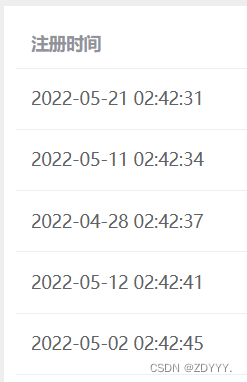
- 在需要引入的页面中使用
<template>
	<el-table class="el-table" :data="tableData">
    	<el-table-column prop="createTime" height="100%" label="注册时间" width="180" >
        	<template #default="scope">
            	{{ proxy.$filters.timeFormat(scope.row.createTime) }}
            </template>
        </el-table-column>
	</el-table>
</template>
<script setup lang="ts">
    import { getCurrentInstance, ref, onBeforeMount } from 'vue'
    const { proxy }: any = getCurrentInstance()
</script>
版权声明:本文为qq_43623492原创文章,遵循CC 4.0 BY-SA版权协议,转载请附上原文出处链接和本声明。