网上找了很多发现解决的方法都不行!!
错误原因:
驱动配置有误:driver=com.mysql.jdbc.Driver。
数据库连接地址有误:url=jdbc:mysql://localhost:3306/test(test是用户自定义创建,可变)。
密码或帐号有误:username=root(默认为root)。
帐号有误:password=root(密码是用户自己设置的)。
数据库未启动或无权访问。
未引入对应的驱动jar包 mysql-connector-java-5.1.6-bin.jar,或者Maven 项目中未注入 mysql-connector-java 依赖。
检查了spring-xml.properties
<?xml version="1.0" encoding="UTF-8"?>
<beans xmlns="http://www.springframework.org/schema/beans"
       xmlns:xsi="http://www.w3.org/2001/XMLSchema-instance"
       xmlns:aop="http://www.springframework.org/schema/aop"
       xmlns:c="http://www.springframework.org/schema/c"
       xmlns:cache="http://www.springframework.org/schema/cache"
       xmlns:context="http://www.springframework.org/schema/context"
       xmlns:jdbc="http://www.springframework.org/schema/jdbc"
       xmlns:jee="http://www.springframework.org/schema/jee"
       xmlns:lang="http://www.springframework.org/schema/lang"
       xmlns:mvc="http://www.springframework.org/schema/mvc"
       xmlns:p="http://www.springframework.org/schema/p"
       xmlns:task="http://www.springframework.org/schema/task"
       xmlns:tx="http://www.springframework.org/schema/tx"
       xmlns:util="http://www.springframework.org/schema/util"
       xsi:schemaLocation="http://www.springframework.org/schema/jee http://www.springframework.org/schema/jee/spring-jee-4.3.xsd
		http://www.springframework.org/schema/mvc http://www.springframework.org/schema/mvc/spring-mvc-4.3.xsd

		http://www.springframework.org/schema/context http://www.springframework.org/schema/context/spring-context-4.3.xsd
		http://www.springframework.org/schema/aop http://www.springframework.org/schema/aop/spring-aop-4.3.xsd
		http://www.springframework.org/schema/util http://www.springframework.org/schema/util/spring-util-4.3.xsd
		http://www.springframework.org/schema/jdbc http://www.springframework.org/schema/jdbc/spring-jdbc-4.3.xsd
		http://www.springframework.org/schema/cache http://www.springframework.org/schema/cache/spring-cache-4.3.xsd
		http://www.springframework.org/schema/task http://www.springframework.org/schema/task/spring-task-4.3.xsd
		http://www.springframework.org/schema/beans http://www.springframework.org/schema/beans/spring-beans.xsd
		http://www.springframework.org/schema/lang http://www.springframework.org/schema/lang/spring-lang-4.3.xsd
		http://www.springframework.org/schema/tx http://www.springframework.org/schema/tx/spring-tx-4.3.xsd ">

    <!--读取属性文件-->
    <context:component-scan base-package="kj15"/>

    <context:property-placeholder location="classpath:config.properties"/>

    <!--配置数据源-->
    <bean id="dataSource" class="com.mchange.v2.c3p0.ComboPooledDataSource">
        <property name="driverClass" value="${jdbc.driver}"/>
        <property name="jdbcUrl" value="${jdbc.url}"/>
        <property name="user" value="${jdbc.userName}"/>
        <property name="password" value="${jdbc.pw}"/>

        <!-- c3pe连接池的私有属性-->
        <property name="maxPoolSize" value="30"/>
        <property name="minPoolSize" value="10"/>
        <!--关闭连接后不自动commit -->
        <property name="autoCommitOnClose" value="false"/>
        <!-- 获取连接超时时间-->
        <property name="checkoutTimeout" value="10000"/>
        <!--当获取连接失败重试次数-->
        <property name="acquireRetryAttempts" value="2"/>
    </bean>

    <!--配置SqlSessionFactoryBean-->
    <bean id="sqlSessionFactory" class="org.mybatis.spring.SqlSessionFactoryBean">
        <!--配置数据源-->
        <property name="dataSource" ref="dataSource"/>
        <!--配置SqlMapConfig.xml核心配置-->
        <property name="configLocation" value="classpath:mybatis-config.xml"/>
        <!--注册实体类取别名 用大小写-->

    </bean>
    <!--扫包mapper.xml文件-->
    <bean class="org.mybatis.spring.mapper.MapperScannerConfigurer">
        <property name="basePackage" value="kj15.mapper"/>
        <property name="sqlSessionFactoryBeanName" value="sqlSessionFactory"/>
    </bean>

</beans>
发现没什么问题 。。。。
然后输入 ctrl shift alt s
查看配置
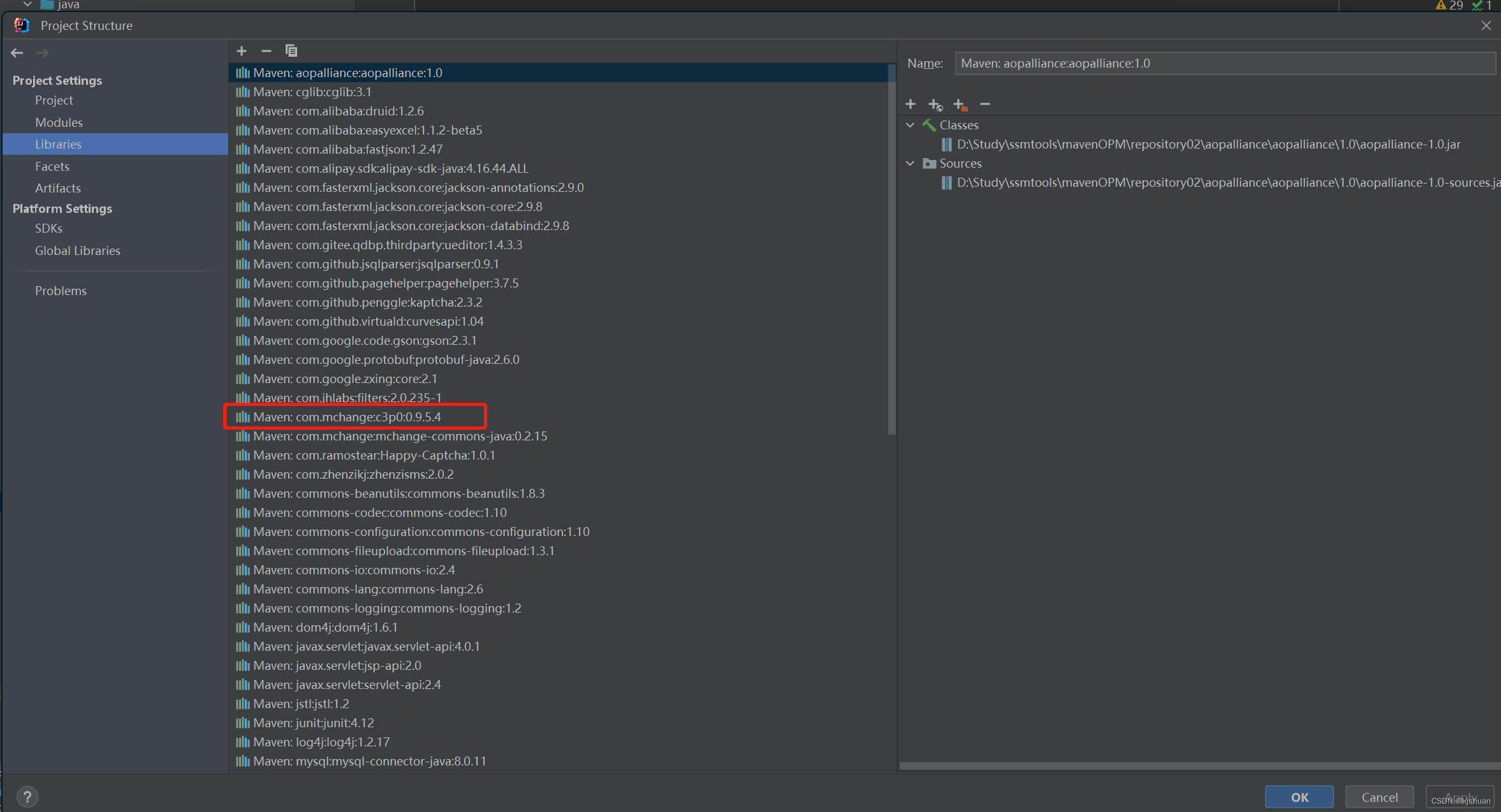
发现有2个不同版本的c3p0 直接删除一个
在把pom.xml中 多出的c3p0依赖删除 找到maven中文件存储的位置删除多余的csp0包
问题解决!!!
版权声明:本文为just_learing原创文章,遵循CC 4.0 BY-SA版权协议,转载请附上原文出处链接和本声明。