
逐梦计划是四川大学生的就业扶持项目,可以在上面找到很多国企的实习工作,不过那个系统很不流畅,手动浏览费时间,因此决定做一个小程序方便告知我感兴趣的项目今天有哪些,方便我的投递,毕竟早知道早投递嘛!
免责声明:请勿大量调试请求,请勿作于非法用途,代码仅供学习交流
功能包括自定义如下:
地区(我主要在四川成都,就不需要其他地区的岗位)
工资(现在生活成本高,设置最低1000元的实习津贴,要不然实习反而倒贴)
具体可根据需求进行修改,在go函数的data段落处进行修改
python依托的第三方库,用我下面的这个安装方法最快:
pip install requests -i http://pypi.douban.com/simple/ --trusted-host pypi.douban.com
pip install urllib3==1.23 -i http://pypi.douban.com/simple/ --trusted-host pypi.douban.com
如果python运行时出现SSL问题,需要在代码里面加,这个问题主要是我在codeup里面出现:
import ssl
ssl._create_default_https_context = ssl._create_unverified_context
主程序代码:
# -*- coding: utf-8 -*-
# by hearts
import requests
import json
import urllib.request
ID = "" #企业ID
Secret = "" #应用密码
UserID = "@all" #成员ID列表(消息接收者,多个接收者用'|'分隔,最多支持1000个)。特殊情况:指定为@all,则向关注该企业应用的全部成员发送
PartyID = 3 #部门ID列表,多个接收者用‘|’分隔,最多支持100个。当touser为@all时忽略本参数
AppID = #应用ID
def get_token():
gurl = "https://qyapi.weixin.qq.com/cgi-bin/gettoken?corpid={}&corpsecret={}".format(ID, Secret)
r = requests.get(gurl)
dict_result = (r.json())
print("获取到企业微信token:"+dict_result['access_token'])
return dict_result['access_token']
def send_text(text):
post_data = {}
msg_content = {}
msg_content['content'] = text
post_data['touser'] = UserID
post_data['toparty'] = PartyID
post_data['msgtype'] = 'text'
post_data['agentid'] = AppID
post_data['text'] = msg_content
post_data['enable_id_trans'] = '0'
post_data['enable_duplicate_check'] = '0'
post_data['duplicate_check_interval'] = '1800'
Gtoken = get_token()
purl1 = "https://qyapi.weixin.qq.com/cgi-bin/message/send?access_token={}".format(Gtoken)
json_post_data = json.dumps(post_data, skipkeys=False, ensure_ascii=False)
request_post = urllib.request.urlopen(purl1, json_post_data.encode(encoding='UTF8'))
print("文字发送成功")
def go():
headers = {
'Accept': '*/*',
'Accept-Encoding': 'gzip, deflate',
'Accept-Language': 'zh-CN,zh;q=0.9,en;q=0.8,en-GB;q=0.7,en-US;q=0.6',
'Connection': 'keep-alive',
'Content-Length': '155',
'Content-Type': 'application/json',
'Host': 'wx.scyol.com',
'Origin': 'http',
'Referer': 'http',
'tourist': '123',
'User-Agent': 'Mozilla/5.0 (Windows NT 10.0; Win64; x64) AppleWebKit/537.36 (KHTML, like Gecko) Chrome/101.0.4951.64 Safari/537.36 Edg/101.0.1210.53'
}
urltxt = "http://wx.scyol.com/zmjhapi/basPostManagement/postPageList"
data = {
"pageNo":1,
"pageSize":100,
"maxSalary":"",
"minSalary":1000,
"postArea":"",
"postCity":"成都",
"postProvince":"四川",
"postType":"",
"searchValue":"",
"crowdOrientedType":""
}
page = requests.post(url=urltxt, json=data, headers=headers)
## f = open("逐梦计划.txt","w+")
## f.write(page.text)
## f.close()
## print (page.text)
json_response = page.json()
return json_response
a = go()
global alltxt
alltxt = "http://wx.scyol.com/zmjh/user/#/pages/tabbar/post/post \n"
for i in a["data"]["records"]:
txt = "? {}:{} ¥{}\n".format(str(i["organizationName"]),str(i["postName"]),str(i["postSalary"]))
alltxt = alltxt+txt
alltxt.replace('\n', '').replace('\r', '')
send_text(alltxt)这里需要提前填写你的信息:

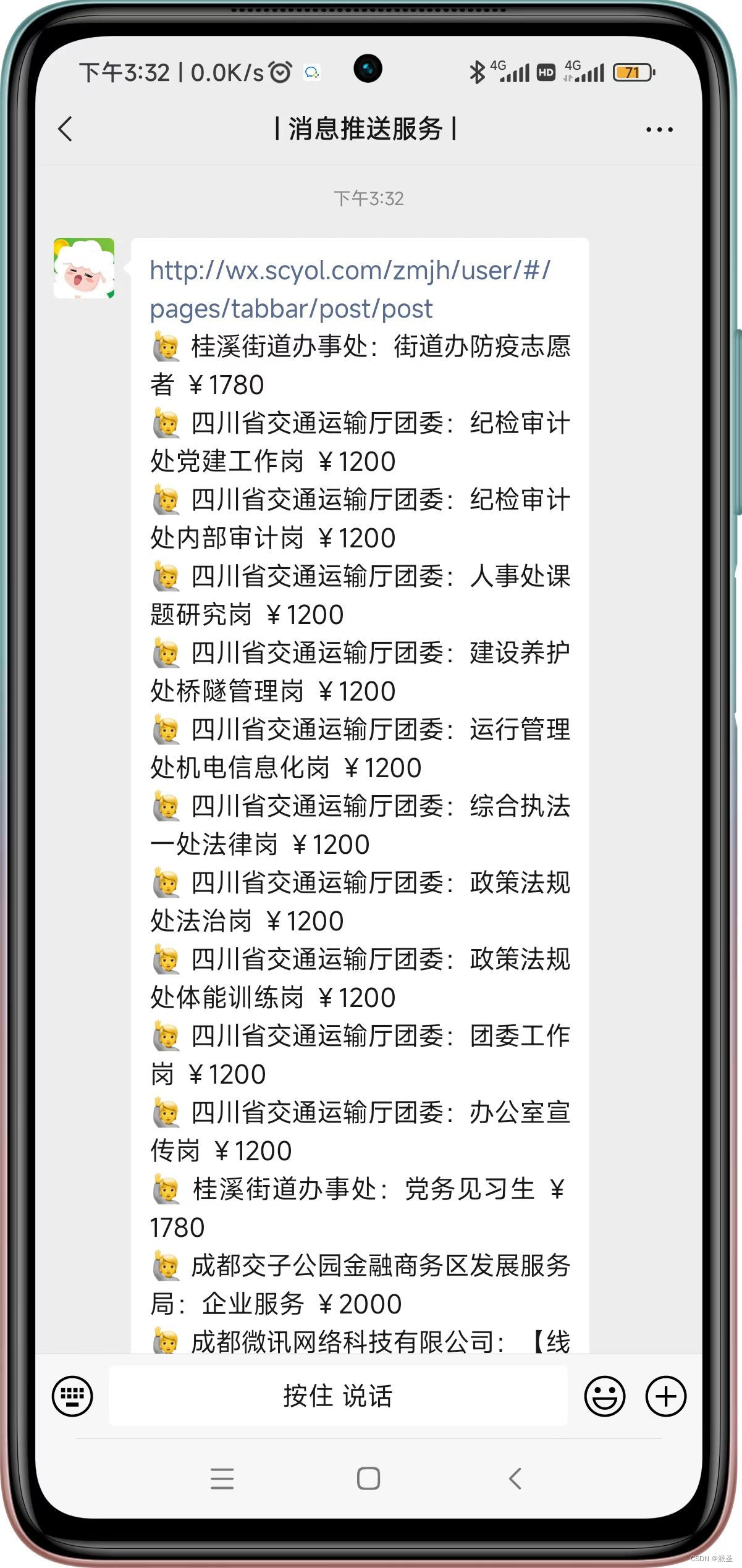
测试截图:
免费的云函数挂机可以参考:
腾讯云函数要收费了,试试阿里云的云效codeup吧,这里有教程_派圣的博客-CSDN博客
版权声明:本文为aimersong69原创文章,遵循CC 4.0 BY-SA版权协议,转载请附上原文出处链接和本声明。