SharedPreferences数据是保存在xml文件里,路经是/data/data//shared_prefs/xxx.xml
xxx是 getSharedPreferences第一个参数。
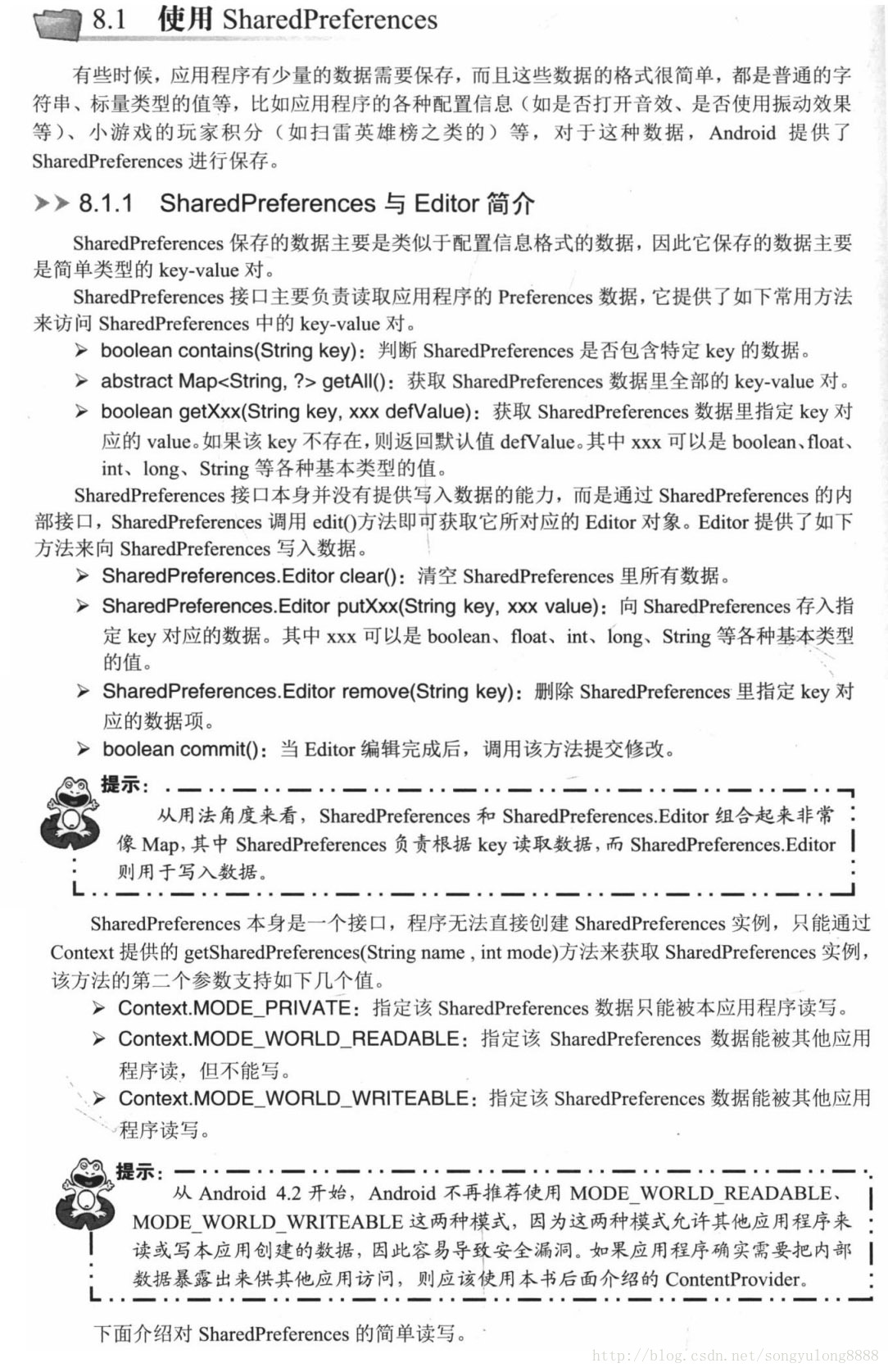
SharedPreferences 使用步骤:
1.定义对象
SharedPreferences sharedPreferences;
SharedPreferences.Editor editor;
2.实例化
sharedPreferences = getSharedPreferences(“shared_setting”, MODE_PRIVATE);
editor = sharedPreferences.edit();
3.读出值
String time = sharedPreferences.getString(“time”, null);
int rand = sharedPreferences.getInt(“random”, 0);
4.写入值
editor.putString(“time”, new Date().toString());
editor.putInt(“rand”, (int)(Math.random() * 100));
editor.commit();//提交保存数据
查询指定key,如果指定key已存在返回true,其它情况返回false:
if ( sharedPreferences.contains(“key”) ){ …. }
清空,移除数据:
editor.clear();
editor.remove(“key”);
提交保存数据:
editor.apply();
editor.commit();//提交保存数据
apply(),commit()都是将数据存到磁盘,这两个方法的区别在于:
- apply没有返回值而commit返回boolean表明修改是否提交成功
- apply是将修改数据原子提交到内存, 而后异步真正提交到硬件磁盘, 而commit是同步的提交到硬件磁盘,因此,在多个并发的提交commit的时候,他们会等待正在处理的commit保存到磁盘后在操作,从而降低了效率。而apply只是原子的提交到内容,后面有调用apply的函数的将会直接覆盖前面的内存数据,这样从一定程度上提高了很多效率。
- apply方法不会提示任何失败的提示。
由于在一个进程中,sharedPreference是单实例,一般不会出现并发冲突,如果对提交的结果不关心的话,建议使用apply,当然需要确保提交成功且有后续操作的话,还是需要用commit的。
读取其它应用的SharePreferences:
Context useCount = null;
// 获取其他程序所对应的Context
useCount = createPackageContext(“org.crazyit.io”,Context.CONTEXT_IGNORE_SECURITY);
// 使用其他程序的Context获取对应的SharedPreferences
SharedPreferences prefs = useCount.getSharedPreferences(“count”,Context.MODE_WORLD_READABLE);
package org.crazyit.other;

import org.crazyit.other.R;

import android.app.Activity;
import android.content.Context;
import android.content.SharedPreferences;
import android.content.pm.PackageManager.NameNotFoundException;
import android.os.Bundle;
import android.widget.TextView;

/**
 * Description:
 * <br/>site: <a href="http://www.crazyit.org">crazyit.org</a>
 * <br/>Copyright (C), 2001-2012, Yeeku.H.Lee
 * <br/>This program is protected by copyright laws.
 * <br/>Program Name:
 * <br/>Date:
 * @author  Yeeku.H.Lee kongyeeku@163.com
 * @version  1.0
 */
public class ReadOtherPreferences extends Activity
{
    @Override
    public void onCreate(Bundle savedInstanceState)
    {
        super.onCreate(savedInstanceState);
        setContentView(R.layout.main);
        Context useCount = null;
        try
        {
            // 获取其他程序所对应的Context
            useCount = createPackageContext("org.crazyit.io",
                Context.CONTEXT_IGNORE_SECURITY);
        }
        catch (NameNotFoundException e)
        {
            e.printStackTrace();
        }
        // 使用其他程序的Context获取对应的SharedPreferences
        SharedPreferences prefs = useCount.getSharedPreferences("count",
            Context.MODE_WORLD_READABLE);
        // 读取数据
        int count = prefs.getInt("count", 0);
        TextView show = (TextView) findViewById(R.id.show);
        // 显示读取的数据内容
        show.setText("UseCount应用程序以前被使用了" + count + "次。");
    }
}
SharedPreferences保存数据:
<?xml version="1.0" encoding="utf-8"?>
<LinearLayout xmlns:android="http://schemas.android.com/apk/res/android"
    xmlns:app="http://schemas.android.com/apk/res-auto"
    xmlns:tools="http://schemas.android.com/tools"
    android:layout_width="match_parent"
    android:layout_height="match_parent"
    tools:context="shortcut.song.com.myapplication.SharedPreferencesActivity">

    <Button
        android:id="@+id/read"
        android:layout_width="wrap_content"
        android:layout_height="wrap_content"
        android:text="read"/>

    <Button
        android:id="@+id/write"
        android:layout_width="wrap_content"
        android:layout_height="wrap_content"
        android:text="write"/>
</LinearLayout>
package shortcut.song.com.myapplication;

import android.content.SharedPreferences;
import android.icu.text.SimpleDateFormat;
import android.support.v7.app.AppCompatActivity;
import android.os.Bundle;
import android.view.View;
import android.widget.Button;
import android.widget.Toast;

import java.util.Date;

public class SharedPreferencesActivity extends AppCompatActivity {

    SharedPreferences sharedPreferences;
    SharedPreferences.Editor editor;

    @Override
    protected void onCreate(Bundle savedInstanceState) {
        super.onCreate(savedInstanceState);
        setContentView(R.layout.activity_shared_preferences);

        sharedPreferences = getSharedPreferences("shared_setting", MODE_PRIVATE);
        editor = sharedPreferences.edit();

        Button read = (Button)findViewById(R.id.read);
        Button write = (Button)findViewById(R.id.write);

        read.setOnClickListener(new View.OnClickListener() {
            @Override
            public void onClick(View v) {
                String time = sharedPreferences.getString("time", null);
                int rand = sharedPreferences.getInt("random", 0);

                Toast.makeText(SharedPreferencesActivity.this, "time:"+time +"   rand:"+ rand, Toast.LENGTH_LONG).show();
            }
        });

        write.setOnClickListener(new View.OnClickListener() {
            @Override
            public void onClick(View v) {

                editor.putString("time", new Date().toString());
                editor.putInt("random", (int)(Math.random() * 100));
                editor.commit();

                if (sharedPreferences.contains("random"))
                    Toast.makeText(SharedPreferencesActivity.this, "random key is exist", Toast.LENGTH_LONG).show();
            }
        });

    }
}
