js实现进度条组件(Progress)
1. 使用方式
配置参数
pNode: '' // 进度条放置容器 可以是选择器,也可以直接传入dom对象
width: '100%' // 进度条宽度 百分比为相对于父容器的宽度
height: 10 // 进度条的高度
min: 0  // 最小值
max: 100 // 最大值
value: 50 // 当前值
radius: '4px' // 边框圆角 若为空值则默认50%
// 颜色
color: '#9d9dda' // track颜色
barColor: '#0505e2' // 进度条颜色
// 是否显示前后label
label: true // 是否显示前后的label,label.format可自定义显示样式
editAble: true // 是否可以拖动
// 可编辑状态的改变回调
onChange: (nv, ov) => {

}
使用实例
<template>
  <div class="home">
    <div style="width: 80%;margin: 50px auto"><button @click="minus">-</button>{{value}}<button @click="add">+</button></div>
    <div ref="progress" style="width: 80%;margin: 50px auto"></div>
  </div>
</template>

<script>
// @ is an alias to /src
const { Progress } = require('@/assets/js/util')

export default {
  name: 'Home',
  data () {
    return {
      value: 10
    }
  },
  mounted () {
    const that = this
    // eslint-disable-next-line no-new
    this.progress = new Progress({
      pNode: this.$refs.progress,
      value: this.value,
      label: {
        format (val) {
          return val + '%'
        }
      },
      onChange (nv, ov) {
        that.value = nv
      }
    })
  },
  methods: {
    add () {
      // 通过修改value的值同步进度条的进度
      this.progress.value += 1
    },
    minus () {
      this.progress.value -= 1
    }
  }
}
</script>
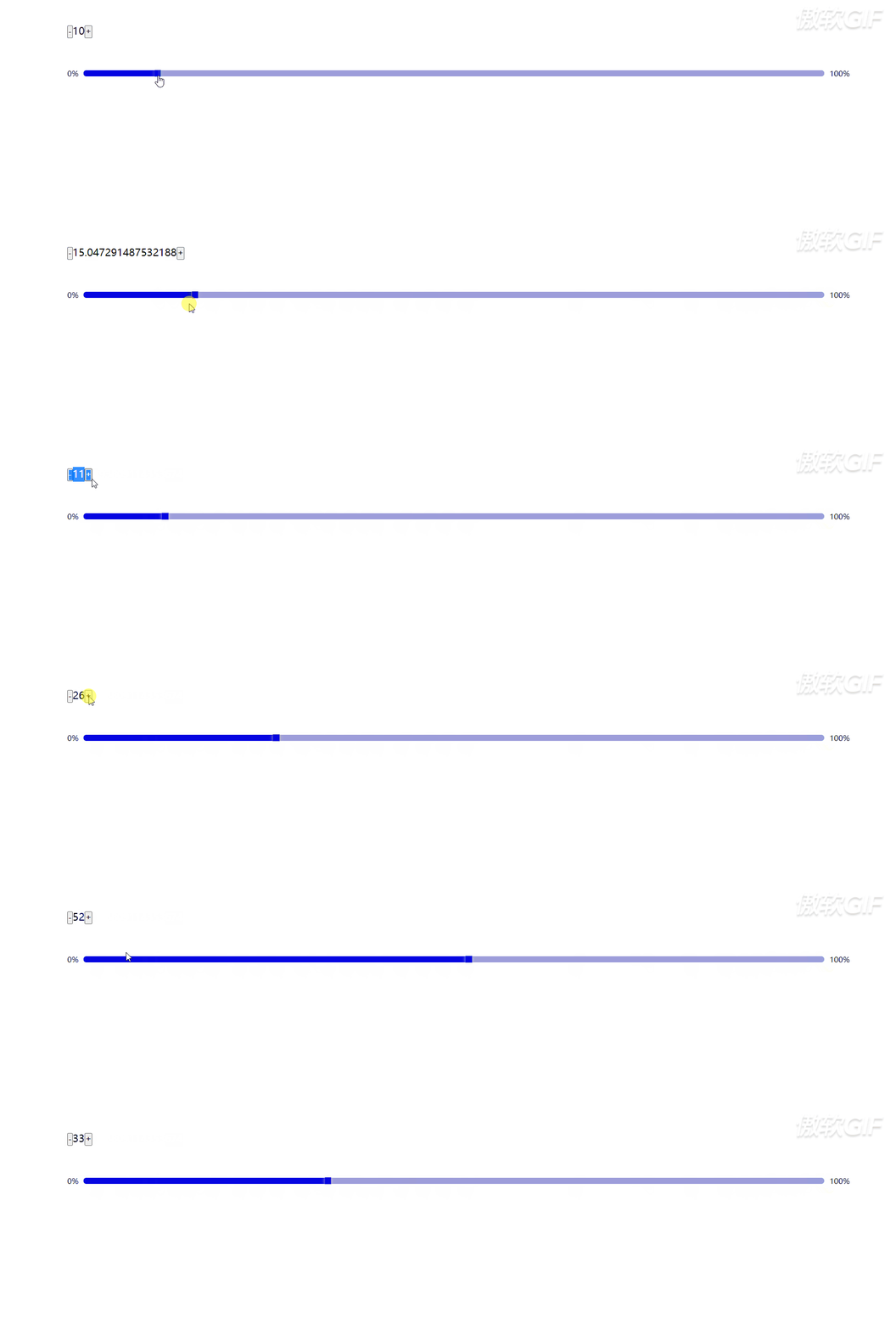
展示效果
2. js代码
/*
进度条
 */

const {
  getDom,
  createDom,
  cssFromObj,
  addNode
} = require('./Common')

class Progress {
  constructor (config) {
    this.config = {
      // 容器
      pNode: '',
      width: '100%',
      height: 10,
      min: 0,
      max: 100,
      value: 50,
      // radius: '4px',
      // 颜色
      color: '#9d9dda',
      barColor: '#0505e2',
      // 是否显示前后label
      label: true,
      editAble: true,
      // 可编辑状态的改变回调
      onChange: (nv, ov) => {

      }
    }

    Object.assign(this.config, config)
    this.init()
    this.render()
  }

  init (config) {
    Object.assign(this.config, config)
    this.config.value = Math.min(this.config.max, Math.max(this.config.value, this.config.min))
    this.parent = getDom(this.config.pNode)
    if (!this.parent) {
      throw new Error('The progress component needs a parent node, you can define by setting the "pNode" property')
    }
    // 外部容器
    this.progressBox = createDom('hxl-progress')
    this.progressBox.style = cssFromObj({
      width: this.config.width,
      height: `${this.config.height}px`
    })
    if (this.config.label) {
      this.prefix = createDom('hxl-progress-label prefix')
      this.suffix = createDom('hxl-progress-label suffix')
      this.prefix.style = cssFromObj({
        fontSize: `${this.config.height}px`
      })
      this.suffix.style = cssFromObj({
        fontSize: `${this.config.height}px`
      })
      this.prefix.innerHTML = this._formatLabel(this.config.min)
      this.suffix.innerHTML = this._formatLabel(this.config.max)
    }
    this.progressTrack = createDom('hxl-progress-track')
    this.progressTrack.style = cssFromObj({
      backgroundColor: this.config.color,
      borderRadius: this.config.radius || `${this.config.height * 0.9 / 2}px`
    })
    this.progressBar = createDom('hxl-progress-bar')
    this.progressBar.style = cssFromObj({
      backgroundColor: this.config.barColor
    })
    this.config.editAble && this.progressBar.classList.add('editable')
    this.config.editAble && (this.progressEditBtn = createDom('hxl-progress-edit-btn pointer'))
    this._setProgressBtn()
    addNode(this.progressBox, this.prefix, this.progressTrack, this.suffix)
    addNode(this.progressTrack, this.progressBar, this.progressEditBtn)
  }

  addEventListener () {
    if (this.config.editAble) {
      const that = this
      this.progressEditBtn.onmousedown = (e) => {
        this.editing = true
        this.stratX = e.clientX
      }
      document.addEventListener('mousemove', (e) => {
        if (that.editing) {
          const endX = e.clientX
          const delta = endX - that.stratX
          const barWd = that._calBarWidth()
          let newWd = barWd + delta
          const { max, min } = that.config
          if (newWd > that.trackWidth) {
            newWd = that.trackWidth
          }
          if (newWd < 0) {
            newWd = 0
          }
          const value = min + (max - min) * (newWd / this.trackWidth)
          this.value = value
          if (newWd === that.trackWidth || newWd === 0) {
            return
          }
          this.stratX = e.clientX
        }
      })
      document.addEventListener('mouseup', (e) => {
        that.editing = false
      })
    }
  }

  _setProgressBtn () {
    if (this.config.editAble) {
      this.progressEditBtn.style = cssFromObj({
        height: `${this.config.height}px`,
        // width: `${this.config.height}px`,
        backgroundColor: this.config.barColor,
        boxShadow: '0 0 5px #eae3e3'
      })
    }
  }

  _calBarWidth () {
    const { offsetWidth } = this.progressTrack
    this.trackWidth = offsetWidth
    const percent = (this.config.value - this.config.min) / (this.config.max - this.config.min)
    return offsetWidth * percent
  }

  _setBarWidth () {
    const width = this._calBarWidth()
    Object.assign(this.progressBar.style, {
      width: `${width}px`
    })
    if (this.config.editAble) {
      Object.assign(this.progressEditBtn.style, {
        left: `${width}px`
      })
    }
  }

  _formatLabel (num) {
    return typeof this.config.label.format === 'function' ? this.config.label.format(num) : num
  }

  render () {
    addNode(this.parent, this.progressBox)
    this._setBarWidth()
    this.addEventListener()
  }

  set value (val) {
    typeof this.config.onChange === 'function' && val !== this.config.value && this.config.onChange(val, this.config.value)
    this.config.value = val
    this._setBarWidth()
  }

  get value () {
    return this.config.value
  }
}

module.exports = {
  Progress
}
3. css样式
.hxl-progress {
  width: 100%;
  height: 10px;
  display: flex;
  flex-wrap: nowrap;
  align-items: center;
  -moz-user-select: none;
  -webkit-user-select: none;
  -ms-user-select: none;
  .hxl-progress-track {
    flex: 1;
    height: 90%;
    margin: 0 8px;
    position: relative;
  }
  .hxl-progress-bar {
    height: 100%;
    border-radius: inherit;
    &.editable {
      border-top-right-radius: 0;
      border-bottom-right-radius: 0;
    }
  }
  .hxl-progress-edit-btn {
    top: 0;
    width: 10px;
    position: absolute;
    transform: translate(-5px, -5%);
    &:hover {
      opacity: .7;
    }
    &:active {
      opacity: 1;
    }
  }
}
这么简单好用,还不快快用起来吗,实际使用中可根据自己的需要进行修改,当然也是存在很多的不足,也希望有人能够提出来,大家多多交流,互相促进~~
版权声明:本文为weixin_45946494原创文章,遵循CC 4.0 BY-SA版权协议,转载请附上原文出处链接和本声明。